PaperFolio for Kobo
 Doug (FIRE University)92 downloads
Import your Kobo highlights into Obsidian: one clean note per book, sorted by true reading order and grouped by chapter, with your own notes protected. Reads from a connected Kobo eReader or the Kobo desktop app.
- Overview
- Scorecard
- Updates4
English | 繁體中文
PaperFolio for Kobo
Import your Kobo highlights into Obsidian: one clean note per book, sorted by true reading order, grouped by real chapter names, with anything you write yourself left untouched.
Works with a Kobo eReader over USB, with the Kobo desktop app (no cable needed), and — optionally — over your local network so your Kobo can push highlights with a single tap.
Desktop-only. Everything stays on your machine: no accounts, no servers, no telemetry.
Why another Kobo plugin
Most importers give you a flat dump of highlights. PaperFolio focuses on the things that make the notes actually usable months later:
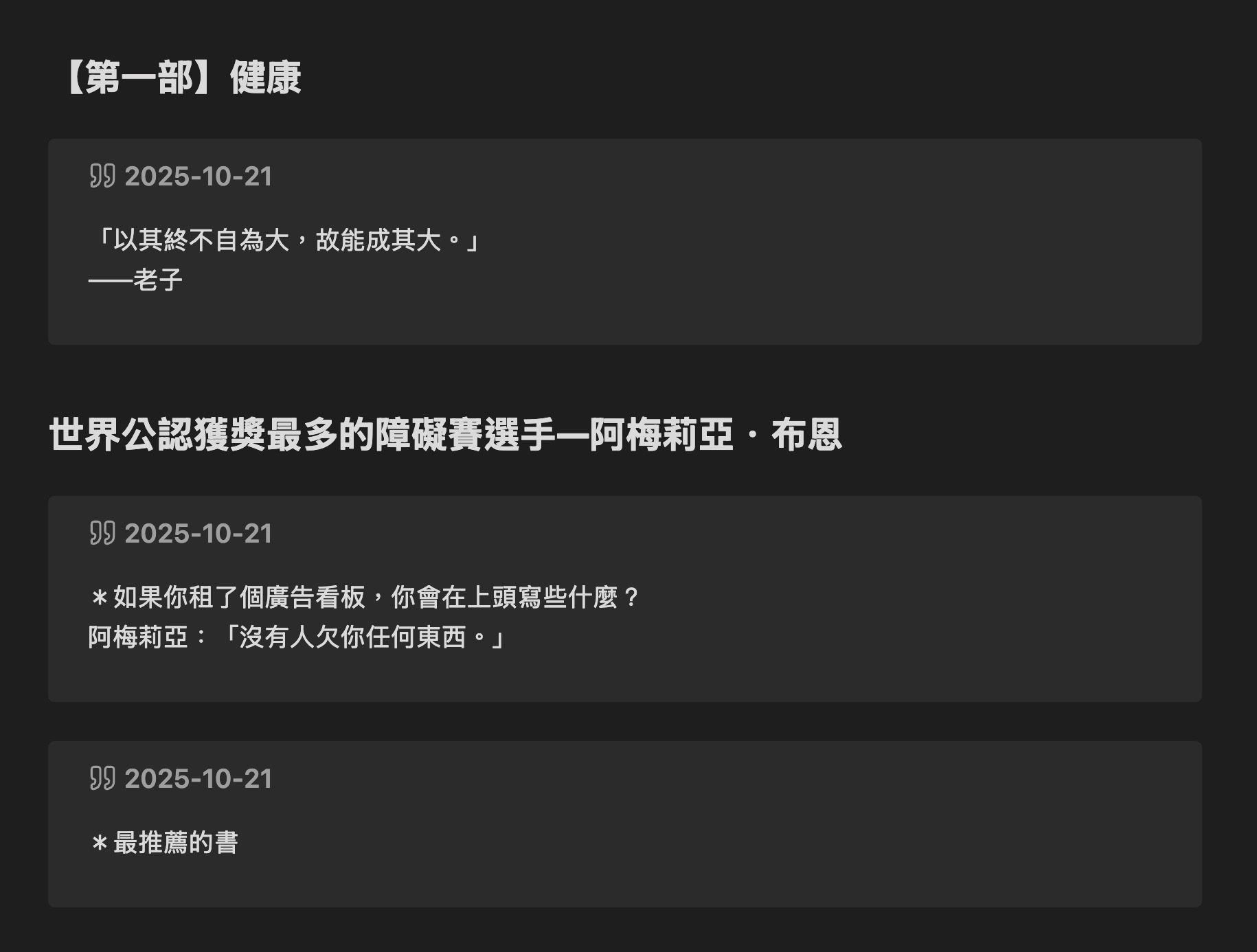
- True reading order. Highlights are sorted by their position in the book, not by when you made them. Going back to highlight an earlier passage does not shove it to the bottom.
- Real chapter names. Chapters come from the book's table of contents — not internal filenames like
bodymatter_0_5.xhtml. When a store book has no TOC entry in the database, the book's EPUB is read to recover the real names. - Your own writing is protected. Generated content lives inside a sentinel block. Re-syncing rewrites only that block, so a summary you write above it is never touched.
- Reads more than one source. A connected Kobo and the Kobo desktop app are merged in a single sync, so highlights made on either show up.
Features
- One note per book, with frontmatter (title, author, ISBN, dates).
- Highlight styles: callout, blockquote, or bullet list.
- Grouped by chapter; optional date and color tags.
- Incremental and de-duplicated — re-syncing does not churn your notes.
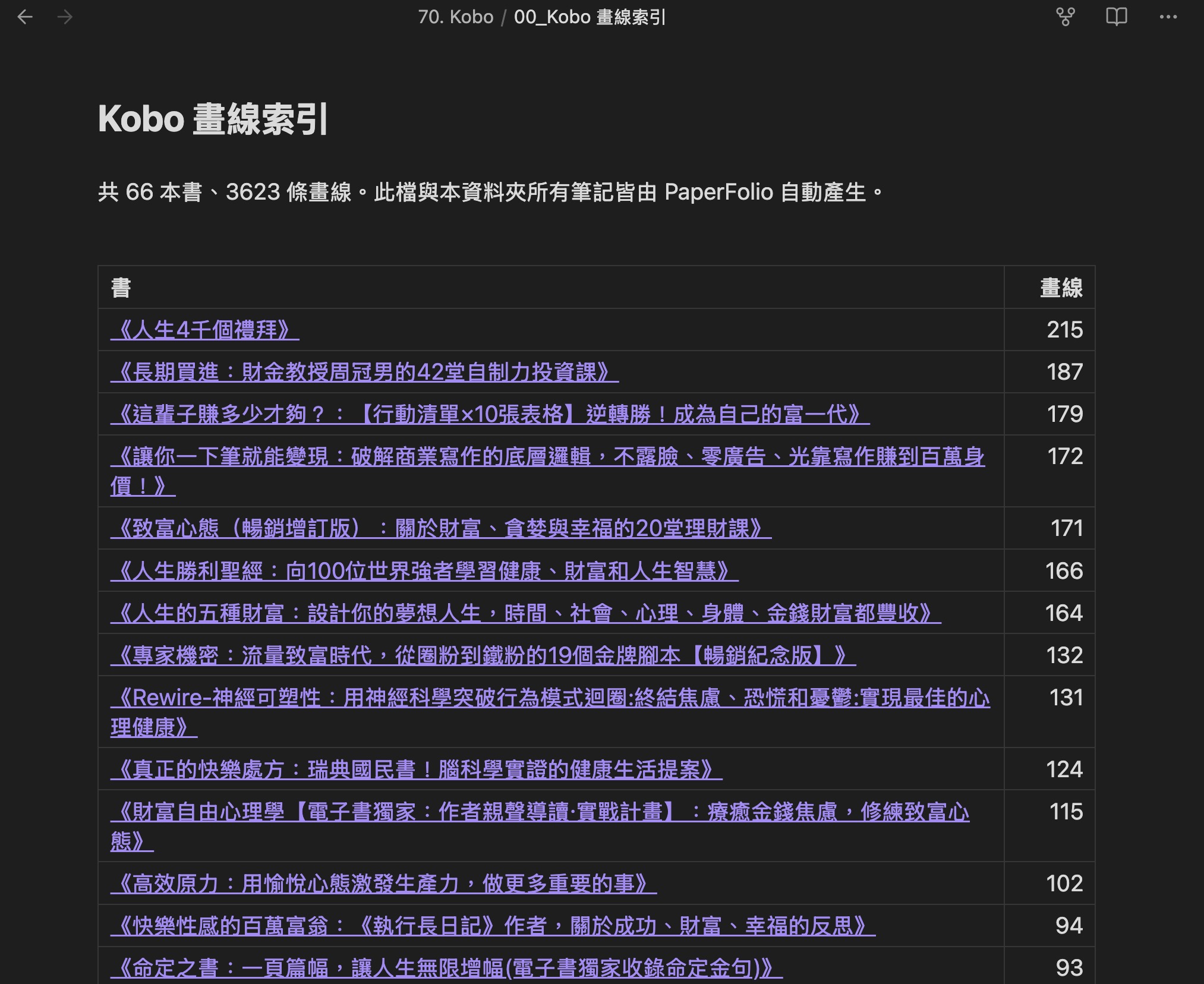
- Auto-generated index note listing every book by highlight count.
- Import threshold to skip books with only a stray highlight or two.
- Optional dogears (position only — Kobo does not store text for them).
- English and Traditional Chinese, following your Obsidian language by default.
Sources
You can use any combination; a single sync merges them.
1. Kobo eReader over USB
Connect your Kobo and let it mount, then click the ribbon icon or run Sync Kobo highlights to Obsidian. The plugin auto-detects the default mount path, or you can set the path to KoboReader.sqlite yourself.
2. Kobo desktop app (no cable)
If you read on your computer with the Kobo desktop app, its highlights are imported too. The plugin auto-detects its local database; leave the setting empty for auto-detection, or type off to disable this source.
3. Wireless over LAN (optional, off by default)
A firmware update wipes this. Kobo firmware updates clear
.adds/, which takes NickelMenu and this plugin's scripts with them — the sync button simply disappears. Reinstall NickelMenu, then generate the package again. (Verified 2026-08-31: NickelMenu v0.6.0 works on firmware 4.45.23697.) Syncing over USB is unaffected.
While Obsidian is open, the plugin can listen on a port so a Kobo on the same Wi-Fi pushes its highlights with one tap — no cable at all.
- Enable Wireless receiver (LAN) in settings. Your OS may ask to allow incoming connections.
- The settings page shows your sync address (e.g.
http://192.168.1.20:8321/sync) and a key. - On the Kobo, a one-tap NickelMenu button runs a small script that uploads
KoboReader.sqliteto that address with the key. Seekobo/INSTALL.md.
Chapter names are cached from earlier USB syncs, so wireless syncs keep full chapter grouping even though the EPUB files are not available.
Words you looked up (optional, off by default)
Your Kobo can save every word you look up with its built-in dictionary. Turn it
on at More > Beta Features > My Words on the eReader — without it the list
stays empty. Then switch on Vocabulary > Sync looked-up words here, and each
sync writes those words to <output folder>/.kobo-words.json, ready for a
vocabulary plugin (such as WordFolio)
to import as flashcards.
Look the word up first, then highlight the sentence
On a Kobo you cannot look a word up once the text is selected — the selection takes over the long press. So while reading: long-press the word, read the definition, close it, and only then highlight the sentence.
That order matters because Kobo saves the word but not the sentence it came from. PaperFolio recovers the sentence in two ways, in this order:
- From your highlights. Highlight text lives in the Kobo database, so this works even for DRM-protected store books.
- From the book file, when the Kobo is plugged in (or the book is in your Kobo desktop library) and the book is DRM-free. Store books are usually encrypted; the plugin never tries to decrypt anything.
If neither is available the word still syncs — the card simply has no example sentence, and a later sync can fill it in.
Settings
| Setting | What it does |
|---|---|
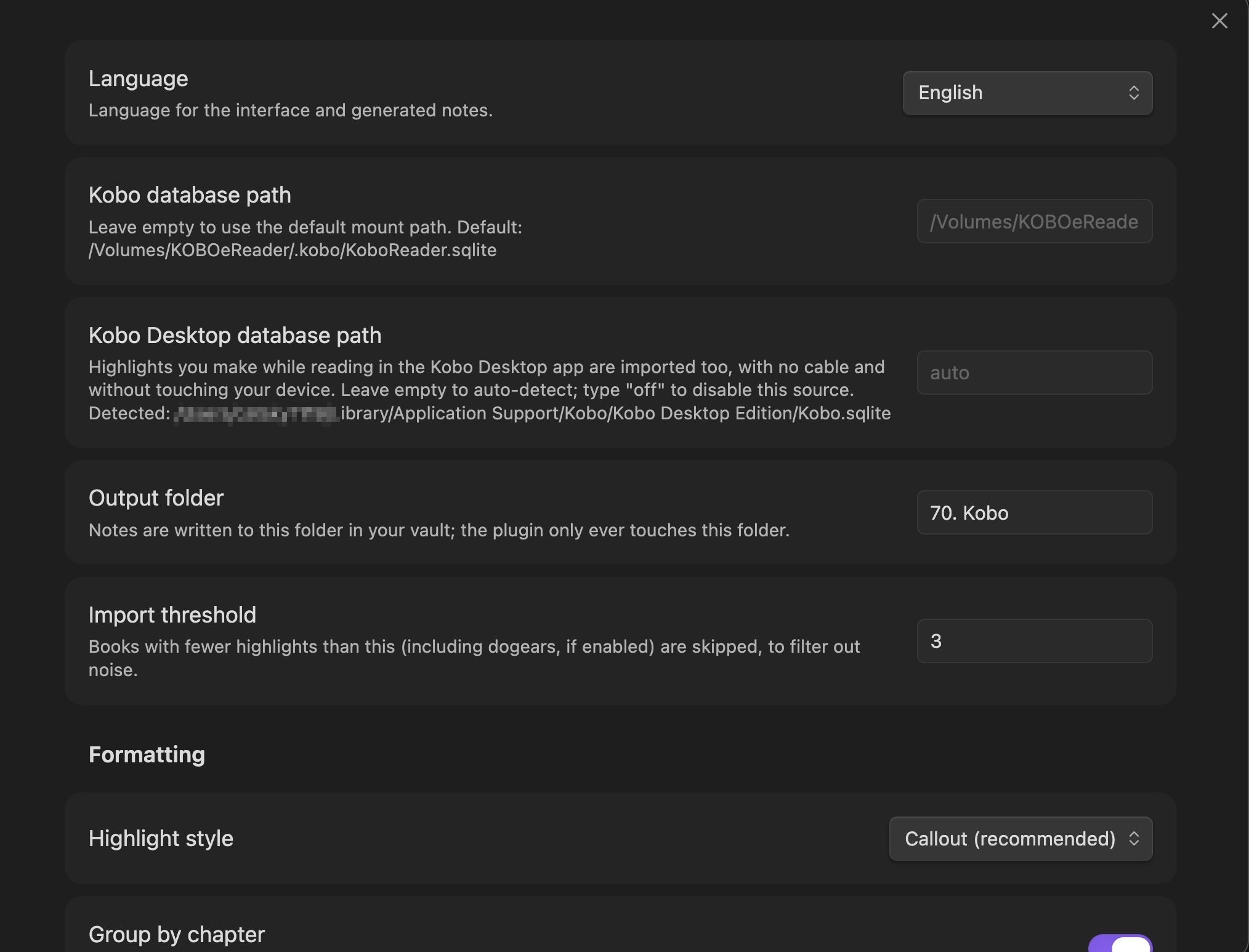
| Language | Interface and note language (Auto / English / Traditional Chinese) |
| Kobo database path | Empty = default mount path |
| Kobo Desktop database path | Empty = auto-detect, off = disable |
| Output folder | The only folder the plugin ever writes to |
| Import threshold | Skip books with fewer highlights than this |
| Highlight style | Callout / Blockquote / Bullet list |
| Group by chapter, show date, color as tag, filename format | Formatting |
| Import dogears, dogear label | Dogears (off by default) |
| Sync looked-up words, word list file | Vocabulary (off by default) |
| Wireless receiver | Enable, port, key, sync address |
How your notes are updated
Generated highlights are wrapped in a sentinel block:
# Book title

Anything you write here is yours and is never modified.

<!-- KOBO:START Auto-maintained; do not edit text inside this block. -->
...generated highlights...
<!-- KOBO:END -->
Re-syncing replaces only the content between the markers and refreshes last_synced in the frontmatter. Everything outside is left exactly as you wrote it.
Privacy and security
- Nothing leaves your machine. The plugin makes no outbound network requests and sends no telemetry. There is no account and no third-party service.
- Your Kobo is never modified. Its database is read into memory and parsed; the plugin never writes to the device.
- Files outside the vault. Because a Kobo database lives on the device (or in the desktop app's data folder), the plugin reads those paths directly. It writes only inside your vault, and only into the output folder you choose.
- The wireless receiver is off by default. When enabled, it binds
0.0.0.0so another device on your LAN can reach it — that is what makes one-tap sync from the Kobo possible. It is protected by a randomly generated key sent in theX-PaperFolio-Tokenheader, accepts only a SQLite upload onPOST /sync(200 MB limit) plus aGET /pinghealth check, and stops when Obsidian closes or the setting is turned off. - Desktop-only (
isDesktopOnly: true), because it uses Node APIs (fs,http,os,crypto) to read the database and run the optional receiver.
Troubleshooting
- "No Kobo database found" — check that the Kobo is mounted, or set the paths in settings.
- Nothing arrives over wireless — confirm Obsidian is open with the receiver enabled, that both devices are on the same network, and that the address and key in the Kobo script match the settings page.
- The IP changed — home routers hand out new addresses; update the address in the Kobo script, or give your computer a static lease.
- Database is corrupted — if the Kobo's database reports as malformed, it can often be salvaged with
sqlite3 broken.sqlite ".recover" | sqlite3 rescued.sqlite, then imported by pointing the plugin at the rescued file.
Development
npm install
npm run dev     # watch mode, outputs main.js
npm run build   # type-check + bundle
To test a build, copy main.js, manifest.json, and styles.css into <vault>/.obsidian/plugins/paperfolio-kobo/ and reload Obsidian.
Credits
SQLite parsing uses sql.js; EPUB table-of-contents reading uses fflate. Both MIT.
Kobo is a trademark of Rakuten Kobo Inc. This project is not affiliated with or endorsed by Rakuten Kobo Inc.
License
MIT — see LICENSE.