
- Overview
- Scorecard
- Updates3
PaperFlow turns arXiv links and local PDFs into Obsidian paper notes, PDFs, AI summaries, and PDF++ highlights.
What It Does
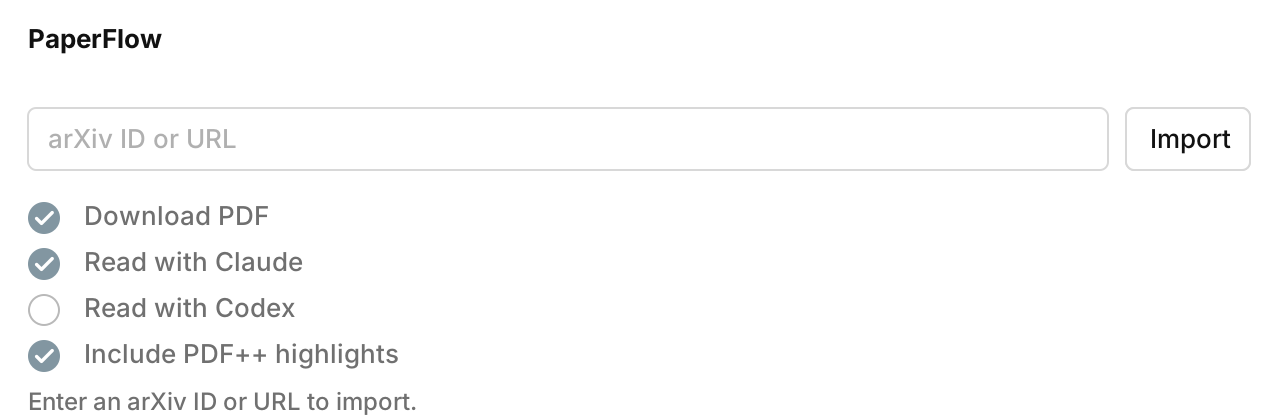
- Import from arXiv IDs or arXiv URLs.
- Import from a local PDF file, extracting the title, authors, date, and abstract the same way an arXiv import does.
- Download PDFs and create Markdown notes in
Rawby default. - Read papers with Claude Code or Codex.
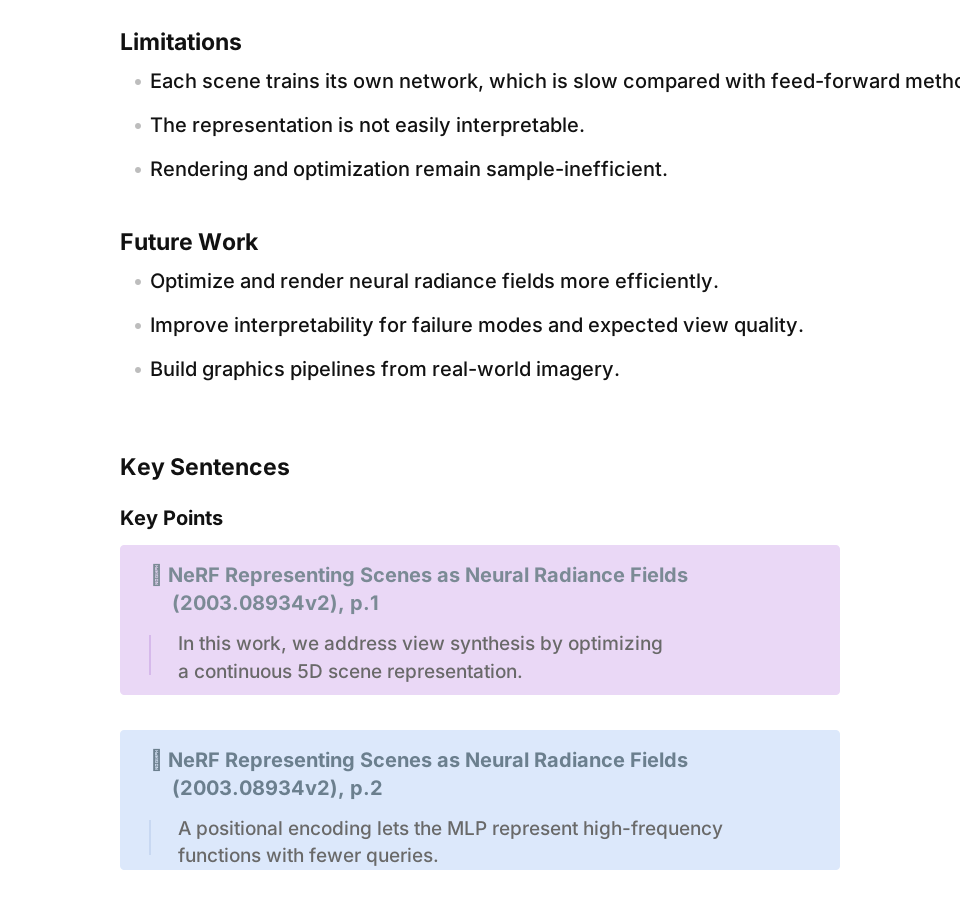
- Generate concise sections for idea, method, limitations, future work, and key sentences.
- Add exact-match PDF++ highlights with configurable concepts and colors.
Installation
Community Plugin
Enable community plugins in Obsidian and search for PaperFlow.
Manual Install
Create this folder in your vault:
Your Vault/.obsidian/plugins/paperflow
Download main.js, manifest.json, and styles.css from a release and place
them in that folder. Then enable PaperFlow from Obsidian's Community
plugins settings.
Local Development Install
npm install
npm run build
cp manifest.json main.js styles.css "Your Vault/.obsidian/plugins/paperflow/"
Reload Obsidian or disable and re-enable the plugin after copying files.
Usage
Open the command palette and run one of:
PaperFlow: Import metadata and PDF from arXivPaperFlow: Import metadata only from arXiv
Enter an arXiv ID or URL, then press Enter or click Import.
Supported inputs:
1703.06870
arXiv:1703.06870
https://arxiv.org/abs/1703.06870
https://arxiv.org/pdf/1703.06870
PaperFlow shows progress, supports canceling, and opens the generated note when the import finishes.
Import From A PDF
Click Choose PDF to pick a local PDF file, or type/paste a path to a PDF
(for example Raw/My Paper.pdf) into the input field and press Enter.
PaperFlow then extracts the same fields it gets from arXiv:
- If the PDF carries an arXiv stamp (most arXiv downloads do), the canonical arXiv metadata is fetched so the note matches an arXiv import exactly.
- Otherwise, the title, authors, abstract, and date are recovered from the PDF text layer and document properties.
With Download PDF enabled, the chosen PDF is copied into the PDF folder so AI
reading and PDF++ highlights work just like an arXiv import.
Settings
Open Settings -> PaperFlow.
PDF folder: folder for downloaded PDFs.Note folder: folder for generated Markdown notes.Custom template file: optional custom note template path.Read with Claude: run local Claude Code after PDF download.Claude command: optional Claude CLI path. Empty tries common locations.Read with Codex: run local Codex after PDF download.Codex command: optional Codex CLI path. Empty tries common locations.Include PDF++ highlights: add best-effort PDF++selection=ranges to AI key-sentence callouts. Default is off.PDF++ highlight concepts: add/remove concept headings and choose each highlight color with a hex color picker.Reading prompt: shared prompt template used by Claude and Codex.
AI Reading
When Read with Claude or Read with Codex is enabled, PaperFlow appends a
short reading section:
IdeaMethodLimitationsFuture WorkKey Sentences
The reading prompt supports these placeholders:
{{ reader }}
{{ pdf_full_path }}
{{ pdf_vault_path }}
{{ pdf_name }}
{{ pdf_title }}
{{ title }}
{{ paper_id }}
{{ authors }}
{{ abstract }}
{{ pdf_text }}
{{ pdf_text }} is mainly for Codex. PaperFlow extracts bounded PDF text locally
through the bundled PDF text layer.
PDF++ Highlights
AI key sentences can become PDF++ callouts:
> [!PDF|yellow] [[Paper Title.pdf#page=1&color=yellow|Paper Title, p.1]]
> > quoted sentence
With Include PDF++ highlights, PaperFlow locates exact quoted sentences in the
PDF text layer and adds a PDF++ selection= range:
> [!PDF|yellow] [[Paper Title.pdf#page=1&selection=20,87,22,100&color=yellow|Paper Title, p.1]]
> > quoted sentence
If a sentence cannot be matched uniquely, PaperFlow keeps the page-only link instead of creating a wrong highlight.
Metadata And Network Behavior
The plugin uses https://arxiv.org/abs/<id> first and reads citation metadata
from the abstract page. The slower legacy Atom API is only used as a fallback.
Timeouts:
- arXiv abstract page metadata: 15 seconds.
- arXiv API fallback metadata: 15 seconds.
- PDF download: 120 seconds.
- Codex reading: 420 seconds.
Custom Note Templates
The generated note can use the built-in template or a custom template file.
Available variables:
{{ paper_id }}: arXiv paper ID.{{ title }}: paper title.{{ authors }}: authors as text.{{ date }}: publication date.{{ abstract }}: paper abstract.{{ comments }}: paper comments.{{ pdf_link }}: downloaded PDF link, or remote PDF URL when no PDF was downloaded.
To use a custom template:
- Open
Settings -> PaperFlow. - Set
Custom template file. - Click
Create template file, or create the file yourself. - Edit the template in source mode.
Desktop Requirements
PDF import works in Obsidian desktop and mobile, but AI reading requires desktop because it runs local CLI tools.
Optional tools:
- Claude Code CLI for
Read with Claude. - Codex CLI for
Read with Codex.
Security
PaperFlow runs local Claude or Codex CLI commands only when those reading features are explicitly enabled. Metadata import, PDF download, and PDF++ matching do not execute shell commands.
License
MIT