Local API Reference
 theluckystrike1 downloads
Read local OpenAPI files as endpoint lists with parameter and response details.
- Overview
- Scorecard
- Updates1
Local API Reference opens a JSON or YAML OpenAPI file from your vault in a read-only view. Select a method and path to read its parameters, request content types, response codes, and shallow schema properties. Keep the source beside the notes that explain your service.
The free reader accepts OpenAPI 3.0 and 3.1. It uses the local file and does not call the API described in that file. You can inspect a specification without an API key, a server connection, or a viewer account.
Features
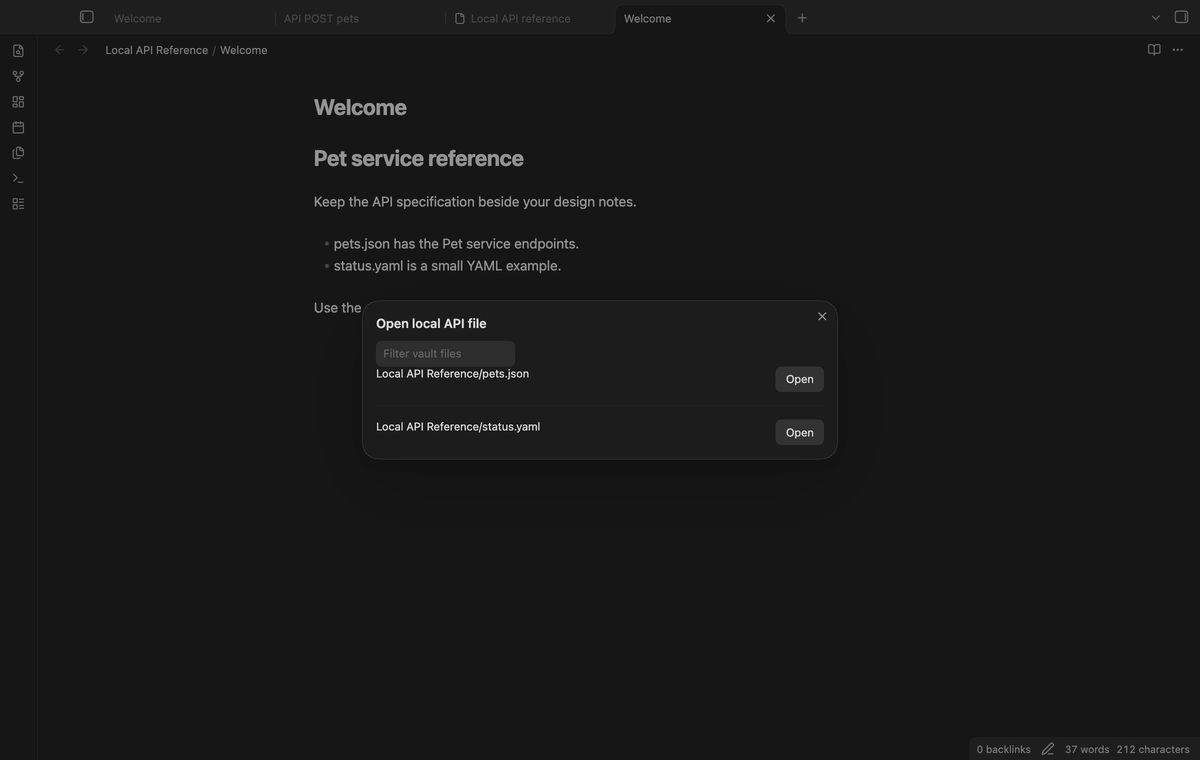
Select a file from the vault
Run "Open local API file" from the command palette. The file picker lists JSON, YAML, and YML files. Type part of a path to reduce the list, then select Open. The reference appears in a new tab. Files must be no larger than 5 MiB. The source path stays visible above the endpoint list so that you can check which document you opened.
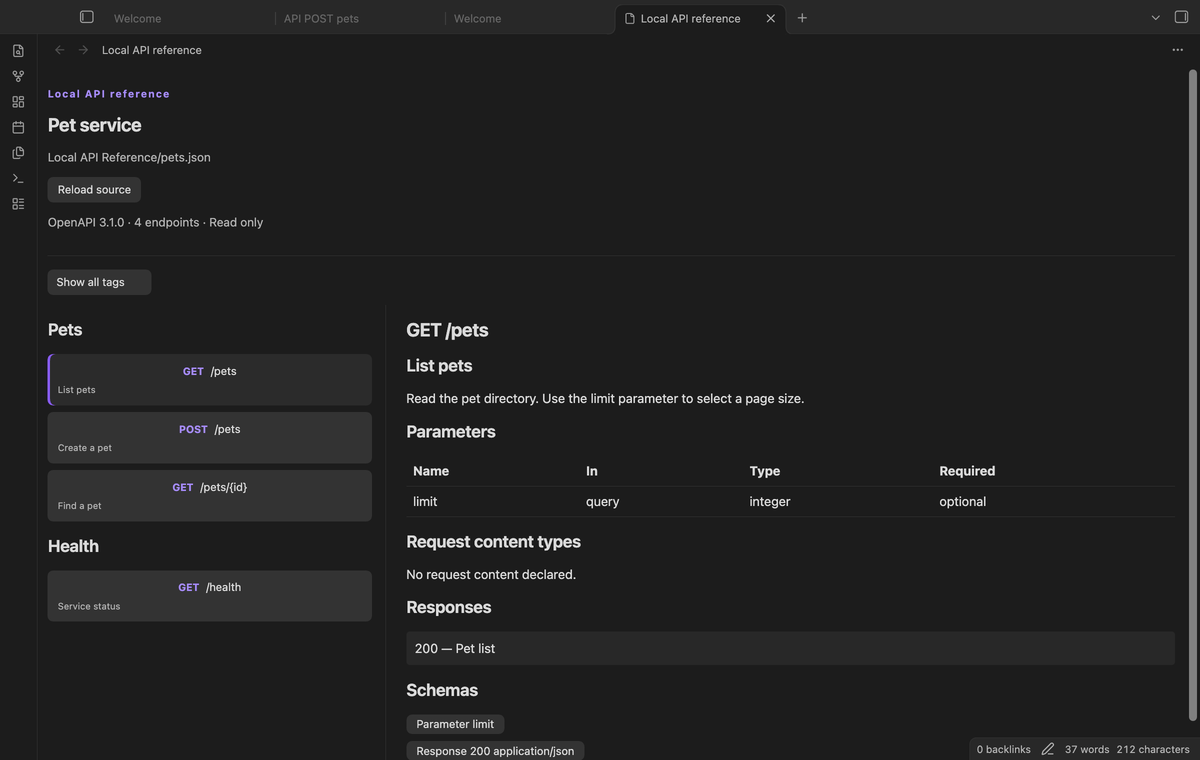
Read endpoints by tag
The list groups endpoints under their operation tags. Each button shows the method, path, and summary. An endpoint with two tags appears in two sections. An endpoint without a tag appears under Untagged. Select a tag from the menu to reduce the list. This tag selection is free and lasts while the view stays open.
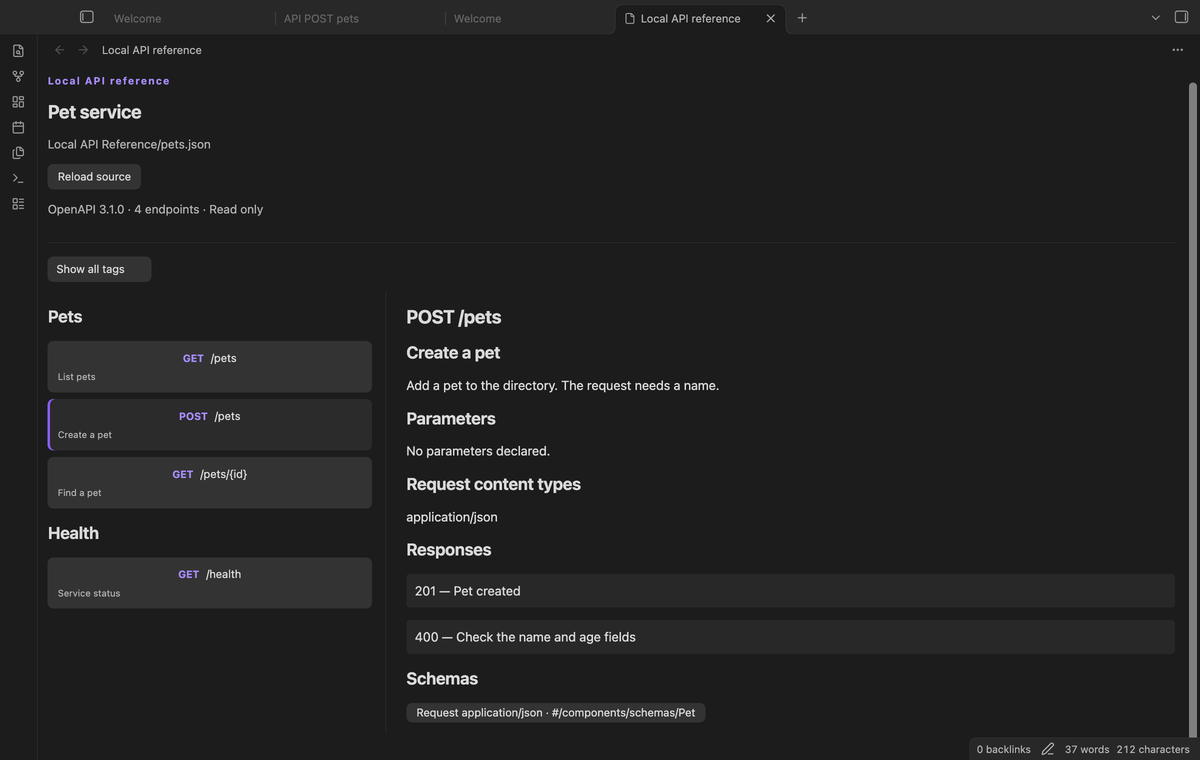
Check parameters and responses
Select an endpoint to read its details. The table shows parameter names, locations, types, and required states. Operation parameters replace path parameters with the same name and location. Request content types and response codes appear below the table. Descriptions appear as plain text, including text that looks like HTML or Markdown.
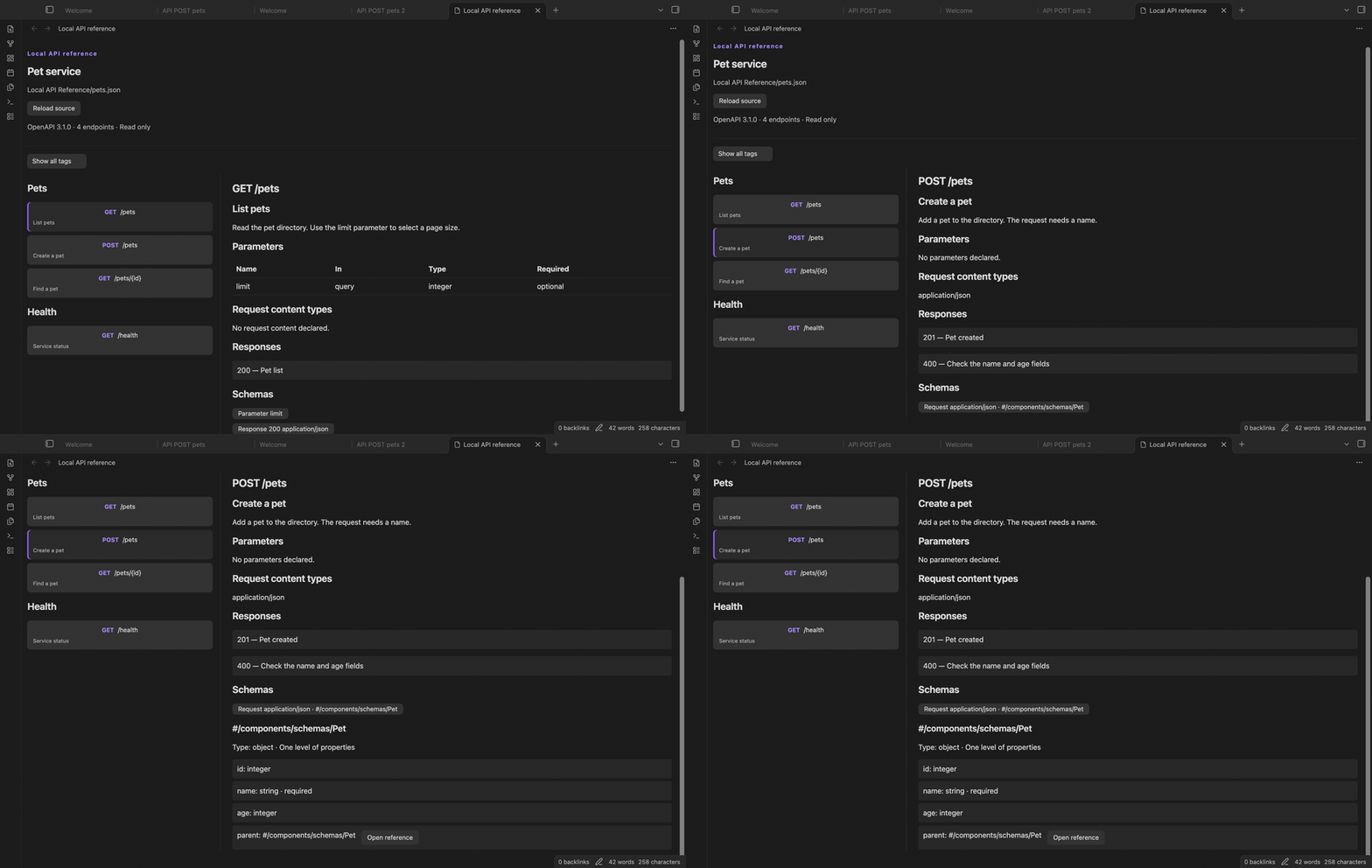
Open local schema references
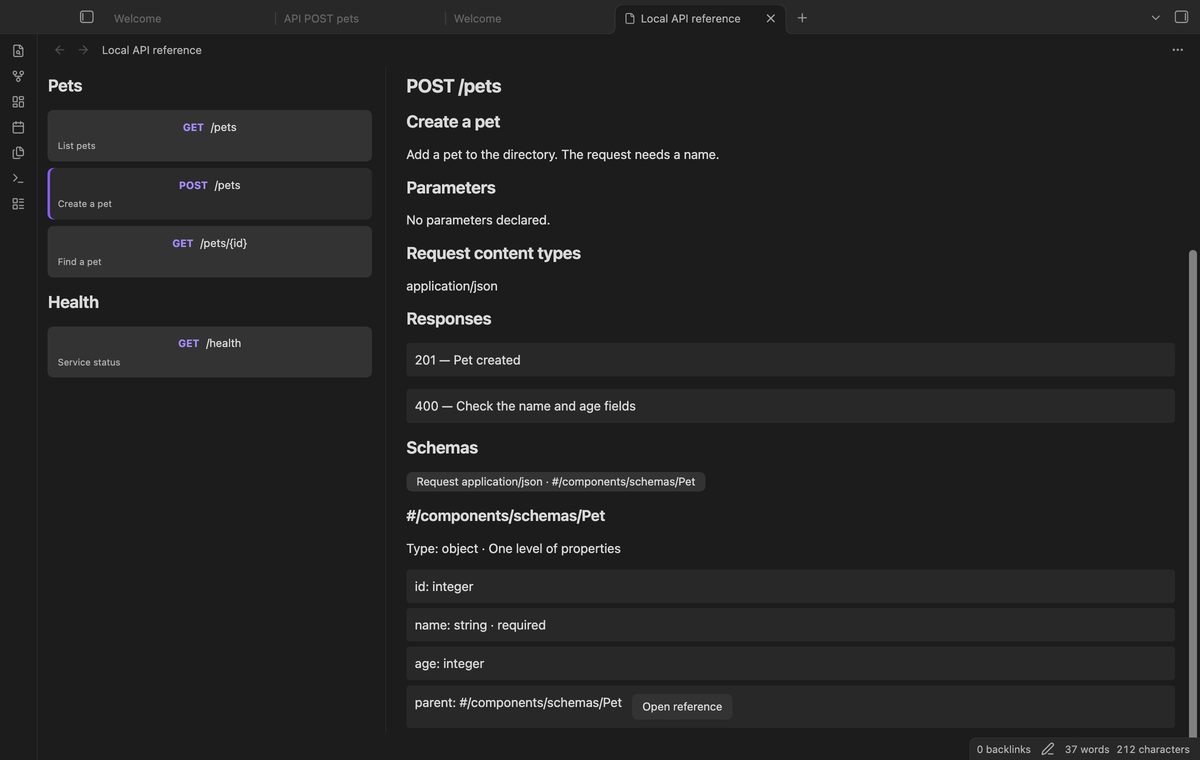
Select a schema button to show one level of properties. Internal JSON Pointer references can select shared schemas in the same document. A property reference has an Open reference button. Self references remain links instead of expanding into a tree. Missing targets, reference chain cycles, and external references show a message. External references are not fetched.
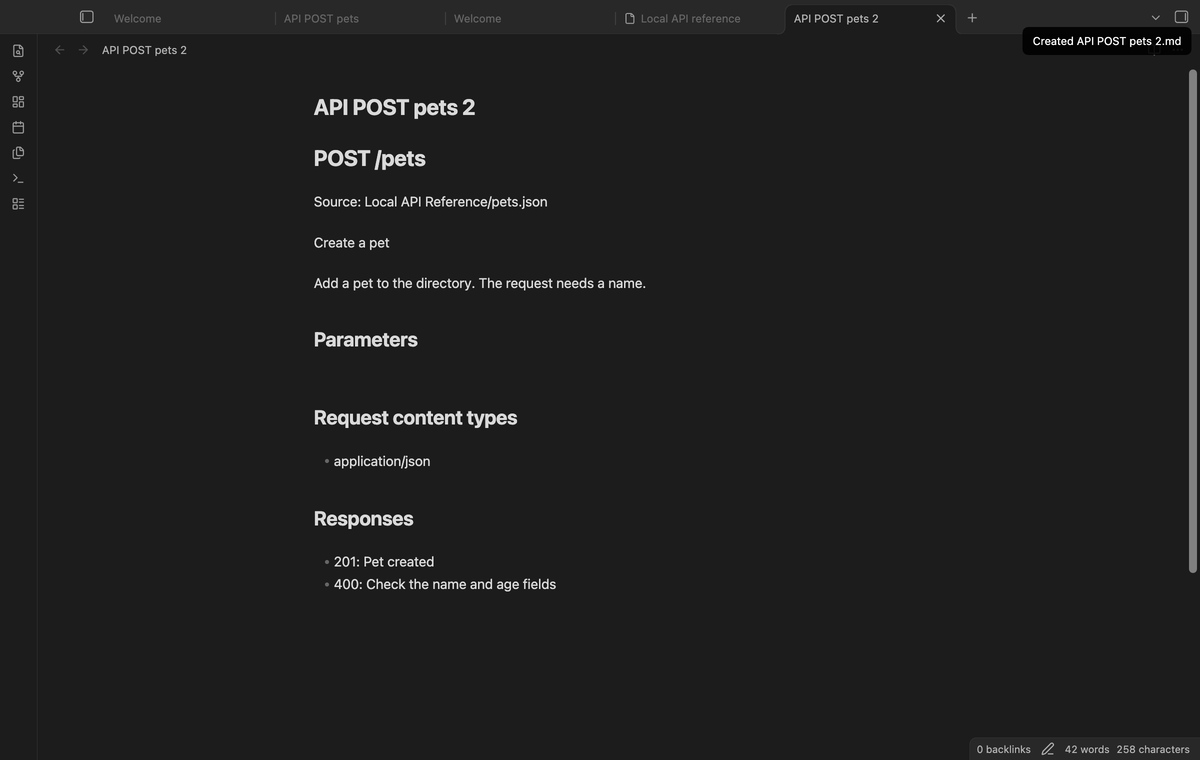
Write endpoint notes (Pro)
Select "Write endpoint note (Pro)" to create a Markdown note in the vault root. The note contains the endpoint summary, description, parameters, request content types, response codes, and source path. Source markup is escaped. The note name starts with API and includes the method and path. If that name exists, a number is added. The source file and existing notes stay unchanged.
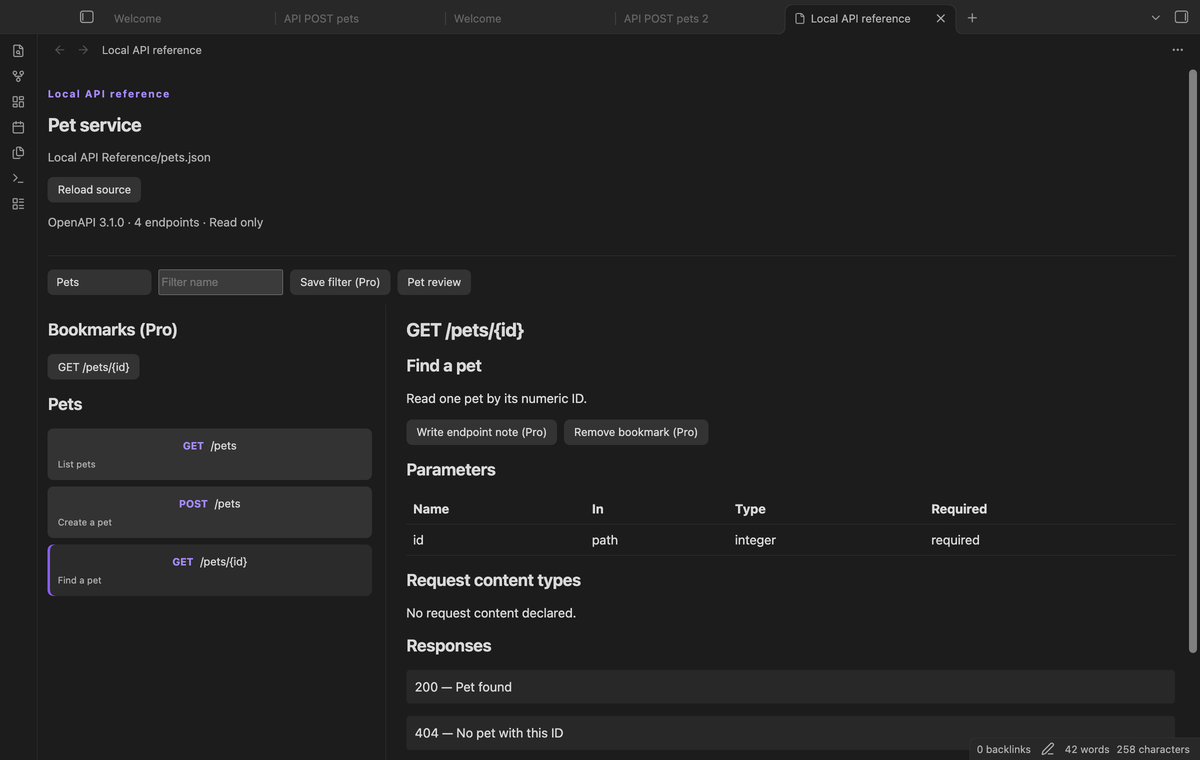
Save bookmarks and tag filters (Pro)
Bookmark the selected endpoint to add it above the tag sections. Bookmarks belong to a source path and endpoint ID. Select the bookmark to return to that detail panel. To save a filter, select a tag, enter a name, and select Save filter. Saving the same name replaces its tag. These choices are stored in the plugin data. When Pro is off, they stay saved and their controls are hidden.
Install
Use Obsidian 1.13.4 or later. For a manual installation, copy main.js, manifest.json, and styles.css from a release into <vault>/.obsidian/plugins/openapi-spec-viewer/. Open Settings, select Community plugins, and enable Local API Reference. Reload Obsidian if the entry does not appear after you copy the files.
The repository contains source code and tests. A source checkout needs its build step before installation. Do not copy TypeScript files into the plugin folder as a substitute for the release files.
Usage
- Put a specification in your vault, for example
Reference/pets.yaml. - Open the command palette and run "Local API Reference: Open local API file".
- Select the file, then select an endpoint in the tag list.
- Read its detail panel and select a schema button when you need property types.
- After you edit the source with another tool, select "Reload source".
The reference view does not edit the specification. If parsing fails, it shows a message in the view. Correct the source in your editor and reload it. A Swagger 2.0 document needs conversion to OpenAPI 3.0 or 3.1 before this reader can show its endpoints.
Settings
The settings tab contains the optional GitHub Sponsors controls. It has the price, sponsorship link, sign-in action, and account status. After sign-in, Refresh requests a new sponsorship check. Sign out clears the stored token and turns Pro off.
The file picker, tag menu, and Reload source button are in the reader workflow. Endpoint notes have a fixed output location: endpoint notes go in the vault root. Reload source applies source edits to the view. Named filters store a tag label, so a filter can be reused with a different file that uses that label.
FAQ
Is this a full OpenAPI validator?
No. It checks the version and parses the document, then reads the supported endpoint fields. It does not validate the complete OpenAPI or JSON Schema rules. Schema composition, callbacks, webhooks, and security definitions do not have dedicated views. Array schemas offer a button to inspect their items.
Can I send a request or load a URL?
The reader has no request runner or URL importer. Put the file in the vault first. References to other files and remote URLs are unsupported. Neither the reader nor note export sends a source path, endpoint description, or note text to a network host.
What happens after I rename a source file?
Reopen it from the picker. Saved bookmarks keep the old source path and do not follow a rename. A view restored after its source was removed shows a missing-file message. Exported endpoint notes are independent snapshots and do not update with the specification.
What was not tested?
No phone, tablet, Linux device, Windows device, screen reader, or third-party theme was tested. Live payment and live GitHub sign-in were not tested. Pro tests use a local sponsorship response. The desktop app tests cover the supported version floor and the latest public version. The tests do not establish performance for large endpoint lists or complete OpenAPI conformance.
Payment, account and network
The core features are free. Pro features need a GitHub Sponsors sponsorship of theluckystrike: $5 a month or more, or $15 once. A total payment of $15 meets the payment requirement for Pro without further payment. Sign-in and the checks below still apply. Your notes stay readable and editable with or without Pro.
GitHub handles the payment. Sponsor at https://github.com/sponsors/theluckystrike. You need no account for the free features. Pro needs the GitHub account that sponsors.
Until you select "Sign in with GitHub" in the settings, Local API Reference makes no network requests. Sign in uses the GitHub device flow. Local API Reference sends its public client ID and the scope read:user to https://github.com/login/device/code and shows you a code. While you enter the code at https://github.com/login/device, it asks https://github.com/login/oauth/access_token every few seconds to check the sign-in status. The scope permits profile reads only. GitHub needs this access to show the sponsorship tier. It grants no repository scope and no write access.
After sign in, Local API Reference sends one query to https://api.github.com/graphql. It checks if the signed-in account sponsors theluckystrike. It asks for the tier and the total payment to theluckystrike. The plugin reuses a successful check for 7 days. Failed checks can retry after 6 hours. Select Refresh to request an earlier check. It sends no note content, file names or other vault data, and it has no telemetry.
After a successful check, Pro can work offline for up to 14 days. Sign out or a negative sponsorship answer turns Pro off. The plugin stores the GitHub token through the secret storage API of Obsidian. It does not put the token in its saved settings or its local sponsorship data. The local storage of this device keeps your GitHub login, the tier and the time of the last check. Sign out clears the token. You can also revoke the access in your GitHub settings, under Applications.
Support
Report a problem in this repository's issues. Include the Obsidian version, the file format, and a small specification that reproduces the problem. Remove credentials and private service details before you share a sample. State whether the problem occurs while reading a file, opening a schema, saving a bookmark, or writing a note.
Local API Reference is published by theluckystrike. See notemods.com for the publisher's other tools. The source is available under the MIT license.