OmniBooks
 阿尔旦50 downloads
Turn book notes into a cover shelf, reader, timeline and reading stats. Sync highlights and reading time from both Apple Books (macOS) and WeRead. Four layouts on desktop and iPad, two on iPhone.
- Overview
- Scorecard
- Updates8
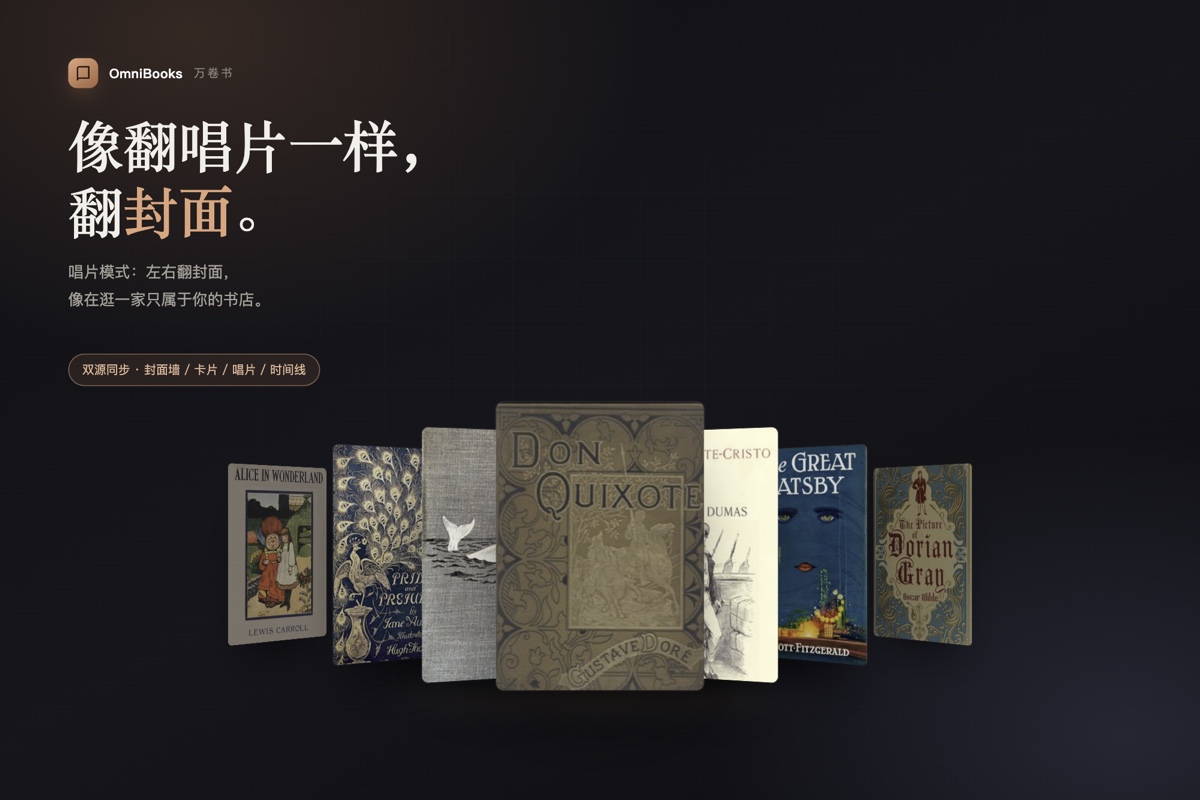
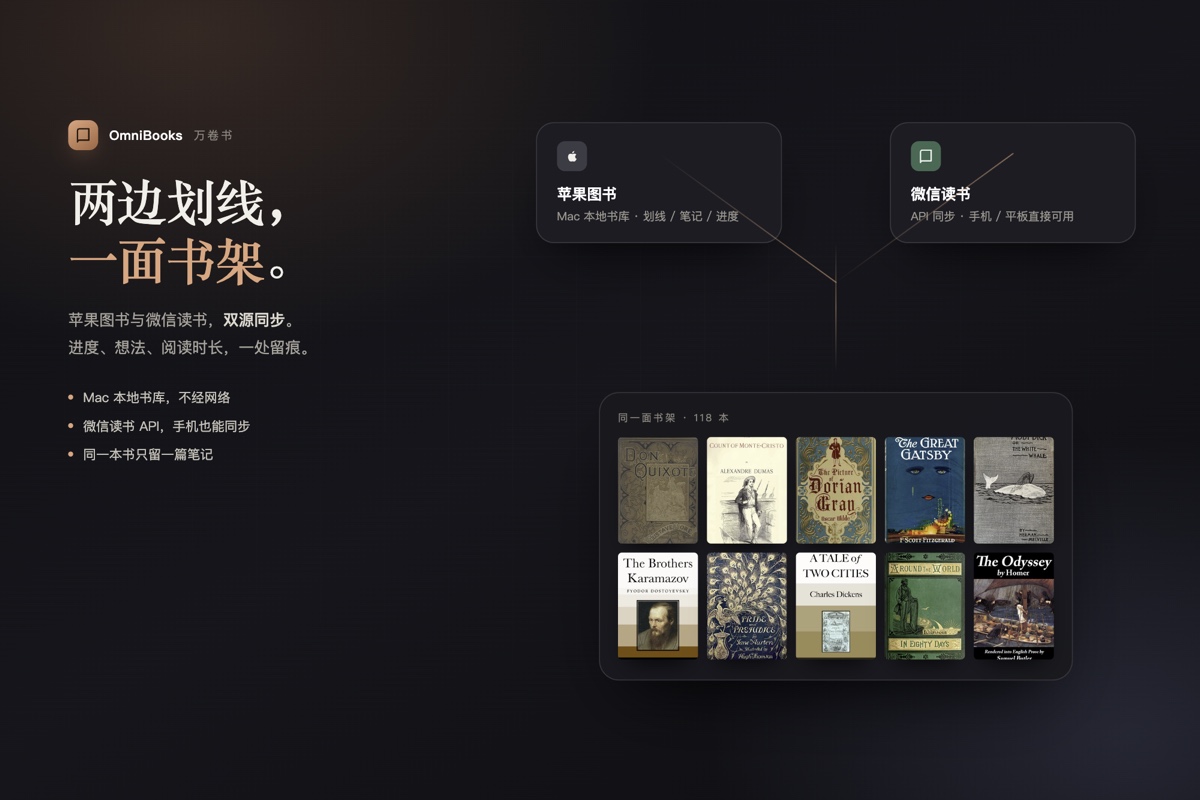

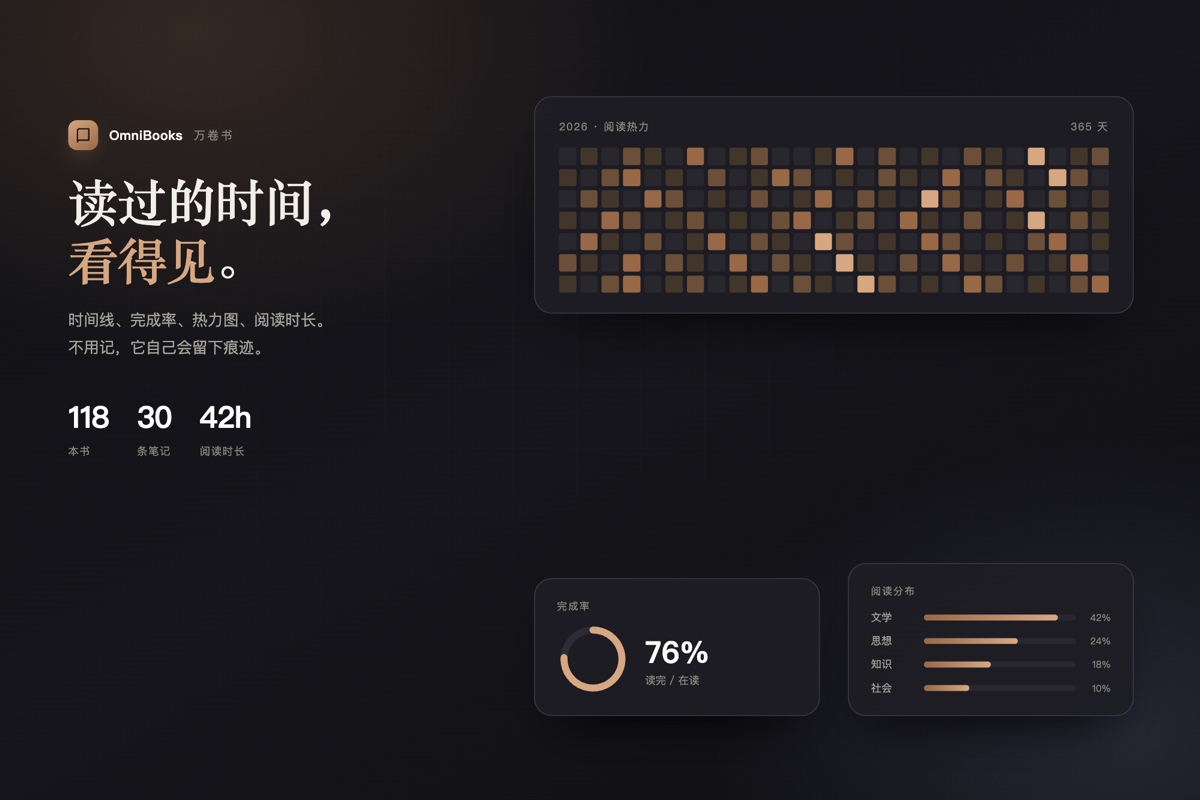

把书籍笔记变成书架、阅读视图、时间线和阅读统计。微信读书与苹果图书可同时同步,AI 还会给出阅读分析、推荐与反向推荐。
功能
- 书架视图:封面墙、卡片模式、唱片模式、时间线(电脑 / iPad)。
- iPhone:只保留封面墙与时间线,保证手机端稳定。
- 阅读视图:按章节展示划线、内联评论、爱心收藏金句。
- 同步:苹果图书(本地 SQLite)与微信读书(Agent 接口)。
- 阅读时间线:年份·月份置顶、每天只标一次日期、靠近时淡出。
- 统计:完成率、日历热力图、领域分布、阅读时间。
- AI 顾问:六维画像、雷达图、推荐、数据页;需要你自己的 API Key。
目前重点优化电脑端,平板和手机端仍在完善中。个人开发者精力有限,还请多给一点时间;后续会持续更新,逐步把体验做得更优雅。可以放心下载使用。
安装
社区市场(推荐)
- 设置 → 第三方插件 → 浏览;
- 搜索 OmniBooks;
- 安装并启用。
也可以直接打开:obsidian://show-plugin?id=omnibooks。
手动
把 main.js、manifest.json、styles.css 放进:
<你的库>/.obsidian/plugins/omnibooks/
重启 Obsidian → 设置 → 第三方插件 → 启用 OmniBooks。
BRAT(内测)
只用于社区目录里还没有的测试版本。
- 先安装社区插件 BRAT;
- 命令面板执行
BRAT: Add a beta plugin for testing; - 输入仓库名(
0xTack/OmniBooks); - 在第三方插件里启用 OmniBooks。
数据来源与隐私
- 苹果图书:只读 macOS 本地「图书」数据库,不走网络。首次同步需要在 Mac 上完成。之后平板/手机点同步会由同一 iCloud 库里的 Mac 执行;Mac 需要保持 Obsidian 运行并授予完全磁盘访问权限。
- 微信读书:用你提供的 API Key 同步书架、划线与想法;每台设备第一次使用时填一次,之后自动使用。Key 只保存在当前设备的插件设置里。
- AI 顾问:可选,请求直接发给你配置的服务商;Key 只保存在当前设备的插件设置里。
- 书籍笔记始终是 vault 里的普通 Markdown,插件不会上传你的笔记。
命令
打开 OmniBooks 万卷书打开阅读视图切换书架视图阅读时间线阅读统计立即同步苹果图书立即同步微信读书
路线图
- 本地 EPUB / PDF:读取书名、作者、封面,直接上书架。
- 标注导入:先做通用 CSV / Markdown 导入,再逐步支持 Kindle、KOReader、Readwise、Calibre。
- 其他阅读器会陆续加入。
支持 / Sponsor
如果 OmniBooks 对你有帮助,可以请作者喝杯咖啡:
支持完全自愿,不影响插件的任何功能。
许可证
MIT
OmniBooks
Turn your book notes into a visual shelf inside Obsidian.
OmniBooks reads Markdown notes that carry book frontmatter (title, author, cover, status, progress, highlights, lastRead) and renders them as a bookshelf, a reading view, a timeline, and a set of reading statistics. It can sync notes from Apple Books (macOS) and WeRead (微信读书).
Features
- Shelf views — cover wall, card, coverflow, and timeline (desktop / iPad).
- iPhone — cover wall and timeline only, for stability on smaller screens.
- Reader view — chapters, highlights, inline comments, favourite quotes.
- Sync — Apple Books (local SQLite) and WeRead (Agent API).
- Reading timeline — year/month pins, one date per day, fade-out near the pinned label.
- Statistics — completion rate, calendar heatmap, domain distribution, reading time.
- AI advisor (optional) — reading profile, radar chart, recommendations, and a data page. Requires your own API key.
The desktop experience is the current focus; tablet and mobile are still being polished. As a solo developer, updates take a little time — thank you for your patience. More improvements are on the way, and it's safe to download and use today.
Installation
Community plugins (recommended)
- Open Settings → Community plugins → Browse.
- Search for OmniBooks.
- Install, then enable it.
Or open it directly: obsidian://show-plugin?id=omnibooks.
Manual
Copy these files into <vault>/.obsidian/plugins/omnibooks/:
main.js
manifest.json
styles.css
Restart Obsidian, then enable OmniBooks in Settings → Community plugins.
BRAT (beta)
BRAT is only needed for testing builds that are not in the community directory yet.
- Install the BRAT plugin from the community directory.
- Run
BRAT: Add a beta plugin for testing. - Enter the repository name (
0xTack/OmniBooks). - Enable OmniBooks in Settings → Community plugins.
Data sources and privacy
- Apple Books: reads the local Books database on macOS. The first sync must be completed on a Mac. After that, tablet/phone sync requests are executed by the Mac in the same iCloud vault; the Mac must keep Obsidian running with Full Disk Access.
- WeRead (微信读书): syncs your shelf, highlights, and thoughts with the API key you provide. Enter it once per device; it is then reused automatically. The key is stored only in that device's plugin settings.
- AI advisor: optional. Requests go directly to the provider you configure. The key is stored only in that device's plugin settings.
- All book notes stay in your vault as plain Markdown. The plugin never uploads your notes.
Commands
Open OmniBooks shelfOpen book readerSwitch shelf viewReading timelineReading statisticsSync Apple Books nowSync WeRead now
Roadmap
- Local EPUB / PDF books: scan metadata and covers, show them on the shelf.
- Annotation import: a generic CSV / Markdown importer, then Kindle, KOReader, Readwise, and Calibre.
- More sync sources are on the way.
Support / Sponsor
If OmniBooks has been useful, you can buy the author a coffee:
Support is entirely voluntary and never affects any plugin features.
License
MIT