Search...Search plugins and themes...
⌘K
Sign in
  • Get started
  • Download
  • Pricing
  • Enterprise
  • Account
  • Obsidian
  • Overview
  • Sync
  • Publish
  • Canvas
  • Mobile
  • Web Clipper
  • CLI
  • Learn
  • Help
  • Developers
  • Changelog
  • About
  • Roadmap
  • Blog
  • Resources
  • System status
  • License overview
  • Terms of service
  • Privacy policy
  • Security
  • Community
  • Plugins
  • Themes
  • Discord
  • Forum / 中文论坛
  • Merch store
  • Brand guidelines
Follow us
DiscordTwitterBlueskyThreadsMastodonYouTubeGitHub
© 2026 Obsidian

WakaTime

wakatimewakatime13k downloads

Automatic time tracking and metrics generated from your usage activity.

Add to Obsidian
  • Overview
  • Scorecard
  • Updates1

WakaTime is an open source Obsidian plugin for metrics, insights, and time tracking automatically generated from your Obsidian usage activity.

Installation

  1. Inside Obsidian, click Settings → Community Plugins → Browse.

  2. Search for wakatime, click on the WakaTime plugin.

  3. Click the Install button.

  4. Click the Enable button.

  5. Enter your api key, then press enter.

  6. Use Obsidian and your activity will be displayed on your WakaTime dashboard

Usage

Visit https://wakatime.com to see your coding activity.
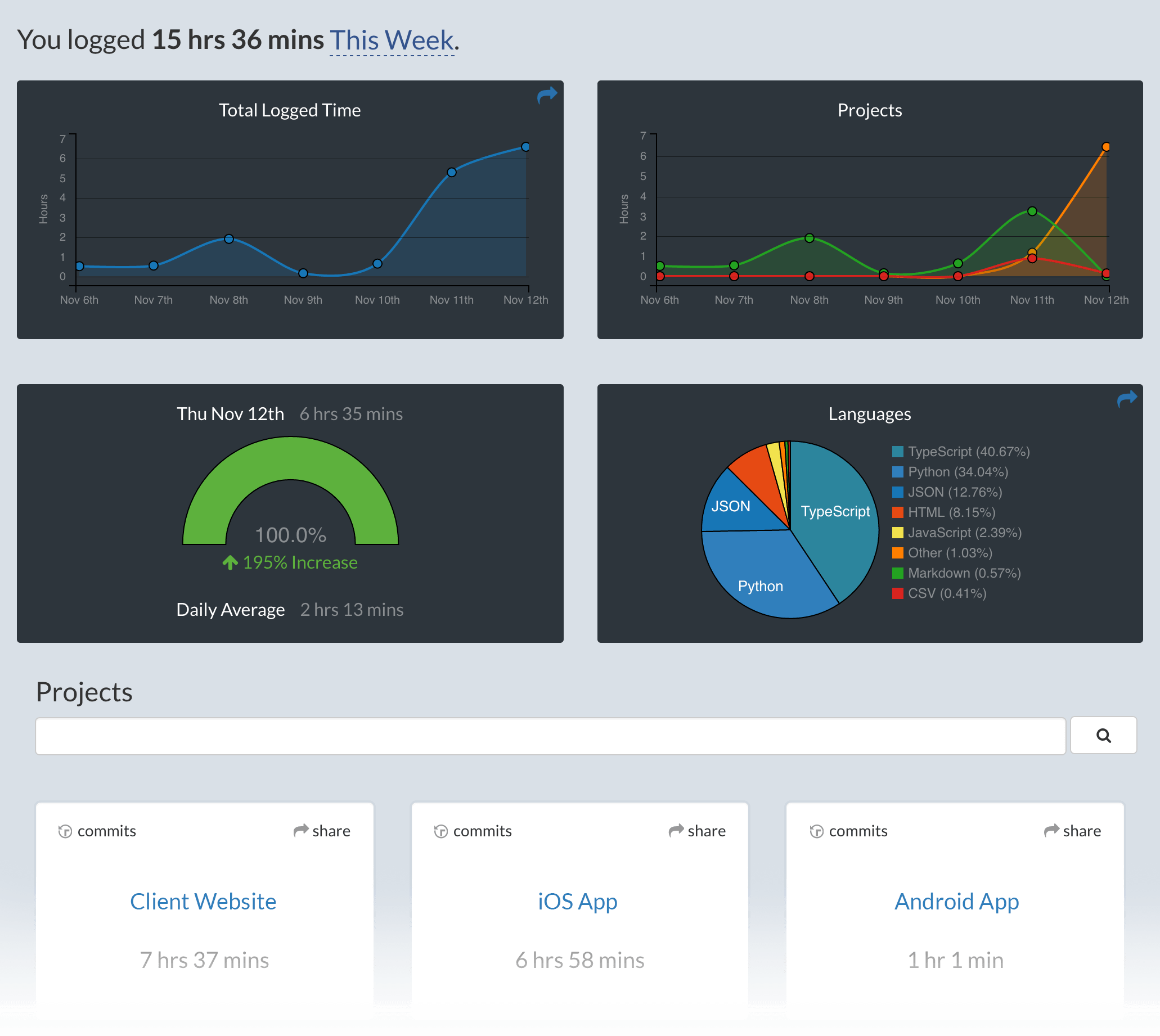
Project Overview

To edit your api key, open the Command Palette then type WakaTime and select the WakaTime API Key command.

Troubleshooting

The How to Debug Plugins guide shows how to check when coding activity was last received from your editor using the Plugins Status Page.

For more general troubleshooting info, see the wakatime-cli Troubleshooting Section.

Contributing

  • Clone this repo.
  • npm i or yarn to install dependencies
  • npm run dev to start compilation in watch mode.

Manually installing the plugin

  • Copy over main.js, styles.css, manifest.json to your vault VaultFolder/.obsidian/plugins/your-plugin-id/.
62%
HealthFair
ReviewCaution
About
Track time and activity in Obsidian to generate automatic metrics and insights from your note-taking sessions. View detailed usage and time-tracking reports on your WakaTime dashboard.
IntegrationsData
Details
Official
Officially made by its original creators.
Payments
Optional
Current version
1.0.0
Last updated
3 years ago
Created
3 years ago
Updates
1 release
Downloads
13k
Compatible with
Obsidian 0.15.0+
Platforms
Desktop only
License
BSD-3-Clause
Report bugRequest featureReport plugin
Sponsor
Support
Author
wakatimewakatime
wakatime.com
GitHubwakatime
  1. Community
  2. Plugins
  3. Integrations
  4. WakaTime

Related plugins

Local REST API & MCP Server

Unlock your automation needs by interacting with your notes over a secure REST API.

BRAT

Easily install a beta version of a plugin for testing.

Maps

Adds a map layout to bases so you can display notes as an interactive map view.

Tracker

Track occurrences and numbers in your notes.

Self-hosted LiveSync

Sync vaults securely to self-hosted servers or WEBRTC.

Zotero Integration

Insert and import citations, bibliographies, notes, and PDF annotations from Zotero.

Readwise Official

Sync highlights from Readwise to your vault.

Agent Client

Chat with Claude Code, Codex, Gemini CLI, and more via the Agent Client Protocol — right from your vault.

Fast Note Sync

Real-time sync of your vaults across server, mobile, and web; shareable with anyone; supports REST and MCP integrations to build your personal AI knowledge base.

Smart Composer

AI chat with note context, smart writing assistance, and one-click edits for your vault.