Search...Search plugins and themes...
⌘K
Sign in
  • Get started
  • Download
  • Pricing
  • Enterprise
  • Account
  • Obsidian
  • Overview
  • Sync
  • Publish
  • Canvas
  • Mobile
  • Web Clipper
  • CLI
  • Learn
  • Help
  • Developers
  • Changelog
  • About
  • Roadmap
  • Blog
  • Resources
  • System status
  • License overview
  • Terms of service
  • Privacy policy
  • Security
  • Community
  • Plugins
  • Themes
  • Discord
  • Forum / 中文论坛
  • Merch store
  • Brand guidelines
Follow us
DiscordTwitterBlueskyThreadsMastodonYouTubeGitHub
© 2026 Obsidian

Sidebar Expand on Hover

toiqtoiq13k downloads

Expand or collapse the sidebar when your mouse is hovering on the left ribbon.

Add to Obsidian
  • Overview
  • Scorecard
  • Updates6

Features

  • Expand sidebars on mouse hovering on the corresponding ribbons.
  • Pin/unpin sidebar state(expand/collapse) by double clicking on the ribbons.
  • Set sidebar width either by dragging or setting the value in plugin settings.
  • Keep previous state of sidebars on relaunch.

Demo:
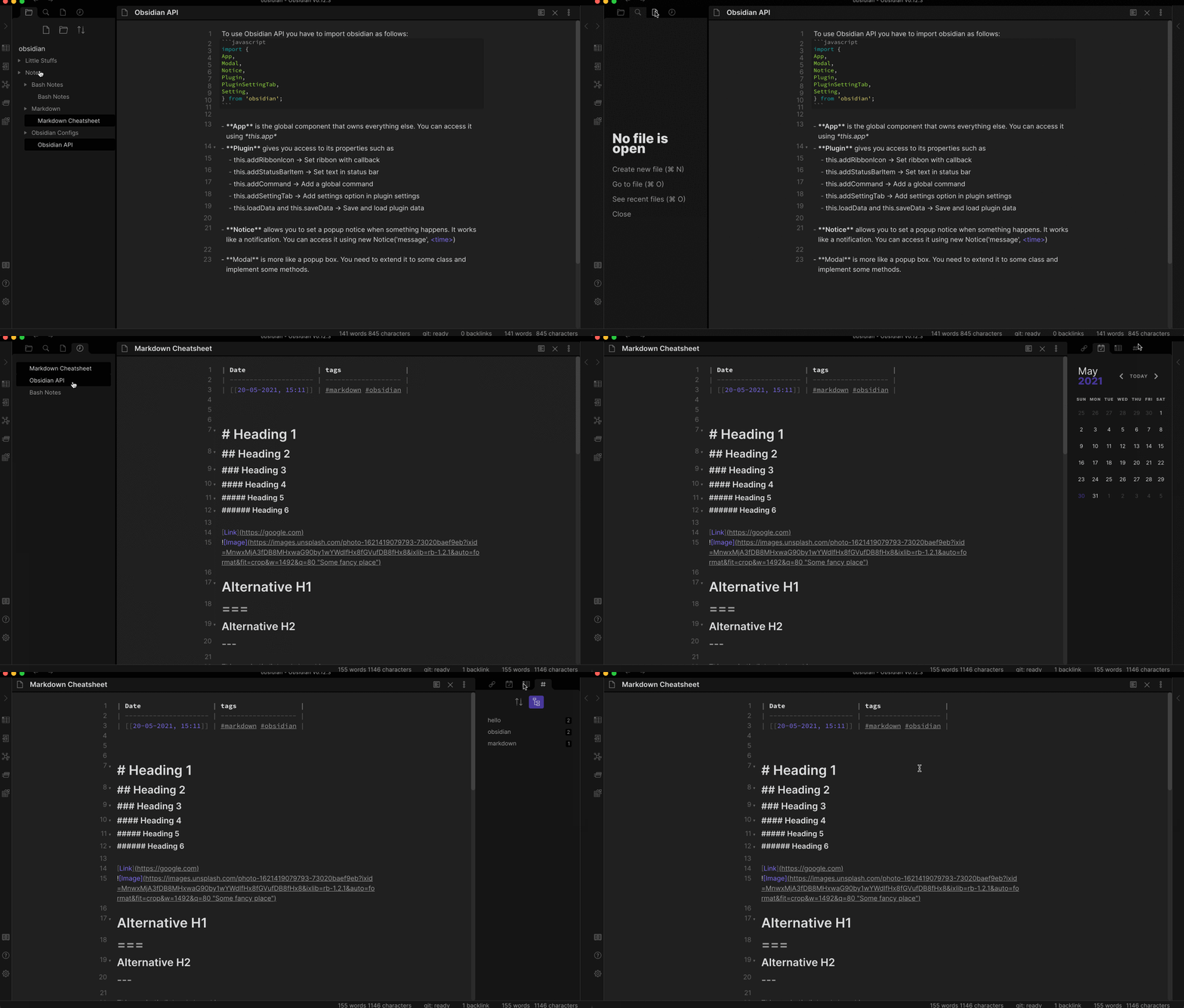
Plugin in Action: Auto expand of sidebar when hovering on ribbon

TODO:

  • Option to toggle sidebar animations.
  • Change animation style.

How to Install (Manual):

  • If Obsidian is running then close it.
  • Locate your Obsidian vault. (It's where you keep your notes)
  • Run the following commands in terminal:
    $ cd <vault>/.obsidian/plugins/
    $ git clone https://github.com/toiq/obsidian-sidebar-expand-on-hover
    
  • Now launch Obsidian and go to settings > Community Plugins > Installed Plugins and enable this plugin. (Make sure you disabled 'Safe Mode')

How to Uninstall:

  • go to settings > Community Plugins > Installed Plugins and click the X besides this plugin's name.
  • Restart Obsidian.
59%
HealthNeeds work
ReviewCaution
About
Expand sidebars on hover over their ribbons and collapse them when the mouse leaves. Pin or unpin sidebar state by double-clicking ribbons, adjust sidebar width by dragging, and preserve sidebar states across relaunch.
SidebarInterface
Details
Current version
1.0.1
Last updated
5 years ago
Created
5 years ago
Updates
6 releases
Downloads
13k
Compatible with
Obsidian 0.12.3+
Platforms
Desktop only
Report bugRequest featureReport plugin
Author
toiqtoiq
github.com/toiq
GitHubtoiq
  1. Community
  2. Plugins
  3. Sidebar
  4. Sidebar Expand on Hover

Related plugins

Hide Sidebars on Window Resize

Automatically hides the sidebars when your window is narrow on window resize.

Oxygen Theme Settings

Configure advanced customization options in Oxygen Theme.

Notebook Navigator

A better file browser and calendar inspired by Apple Notes, Bear, Evernote and Day One.

Recent Files

Display a list of recently opened files.

Hider

Hide interface elements such as tooltips, status bar, titlebar, and more.

Meta Bind

Make your notes interactive with inline input fields, metadata displays, and buttons.

Commander

Customize your workspace by adding commands everywhere, create macros and supercharge your mobile toolbar.

Longform

Helps you write and edit novels, screenplays, and other long projects.

Agent Client

Chat with Claude Code, Codex, Gemini CLI, and more via the Agent Client Protocol — right from your vault.

Flexplorer

Enhance the file explorer with custom sorting, pinning, and hiding.