Reset Font Size
 luckman2127k downloads
Add a button and command to reset the font size back to its default value.
- Overview
- Scorecard
- Updates3
Ever found yourself "zoomed in" on your notes with seemingly no way to get the text back to its normal size? Pressing cmd/ctrl+0 doesn't work, nor does quitting and re-launching Obsidian.

This can happen after accidentally (or intentionally) zooming in or out with the mouse wheel, trackpad, or keyboard shortcuts.
What
This is a small plugin I wrote that aims to solve that problem by adding a button and a command to reset the font size back to a user-configurable default value. Yes, you can also do this manually from Settings > Appearance > Font Size, but this is faster (and optionally resets both the font size and the global window zoom level in one step).
How
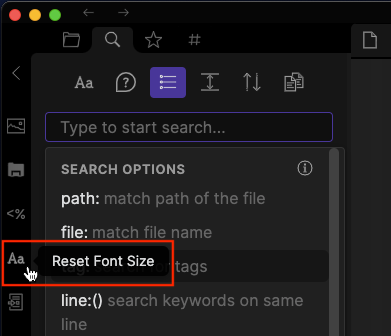
The command can be bound to a hotkey or triggered from the command palette. You can also trigger it from the button on the sidebar ribbon.
Screenshots
Sidebar
Command Palette

Hotkey
I suggest Cmd+Shift+0 (or Ctrl+Shift+0 on Windows) as a keybinding.