Release Timeline
 cakechaser10k downloads
Release timeline rendered based on notes metadata with a Dataview-like syntax.
- Overview
- Scorecard
- Updates11
This plugin is inspired by the Wikipedia timeline of release years.
This plugin works only with Obsidian Dataview installed.

How to use
1. Populate information about the year in the note metadata:
Plugin will automatically extract the year from the provided date.
Different date formats are supported, including: 2022, 2022-12-31, 2022-12.

2. Add a codeblock to create a timeline:
You can choose from 3 different codeblock types:
release-timeline- Year timelinesrelease-timeline-month- Month timelinesrelease-timeline-week- Week timelines
Release Timeline uses syntax compatible with Obsidian Dataview, which should be familiar if you already use Dataview.
Any query written for Release Timeline should also be a valid Dataview query.
That way you can change the codeblock type to dataview at any point to check the returned results.
Query example:
```release-timeline
table
year_field, alias_field
from [[CRPG]] and [[Isometric games]]
where year_field > date(2000-01-01)
sort desc
```
Query elements:
table- Needs to be present in the beginning of each query
year_field- Name of the field in the notes metadata containing the year or date
alias_field(optional)- Name of the field in the notes metadata containing an alternative name of the note
- Useful in case you want to show titles with characters not allowed in file names, such as
: - For notes without this field, the standard note name will be used
from ...(optional)- Conditions defining the notes for building the timeline
- Syntax is the same as in Dataview
where ...(optional)- Conditions definining filters applied in the query
- Syntax is the same as in Dataview
sort (asc|desc)(optional)- Sort order of the items in the timeline
- If not provided, the default order from plugin settings will be used (desc by default)
Options
Common settings
Default sort order
If sort is not provided in the query block, sort order selected in settings will be used (ascending or descending).
Bullet points
Shows bullet points for years with multiple entries.

Year timeline settings
Collapse empty years
When enabled, collapses multiple consecutive empty years into one range. You can choose the minimum number of years to be collapsed.

Week timeline settings
Collapse empty months
Weeks will not be displayed for months without actual data.
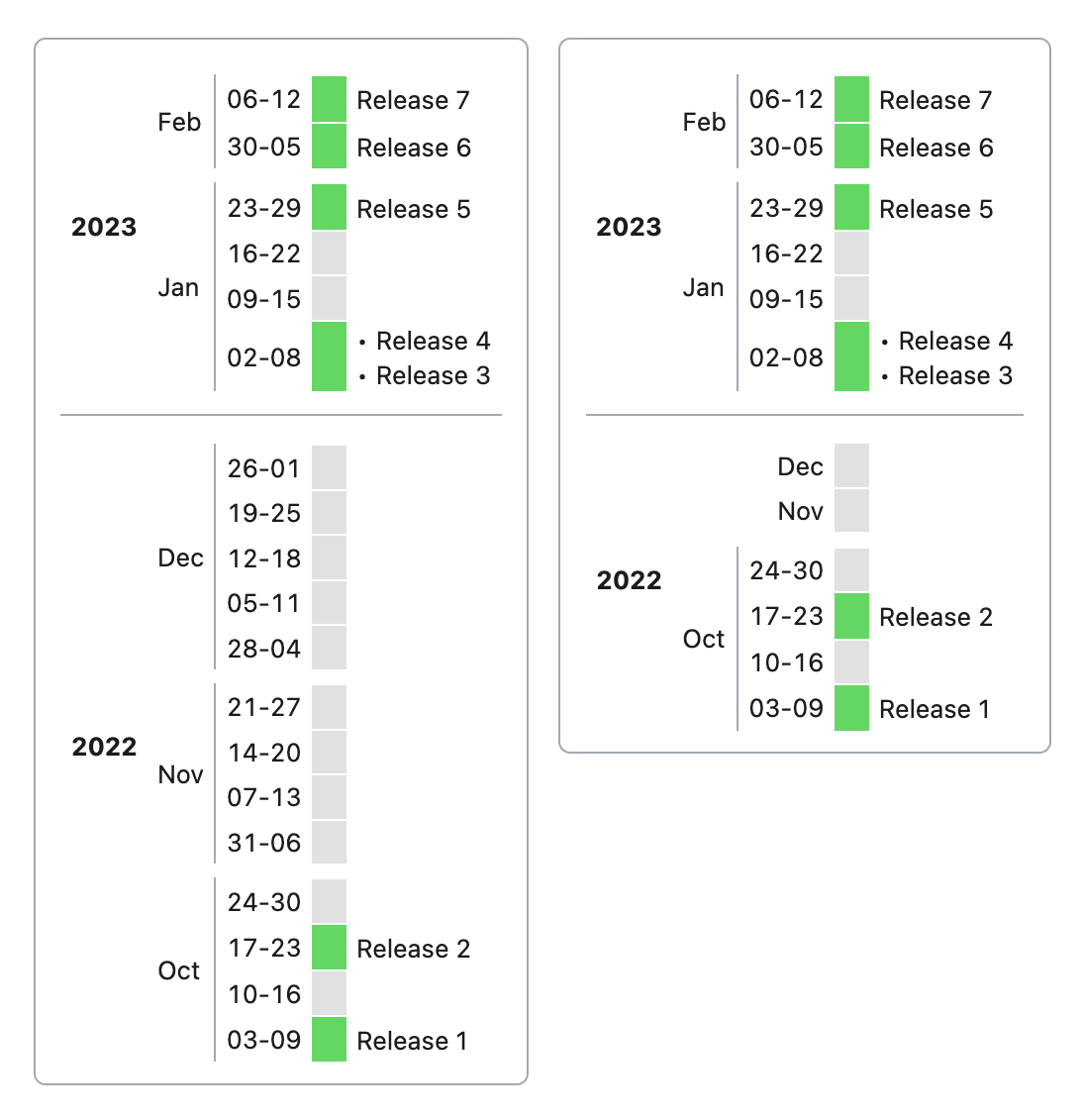
Week formatting
Week names: "W15"
Date names: "11-17"
Known issues
- If a note with the release timeline codeblock is opened when Obsidian starts, it will not be rendered. Switch to another note and back to view the timeline.
- Changing settings other than 'Bullet points' will not re-render the timeline. Switch to another note and back to view the updated timeline.