Search...Search plugins and themes...
⌘K
Sign in
  • Get started
  • Download
  • Pricing
  • Enterprise
  • Account
  • Obsidian
  • Overview
  • Sync
  • Publish
  • Canvas
  • Mobile
  • Web Clipper
  • CLI
  • Learn
  • Help
  • Developers
  • Changelog
  • About
  • Roadmap
  • Blog
  • Resources
  • System status
  • License overview
  • Terms of service
  • Privacy policy
  • Security
  • Community
  • Plugins
  • Join the community
  • Discord
  • Forum / 中文论坛
  • Merch store
  • Brand guidelines
Follow us
DiscordTwitterBlueskyThreadsMastodonYouTubeGitHub
© 2026 Obsidian

Table of Contents

hipstersmoothiehipstersmoothie208k downloads

Create a table of contents for a note.
Add to Obsidian
  • Overview
  • Scorecard
  • Updates21

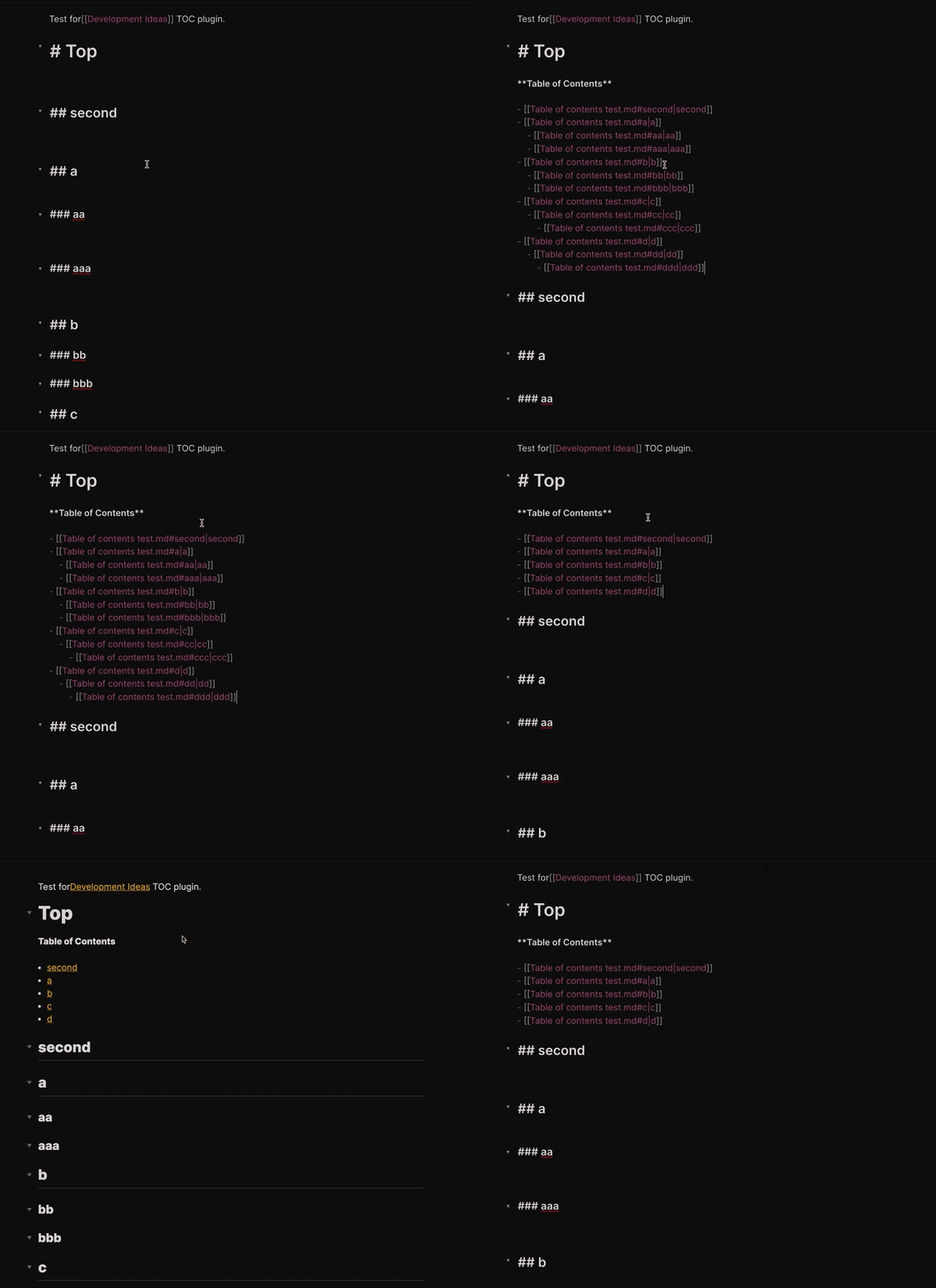
Create a table of contents for a note.

Example of content creation

Features

This plugin exposes the following commands:

Action Hotkey
Create full table of contents Blank by default
Create table of contents for next heading level Blank by default

And the following settings:

Setting type Default
List Style 'bullet' or 'number' 'bullet'
Title 'string' undefined'
Minimum header depth number 2
Maximum header depth number 6

Usage

This plugin will create a table of content for the sub-heading of the current heading level.

Example:

Input: Run "Table of Contents" under a level 2 heading
Output: "Table of Contents" only contains subheadings of that level 2 heading

Installing

Either install the latest release from Obsidian directly or unzip the latest release into your <vault>/.obsidian/plugins/ folder.

Once the plugin is installed, you need to make sure that the switch for "Table of Contents" is turned on. After you are all setup you would see this plugins commands in the command palette (CMD + P). You can assign the commands to hotkeys for easy usage.

Here is my setup:

  • Create full table of contents => CMD + SHIFT + T
  • Create table of contents for next heading level => CMD + T

Customizations

Detailed Nested Ordered Lists

If you want the table of contents to use nested list counting (ex: 1.1, 1.2) add the following CSS snippet to obsidian. This will effect all ordered lists in your notes.

ol {
  counter-reset: item;
}

ol li {
  display: block;
}

ol li:before {
  content: counters(item, ".") ". ";
  counter-increment: item;
  padding-right: 5px;
}

NOTE: Make sure you enable the snippet in obsidian's options.

63%
HealthFair
ReviewCaution
About
Create a table of contents for a note as a linked list of headings, either full or limited to the next heading level. Choose list style, title and header-depth range to control scope.
NavigationLinksMarkdown
Details
Current version
0.2.0
Last updated
3 years ago
Created
5 years ago
Updates
21 releases
Downloads
208k
Compatible with
Obsidian 0.10.12+
Report bugRequest featureReport plugin
Author
hipstersmoothiehipstersmoothie
twitter.com/hipstersmoothie
GitHubhipstersmoothie
  1. Community
  2. Plugins
  3. Navigation
  4. Table of Contents

Related plugins

Strange New Worlds

Reveal networked thought and the strange new worlds created by your vault.

Auto Link Title

Automatically fetches the titles of links from the web.

Natural Language Dates

Create date-links based on natural language.

Consistent attachments and links

Move note attachments and update links automatically.

Link Embed

Convert URLs in your notes into embeded previews.

Breadcrumbs

Visualise the hierarchy of your vault using a breadcrumb trail or matrix view.

Smart Connections

AI link discovery copilot. See related notes as you write. Lookup using semantic (vector) search across your vault. Zero-setup local model for embeddings, no API keys, private.

Importer

Import data from Notion, Evernote, Apple Notes, Microsoft OneNote, Google Keep, Bear, Roam, and HTML files.

Outliner

Work with your lists like in Workflowy or Roam Research.

Notebook Navigator

Alternative file browser with folders, tags, properties, shortcuts, previews, keyboard navigation, drag and drop, and pinned notes.