
- Overview
- Scorecard
- Updates30
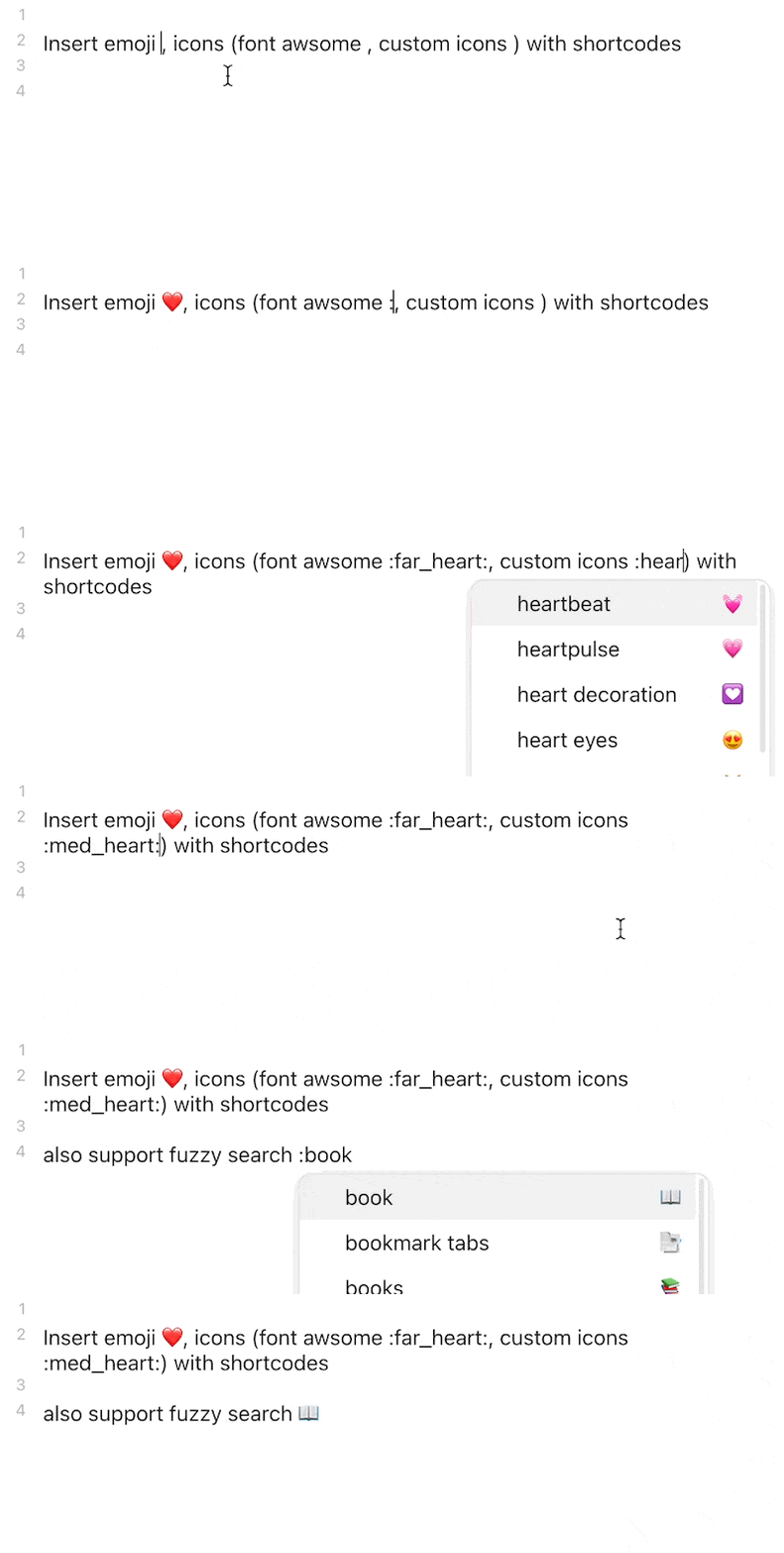
Insert emoji and custom icons with shortcodes
- Easily import and manage custom icons (support
.bmp,.png,.jpg,.jpeg,.gif,.svg, and.webp) - Render custom icons in editor (Legacy editor supported by Codemirror Options
- Built-in Unicode 13.1 Emoji, Lucide support
- Font Awesome, and Remixicon available via download
- API ready to be intergated by other plugins
- Fuzzy search: type in
:bookto find 📖(:open_book:) and 📗(:green_book:)
Inspired by obsidian-emoji-shortcodes, obsidian-icon-folder, obsidian-icons and remark-emoji.
NOTE: since v0.7.0, Font Awesome and RemixIcon are no longer bundled as bulti-in icon packs to reduce bundle size and speed up the loading. Go to the setting tab to download them.
Note: this plugin may conflicts with obsidian-emoji-shortcodes, disable it before using this plugin
How to use
Insert Icon
This plugins support GitHub favored emoji shortcodes, the full list of which can be found here: Emoji Cheat Sheet
- To insert icon in editor, type in
:/::followed by the search query to get suggester, for example:book- for multiple keywords, add
+between words, for example:open+book - You can disable suggester in the setting tab
- for multiple keywords, add
- The emoji, by default, is inserted in character in favor of shortcodes, which is visible in both editor and preview, you can change this behavior in the setting tab
Add Custom Icons
support icon format:
.bmp,.png,.jpg,.jpeg,.gif,.svg,.webp
- Go to setting tab
- At the
Custom Iconssection, type in a name for new icon pack and click add button (better be short, it's acting as the id of icon pack and prefix of all icon shortcodes in this pack) - Add the new icon pack entry, drag supported file in or select them by click on
select file to importbutton to import custom icons - You can access icon manager by clicking
manageicon. each icon has the following buttonstar: remove_1suffix, useful when there are multiple alternative iconsdelete,rename
Backup & Restore Custom Icons
v0.6.0+ required
Since v0.6.0, all custom icons are stored in icons folder under config directory (.obsidian/icons normally), you can:
- open folder (Desktop only)
- Backup all icons / selected icon pack to zip file (will be stored in the root vault directory)
- Restore icons from zip file


Styling Icons
In order to customize the icons in order to change their color, size, etc, you should make a CSS snippet.
- Go to Settings -> Appearance -> CSS Snippets
- Turn on the CSS Snippets option and then click the folder to navigate to it's folder.
- Make a new file called icons.css
- Open icons.css in your preferred text editor
- Add the following:
.isc-icon > *:first-child { /** changes for all icons. */ } .isc-icon.icon-emoji-icon > *:first-child { /** changes for emoji icons. */ } .isc-icon.isc-fas > *:first-child { /* changes for icons in the specific icon pack */ /* (font awesome soild in this example) */ } - Go Back to Settings -> Appearance -> CSS Snippets
- Click the reload button
- A button with the title "icons" should appear, turn it on.
Your changes will now be applied and you can edit the file when you want.
For Developer
Use API
- run
npm i -D @aidenlx/obsidian-icon-shortcodesin your plugin dir - import the api (add
import { getApi } from "@aidenlx/obsidian-icon-shortcodes") - use api
- check if enabled:
getApi() !== undefinedorgetApi(YourPluginInstance) !== undefined - access api:
getApi()/getApi(YourPluginInstance)
- check if enabled:
For all exposed API method, check api.ts
Compatibility
The required API feature is only available for Obsidian v1.0.0+.
Installation
From BRAT
To install a pre-release, download and enable the Obsidian42 BRAT plugin, add the beta repository aidenlx/obsidian-icon-shortcodes, and then have BRAT check for updates.
From GitHub
- Download the Latest Release from the Releases section of the GitHub Repository
- Put files to your vault's plugins folder:
<vault>/.obsidian/plugins/obsidian-icon-shortcodes - Reload Obsidian
- If prompted about Safe Mode, you can disable safe mode and enable the plugin. Otherwise, head to Settings, third-party plugins, make sure safe mode is off and enable the plugin from there.
Note: The
.obsidianfolder may be hidden. On macOS, you should be able to pressCommand+Shift+Dotto show the folder in Finder.
From Obsidian
Not yet available
- Open
Settings>Third-party plugin - Make sure Safe mode is off
- Click
Browse community plugins - Search for this plugin
- Click
Install - Once installed, close the community plugins window and the plugin is ready to use.