Focus and Highlight
 nagi1999a10k downloads
Highlight and focus on the currently selected heading.
- Overview
- Scorecard
- Updates13
A plugin for obsidian to focus on a specific paragraph in Reading mode.
Features
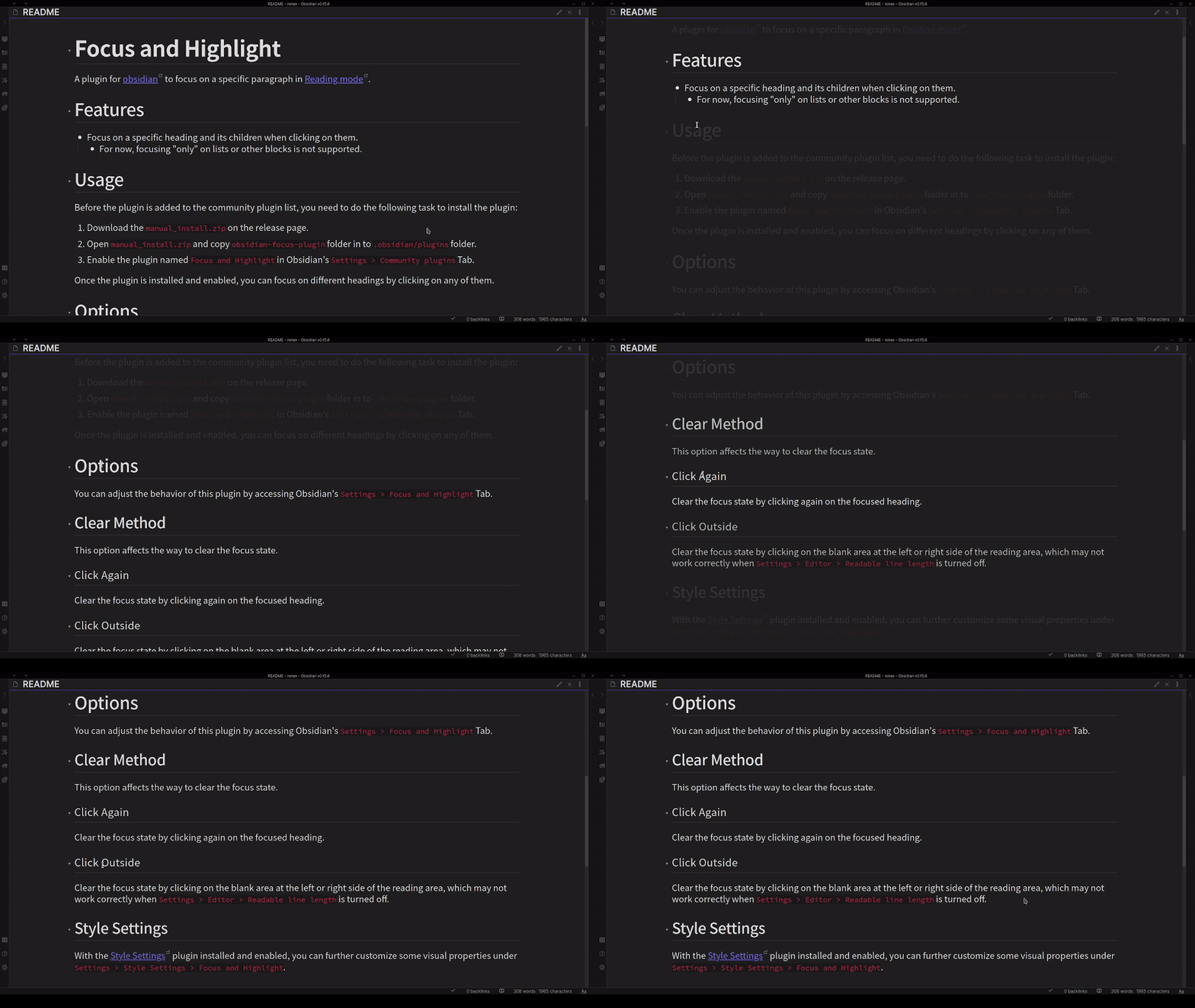
- Focus on a specific heading and its children when clicking on them.
- Start from v1.2.0. You can also focus on a specific paragraph by changing the setting
Content BehaviortoOnly Focus the Element. - Start from v1.2.0. You can focus by clicking the children of a heading.
- If you don't want to change your focus state when selecting the text, you can make the value of
Focus Sensitivitysmaller.
- Start from v1.2.0. You can also focus on a specific paragraph by changing the setting
Usage
- The plugin is now available in the community plugins list! You can download the plugin directly through Obsidian's
Settings > Community pluginsTab.- You can also install with BRAT, with the repository name
nagi1999a/obsidian-focus-plugin.
- You can also install with BRAT, with the repository name
- Enable the plugin named
Focus and Highlightin Obsidian'sSettings > Community pluginsTab.
Once the plugin is installed and enabled, you can focus on different headings by clicking on any of them.
Options
You can adjust the behavior of this plugin by accessing Obsidian's Settings > Focus and Highlight Tab.
Clear Method
This option affects the way to clear the focus state.
Click Again
Clear the focus state by clicking again on the focused heading.
Click Outside
Clear the focus state by clicking on the blank area at the left or right side of the reading area, which may not work correctly when Settings > Editor > Readable line length is turned off.
Focus Scope
This option affects the scope of the focus state.
Only One Block
Focus only on the block you clicked on.
Also the Content
Focus on the block you clicked on and related content.
Content Behavior
This option affects the behavior when clicking on the content elements, e.g. pure text, and callout block.
Only Focus on the Element
Focus only on the element you clicked on.
Focus Related Contents
Focus on the element you clicked on and related content.
Enable List
Focus on the list item (experimental, only works on the first level list)
Focus Sensitivity
Focus only when the mouse is 'not' still for a while (larger means longer).
Style Settings
With the Style Settings plugin installed and enabled, you can further customize some visual properties under Settings > Style Settings > Focus and Highlight.
Dim Opacity
Set the opacity of dimmed elements. Default is 0.1.
Dim Speed
Set the speed of the animation in seconds. Default is 0.5.
Discussion
Behavior under Multiple Panes
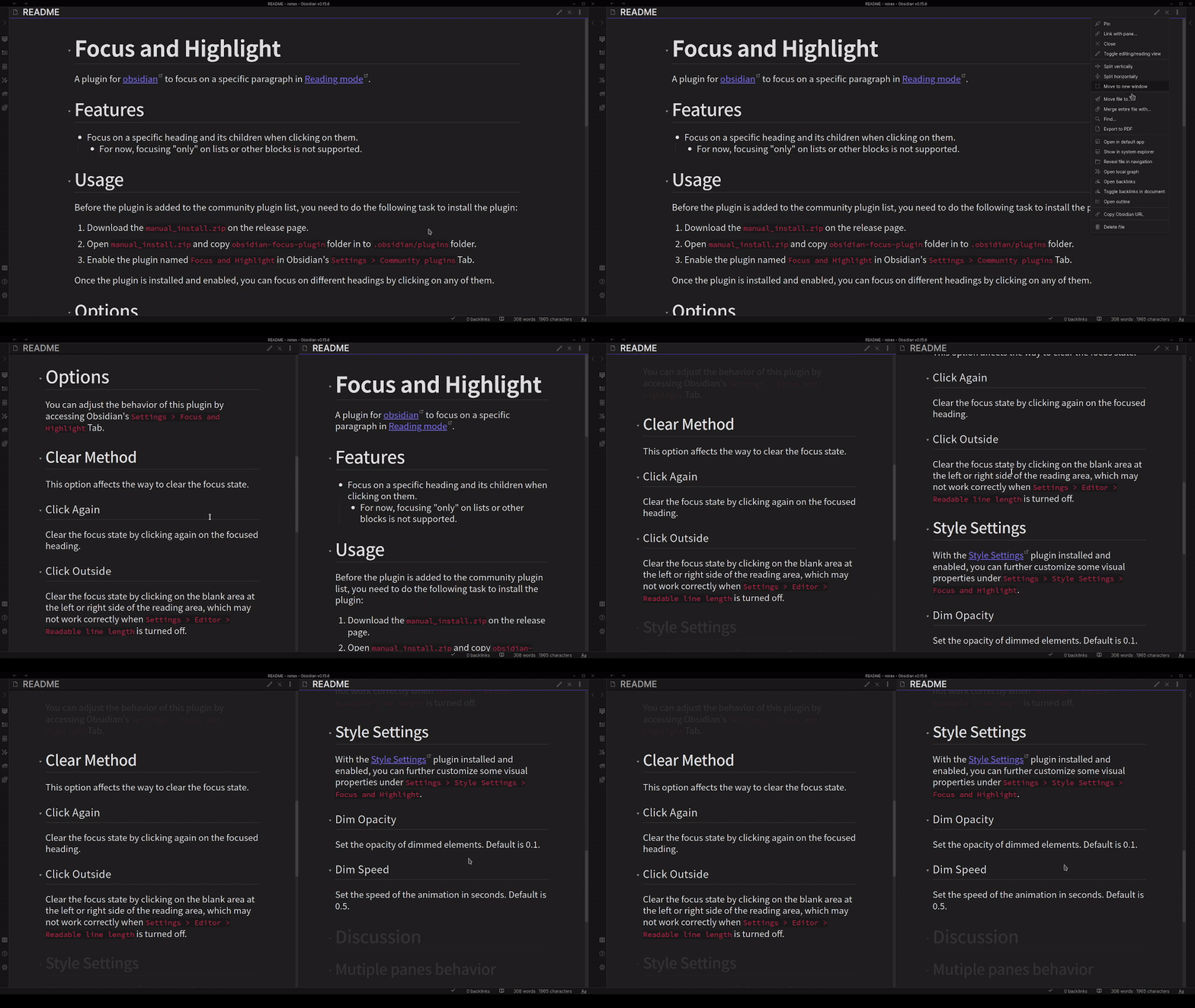
The plugin now supports multi-pane scenarios. Different panes will be able to focus on their headings, as the following GIF shows.
Issues
If you encounter any problems or have suggestions about the plugin, please feel free to open issues.
TODO
- Add support in edit mode.
Support
[!NOTE] Maintaining a plugin is not an easy task. If you like this plugin, please consider the following methods to support the author:
- Please give me a star!
- Buy me a coffee!