Search...Search plugins and themes...
⌘K
Sign in
  • Get started
  • Download
  • Pricing
  • Enterprise
  • Account
  • Obsidian
  • Overview
  • Sync
  • Publish
  • Canvas
  • Mobile
  • Web Clipper
  • CLI
  • Learn
  • Help
  • Developers
  • Changelog
  • About
  • Roadmap
  • Blog
  • Resources
  • System status
  • License overview
  • Terms of service
  • Privacy policy
  • Security
  • Community
  • Plugins
  • Join the community
  • Discord
  • Forum / 中文论坛
  • Merch store
  • Brand guidelines
Follow us
DiscordTwitterBlueskyThreadsMastodonYouTubeGitHub
© 2026 Obsidian

Doubleshift

qwyntexqwyntex27k downloads

Open the command palette by pressing Shift (or any other key) twice like in IntelliJ and create your own shortcuts.

Add to Obsidian
  • Overview
  • Scorecard
  • Updates6

press Shift twice to activate Doubleshift. By default, it opens the command palette, but you can change to whatever you want
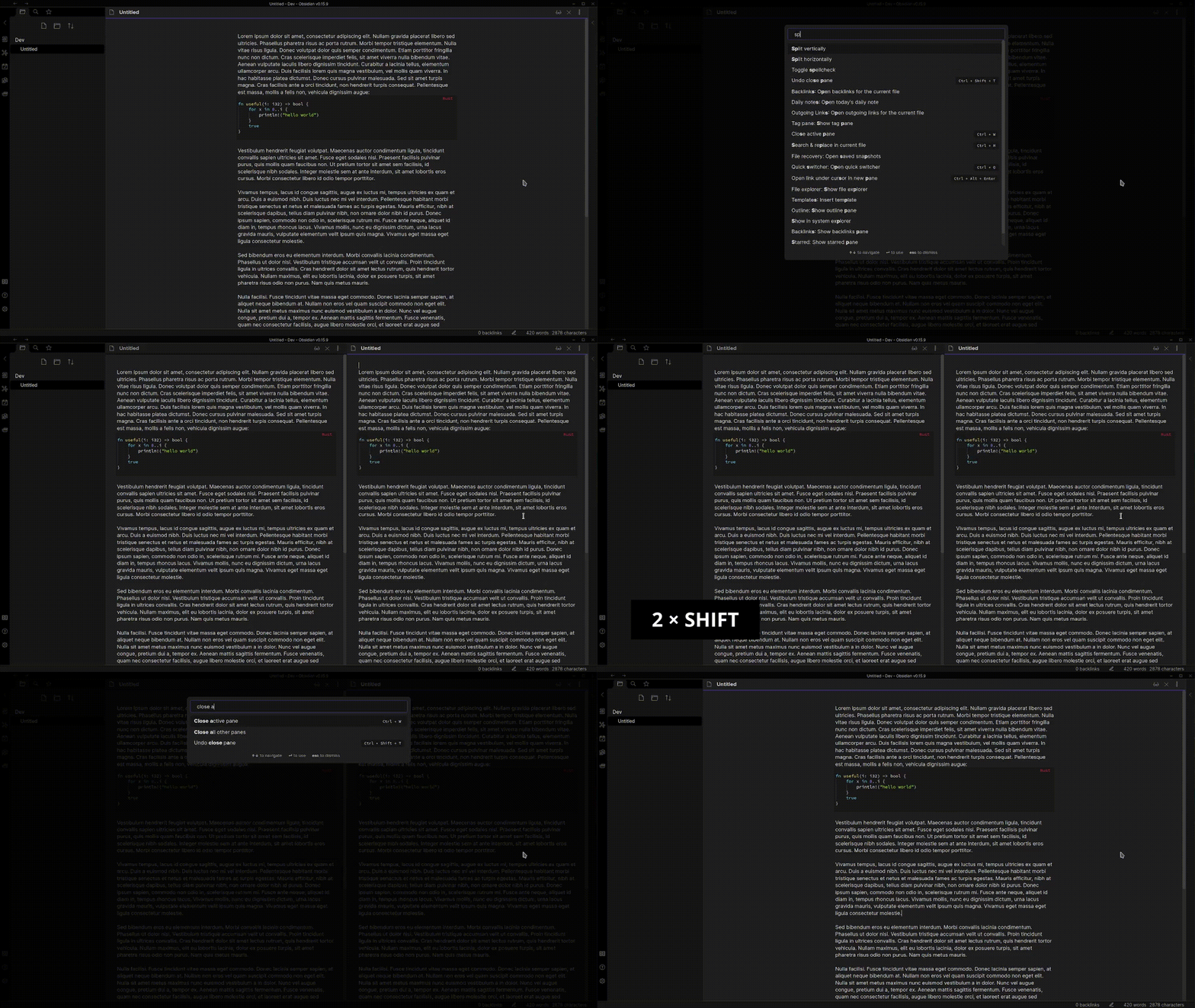
gif
you can also add multiple other commands with different keys for whatever action you need to access frequently.
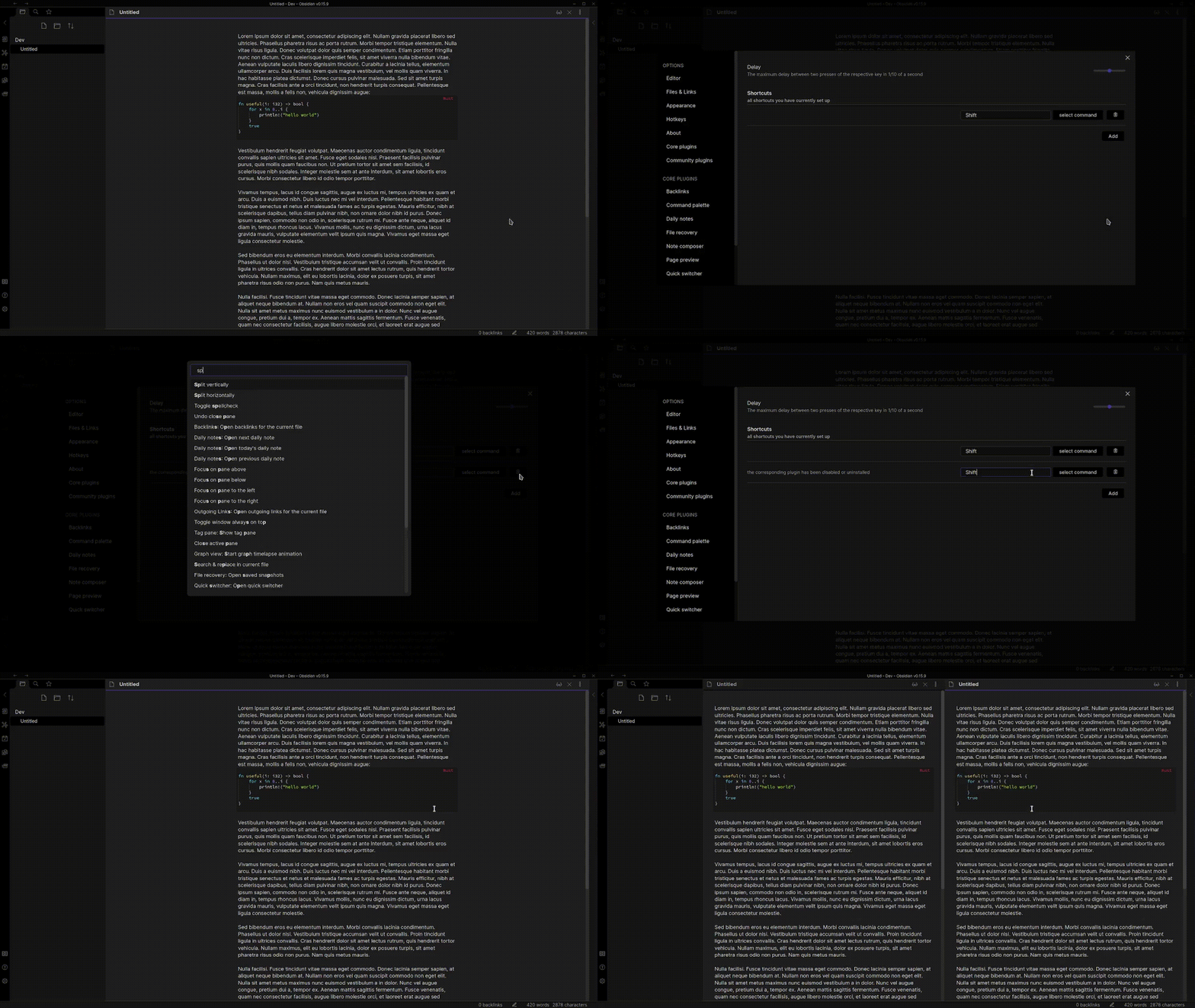
gif
It works with every available command including commands from other plugins. So if you have a plugin like the better command palette plugin installed you can choose the command to open it in the Doubleshift settings tab.

This plugin can differentiate between Left Shift and Right Shift, Left Alt and Right Alt, etc. Bind the right side modifier to split vertically and the left side to split horizontally! (Thank you ericziko for this contribution!)

If you want to contribute to this plugin feel free to create a pull request at https://github.com/Qwyntex/doubleshift

Troubleshooting

For those wondering why a specific plugin or command doesn't show up in the command picker, try disabling and reenabling doubleshift in the community plugin settings tab

78%
HealthExcellent
ReviewCaution
About
Activate commands by double-pressing a modifier key (e.g., Shift) to trigger any Obsidian command. Distinguish left/right modifiers and assign multiple double-press bindings to run different commands, including those from other plugins.
HotkeysCommandsAutomation
Details
Current version
2.3.0
Last updated
3 months ago
Created
4 years ago
Updates
6 releases
Downloads
27k
Compatible with
Obsidian 0.15.3+
License
MIT
Report bugRequest featureReport plugin
Author
qwyntexqwyntex
github.com/Qwyntex
GitHubqwyntex
  1. Community
  2. Plugins
  3. Hotkeys
  4. Doubleshift

Related plugins

Task Collector (TC)

Change task status and collect tasks within a document using hotkeys and context menus.

Tray

Run Obsidian from the system tray for customisable window management and global quick notes.

Shell commands

Define system commands that you want to execute via command palette, hotkeys, URI links or automated events. E.g. open external applications or perform automated file modifications.

Code Editor Shortcuts

Add keyboard shortcuts (hotkeys) commonly found in code editors such as Visual Studio Code (VS Code) or Sublime Text.

Actions URI

Add additional `x-callback-url` endpoints to the app for common actions — it's a clean, super-charged addition to Obsidian URI.

Templater

Create and use dynamic templates.

BRAT

Easily install a beta version of a plugin for testing.

Commander

Customize your workspace by adding commands everywhere, create macros and supercharge your mobile toolbar.

Linter

Format and style your notes. Linter can be used to format YAML tags, aliases, arrays, and metadata; footnotes; headings; spacing; math blocks; regular Markdown contents like list, italics, and bold styles; and more with the use of custom rule options.

Readwise Official

Sync highlights from Readwise to your vault.