
- Overview
- Scorecard
- Updates20
This plugin provides a text autocomplete feature to enhance typing speed.
⚠️ This plugin is no longer maintained as I'm not using Obsidian anymore.
I might update it in the future, but until then, please use other plugins like Obsidian completr
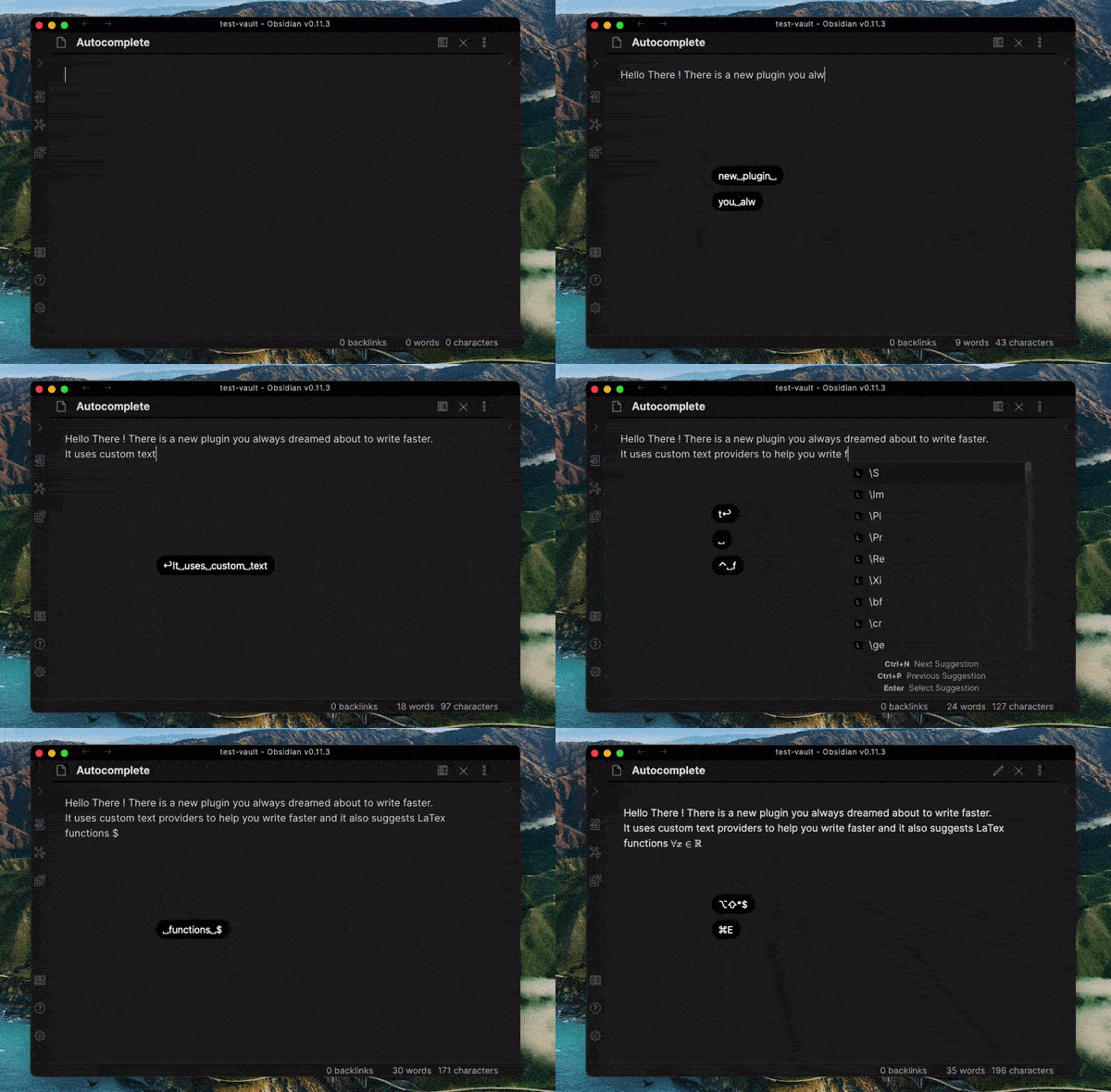
The plugin is still WIP, so if you encounter bugs please open an Github issue with the steps to reproduce it.
Features
There are the current and planned features.
- Default autocomplete features:
- Trigger autocomplete:
- manually with
ctrl+spaceorToggle Autocompletecommand - Automatically using auto trigger autocomplete while writing for a seamless writing experience
- Customize trigger from n-th character in settings
- manually with
- Change suggestion with
Ctrl-n/porup/down arrowsand select withenter/tab - Seamless integration with vim mode
- Trigger autocomplete:
- Tokenizer for multiple languages (for now Arabic, Japanese and a default):
- Change default tokenizer in settings or click on statusbar (
strategy: ...) - Customize word separators per language
- Change default tokenizer in settings or click on statusbar (
- Suggest completions with text providers:
- LaTex
- Flow (suggests words already written in the current session)
- Current file (triggered on
change-fileandloadevents)- Trigger manual scan of different language with command
Autocomplete: Scan current file (language)
- Trigger manual scan of different language with command
- Current file (triggered on
- Custom file
- Cursor placement for LaTeX functions:
- Single function param
- Multiple function params
- Snippets support (h3 -> ###)
- Proper layout management (Improve autocomplete popup position)
- Context aware (Latex trigger only inside
$$block) - Improve autocomplete scroll
Do have you a nice feature to add or you want to change priorities (order of features)? Please open an Github issue.
Contributing
If you'd like to improve this plugin, you are welcome ❤️
Make a pull request on the develop branch (because we're using git-flow)
HealthFair
ReviewRisks
About
Add inline autocomplete with automatic and manual triggers to speed up typing in Obsidian. Provide language-aware tokenizers (Arabic, Japanese, default), session- and file-based suggestions, snippet support, context-aware LaTeX completion, and Vim-mode integration.Details
Current version
0.8.0
Last updated
5 years ago
Created
6 years ago
Updates
20 releases
Downloads
38k
Compatible with
Obsidian 0.10.0+
Platforms
Desktop, Mobile
License
MIT