Search...Search plugins and themes...
⌘K
Sign in
  • Get started
  • Download
  • Pricing
  • Enterprise
  • Account
  • Obsidian
  • Overview
  • Sync
  • Publish
  • Canvas
  • Mobile
  • Web Clipper
  • CLI
  • Learn
  • Help
  • Developers
  • Changelog
  • About
  • Roadmap
  • Blog
  • Resources
  • System status
  • License overview
  • Terms of service
  • Privacy policy
  • Security
  • Community
  • Plugins
  • Join the community
  • Discord
  • Forum / 中文论坛
  • Merch store
  • Brand guidelines
Follow us
DiscordTwitterBlueskyThreadsMastodonYouTubeGitHub
© 2026 Obsidian

Inscribe

ahmetildirimahmetildirim1k downloads

Inline autocompletion powered by AI.

Add to Obsidian
  • Overview
  • Scorecard
  • Updates22

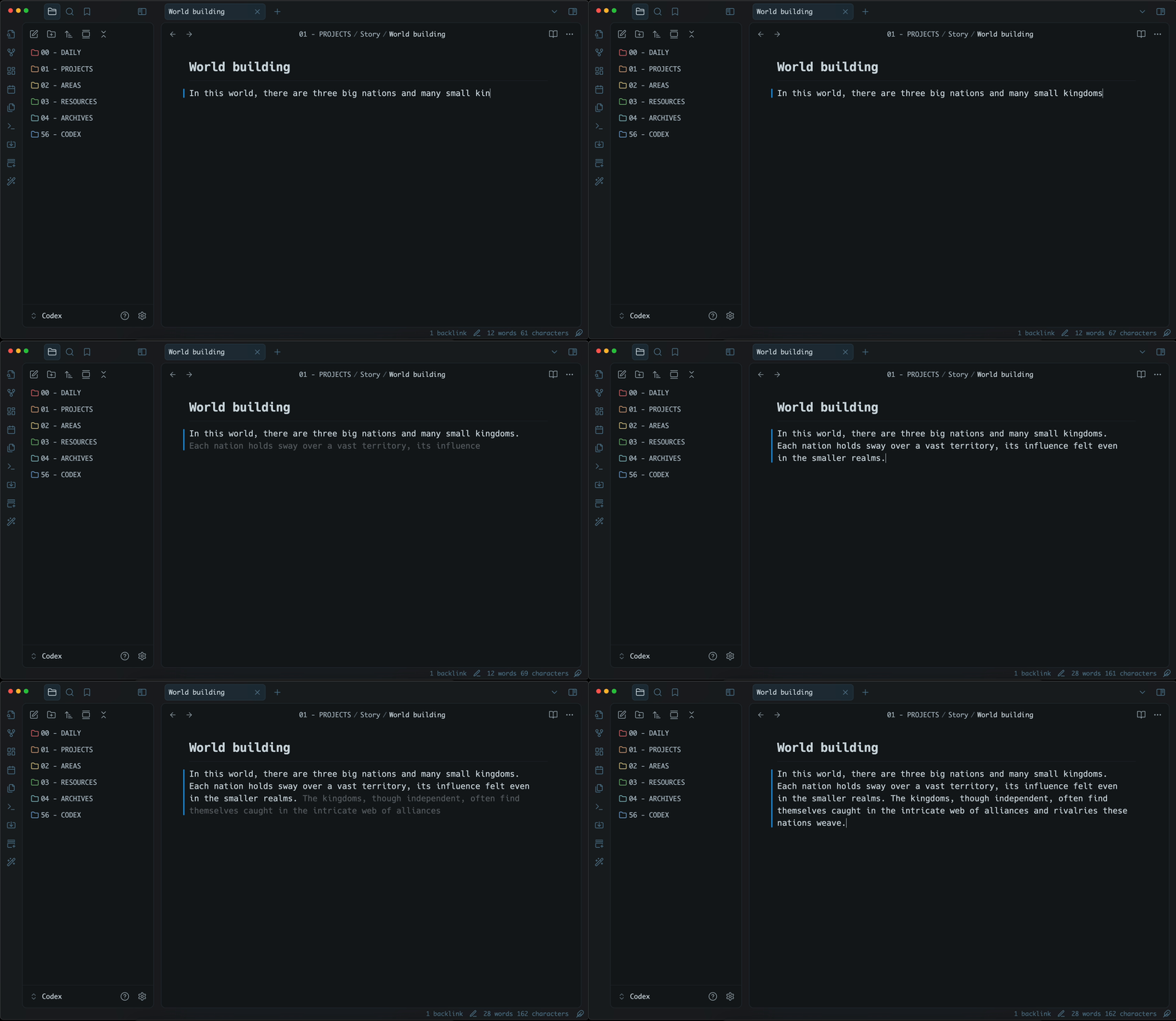
Inscribe is an AI-powered inline autocompletion plugin for Obsidian. It will generate autocompletions as you type and you can accept or reject them with TAB.
Get started

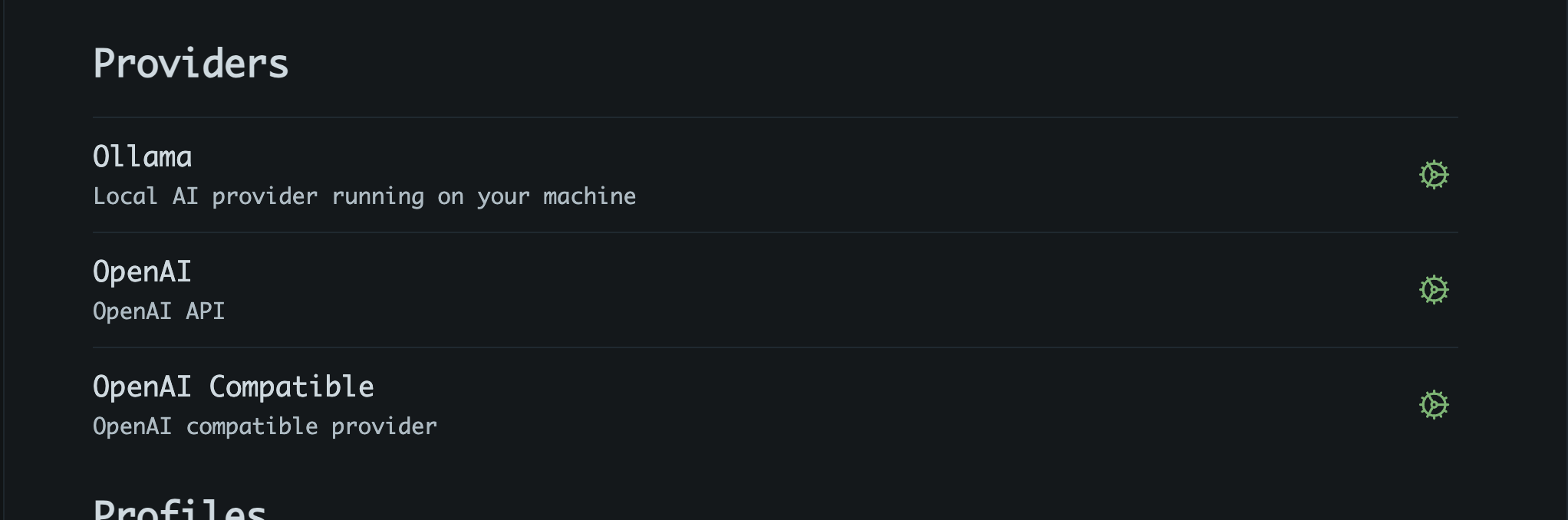
1. Setup a provider

Inscribe supports following providers:

  • Ollama (local)
  • Gemini
  • Grok
  • OpenAI
  • OpenAI compatible

More providers will be added if requested. Or better, feel free to create PR.
2. Customize prompts

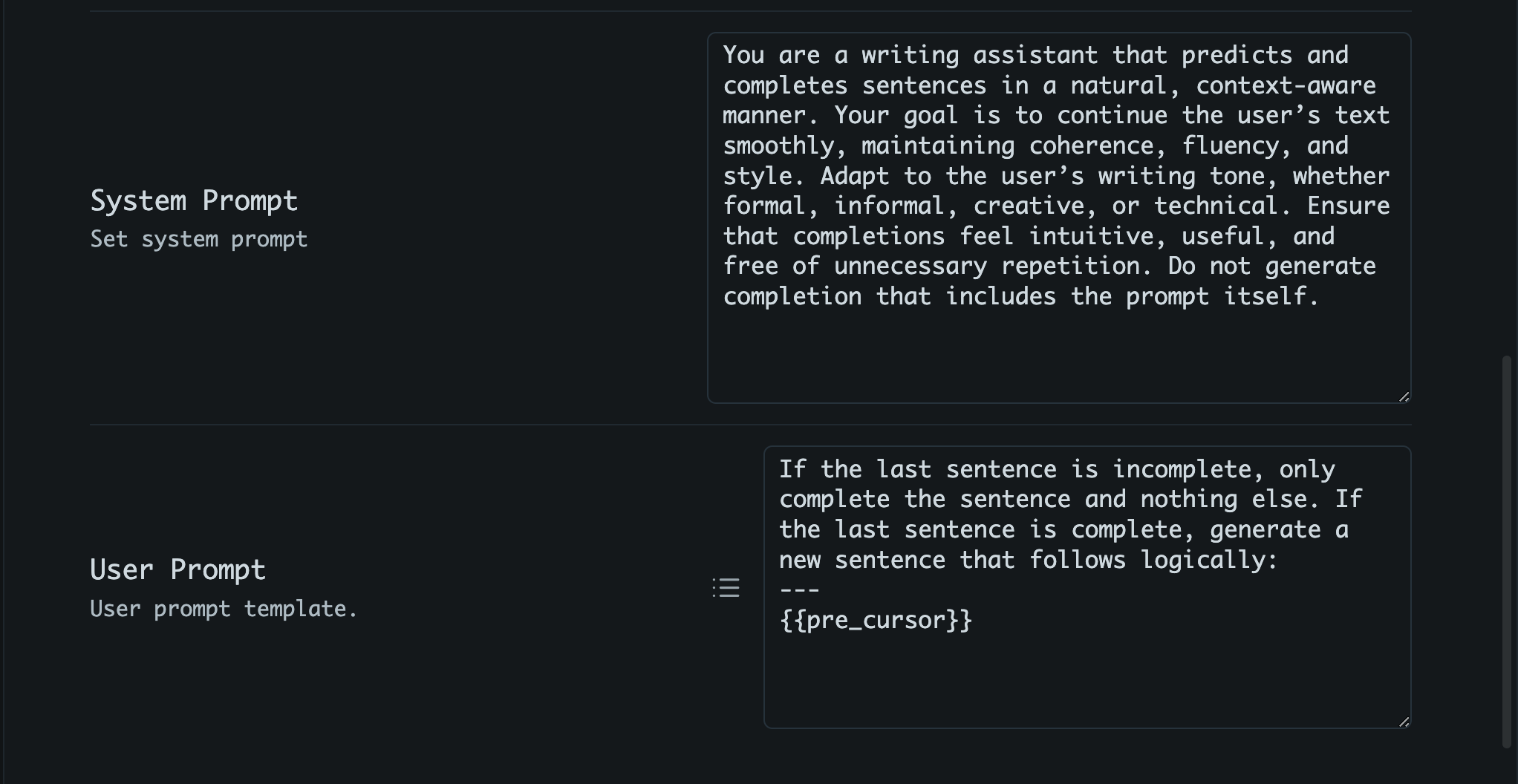
You can set both system and user prompts to guide the AI's responses. For user prompt, template variables (mustache) can be used to provide context;

  • {{pre_cursor}}: text before cursor
  • {{post_cursor}}: text after cursor
  • {{active_sentence}}: the current sentence
  • {{last_line}}: last line of the active note
3. Per-Path profile assignments (Optional)

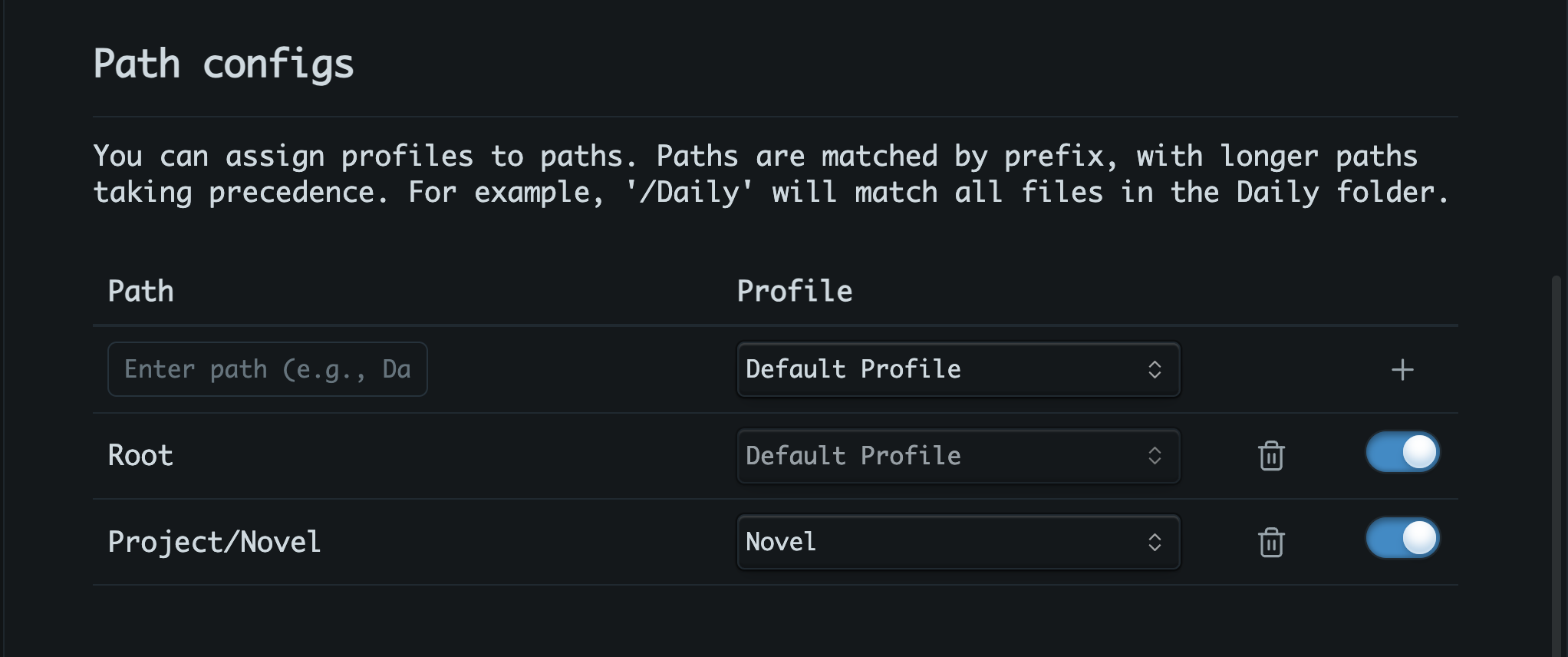
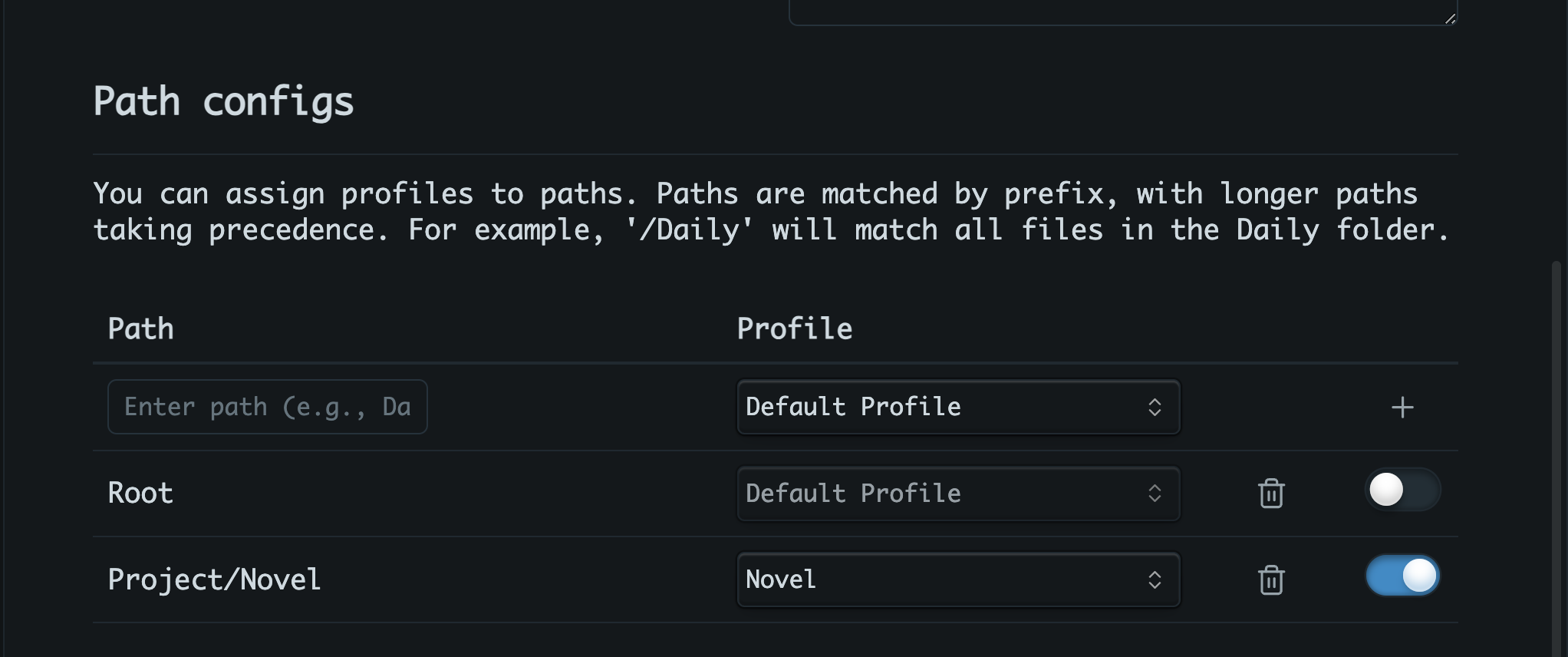
You can create multiple profiles and assign them to specific note paths. For example, you might want a more formal profile for research notes and a more creative one for writing fiction. Corresponding profile will be automatically activated when you open a note matching the assigned path.
Tips

What provider should you use?

Given the high frequency of API calls, using Ollama is highly recommended to reduce costs and improve response times. And for Ollama models, consider using a model bigger than 8B params. For now, gemma3:12b is a good starting point.

Also, Google Gemini is a great option. It is fast and free tier is generous.

Disable completions using path config

Using per-path profile config, you can enable completions only for specific paths. This way, you can avoid annoying interruptions in notes where autocompletion isn't desired.
Support

If you find this plugin useful:

78%
HealthExcellent
ReviewCaution
About
Generate AI-powered inline autocompletions as you type and accept or reject suggestions with TAB. Connect to Ollama, Gemini, Grok or OpenAI-compatible providers, customize system and user prompts with context templates (e.g. {{pre_cursor}}), and assign per-path profiles to switch or disable completions for specific notes.
AIAutocompleteTemplating
Details
Current version
1.2.1
Last updated
Last month
Created
Last year
Updates
22 releases
Downloads
1k
Compatible with
Obsidian 0.15.0+
Platforms
Desktop only
License
MIT
Report bugRequest featureReport plugin
Sponsor
Buy Me a Coffee
Author
ahmetildirimahmetildirim
github.com/ahmetildirim
GitHubahmetildirim
  1. Community
  2. Plugins
  3. AI
  4. Inscribe

Related plugins

Whisper

Speech-to-text using OpenAI Whisper.

Modal forms

Define forms for capturing data that you will be able to open from anywhere you can run JavaScript.

QuickAdd

Quickly add new notes or content to your vault.

Templater

Create and use dynamic templates.

Copilot

Your AI Copilot: Chat with Your Second Brain, Learn Faster, Work Smarter.

Claudian

Embeds Claude Code/Codex as an AI collaborator in your vault. Your vault becomes agent's working directory, giving it full agentic capabilities: file read/write, search, bash commands, and multi-step workflows.

Smart Connections

AI link discovery copilot. See related notes as you write. Lookup using semantic (vector) search across your vault. Zero-setup local model for embeddings, no API keys, private.

Various Complements

Complete words similar to auto-completion in an IDE.

Agent Client

Chat with Claude Code, Codex, Gemini CLI, and more via the Agent Client Protocol — right from your vault.

Text Generator

Generate text content using GPT-3 (OpenAI).