Note Formatter
 ikiwi26 downloads
Arrange heading numbering, generate new headings, move images into folder, and insert blank lines. 整理标题序号,生成新标题,添加图片到文件夹内,插入空白行。
- Overview
- Scorecard
- Updates2
跳到中文。 Here is the English version:
Quick Start
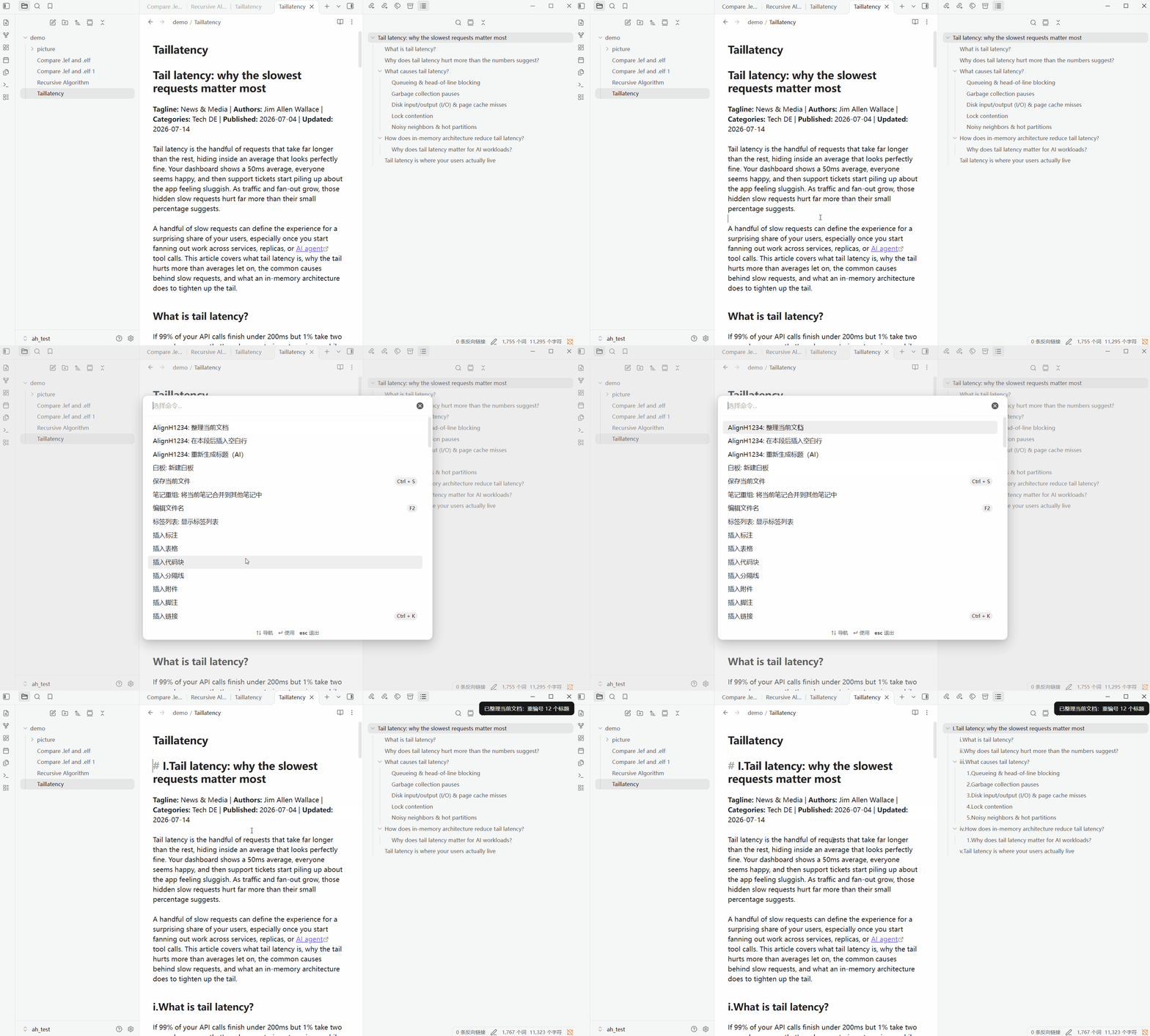
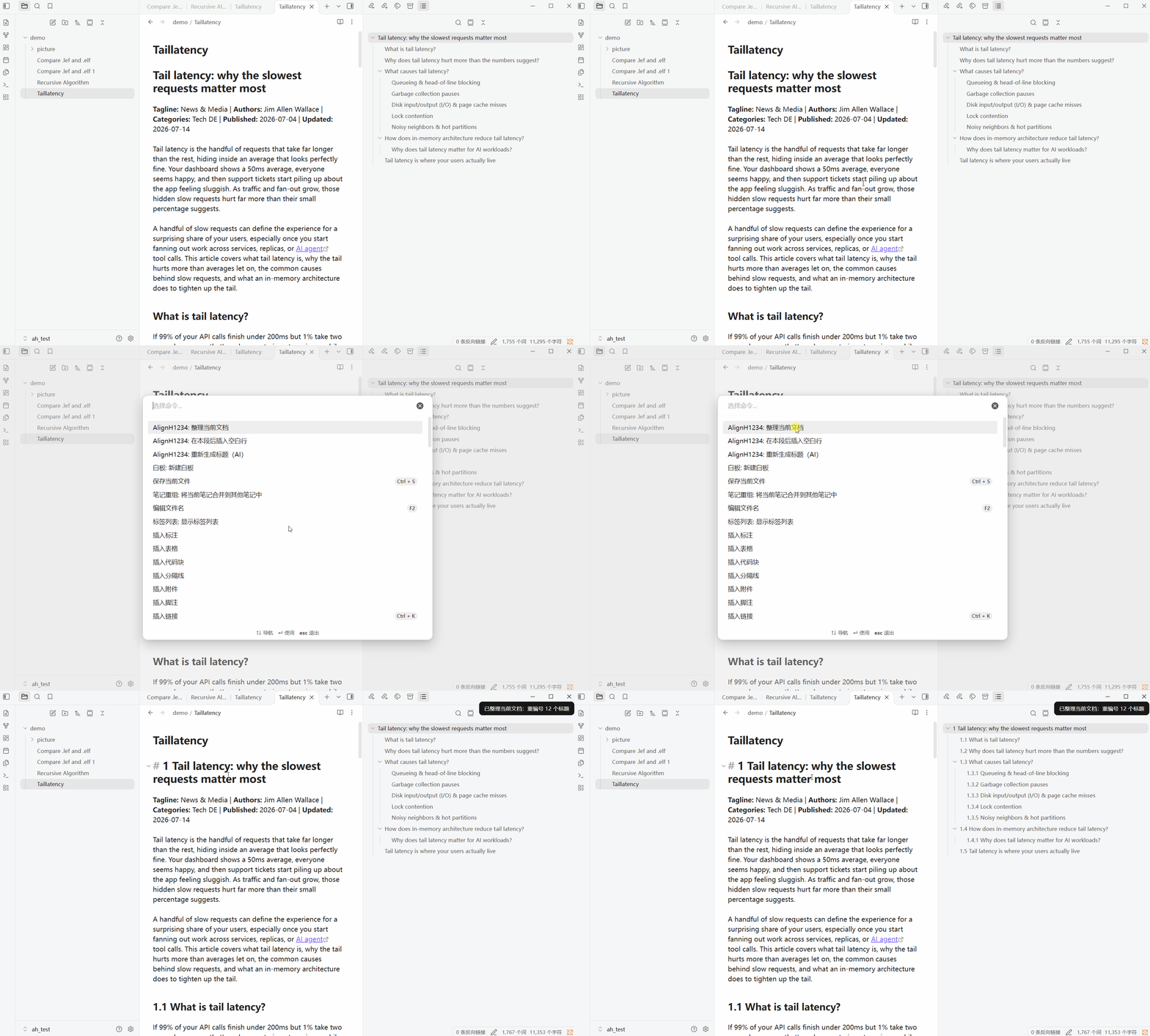
Organize current document
- renumber H1-H4 headings
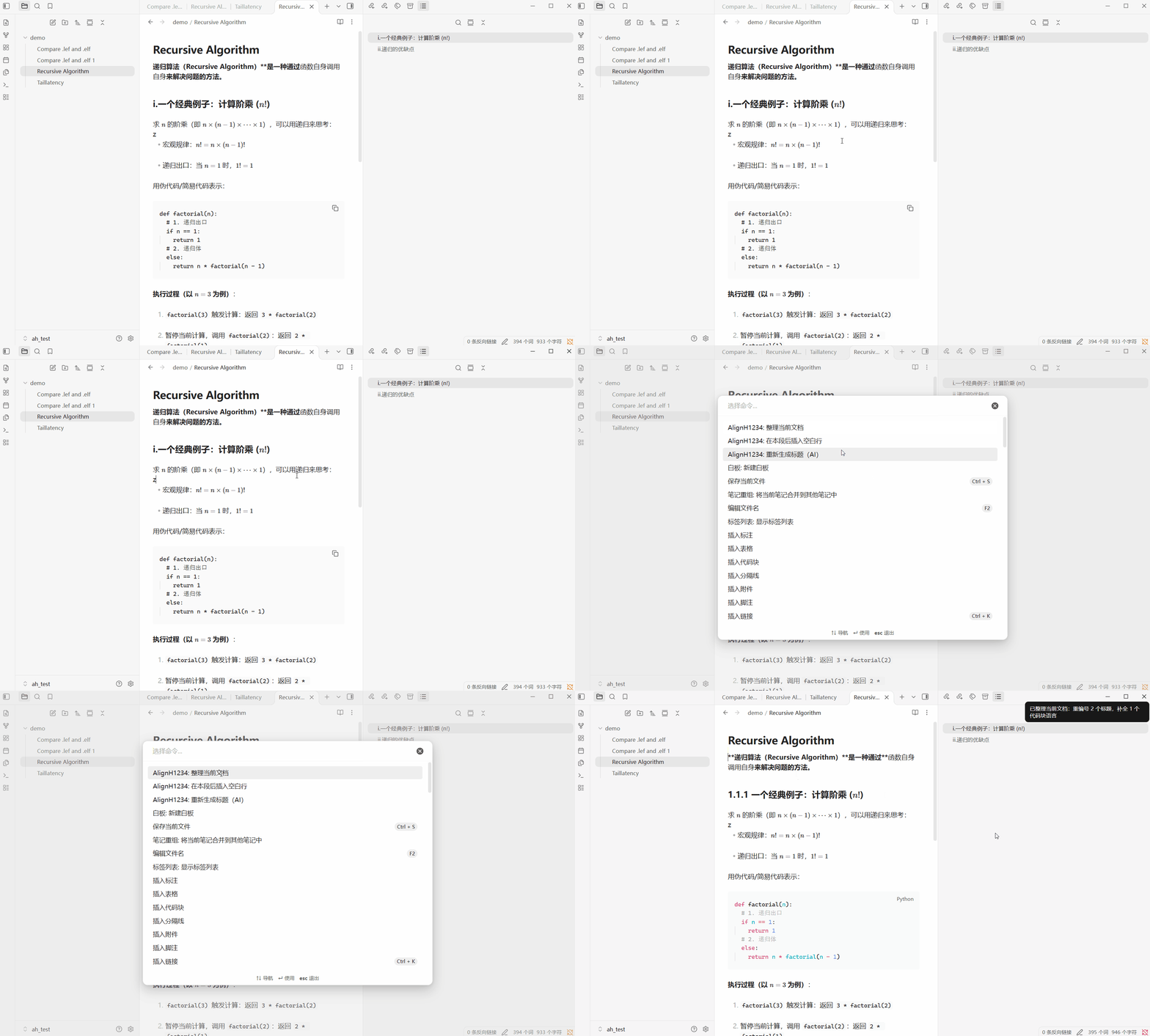
- complete code block languages
- merge blank lines
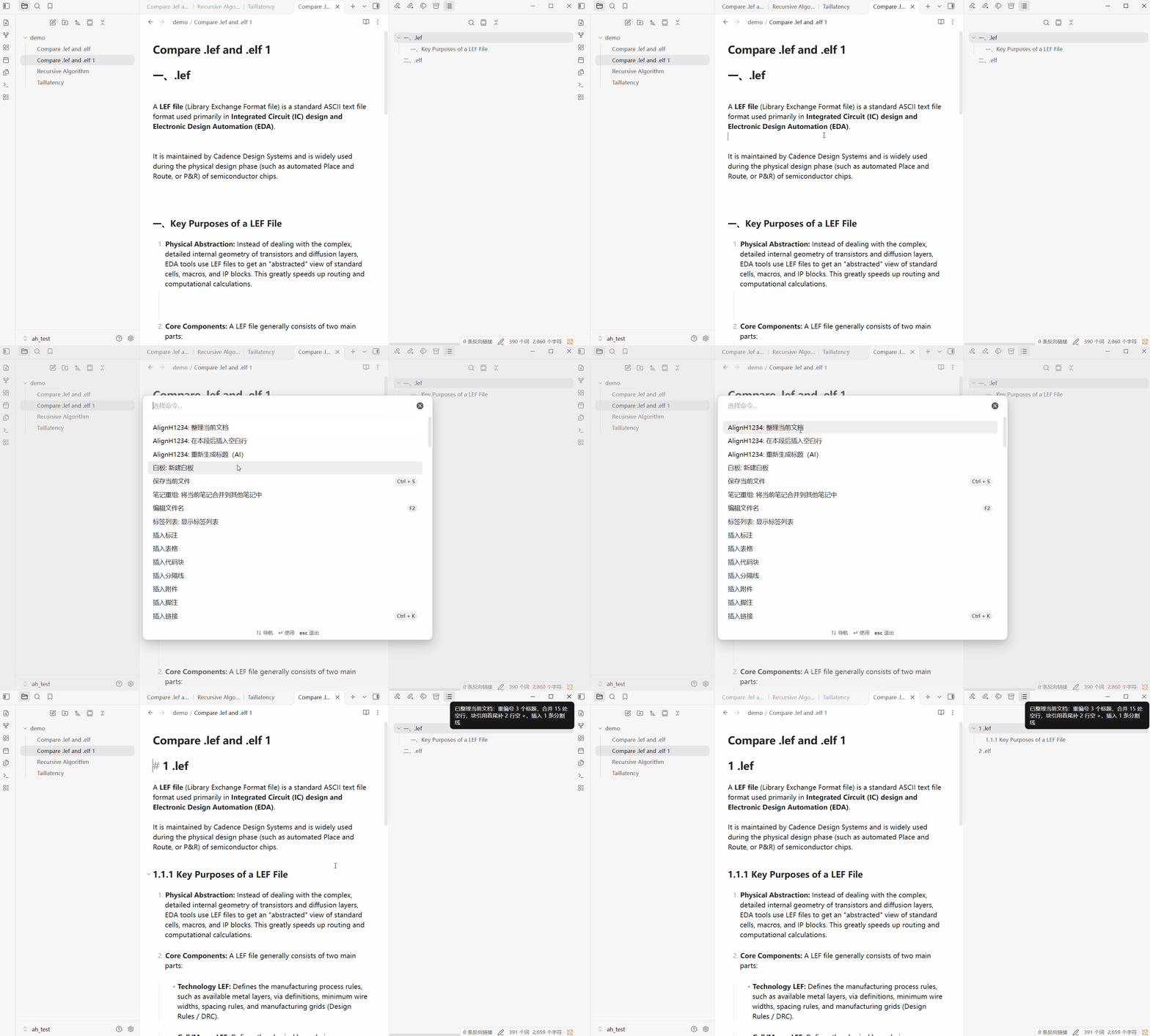
- Insert horizontal rule
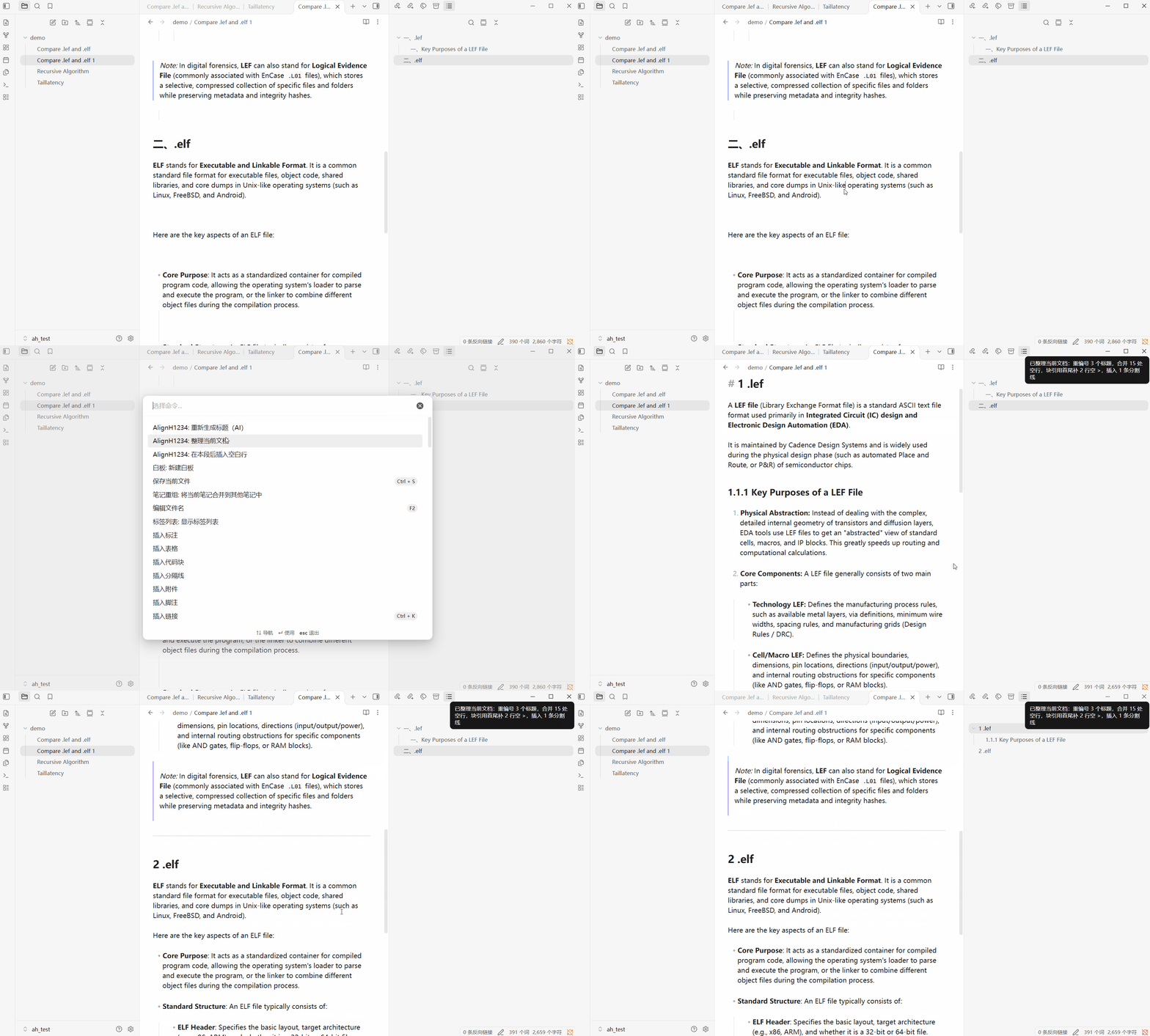
Regenerate headings (AI)
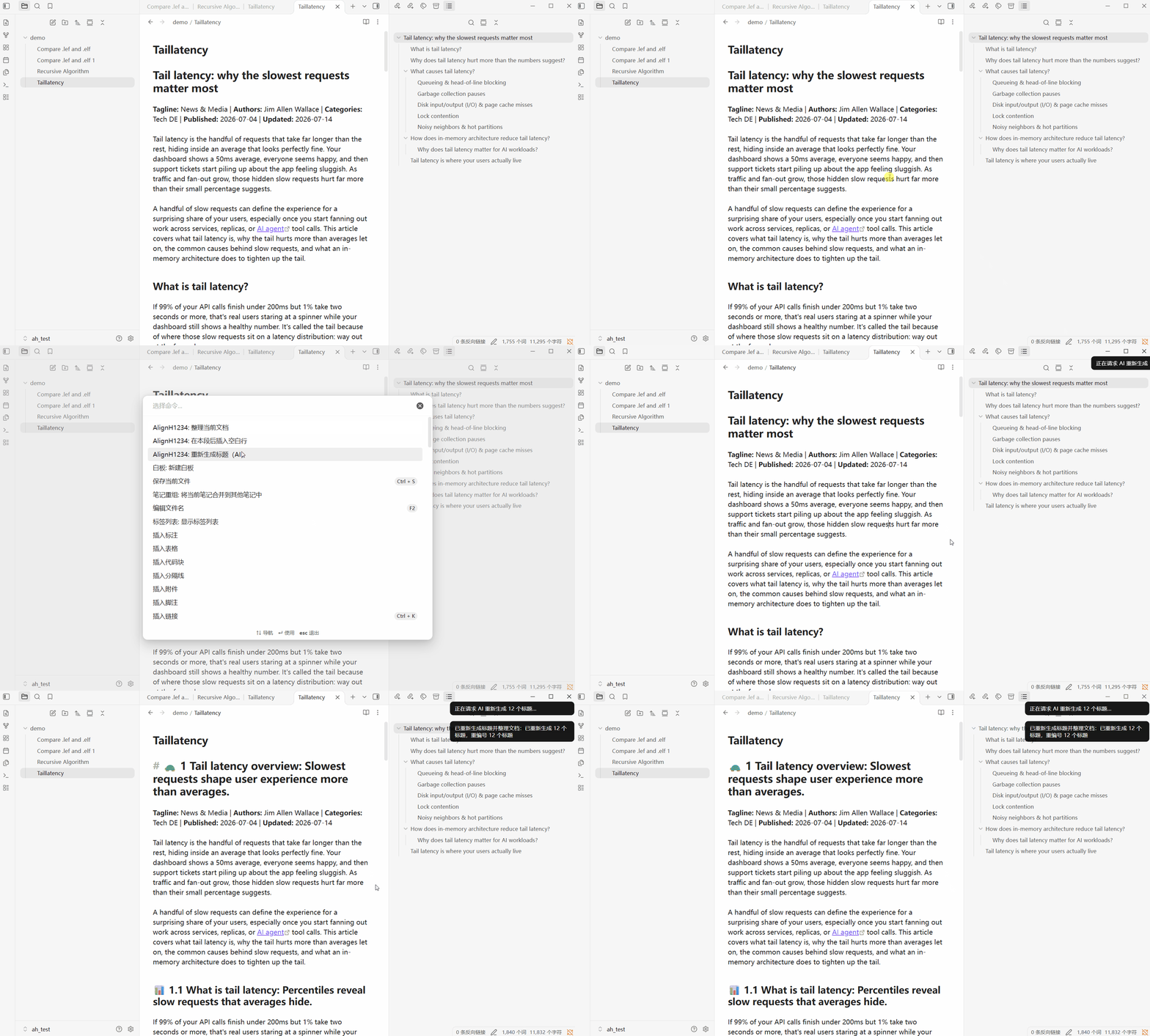
Insert Blank Lines
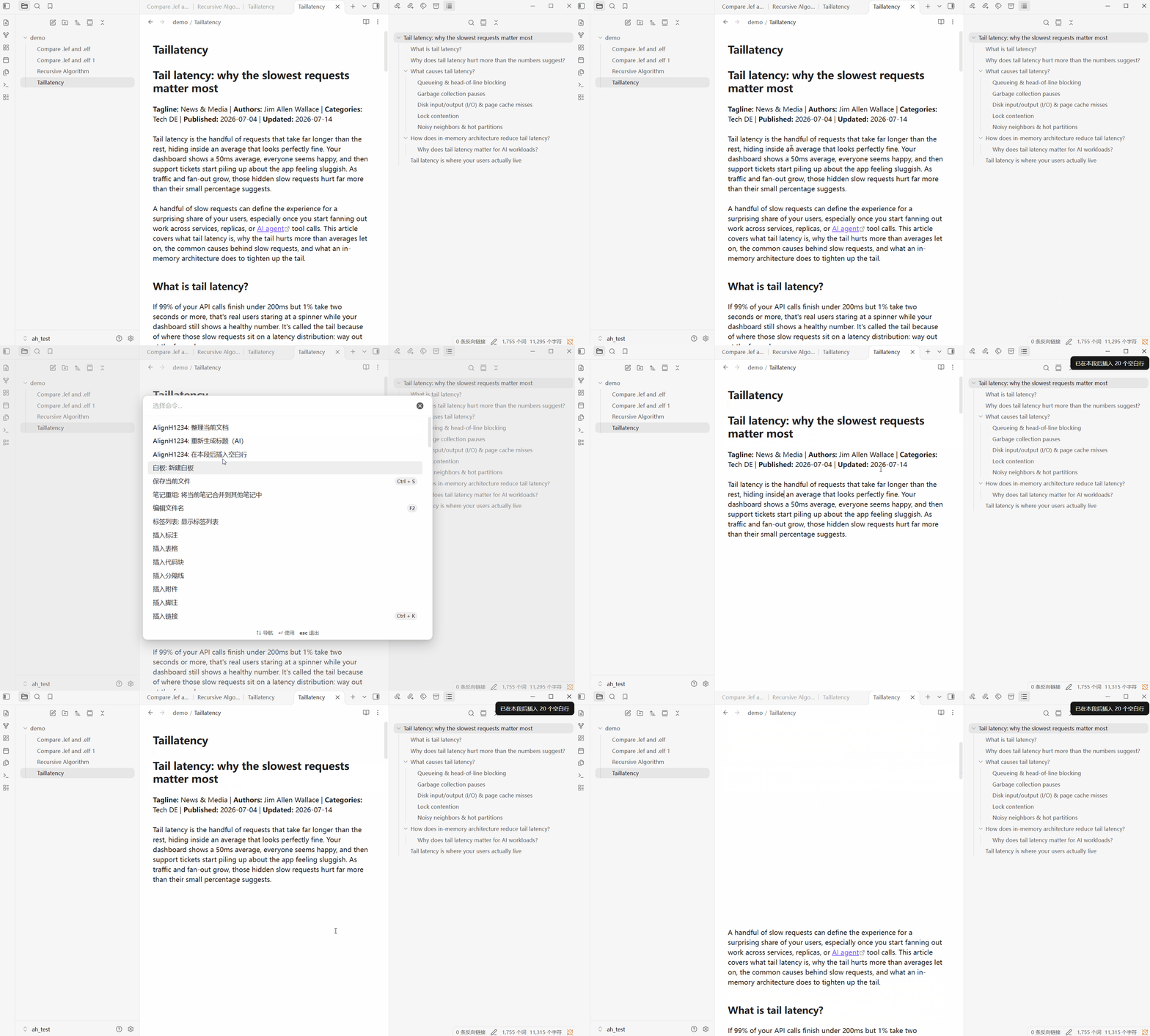
Auto
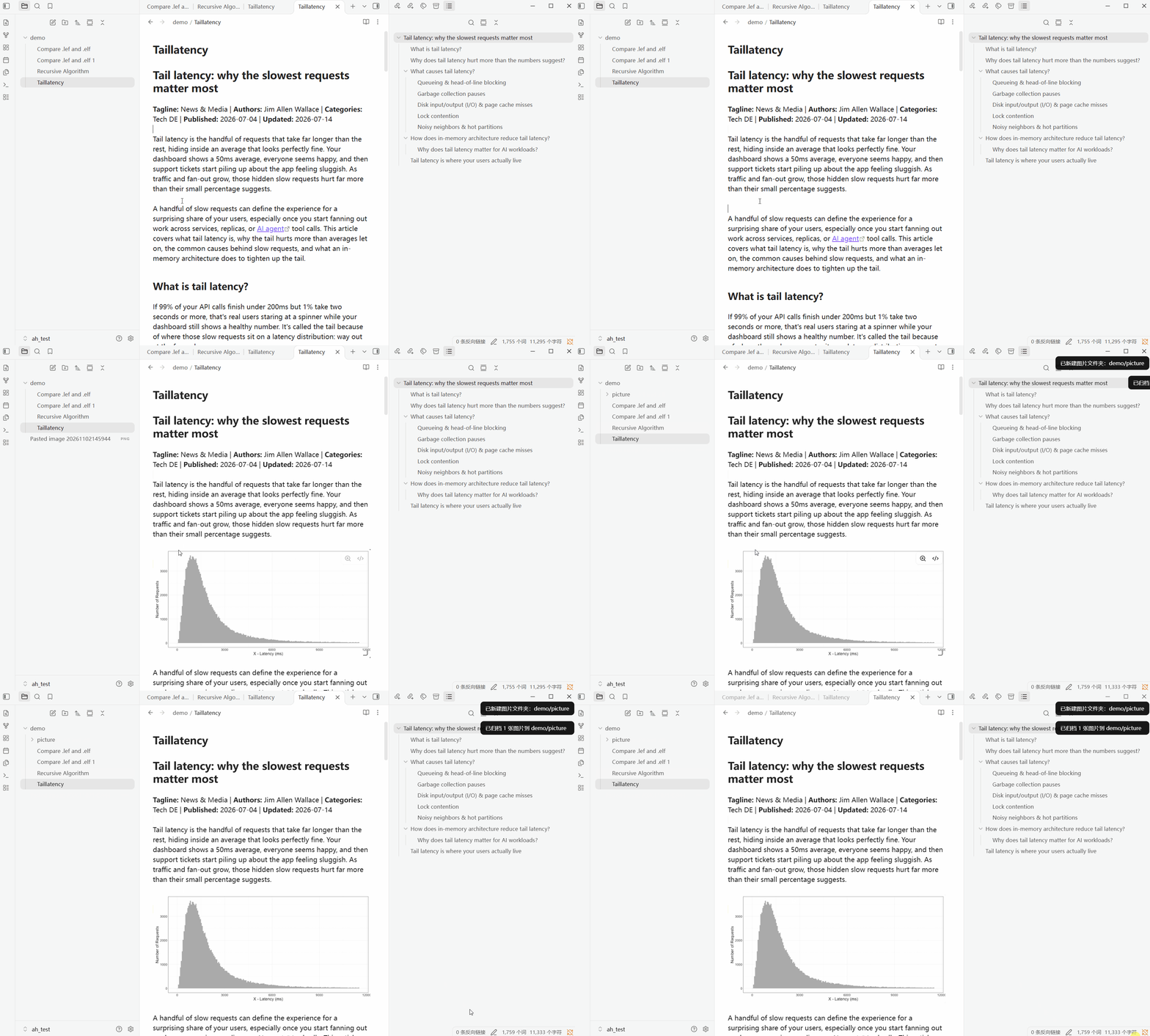
- Move images to subfolder
note-formatter (Obsidian Plugin)
Organize the current Markdown document with one command: renumber H1-H4 headings, and, according to settings, complete code block languages, merge blank lines, add blank lines at the start and end of blockquotes, and manage horizontal rules. There are also two standalone commands: one calls AI to regenerate headings based on the body text (then automatically organizes the document), and the other inserts a batch of blank lines after the current paragraph.
Features
- Command “Organize current document”: numbering is always performed; other organizing actions run according to their setting toggles
- Command “Regenerate headings (AI)”: generates “emoji discussion topic: one-sentence summary” based on each section’s body text
- Command “Insert blank lines after this paragraph”: based on the paragraph where the cursor is, inserts N blank lines at the end of the paragraph (N is determined by settings, default 20)
- Auto-organize inserted images (off by default): when the note is saved, move newly added image embeds on this page to
<note directory>/<image folder>/, rewrite links, and delete the original image (move semantics); supports![[...]]and; creates the folder automatically if it is missing - UI language: Chinese / English (switches immediately, including command names; command IDs stay the same, so hotkeys are kept)
“Organize current document”
- Heading numbering: processes H1-H4 in one pass; H2 restarts from “一” under each H1; H3 resets according to the nearest H2; H4 resets according to the nearest H3
- Numbering mode: Single-level = each level is numbered independently (uses all per-level settings below); Multi-level =
1/1.1/1.1.1/1.1.1.1(fixed Arabic numerals +.+ space; all levels numbered; missing parent levels default to 1) - Complete code block languages: recognizes json / yaml / python / bash / sql / html / cpp / c;
- Merge blank lines: compress 3+ consecutive newlines into 1 blank line; no processing inside frontmatter or fenced code blocks
- Add blank lines around blockquotes: add one empty
>line at the start and end of each>quote block (do not add again if an empty>already exists; use the indentation of the block’s start/end) - Horizontal rules: can delete existing horizontal rules (
---/***/___), and can insert---between two H1 headings or between two H2 headings
“Regenerate headings (AI)”
- Heading language is decoupled from UI language: follow the document’s main language, or specify one of 11 languages
- For H1-H4, you can separately choose to generate emoji / discussion topic / one-sentence summary (at least one item); the requirements for “one-sentence summary” and “discussion topic” can be customized via “Heading generation prompt” and “Topic generation prompt” respectively
- AI heading generation supports six providers:
claude/deepseek/gemini/gpt/qwen/kimi
Settings
| Setting | Default | Description |
|---|---|---|
| UI language | Chinese | Chinese / English; applies immediately to the settings page and command names (command IDs are unchanged, so hotkeys are kept) |
| Numbering mode | Single-level | Single-level: each level numbered independently; Multi-level: 1 / 1.1 / 1.1.1 / 1.1.1.1 (fixed Arabic numerals + . + space; per-level styles/delimiters do not apply) |
| Add space after delimiter | Off | When generating single-level numbering, add one space after the delimiter (automatically skipped for the “space” delimiter and Clear numbering) |
| Numbering system (per level) | Chinese numerals | 12 systems + Clear numbering (does not apply in multi-level mode) |
| Delimiter (per level) | 、 |
Used when generating; when recognizing existing numbering, compatible with 13 character delimiters (does not apply in multi-level mode) |
| Complete code block languages | Off | Only add language tags to fenced code blocks that lack a language |
| Merge blank lines | Off | Compress 3+ consecutive newlines into 1 blank line |
| Add blank lines around blockquotes | Off | Add one empty > line at the start and end of each > quote block (do not add if an empty > already exists) |
| Number of blank lines to insert | 20 | Number of lines inserted at once by the “Insert blank lines after this paragraph” command (1-100) |
| Auto-organize inserted images | Off | When the note is saved, move newly added images on this page to the image folder and rewrite links (move, not copy) |
| Image folder | picture |
Relative to the note’s directory; can be multi-level (assets/img); created automatically if it does not exist |
| Delete existing horizontal rules | Off | Delete --- / *** / ___; preserve frontmatter and setext underlines |
| Insert between two H1 headings | Off | Insert --- before every non-first H1 |
| Insert between two H2 headings | Off | Within each H1 group, insert --- before the group’s non-first H2; if there is no H1, process the whole document |
| Heading language | Follow document | Follow document (the body script is detected first — Chinese / English / Japanese / Korean / Russian / Arabic, Latin-script languages are split by common words — and the AI is required to use it; if the sample is too short the AI infers it) / Specify language (11 languages: Chinese, English, Japanese, Korean, Spanish, French, German, Portuguese, Russian, Italian, Arabic) |
| H1-H4 generated content | All on | emoji / discussion topic / one-sentence summary; at least one of the three; if all are off, the command reports an error and aborts |
| Heading generation prompt | Chinese default text | Generation requirements for “one-sentence summary”; read-only preview + edit (modal) + reset; if cleared, the default for the current UI language is used (so does a stored default that belongs to the other UI language) |
| Topic generation prompt | Chinese default text | Generation requirements for “discussion topic”; read-only preview + edit (modal) + reset; if cleared, the default for the current UI language is used (so does a stored default that belongs to the other UI language) |
| AI provider | Claude | Six providers: Claude / DeepSeek / Gemini / GPT / Qwen / Kimi; each has a built-in default model |
| API Key | Empty | Used only for “Regenerate headings”; displayed masked with type=password; can be cleared; saved in data.json |
Numbering System Limits
| System | Limits |
|---|---|
| Chinese / Arabic / Eastern Arabic | Arabic and Eastern Arabic: 1..999 |
| Roman (uppercase/lowercase) | 1..3999; falls back to Arabic numerals beyond that |
| Latin (uppercase/lowercase) | Bijective base-26 (A..Z, AA..AB); parsing accepts only 1-2 letters |
| Circled numbers | ①-⑳, ㉑-㉟, ㊱-㊿; 51+ falls back to Arabic numerals |
| Hangul / circled Hangul | 14 each; falls back to Arabic numerals beyond that |
| Cyrillic | Russian alphabet skipping З / О (31 letters); falls back to Arabic numerals beyond that |
| Katakana | Iroha order, 47 characters; falls back to Arabic numerals beyond that |
中文说明
用一个命令整理当前 Markdown 文档:重编号 H1-H4 标题,并按设置补全代码块语言、合并空行、为块引用补首尾空行、管理分割线;另有两个独立命令,分别用于调用 AI 按正文重新生成标题(随后自动整理)、在当前段落之后插入一批空白行。
功能
- 命令「整理当前文档」:编号始终执行,其余整理动作按设置开关执行
- 命令「重新生成标题(AI)」:按每节正文生成「emoji 讨论主题:一句话总结」
- 命令「在本段后插入空白行」:以光标所在段落为准,在段末插入 N 个空白行(N 由设置决定,默认 20)
- 自动整理插入图片(默认关):笔记保存时把本页新增的图片嵌入移动到
<笔记目录>/<图片文件夹>/,改写链接并删除原图(移动语义);支持![[...]]与,文件夹缺失时自动新建 - 界面语言:中文 / English(设置页即时切换,命令名同步更新;命令 ID 不变,已设置的热键保留)
「整理当前文档」
- 标题编号:一次处理 H1-H4;H2 在每个 H1 下从「一」重计,H3 按最近 H2 重置,H4 按最近 H3 重置
- 编号模式:单级 = 每级独立编号(沿用下方所有逐级配置);多级 =
1/1.1/1.1.1/1.1.1.1(固定阿拉伯数字 +.+ 空格、全补号、缺父级按 1 兜底) - 补全代码块语言:识别 json / yaml / python / bash / sql / html / cpp / c;
- 合并空行:连续 3+ 个换行压成 1 个空行;frontmatter 与围栏代码块内不处理
- 块引用首尾补空行:每个
>引用段的首尾各补一行空>(已有空>不重复添加,沿用段首/段尾缩进) - 分割线:可删除现有分割线(
---/***/___),也可在两个 H1 之间或两个 H2 之间插入---
「重新生成标题(AI)」
- 标题语言与界面语言解耦:跟随文档主要语言,或从 11 种语言中指定
- H1-H4 可分别选择生成 emoji / 讨论主题 / 一句话总结(至少选一项);「一句话总结」与「讨论主题」的要求可分别通过「标题生成提示词」「主题生成提示词」自定义
- AI 标题生成支持
claude/deepseek/gemini/gpt/qwen/kimi六家服务商
设置
| 设置项 | 默认值 | 说明 |
|---|---|---|
| 界面语言 | 中文 | 中文 / English;设置页与命令名即时生效(命令 ID 不变,热键保留) |
| 编号模式 | 单级 | 单级:每级独立编号;多级:1 / 1.1 / 1.1.1 / 1.1.1.1(固定阿拉伯 + . + 空格,各级风格/分隔符不生效) |
| 分隔符后补空格 | 关 | 单级编号生成时在分隔符后加一个空格(「空格」分隔符、清除编号自动跳过) |
| 编号体系(每级) | 中文数字 | 12 种体系 + 清除编号(多级模式不生效) |
| 分隔符(每级) | 、 |
生成时使用;识别旧编号时兼容 13 种字符分隔符(多级模式不生效) |
| 补全代码块语言 | 关 | 只给缺少语言的围栏代码块补标签 |
| 合并空行 | 关 | 连续 3+ 个换行压成 1 个空行 |
| 块引用首尾补空行 | 关 | 每个 > 引用段首尾各补一行空 >(已有空 > 不重复添加) |
| 插入空白行数 | 20 | 命令「在本段后插入空白行」一次插入的行数(1-100) |
| 自动整理插入图片 | 关 | 笔记保存时把本页新增图片移动到图片文件夹并改写链接(移动而非复制) |
| 图片文件夹 | picture |
相对笔记所在目录,可多级(assets/img);不存在时自动新建 |
| 删除现有分割线 | 关 | 删除 --- / *** / ___,保留 frontmatter 与 setext 下划线 |
| 两个一级标题之间插入 | 关 | 在每个非首个 H1 之前插入 --- |
| 两个二级标题之间插入 | 关 | 每个 H1 分组内、该组非首个 H2 之前插入 ---;无 H1 时按全文处理 |
| 标题语言 | 跟随文档 | 跟随文档(先按正文文字系统判定语言——中/英/日/韩/俄/阿,拉丁字母再按常用词细分西/法/德/葡/意——再要求 AI 用该语言生成;样本太短时交给 AI 判断)/ 指定语言(11 种:中英日韩西法德葡俄意阿) |
| H1-H4 生成内容 | 全开 | emoji / 讨论主题 / 一句话总结,三项至少一项;全关时命令报错并中止 |
| 标题生成提示词 | 中文默认文案 | 对「一句话总结」的生成要求;只读预览 + 修改(弹窗)+ 初始化;清空后按当前界面语言取默认(存的是另一种界面语言的默认文案时同样按当前语言取默认) |
| 主题生成提示词 | 中文默认文案 | 对「讨论主题」的生成要求;只读预览 + 修改(弹窗)+ 初始化;清空后按当前界面语言取默认(存的是另一种界面语言的默认文案时同样按当前语言取默认) |
| AI 服务商 | Claude | 六家:Claude / DeepSeek / Gemini / GPT / Qwen / Kimi;每家内置默认模型 |
| API Key | 空 | 仅用于「重新生成标题」;type=password 掩码显示,可清除;保存在 data.json |
编号体系边界
| 体系 | 边界 |
|---|---|
| 中文 / 阿拉伯 / 东阿拉伯 | 阿拉伯与东阿拉伯 1..999 |
| 罗马(大/小写) | 1..3999,超出回退阿拉伯数字 |
| 拉丁(大/小写) | 双射 26 进制(A..Z、AA..AB);解析只接受 1-2 个字母 |
| 圈号 | ①-⑳、㉑-㉟、㊱-㊿;51+ 回退阿拉伯 |
| 谚文 / 带圈谚文 | 各 14 个;超出回退阿拉伯 |
| 西里尔 | 俄语字母表跳 З / О(31 个);超出回退阿拉伯 |
| 片假名 | 伊吕波顺 47 字;超出回退阿拉伯 |
HealthExcellent
ReviewSatisfactory
About
Organize the current Markdown document: renumber H1–H4, complete code block languages, merge blank lines, and normalize blockquotes and horizontal rules. Regenerate section headings with AI and insert configurable blank lines after the current paragraph. Move new image embeds into a per-note image folder and rewrite links, and switch the UI instantly between English and Chinese.Details
Current version
0.1.1
Last updated
2 weeks ago
Created
2 weeks ago
Updates
2 releases
Downloads
26
Compatible with
Obsidian 1.6.6+
Platforms
Desktop only
License
MIT
Author