Search...Search plugins and themes...
⌘K
Sign in
  • Get started
  • Download
  • Pricing
  • Enterprise
  • Account
  • Obsidian
  • Overview
  • Sync
  • Publish
  • Canvas
  • Mobile
  • Web Clipper
  • CLI
  • Learn
  • Help
  • Developers
  • Changelog
  • About
  • Roadmap
  • Blog
  • Resources
  • System status
  • License overview
  • Terms of service
  • Privacy policy
  • Security
  • Community
  • Plugins
  • Themes
  • Discord
  • Forum / 中文论坛
  • Merch store
  • Brand guidelines
Follow us
DiscordTwitterBlueskyThreadsMastodonYouTubeGitHub
© 2026 Obsidian

Note Companion Folder

vkodochavkodocha2k downloads

Manage a separate folder of attachments for each note.

Add to Obsidian
  • Overview
  • Scorecard
  • Updates7

Manage a separate folder of attachments for each note. The folder name is the same as the note name minus the file extension. The plugin's default behavior is to have the companion folder as a sibling to the note, but you can configure this.

You can use the companion folder to keep the attachments separated on a per-note level instead of having a single attachments folder for all notes in a vault.

Two modes

Either keep the companion folder directly next to the note like this:

vault-folder/
|- note-file.md
|- note-file/
||- attachment-0.png

Or you can choose a subpath inside the vault where the companion folders (for all notes will reside). Set the Base path for companion folders option in the plugin settings to _file, then the layout in the file system would look like this:

vault-folder/
|-_files/
||- note-file/
|||- attachment-0.png
| note-file.md

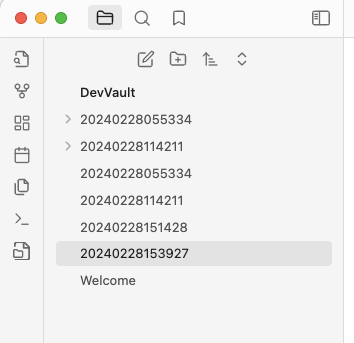
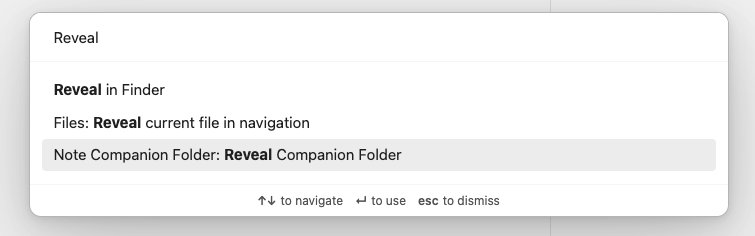
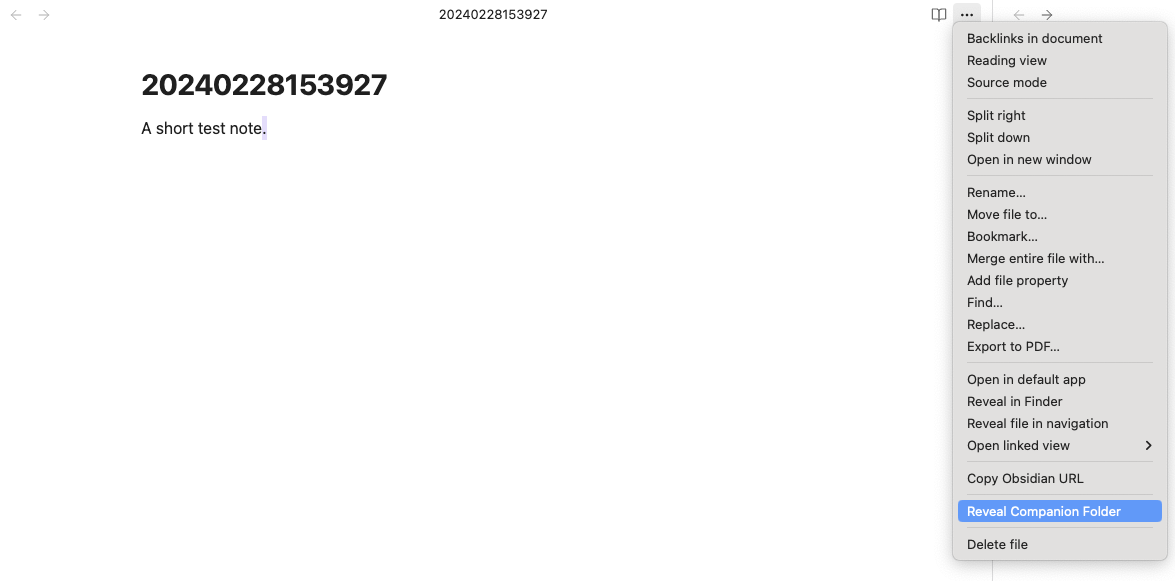
This plugin provides multiple ways to reveal a companion folder for a given note:

  • A ribbon icon
  • A command
  • A context action
  • A file action

If the companion folder for a given one does not exist, it will be created upon invoking one of the plugin's commands or actions.
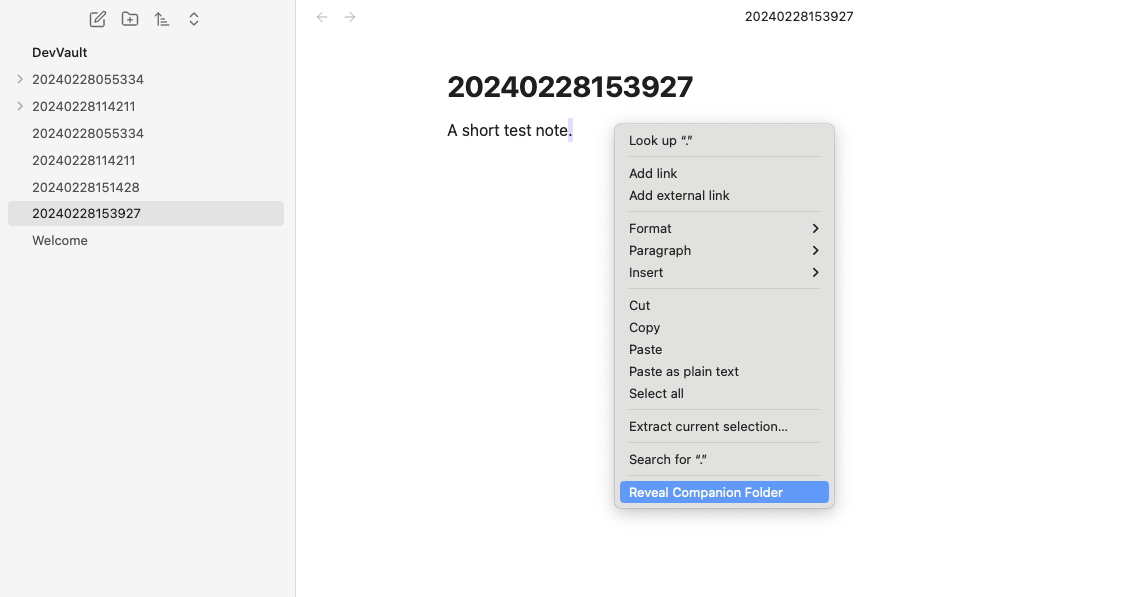
The context action

The file action

The ribbon icon

The command

Install

You can find the "Note Companion Folder" in the list of community plugins!

Development

Building

  • npm run dev - Start development mode with file watching
  • npm run build - Build production version with type checking

Testing

This plugin includes a comprehensive unit test suite using Jest.

Run tests:

npm test              # Run all tests
npm run test:watch    # Run tests in watch mode
npm run test:coverage # Run tests with coverage report

Test structure:

  • tests/ - Test files and helpers
  • tests/mocks/ - Mock implementations of Obsidian API
  • tests/test-helpers.ts - Utility functions for creating test fixtures
  • tests/path-resolution.test.ts - Tests for companion folder path resolution logic
  • tests/file-operations.test.ts - Tests for file drop handling and file naming logic
  • tests/settings.test.ts - Tests for plugin settings and configuration

The test suite covers:

  • Path resolution for companion folders (sibling and base path modes)
  • Folder existence checks
  • File name conflict resolution
  • Drag and drop handling setup
  • Plugin settings management and persistence
74%
HealthGood
ReviewCaution
About
Store attachments in a dedicated companion folder for each note, named after the note without its extension. Place companion folders next to notes or under a common base path, and open or create them via ribbon, command, context, or file actions.
AttachmentsFilesCommands
Details
Current version
0.0.7
Last updated
8 months ago
Created
2 years ago
Updates
7 releases
Downloads
2k
Compatible with
Obsidian 1.5.3+
Platforms
Desktop, Mobile
License
MIT
Report bugRequest featureReport plugin
Author
vkodochavkodocha
vmac.ch
GitHubvkodocha
  1. Community
  2. Plugins
  3. Attachments
  4. Note Companion Folder

Related plugins

Attachment Management

Customize attachment path, auto-rename attachments, etc.

Find orphaned files and broken links

Find files that are not linked anywhere and would otherwise be lost in your vault. In other words: files with no backlinks.

Janitor

Perform cleanup tasks on your vault.

Notebook Navigator

A better file browser and calendar inspired by Apple Notes, Bear, Evernote and Day One.

Local REST API & MCP Server

Unlock your automation needs by interacting with your notes over a secure REST API.

QuickAdd

Quickly add new notes or content to your vault.

Recent Files

Display a list of recently opened files.

Omnisearch

Intelligent search for your notes, PDFs, and OCR for images.

Claudian

Embeds Claude Code/Codex as an AI collaborator in your vault. Your vault becomes agent's working directory, giving it full agentic capabilities: file read/write, search, bash commands, and multi-step workflows.

Quick Switcher++

Enhanced Quick Switcher, search open panels, and symbols.