Search...Search plugins and themes...
⌘K
Sign in
  • Get started
  • Download
  • Pricing
  • Enterprise
  • Account
  • Obsidian
  • Overview
  • Sync
  • Publish
  • Canvas
  • Mobile
  • Web Clipper
  • CLI
  • Learn
  • Help
  • Developers
  • Changelog
  • About
  • Roadmap
  • Blog
  • Resources
  • System status
  • License overview
  • Terms of service
  • Privacy policy
  • Security
  • Community
  • Plugins
  • Join the community
  • Discord
  • Forum / 中文论坛
  • Merch store
  • Brand guidelines
Follow us
DiscordTwitterBlueskyThreadsMastodonYouTubeGitHub
© 2026 Obsidian

Node Auto Resize

quorafindquorafind7k downloads

Automatically resize the node when the content changes.

Add to Obsidian
  • Overview
  • Scorecard
  • Updates5

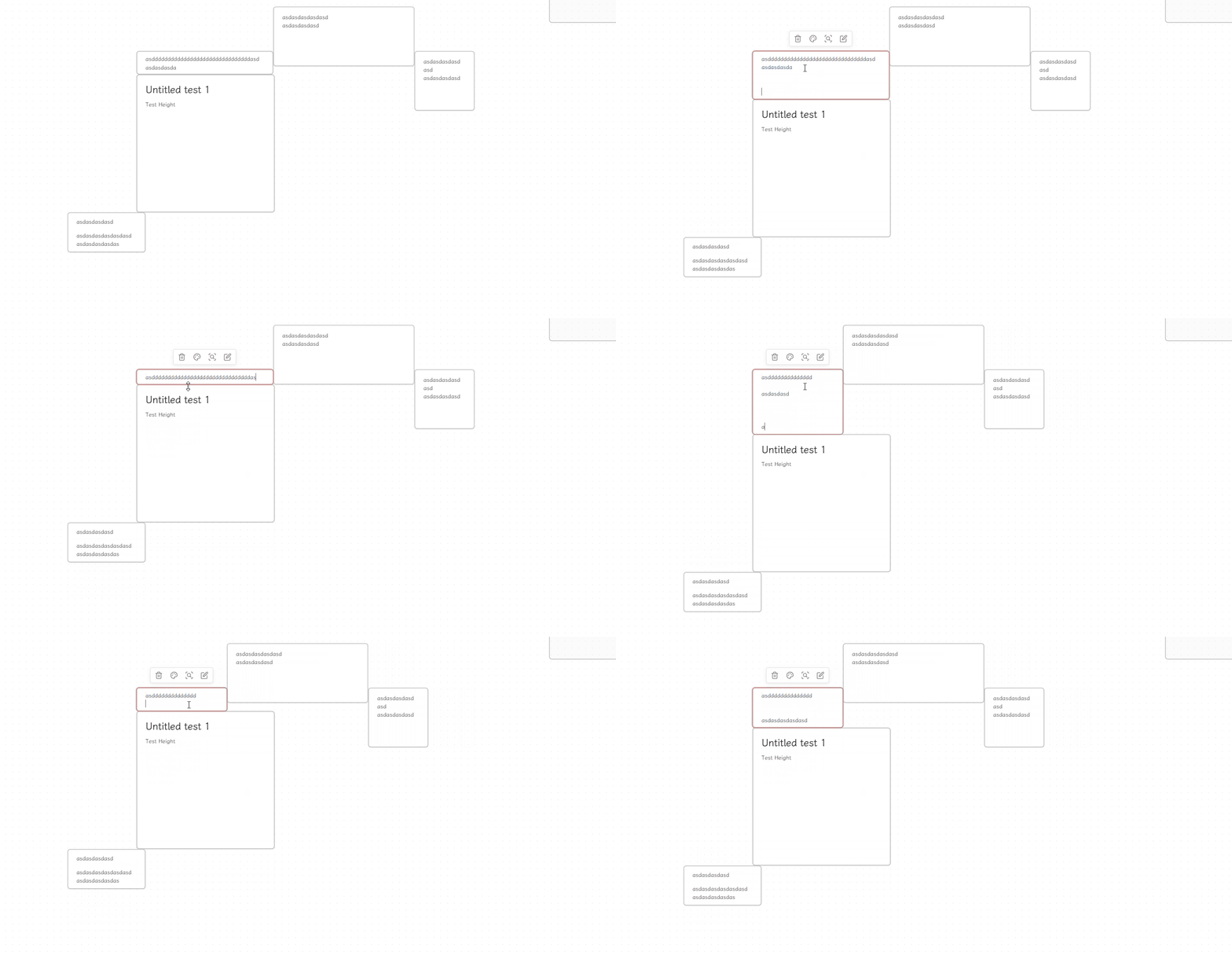
An Obsidian plugin that automatically resizes the canvas node to fit its content.
img

How to use

  1. Install the plugin.
  2. Update content in node from canvas view.
  3. The node will automatically resize to fit its content.

Settings

  • Enable width auto resize;
  • Set the max width

Installation

BRAT

BRAT (Beta Reviewer's Auto-update Tool) is a plugin that allows users to install Obsidian plugins directly from GitHub with automatic updates.

via Commands:

  1. Ensure BRAT is installed
  2. Enter the command BRAT: Plugins: Add a beta plugin for testing
  3. Enter Quorafind/Obsidian-Node-Auto-Resize
  4. Click on Add Plugin

via Settings:

  1. Ensure BRAT is installed
  2. Go to Settings > BRAT > Beta Plugin List
  3. Click on Add Beta plugin
  4. Enter Quorafind/Obsidian-Node-Auto-Resize
  5. Click on Add Plugin

Manual

Option 1:

  1. Go to Releases
  2. Download the latest Obsidian-Node-Auto-Resize-${version}.zip
  3. Extract its contents
  4. Move the contents into /your-vault/.obsidian/plugins/obsidian-Node-Auto-Resize/
  5. Go to Settings > Community plugins
  6. Enable Node Auto Resize

Option 2:

  1. Go to Releases
  2. Download the latest main.js, styles.css and manifest.json
  3. Move the files into /your-vault/.obsidian/plugins/obsidian-Node-Auto-Resize/
  4. Go to Settings > Community plugins
  5. Enable Node Auto Resize
68%
HealthFair
ReviewCaution
About
Resize canvas nodes to fit their content automatically. Enable width auto-resize and set a maximum width to keep node layouts tidy.
CanvasAutomation
Details
Current version
1.2.1
Last updated
Last year
Created
2 years ago
Updates
5 releases
Downloads
7k
Compatible with
Obsidian 1.2.0+
Report bugRequest featureReport plugin
Sponsor
Buy Me a Coffee
Support
Author
quorafindquorafind
github.com/Quorafind/
GitHubquorafind
  1. Community
  2. Plugins
  3. Canvas
  4. Node Auto Resize

Related plugins

Canvas Mindmap Helper

Make the Canvas work like a mindmap.

Templater

Create and use dynamic templates.

BRAT

Easily install a beta version of a plugin for testing.

Linter

Format and style your notes. Linter can be used to format YAML tags, aliases, arrays, and metadata; footnotes; headings; spacing; math blocks; regular Markdown contents like list, italics, and bold styles; and more with the use of custom rule options.

Advanced Canvas

Supercharge your canvas experience. Create presentations, flowcharts and more.

Readwise Official

Sync highlights from Readwise to your vault.

Advanced URI

Control everything with URI.

Waypoint

Easily generate dynamic MOCs in your folder notes using waypoints. Enables folders to show up in the graph view and removes the need for messy tags!

Auto Link Title

Automatically fetches the titles of links from the web.

Task Collector (TC)

Change task status and collect tasks within a document using hotkeys and context menus.