My Typewriter Line
 dmo-code884 downloads
Keep the active line in focus with customizable top and bottom scroll padding for typewriter-like editing.
- Overview
- Scorecard
- Updates3
My Typewriter Line is an Obsidian plugin that lets you set custom top and bottom scroll padding in the editor, so your active line always stays in focus—just like a typewriter. Perfect for distraction-free, focused writing.
Note: This plugin exclusively provides this single function (dynamic scroll padding adjustment via slider).
Features
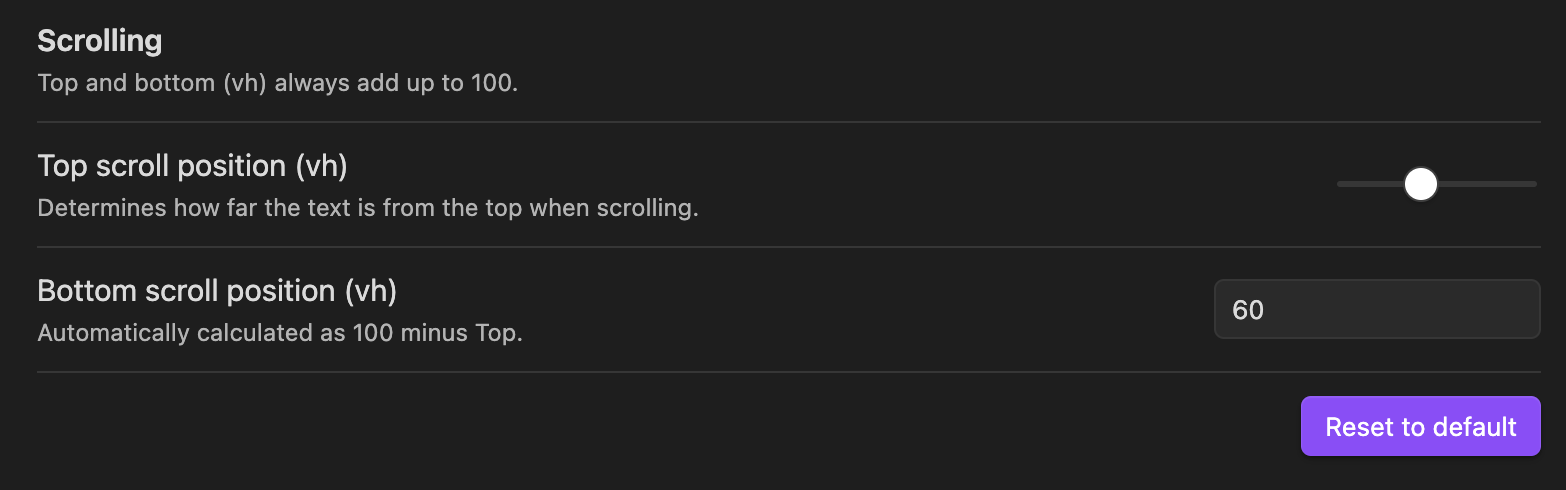
- Set custom top and bottom scroll padding (in vh) via a single horizontal slider
- Bottom value is automatically calculated (always 100 minus top)
- Keeps your cursor/active line centered or at your preferred position while typing
- Simple, distraction-free writing experience
Installation
From Obsidian Community Plugins
- Open Obsidian and go to Settings → Community plugins.
- Click on Browse and search for
My Typewriter Line. - Click Install and then Enable.
Manual Installation
- Download the latest
main.js,manifest.json, andstyles.cssfrom the Releases page. - Place these files in a new folder named
my-typewriter-lineinside your vault's.obsidian/plugins/directory. - Restart Obsidian and enable the plugin in Settings → Community plugins.
Usage
- Go to Settings → My Typewriter Line.
- Adjust the Top scroll position (vh) using the horizontal slider. The Bottom scroll position is automatically set so that both always add up to 100.
- Your active line will now stay at your preferred vertical position while you type.
Setup
Support & Feedback
- For issues or feature requests, open an issue on GitHub.
Developer Build Instructions
If you want to build the plugin yourself:
- Make sure you have Node.js installed.
- Run
npm install. - Run
npm run buildto produce the build in thedistfolder.
Themanifest.jsonandstyles.cssare copied todist/automatically. - Copy
main.js,manifest.json, andstyles.cssfromdist/to your Obsidian plugins folder:.obsidian/plugins/my-typewriter-line.
License
MIT
HealthExcellent
ReviewSatisfactory
About
Set custom top and bottom editor scroll padding with a single slider to keep the active line centered or at your preferred vertical position while typing. Auto-calculate bottom padding so both values always add up to 100vh for a consistent typewriter effect.Details
Current version
1.0.3
Last updated
10 months ago
Created
Last year
Updates
3 releases
Downloads
884
Compatible with
Obsidian 0.15.0+
Platforms
Desktop, Mobile
License
MIT