Mouse Handwriting
 khr090767 downloads
Practice handwriting with your mouse. Trace letters, words, and famous passages (Korean/English/Japanese) on a full-page canvas with text or ruled-line guides.
- Overview
- Scorecard
- Updates4
An Obsidian plugin to practice handwriting with your mouse — a mouse-based tracing workbook, like a handwriting version of a typing tutor.
Open a dedicated full-page practice sheet, pick what to trace, and write over an on-screen guide. Great for handwriting practice and for training mouse control for drawing.
Screenshots
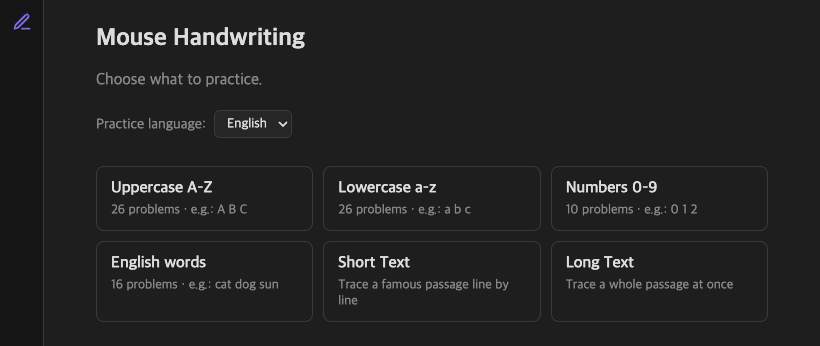
Pick what to practice — sets grouped by language:
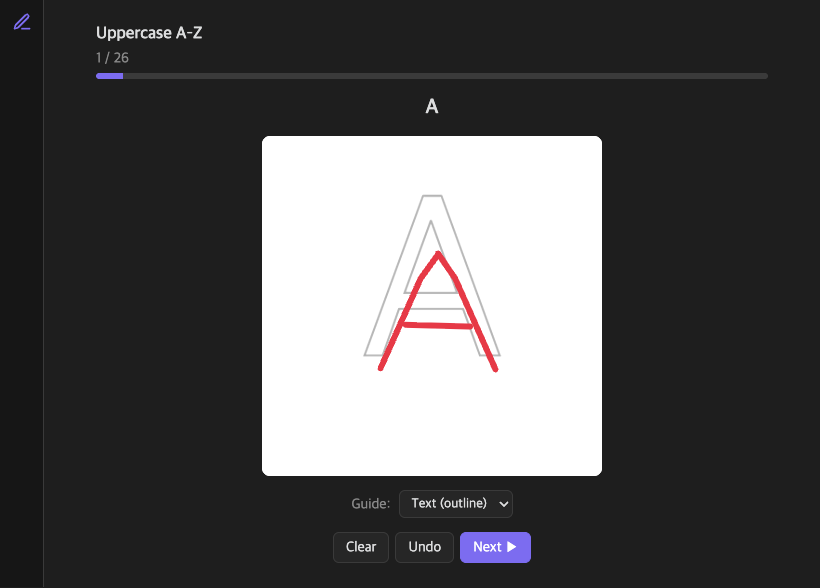
Trace the target over a guide with your mouse:
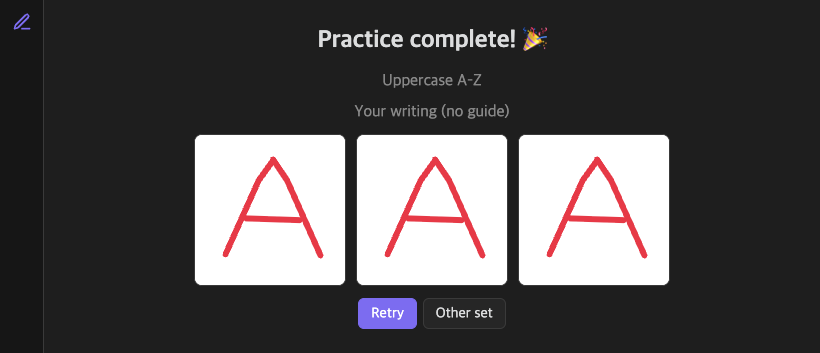
Finish to see a guide-free image of what you wrote:
Features
- Dedicated
.penmanshipsheets — a full-page canvas, opened like an Excalidraw file, not a code block. - Problem sets grouped by content language (choose from a dropdown,
default English):
- Letters — Korean jamo, uppercase/lowercase alphabet, numbers, hiragana, katakana.
- Words — Korean, English, and Japanese word drills.
- Short text — trace a famous passage one line at a time.
- Long text — trace a whole passage at once on a tall canvas.
- Guide options — trace over the target text (outline or filled), over evenly spaced ruled lines, or with no guide at all.
- Finish preview — when you complete a sheet, see a guide-free image of exactly what you wrote.
- UI in Korean / English / Japanese, switchable in settings.
- Free practice only — no scoring, no pressure.
Usage
- Click the pencil ribbon icon (or run "Create new penmanship sheet").
- Choose a practice language, then a set (letters, words, short/long text).
- Trace the guide with your mouse. Use Clear / Undo, change the Guide style, and move with Prev / Next.
- On the last cell, press Finish to see your guide-free writing.
Installation
From the Obsidian Community Plugins (once approved)
Settings → Community plugins → Browse → search "Mouse Handwriting".
Manual
- Download
main.js,manifest.json, andstyles.cssfrom the latest release. - Copy them into
<your-vault>/.obsidian/plugins/mouse-handwriting-practice/. - Reload Obsidian and enable the plugin in Settings → Community plugins.
Development
npm install
npm run dev     # watch build
npm run build   # type-check + production build
npm test        # run unit tests
License
MIT © KHR0907
HealthExcellent
ReviewPassed
About
Practice handwriting with your mouse on full-page penmanship sheets and trace on-screen guides to build control and form. Choose letters, words, short or long passages in English, Korean, or Japanese; switch guide styles (outline, filled, ruled, or none) and preview a guide-free image of your writing for pressure-free, no-scoring practice.Details
Current version
1.0.3
Last updated
3 months ago
Created
3 months ago
Updates
4 releases
Downloads
67
Compatible with
Obsidian 1.4.0+
Platforms
Desktop only
License
MIT