Search...Search plugins and themes...
⌘K
Sign in
  • Get started
  • Download
  • Pricing
  • Enterprise
  • Account
  • Obsidian
  • Overview
  • Sync
  • Publish
  • Canvas
  • Mobile
  • Web Clipper
  • CLI
  • Learn
  • Help
  • Developers
  • Changelog
  • About
  • Roadmap
  • Blog
  • Resources
  • System status
  • License overview
  • Terms of service
  • Privacy policy
  • Security
  • Community
  • Plugins
  • Themes
  • Discord
  • Forum / 中文论坛
  • Merch store
  • Brand guidelines
Follow us
DiscordTwitterBlueskyThreadsMastodonYouTubeGitHub
© 2026 Obsidian

Modal Opener

likemuuxilikemuuxi10k downloads

Open files and links in modal windows, or create and edit compatible files in modal windows.

Add to Obsidian
  • Overview
  • Scorecard
  • Updates110

English Doc|中文文档

This is a plugin that uses the Obsidian modal window to open files and links. It can be combined with other plug-ins to easily read and edit various types of files, block various interferences for you.
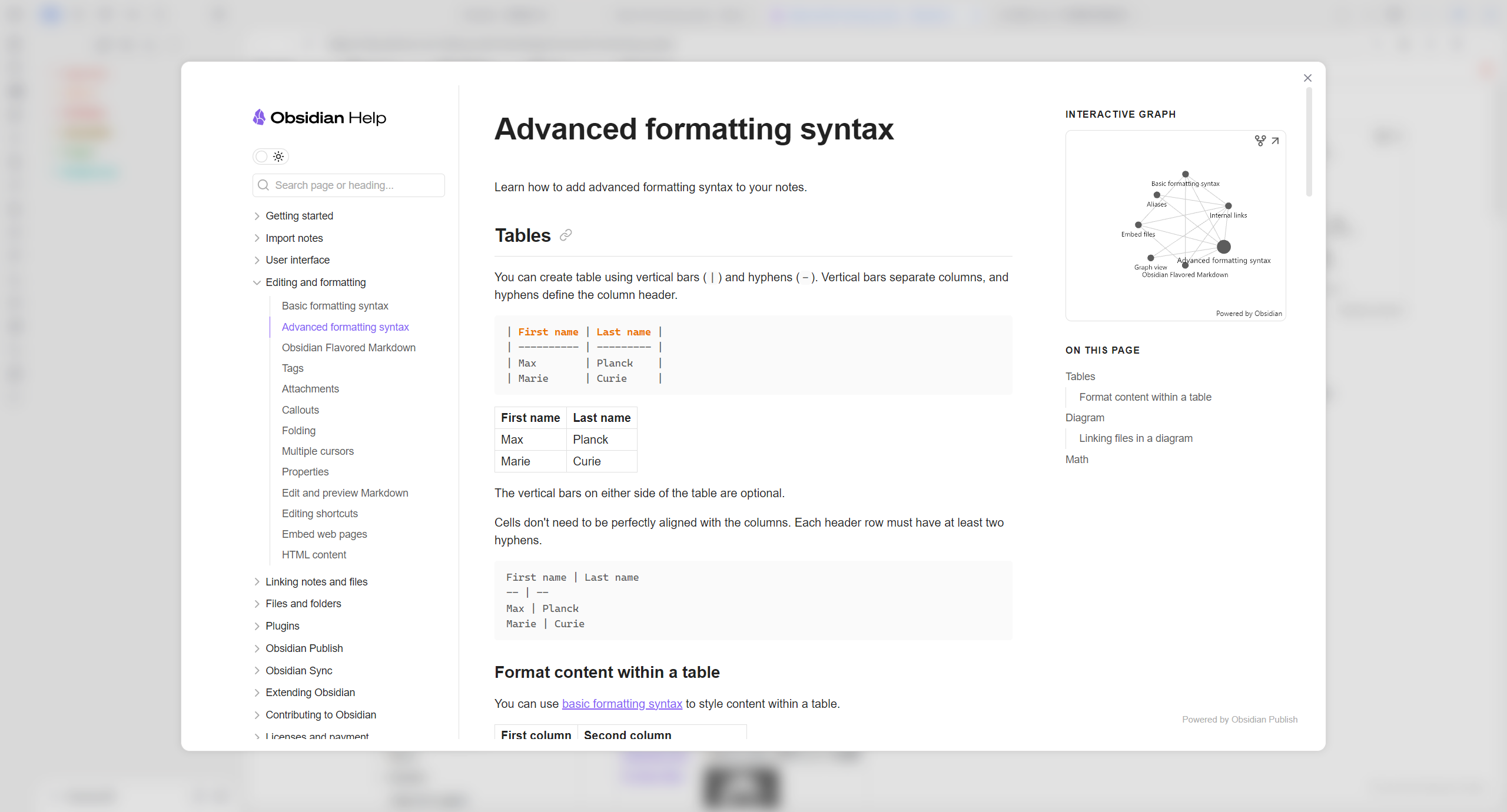
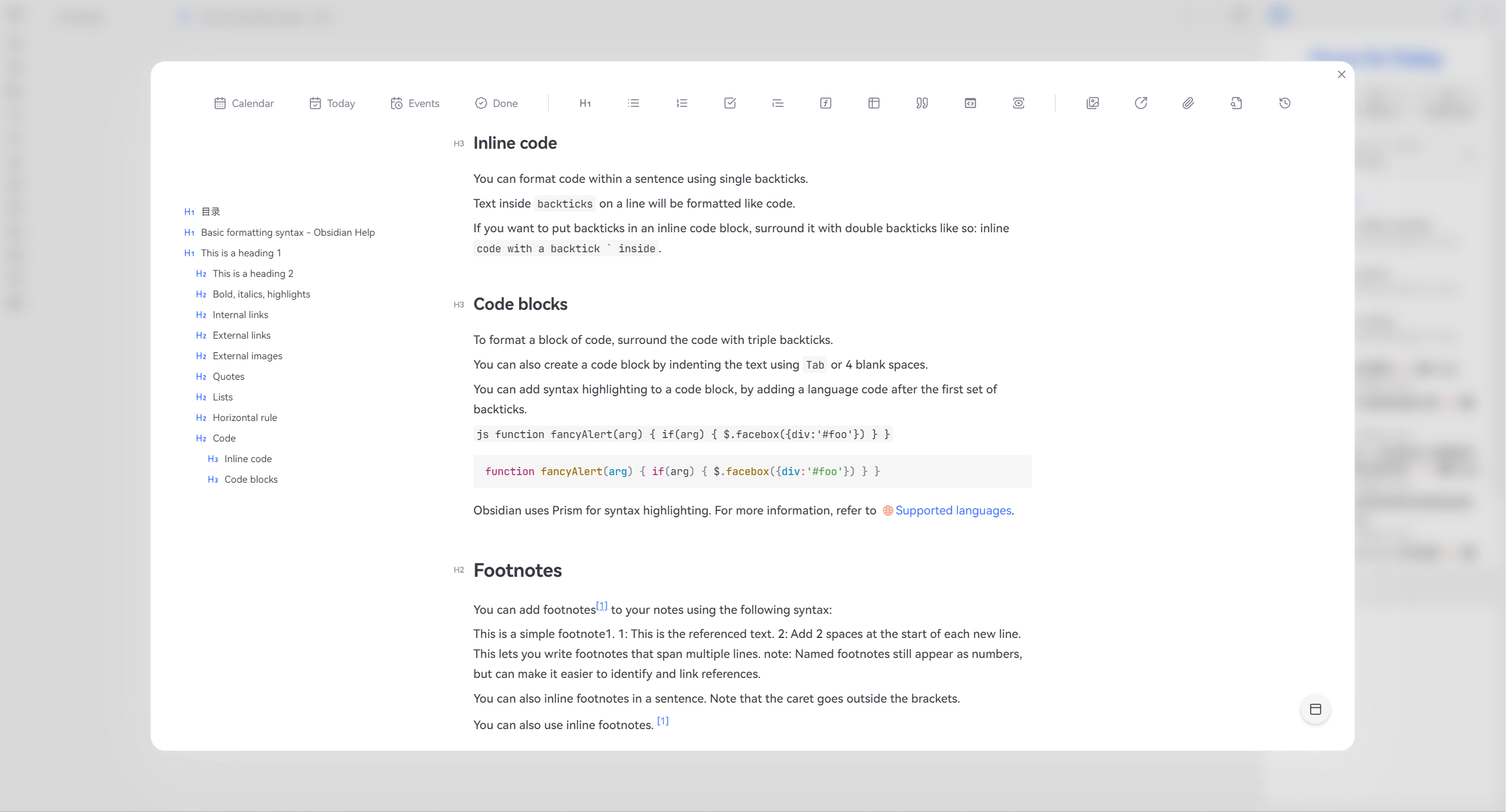
image

image

✨Feature

  • Support Markdown file titles and block link anchor jumps
  • Support switching between editing modes
  • Double click the modal border to restore to the tab
  • Support setting shortcut keys to open current files and links
  • Support adding custom commands, one click opening of files or links (can be combined with Command plugin to add icons)
  • Support right-click menu to create multiple file types and edit them in the modal window. After editing, the link will be automatically embedded to the current cursor position image
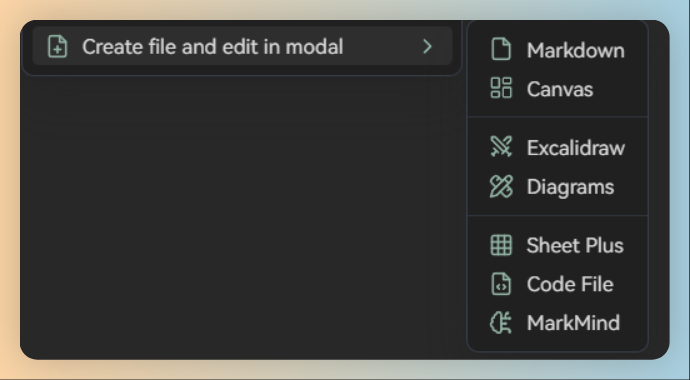
Create diagrams from menu requires modified plugin: obsidian-diagrams-net

Using alt+click to edit the code block in modal window requires modified plugin: vscode-editor.

🪒How to install

obsidian-modal-opener

🎯How to use

  • Reading mode
    • Drag and drop
    • Right click menu
    • alt + Left mouse button
  • Edit mode
    • Right click menu
    • alt + Left mouse button

🥰Special thanks

Special thanks to these amazing plugins! I use these plugins as a reference for developing my first public plugin. The basic structure of this plugin is mainly based on obidian link opener. I referred to other plugins and completed the Modal Opener plugin. The reference plugin list is as follows.

  • obsidian-link-opener by zorazrr
  • Obsidian-Surfing by PKM-er

☕Go to sponsor

HealthExcellent
ReviewCaution
About
Open files and links in a modal window to read or edit without creating duplicate tabs. Jump to Markdown titles or block-link anchors, switch editing modes, restore the modal to a tab, and add custom commands or right-click actions that insert edited links at the cursor.
InterfaceEditingLinks
Details
Current version
1.3.5
Last updated
Last week
Created
2 years ago
Updates
110 releases
Downloads
10k
Compatible with
Obsidian 1.0.0+
Platforms
Desktop, Mobile
License
MIT
Report bugRequest featureReport plugin
Sponsor
Ko-fi
Author
likemuuxilikemuuxi
github.com/likemuuxi
GitHublikemuuxi
  1. Community
  2. Plugins
  3. Interface
  4. Modal Opener

Related plugins

Meta Bind

Make your notes interactive with inline input fields, metadata displays, and buttons.

Dragger

Drag and drop any block (paragraphs, headings, lists, etc.) to rearrange content like Notion.

Hover Editor

Transform the Page Preview hover popover into a fully working editor instance.

Paste URL into selection

Paste URL "into" selected text.

Note Refactor

Extract note content into new notes and split notes.

Easy Copy

Easily copy the text within inline code, bold text (and many other formats), or quickly generate an elegant link to a heading or block.

Advanced Tables

Improved table navigation, formatting, and manipulation.

Smart Connections

Find related notes and excerpts while writing. Your AI link building copilot displays relevant content in graph + list view. A local embedding model powers semantic search. Zero setup. No API key.

Hider

Hide interface elements such as tooltips, status bar, titlebar, and more.

Excalidraw

Visual PKM powerhouse. Create and edit Excalidraw drawings.