Search...Search plugins and themes...
⌘K
Sign in
  • Get started
  • Download
  • Pricing
  • Enterprise
  • Account
  • Obsidian
  • Overview
  • Sync
  • Publish
  • Canvas
  • Mobile
  • Web Clipper
  • CLI
  • Learn
  • Help
  • Developers
  • Changelog
  • About
  • Roadmap
  • Blog
  • Resources
  • System status
  • License overview
  • Terms of service
  • Privacy policy
  • Security
  • Community
  • Plugins
  • Join the community
  • Discord
  • Forum / 中文论坛
  • Merch store
  • Brand guidelines
Follow us
DiscordTwitterBlueskyThreadsMastodonYouTubeGitHub
© 2026 Obsidian

MLIR Syntax Highlight

lewuathelewuathe10k downloads

Show syntax highlighing for MLIR in code blocks the editor.

Add to Obsidian
  • Overview
  • Scorecard
  • Updates3

A plugin for Obsidian which allows MLIR syntax highlighting for code blocks in the editor.
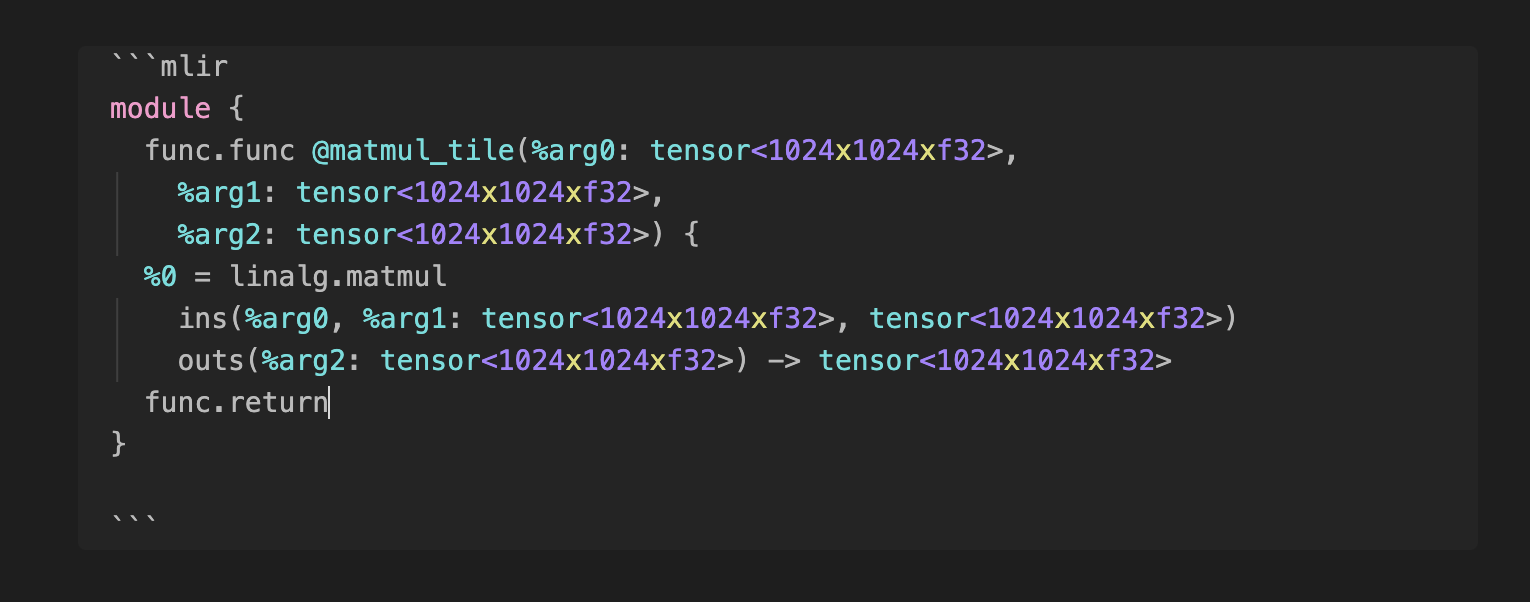
Screenshot

Installation

  • Open Settings > Third-party plugin
  • Make sure Safe mode is off
  • Click Browse community plugins
  • Search for "Syntax Highlight"
  • Click Install
  • Once installed, close the community plugins window and activate the newly installed plugin

This plugin is mostly the fork from cm-editor-syntax-highlight-obsidian but only supporting the MLIR syntax highlighting for the simplicity.

66%
HealthFair
ReviewCaution
About
Add MLIR syntax highlighting to code blocks in the editor. Use a focused fork of cm-editor-syntax-highlight to deliver simple, accurate MLIR highlighting.
SyntaxLanguagesCode
Details
Current version
0.0.7
Last updated
3 years ago
Created
3 years ago
Updates
3 releases
Downloads
10k
Compatible with
Obsidian 1.3.5+
Platforms
Desktop, Mobile
License
Apache-2.0
Report bugRequest featureReport plugin
Author
lewuathelewuathe
github.com/Lewuathe
GitHublewuathe
  1. Community
  2. Plugins
  3. Syntax
  4. MLIR Syntax Highlight

Related plugins

VSCode Editor

Edit Code Files like VSCode.

Shiki Highlighter

Highlight code blocks with Shiki.

GDScript Syntax Highlighting

Add live GDScript syntax highlighting to code block.

ruby.wasm

Run ruby code in your notes using WebAssembly.

Execute Code

Execute code snippets within a note.

Code Editor

Edit non-markdown text files (code, config, data) directly with syntax highlighting, line numbers, and word wrap.

Templater

Create and use dynamic templates.

Simplified Chinese Word Splitting

Adds Simplified Chinese word splitting support for the editor and Vim mode.

PlantUML

Generate PlantUML diagrams.

Kroki

Render Kroki diagrams.