
- Overview
- Scorecard
- Updates8
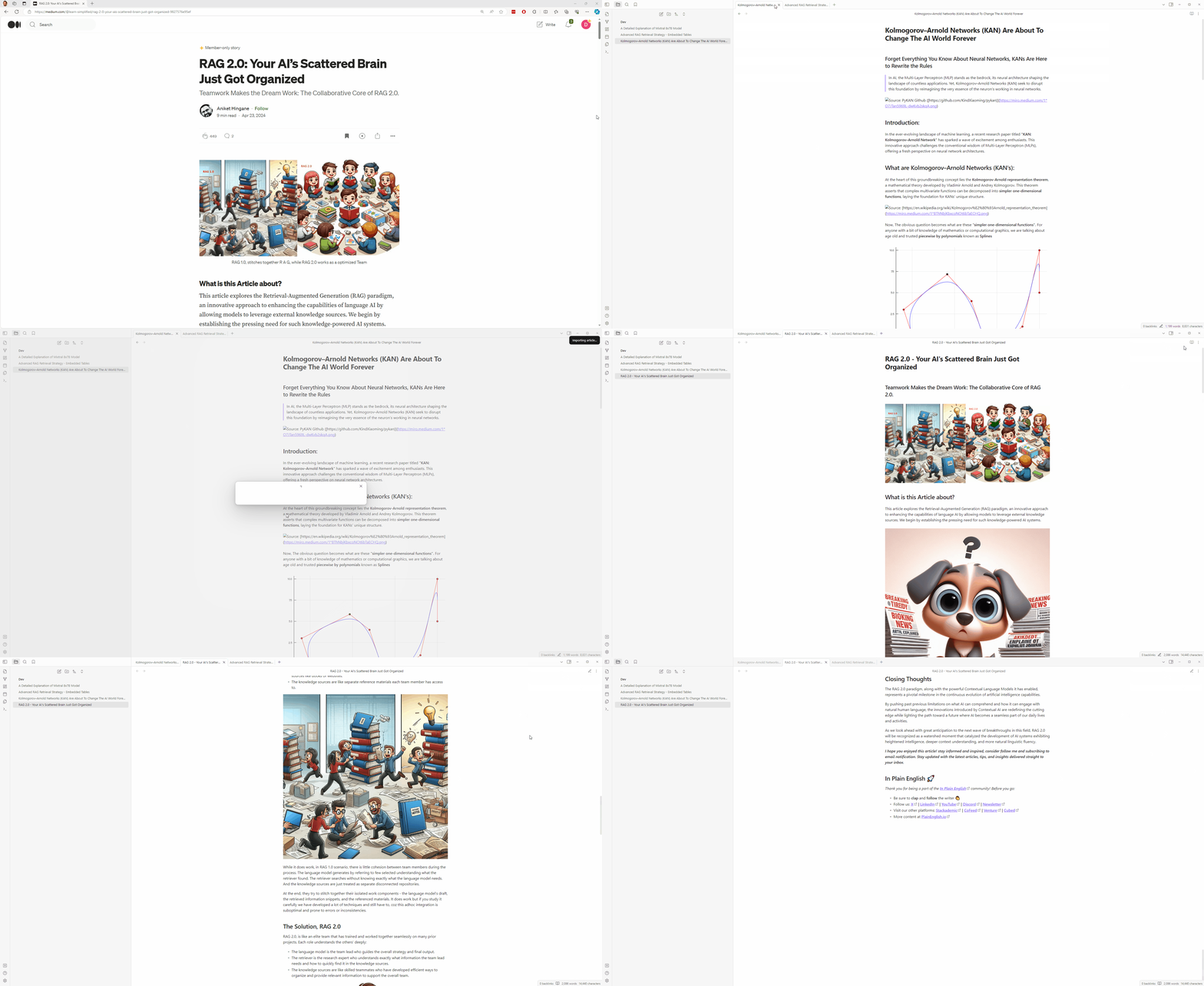
Medium Importer allows you to import your Medium articles into your Obsidian vault. It uses the Unofficial Medium API to fetch the articles and saves them as markdown files in your vault.
Note: The API key for RapidAPI is saved in the Obsidian vault settings. Make sure to keep your API key safe.
- If using Git plugin. Add .gitignore with
.obsidian/plugins/medium-importer/data.jsonto the vault to avoid pushing the RapidAPI API key to your repository.
How to use
- Set up a RapidAPI key using the "Set RapidAPI API Key" command.
- Sign up and subscribe to the Medium API on RapidAPI here
- A free plan is available at the time of writing with 150 free requests per month.
- Copy the URL of the Medium article you want to import.
- Use the "Import Medium Article" command to import the article.
- Article will be saved as a markdown file in the folder you specify ("Medium" is the default folder).
Commands
- Import Medium Article: Import a Medium article using the URL.
- Add Medium Author: Add Medium author and their articles to the vault.
- Sync Medium Author: Add new articles from previously added Medium authors and their articles to the vault.
Demo
Manually installing the plugin
- Clone this repo into your Obsidian vault's plugins folder.
npm ito install dependencies.npm run devto start compilation in watch mode.npm run build:cssto build the css- Reload Obsidian.
Note: The plugin saves the API key in the Obsidian vault settings. Make sure to keep your API key safe.
- If using Git plugin. Add .gitignore with
.obsidian/plugins/medium-importer/data.jsonto the vault to avoid pushing the RapidAPI API key to your repository.
HealthFair
ReviewCaution
About
Import Medium articles into your Obsidian vault as Markdown using the Unofficial Medium API via RapidAPI. Add authors, bulk-import their posts, and sync new articles into a chosen folder for offline editing and note-linking.Details
Current version
0.4.1
Last updated
2 years ago
Created
2 years ago
Updates
8 releases
Downloads
3k
Compatible with
Obsidian 1.5.12+
Platforms
Desktop, Mobile
License
MIT