

Turn Obsidian notes into shareable websites. One-click Cloudflare publish — guest session created automatically, no license or email required.
- Overview
- Scorecard
- Updates12
Right-click a folder in Obsidian. See your wiki, digital garden or website. No account, no Git.
- Install MDFriday Publish from Community plugins. Desktop only.
- Right-click a note or a folder.
- Preview, then publish.
- Website: https://mdfriday.com
- Help: https://help.mdfriday.com
- Discord: https://discord.gg/t7FHJ6qNzT
Guest is free, 100 MB, and clears at the next UTC 00:00. Free is 200 MB while you stay active. Personal is $5/month, $50/year (1 domain), or $60/year (3 domains), with 5 GB. Sites are not counted.
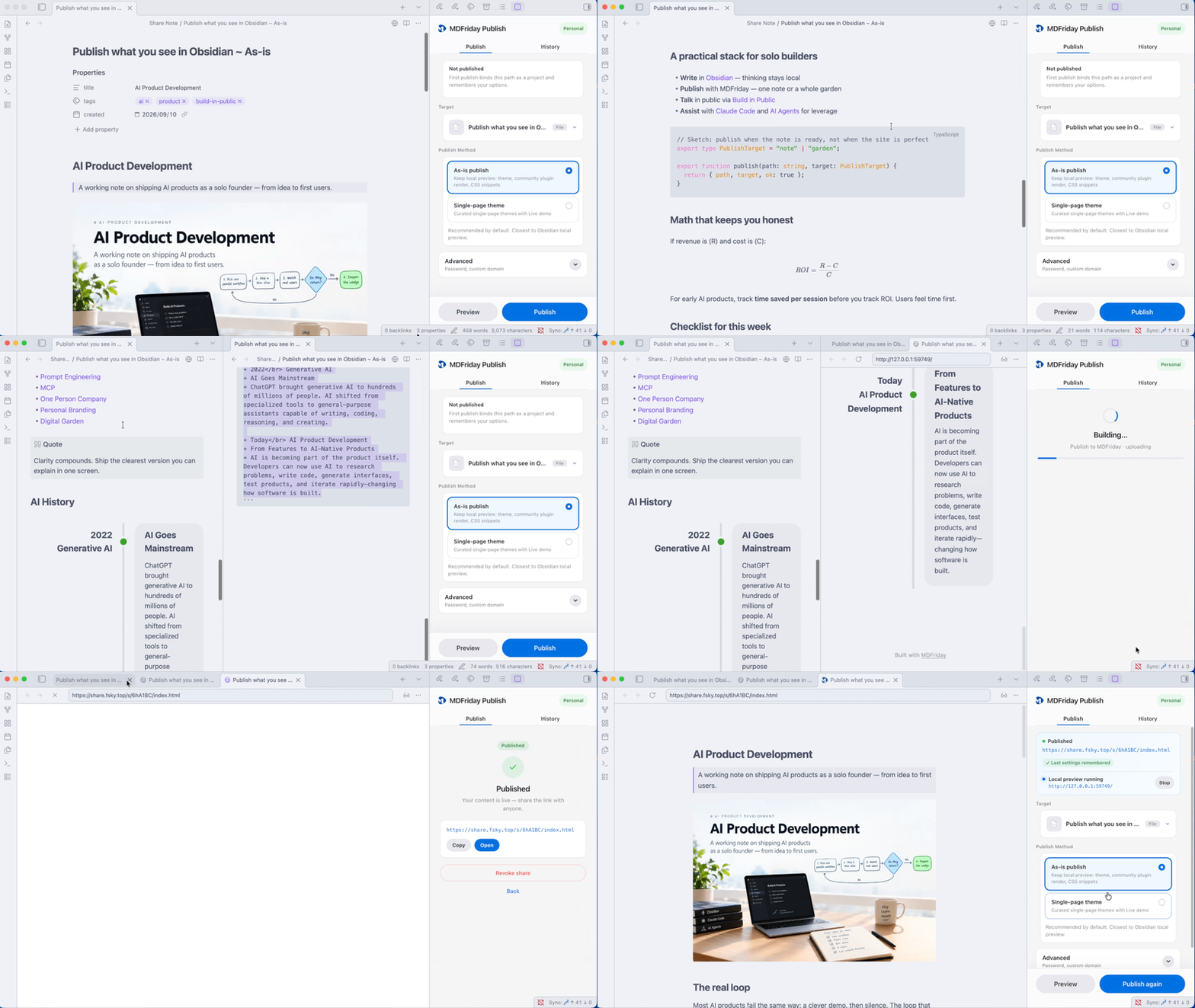
Publish a note exactly as you see it in Obsidian
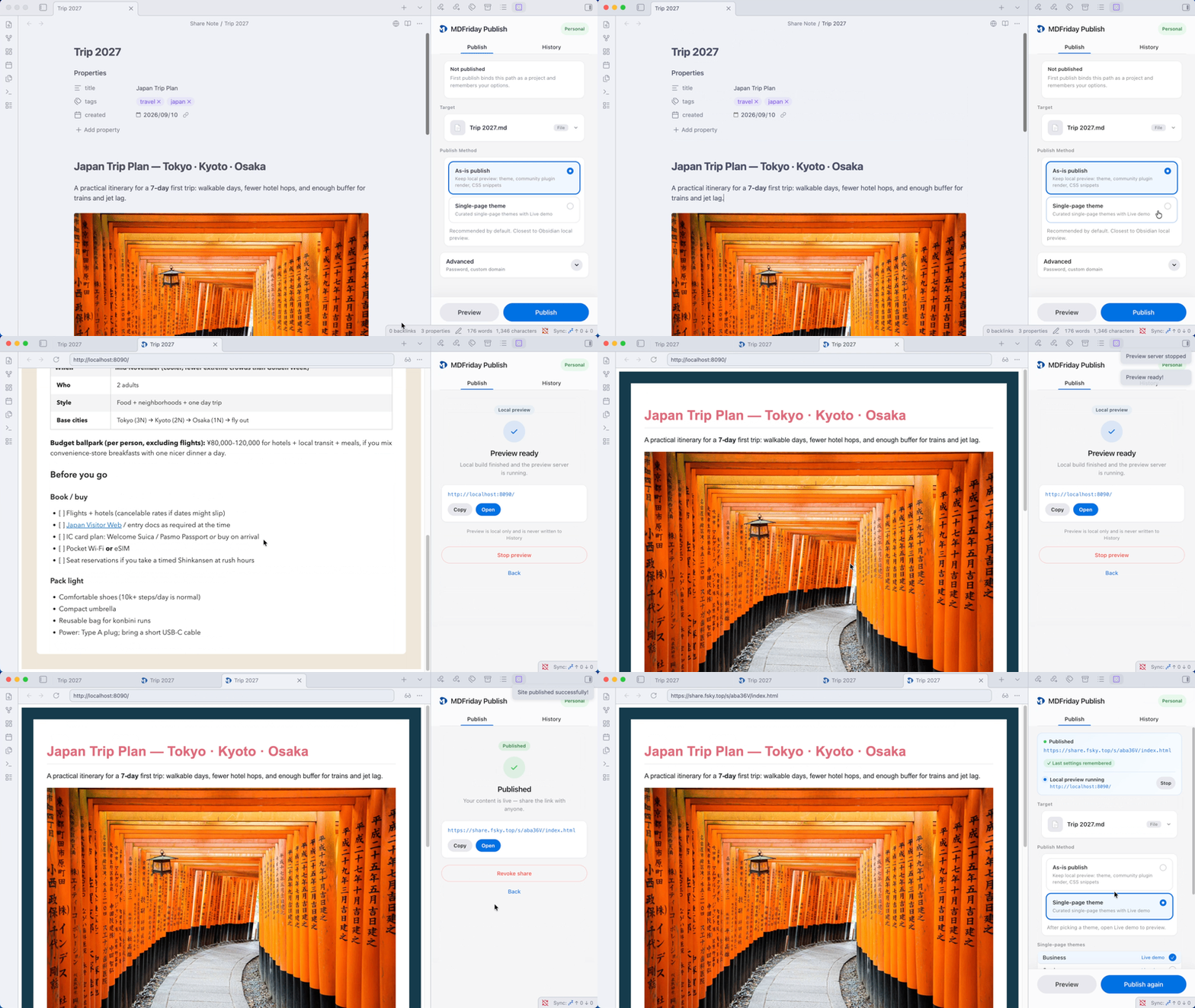
Publish a note with selected theme
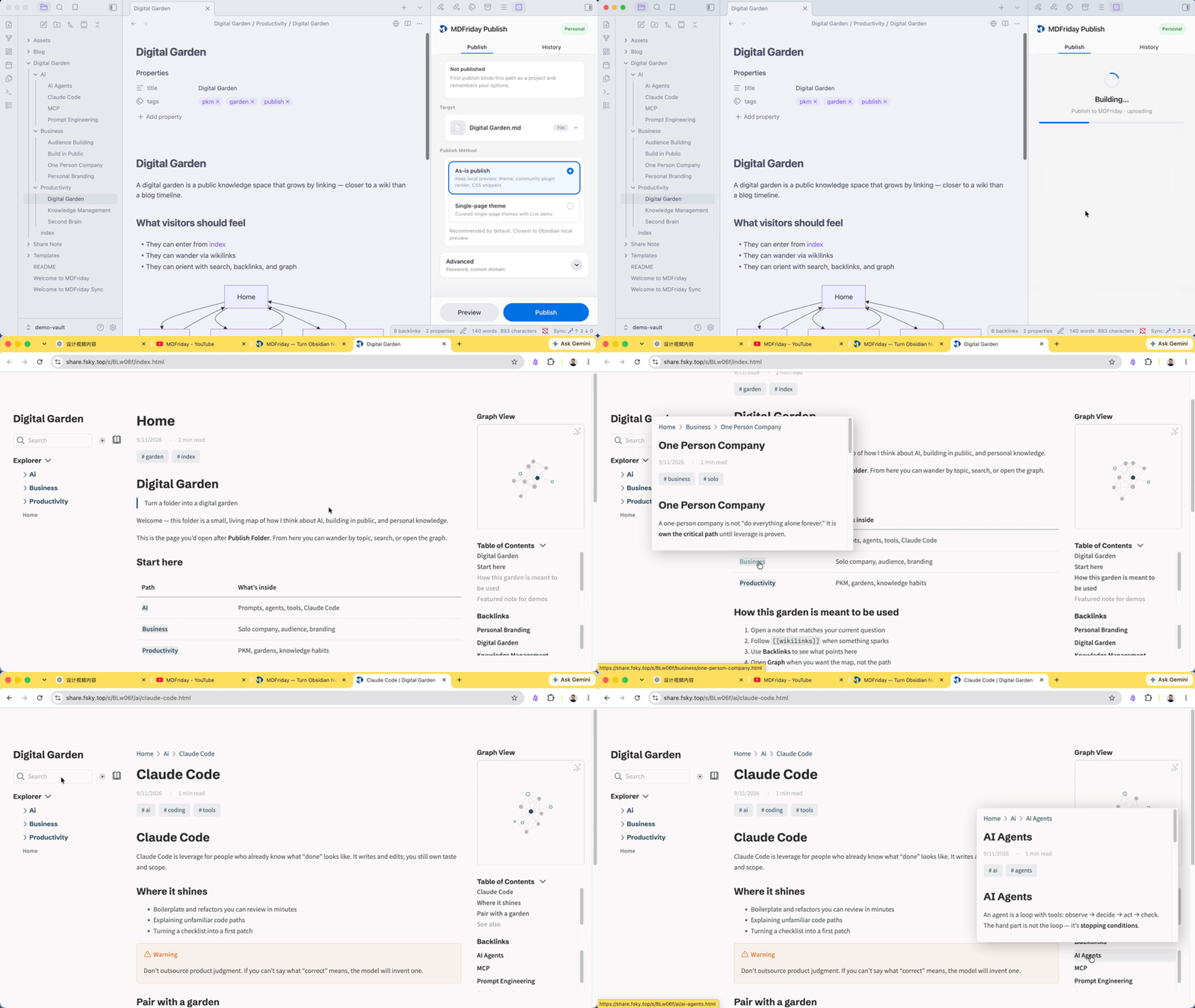
Publish a folder as a Wiki or digital garden
Join the MDFriday Community
Need help getting started? Want to share feedback or request new features?
Join our Discord community to:
- Get support and answers to your questions
- Discuss publishing workflows with other users
- Request new features and influence the roadmap
- Get early access to new releases
- Receive community-only discounts and offers
Discord: https://discord.gg/t7FHJ6qNzT
Why MDFriday Publish?
Obsidian is great for creating knowledge. Sharing that knowledge is often much harder. Many publishing solutions require:
- Git
- GitHub
- Static site generators
- Deployment workflows
- Theme configuration
MDFriday Publish removes that complexity. Publish directly from Obsidian with a single click.
Product Vision
MD + Theme = Sites
MDFriday turns the Markdown you already own into websites, then helps you turn those websites into businesses. The core idea is simple:
Markdown → Theme → Site → Business
MDFriday is local-first, so your Markdown remains the source of truth and your built websites remain portable. For the complete product vision, architecture, capabilities, and roadmap, see the MDFriday Product Map.
Network use & privacy
- Publishing requires network access. The plugin talks to the MDFriday API (
api.mdfriday.com) for guest/account sessions, projects, releases, custom domains and billing; uploads your built site to Cloudflare R2 using short-lived, per-release credentials; and loads the theme catalog and theme packs fromcdn.mdfriday.com. On Publish (and later Preview), the plugin may send fire-and-forget diagnostic events (build mode, duration, error code, plugin version) — never note content or vault paths. - Requests to the MDFriday API include an
X-MDFriday-Client: obsidian-publish/<version>header (plugin name and version only, no personal data); the MDFriday service records publishing, domain and billing actions server-side to operate and improve the service.
Plans
| Guest | Free | Personal | |
|---|---|---|---|
| Price | Free, no account | Free, sign up | $5/month, or $50/year (1 domain), or $60/year (3 domains) |
| Sites | Not counted. Limited by storage | Not counted. Limited by storage | Not counted. Limited by storage |
| Storage | 100 MB, cleared at the next 00:00 UTC | 200 MB, kept while you stay active | 5 GB |
| Custom domain | — | — | 1, or 3 on the $60/year plan |
Full comparison: https://mdfriday.com/pricing/
Learn More
- Website: https://mdfriday.com
- Documentation: https://help.mdfriday.com
- GitHub: https://github.com/mdfriday
License
Apache 2.0