Markvis Charts
 Sean4 downloads
Draw charts from a short code block: a few header lines and a CSV or Markdown table. Seventeen chart types, your theme's colors, no network. The block stays plain text, so it reads as a table anywhere else.
- Overview
- Scorecard
- Updates2
Draw charts in your notes from a short code block: a few header lines, then the numbers as CSV or a Markdown table. The chart draws in Reading view and Live Preview, in your theme's colors, with no network and no settings. The block stays plain text in the file, so it syncs, diffs, and still reads as a table in any other Markdown app; a block that cannot be drawn shows its rows as a table plus one line saying what to fix. This plugin is a thin host for markvis, which defines the block and draws the SVG.
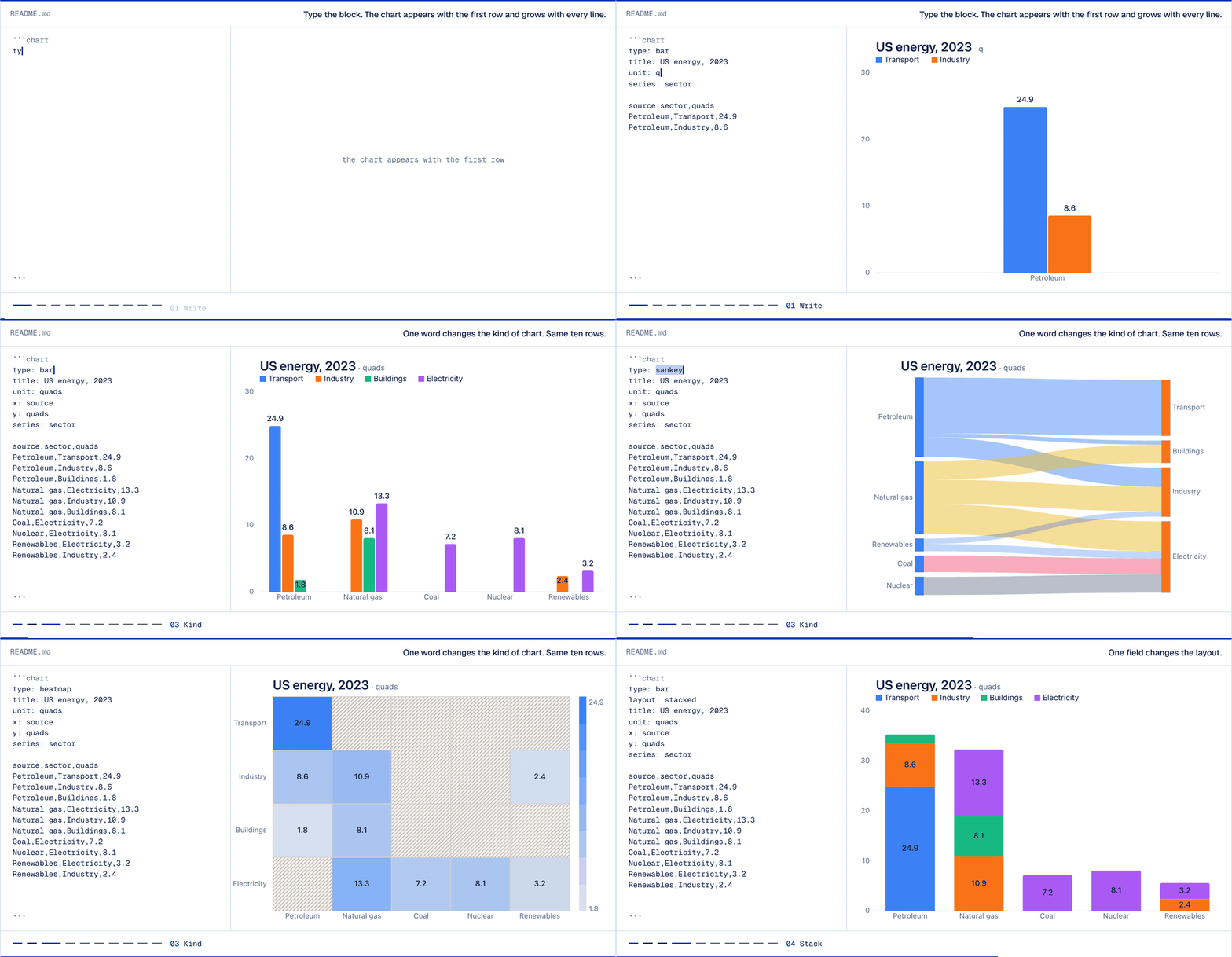
The block and its chart, recorded from the live demo on markvis.js.org. In a note the chart draws in place of the block.
Write a chart
```chart
markvis: 2
type: bar
title: Visits by day
x: day
y: visits

day,visits
Mon,120
Tue,180
Wed,150
Thu,210
Fri,190
```
The fence can be chart, markvis, or vis. If another plugin already handles chart fences, use markvis or vis. Seventeen chart types: bar line area scatter pie hist heatmap funnel waterfall radar gauge sankey treemap dumbbell bullet boxplot calendar. Leave out title: and the note's name is used. The block format, every type, and examples are at markvis.js.org.
Install
- Community plugins (once listed): Settings → Community plugins → Browse, search for "Markvis", install, enable.
- Before the listing: install the BRAT plugin, choose "Add beta plugin", enter
geekplux/markvis-obsidian, then enable Markvis under Community plugins. - By hand: download
main.js,manifest.json, andstyles.cssfrom the latest release into<vault>/.obsidian/plugins/markvis/, reload, and enable Markvis.
Colors follow your theme
markvis paints its text, grid, background, and series colors as CSS variables with fixed fallbacks, and the plugin's styles.css points those variables at the colors every Obsidian theme defines (--text-normal, --text-muted, --background-primary, --color-accent, --color-blue and the other named colors). Switch between light and dark, or to another theme, and the chart follows without a redraw. To change a color, add a CSS snippet:
.markvis {
  --markvis-series-1: #7c3aed; /* first series */
  --markvis-ink: var(--text-accent); /* titles and values */
}
The variables are --markvis-ink, -muted, -grid, -paper, -plate, -plot, -accent, -series-1 to -series-8, -up, -down, and -total. Chart text keeps markvis's own font unless you opt in with .markvis { --markvis-font: var(--font-text); }.
Under each chart, a caption and the full data table come with the figure by design, so the numbers stay readable and searchable next to the picture.
Manual checklist
Run before each release, in a vault with one note holding a valid block and a broken one (for example type: donut):
- Reading view: the valid block draws as a chart; the broken block shows its table and one error line.
- Live Preview: both blocks render when the cursor leaves them, and the chart redraws after a number is edited.
- Default dark theme: text, grid, and bars use the theme's colors; nothing is dark-on-dark.
- PDF export: the chart appears in the PDF at the note width.
- Mobile: the chart scales to the screen width with no horizontal scroll.
Develop
npm install
npm test        # type-check, build main.js, run the tests
npm run dev     # rebuild main.js on change
Release: npm version <patch|minor|major> updates manifest.json and versions.json; push the tag (no v prefix) and the release workflow attaches main.js, manifest.json, and styles.css.
License
MIT