Search...Search plugins and themes...
⌘K
Sign in
  • Get started
  • Download
  • Pricing
  • Enterprise
  • Account
  • Obsidian
  • Overview
  • Sync
  • Publish
  • Canvas
  • Mobile
  • Web Clipper
  • CLI
  • Learn
  • Help
  • Developers
  • Changelog
  • About
  • Roadmap
  • Blog
  • Resources
  • System status
  • License overview
  • Terms of service
  • Privacy policy
  • Security
  • Community
  • Plugins
  • Join the community
  • Discord
  • Forum / 中文论坛
  • Merch store
  • Brand guidelines
Follow us
DiscordTwitterBlueskyThreadsMastodonYouTubeGitHub
© 2026 Obsidian

Bases Charts

Moritz JungMoritz Jung14k downloads

Bases views for scatter, line, and bar charts.

Add to Obsidian
  • Overview
  • Scorecard
  • Updates8

This plugin for Obsidian adds three new bases views: Scatter Charts, Line Charts, and Bar Charts.

Usage

First you need a Base, then from there you can (with the plugin installed and enabled) create three new bases views: Scatter Charts, Line Charts, and Bar Charts. Next you need to select the property or formula used for the X axis, in the view settings. On the X axis, Number, Date, and String are supported. Then you can select which properties to display on the Y Axis using the Base's Properties menu (top right). It is recommended that you disable the default activated file name. On the Y axis the plugin only supports values of type Number.

Grouping and Multiple Charts

The plugin supports grouping data points by color and spliting them into multiple charts.

The view settings (in the Base's view menu, top left) include a Multi chart mode dropdown. The avaiable options are Separate by group and Separate by property.

Separating by group will use a Group by sort (Base's Sort menu, top right) to arrange the notes into multiple charts. Here, every group gets it's own chart. Within one chart, data points are colored by their Y axis property.

Separating by property will display a separate chart for each selected Y axis property. Within a chart, data points are colored using a Group by sort (Base's Sort menu, top right).

Scatter Charts
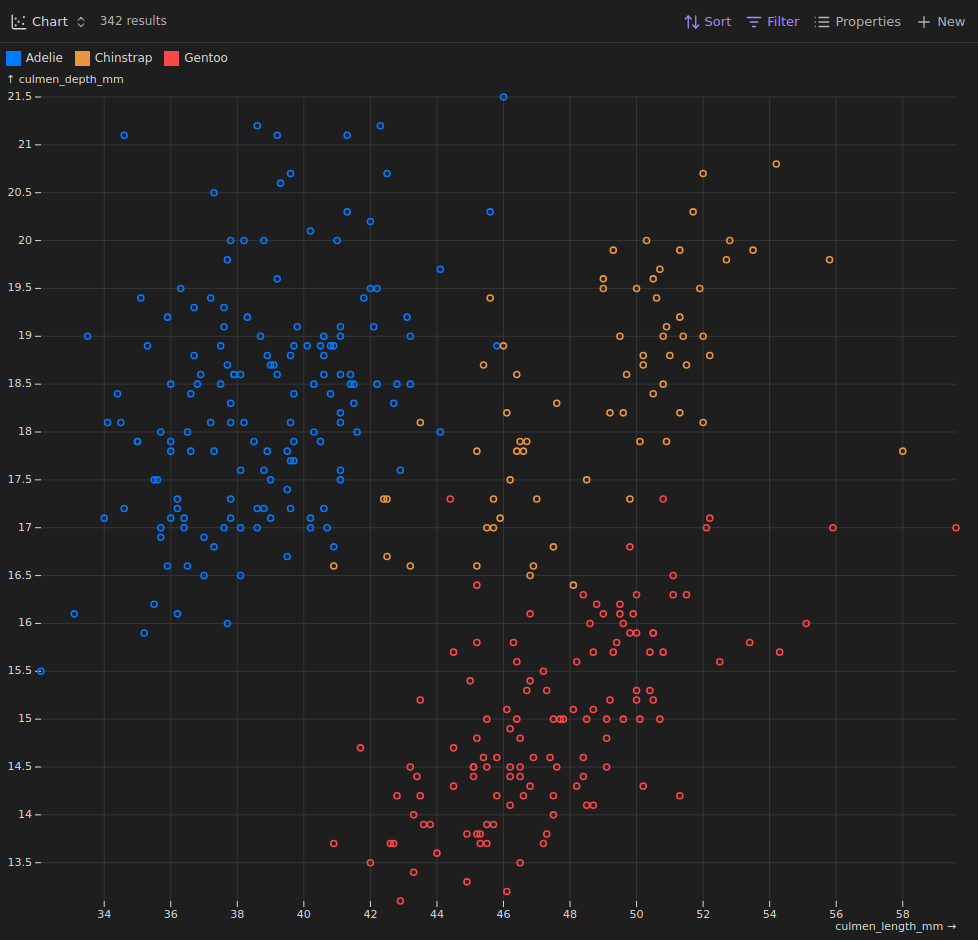
scatter_chart_example

Line Charts

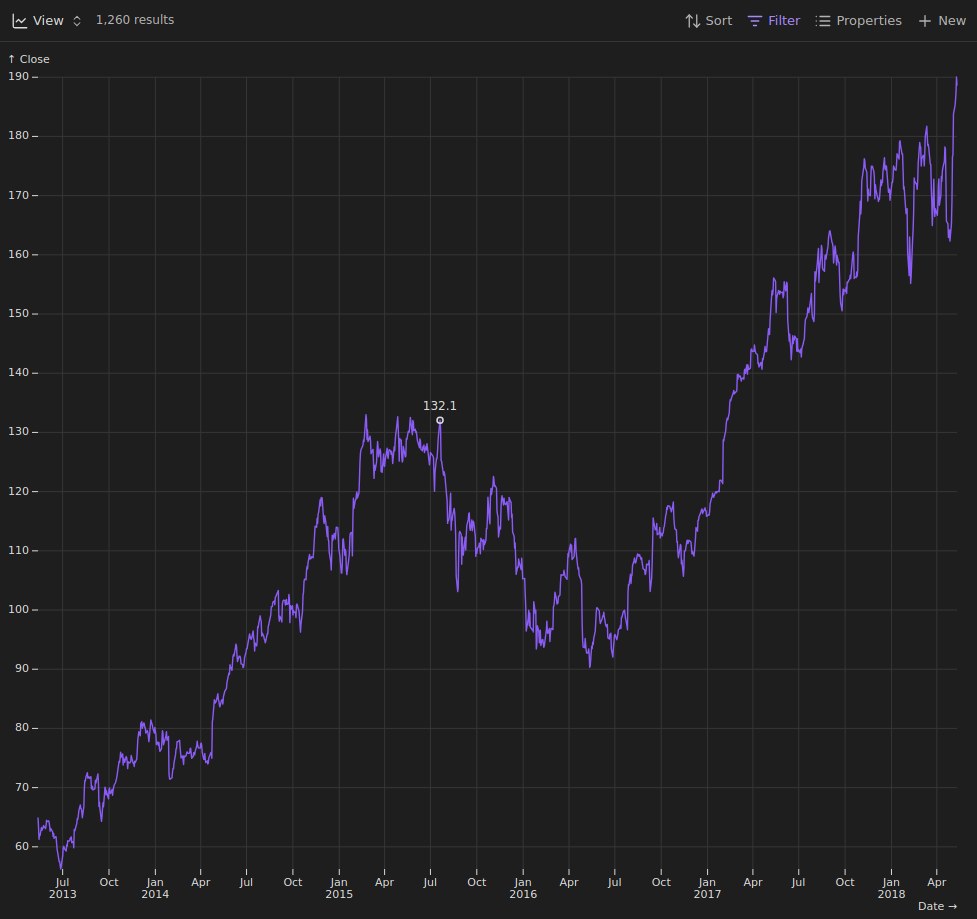
line_chart_example

Bar Charts

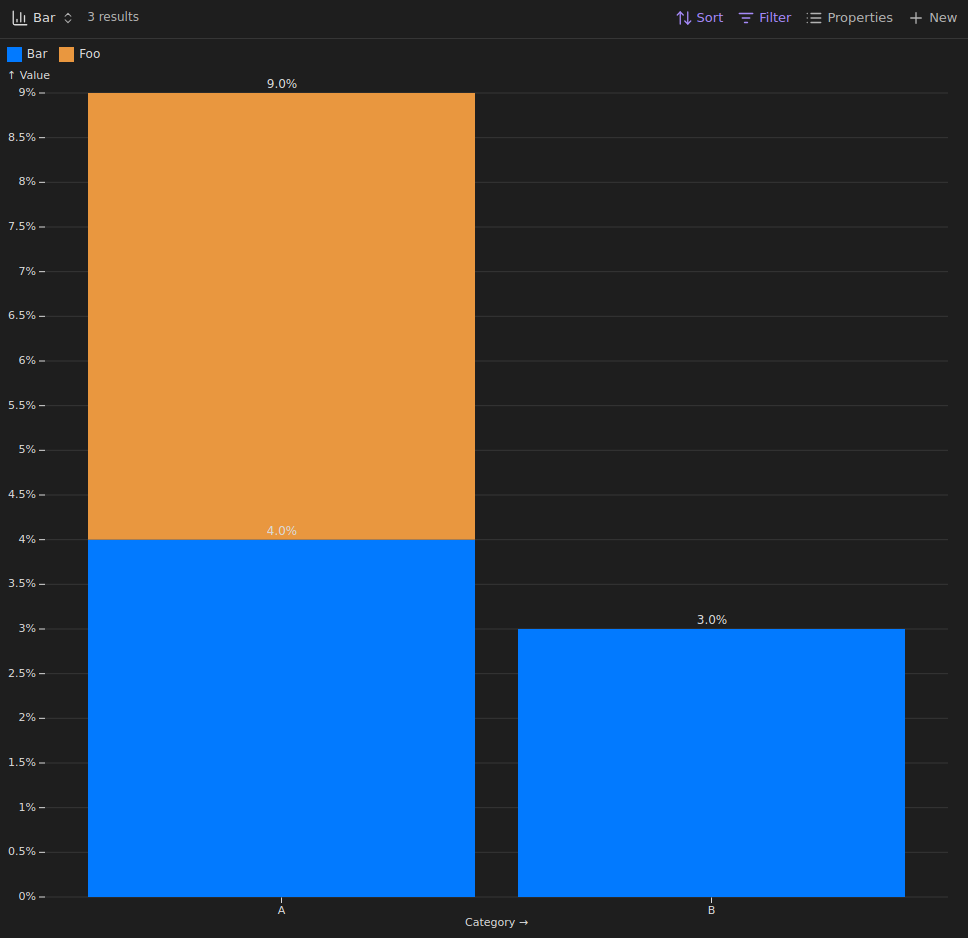
bar_chart_example

Installation

Currently only via BRAT.

License

GPL-3.0

Contributions

Thank you for wanting to contribute to this project.

Contributions are always welcome. If you have an idea, feel free to open a feature request under the issue tab or even create a pull request.

78%
HealthGood
ReviewSatisfactory
About
Create Scatter, Line and Bar charts from your Base views in Obsidian. Select an X axis property (Number, Date, String) and map Number-type properties to the Y axis; color and split data by group or by property to produce multiple, color-coded charts.
ChartsBasesData
Details
Current version
0.0.11
Last updated
5 months ago
Created
7 months ago
Updates
8 releases
Downloads
14k
Compatible with
Obsidian 1.10.0+
License
GPL-3.0
Report bugRequest featureReport plugin
Sponsor
GitHub Sponsors
Author
Moritz JungMoritz Jungmoritz-jung
www.moritzjung.dev
GitHubmprojectscode
  1. Community
  2. Plugins
  3. Charts
  4. Bases Charts

Related plugins

Tracker

Track occurrences and numbers in your notes.

Mood Tracker

Track your moods & emotions easily. Visualize tracked history and browse the past entries.

Bases Chart Views

Interactive chart views and AI charts for Bases, powered by Apache ECharts.

Tracker+

Track and visualize data from your notes. Works with Tracker Markdown.

Maps

Adds a map layout to bases so you can display notes as an interactive map view.

Datacore

An even faster reactive query engine for the data obsessed.

Meld Encrypt

Hide secrets in your notes.

Sheet Plus

Create Excel-like spreadsheets and easily embed them in Markdown.

Charts

Easily create interactive charts in your notes.

Text Block Timer

Add a timer to text block to track task time consumption.