Longhai Podscript
 longhai95 downloads
Fetch full podcast transcripts (YouTube, Apple Podcasts, audio links, or a title) — reuse existing captions or transcribe audio locally with Whisper — and save them as structured notes.
- Overview
- Scorecard
- Updates3
Search a podcast inside Obsidian → fetch its full transcript in one click → save it as a structured note.
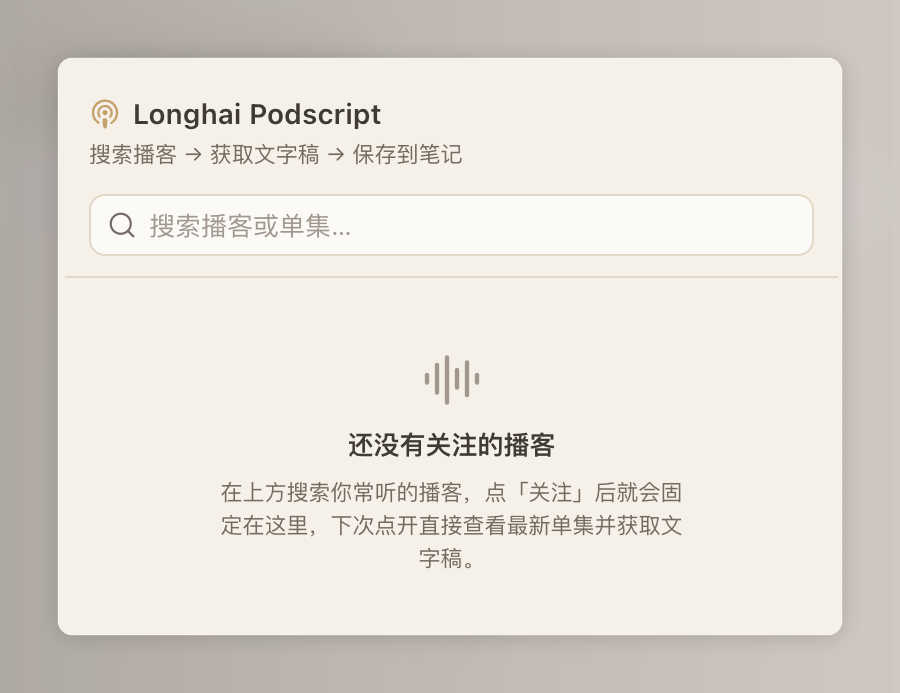
Longhai Podscript fetches full podcast transcripts inside Obsidian and saves them as structured notes. Give it a YouTube link, an Apple Podcasts page, a direct audio URL, or just a title keyword: it reuses existing captions when available (instant), and otherwise transcribes the audio locally with faster-whisper — free, offline, and without any paid API. The saved transcript is your starting point for further editing, translation, and publishing.
Desktop only. The plugin runs a local Python helper, so it needs Python 3.9+ on your machine. On first use it shows a consent dialog, then creates an isolated virtual environment under ~/.longhai-podscript (outside your vault) and installs yt-dlp and faster-whisper there. Nothing is uploaded; everything runs locally. Each transcript is saved as a note whose front matter records its source, quality, and date.
The detailed installation and usage guide below is written in Chinese.
中文说明
在 Obsidian 里搜索播客 → 一键抓文字稿 → 存成结构化笔记。
搜到你爱听的播客,点一下就把整集的文字稿抓下来落成一篇笔记——不管这集有没有现成字幕。有字幕就用字幕(秒回),纯音频就在你电脑本地用 Whisper 转写,全程免费,不用任何付费 API,也不用先装什么 AI 工具。
抓完的文字稿是后续「脱水改稿、翻译、发布」的起点。
能做什么
- 来源很杂都能喂:YouTube 链接 / 小宇宙 / Apple 播客页 / 音频直链 / 甚至只给个标题关键词。
- 有字幕用字幕,没字幕本地转写:命中现成字幕就秒回;纯音频用本地
faster-whisper转写,免费、离线、不上传。 - 直接落成笔记:正文是原始文字稿,开头的 frontmatter 记录来源、质量、日期,方便你之后检索和改稿。
界面预览
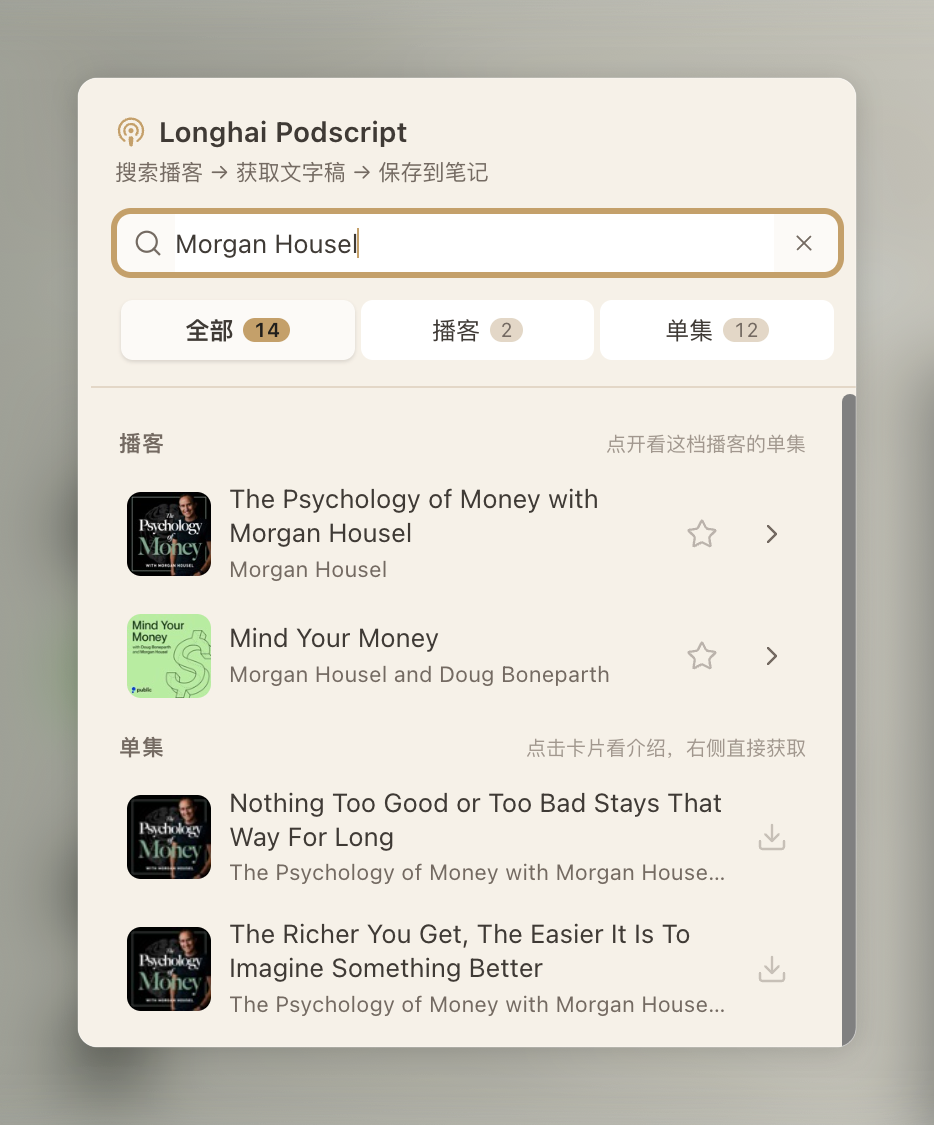
| 搜索播客 | 关注收藏 |
|---|---|
 |
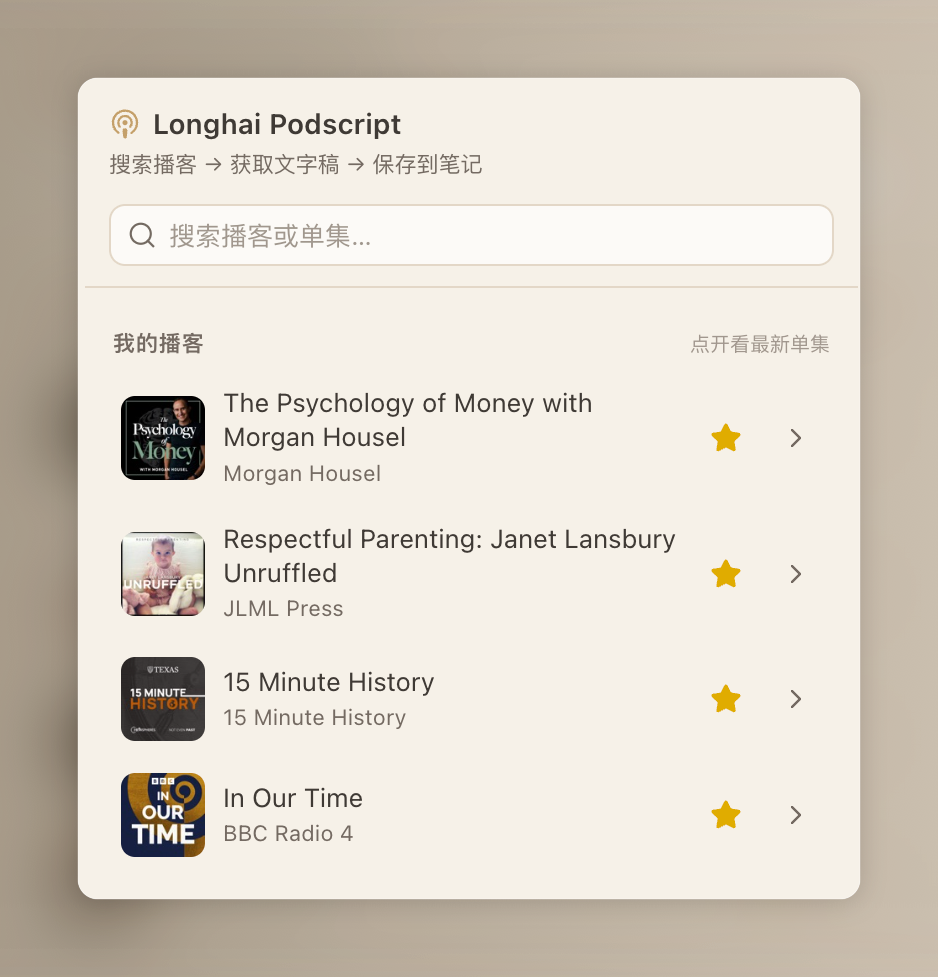 |
| 搜关键词,分「播客 / 单集」两栏,右侧一键抓取 | 关注常听的播客,固定在「我的播客」里 |
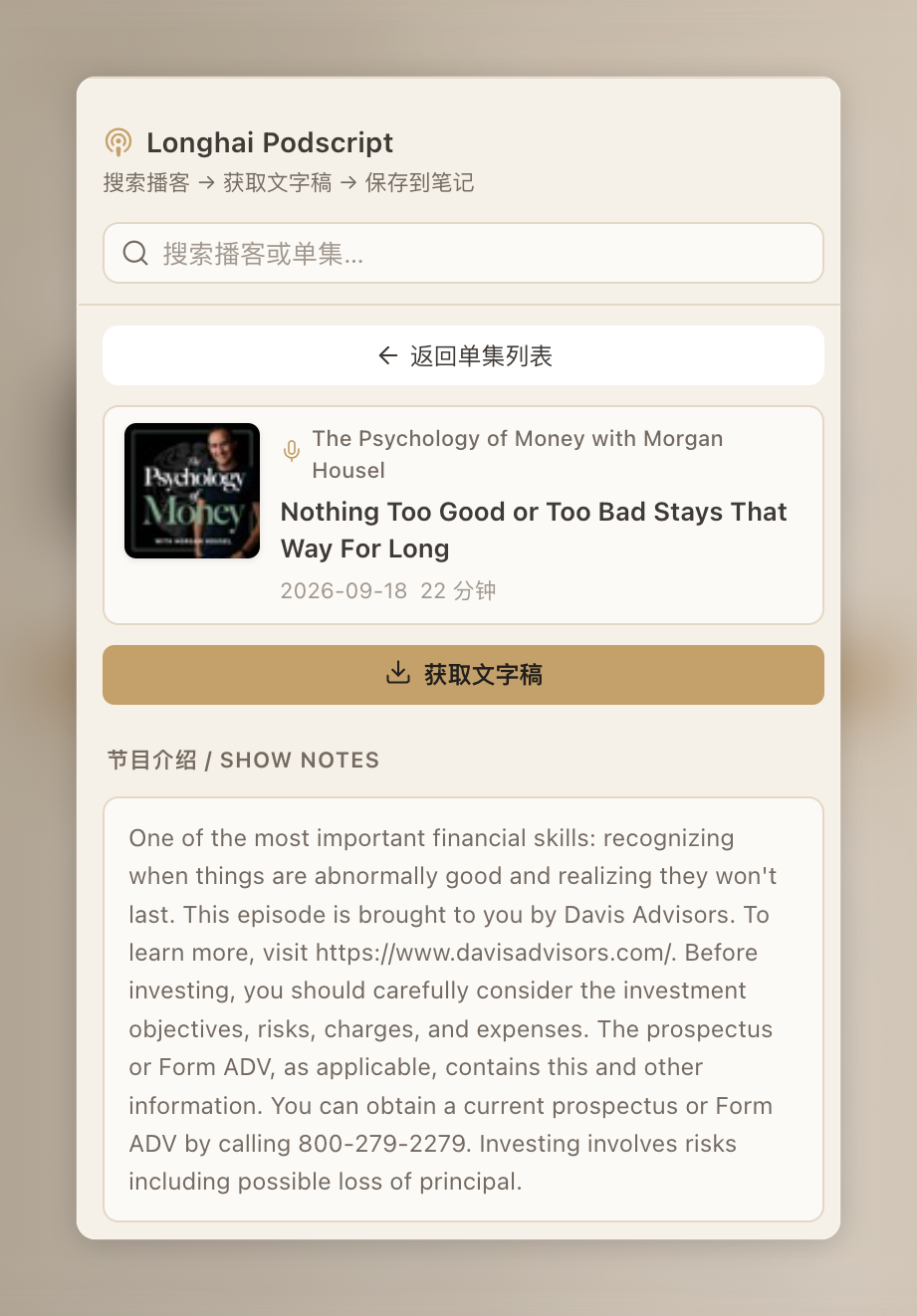
| 进入单集 | 抓取中 |
|---|---|
 |
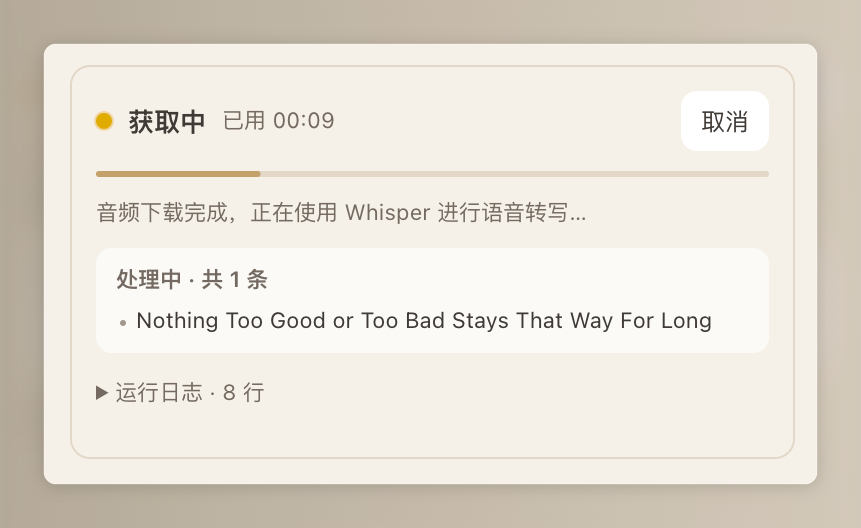 |
| 看节目介绍,点「获取文字稿」 | 实时进度 + 运行日志,可随时取消 |
 |
|
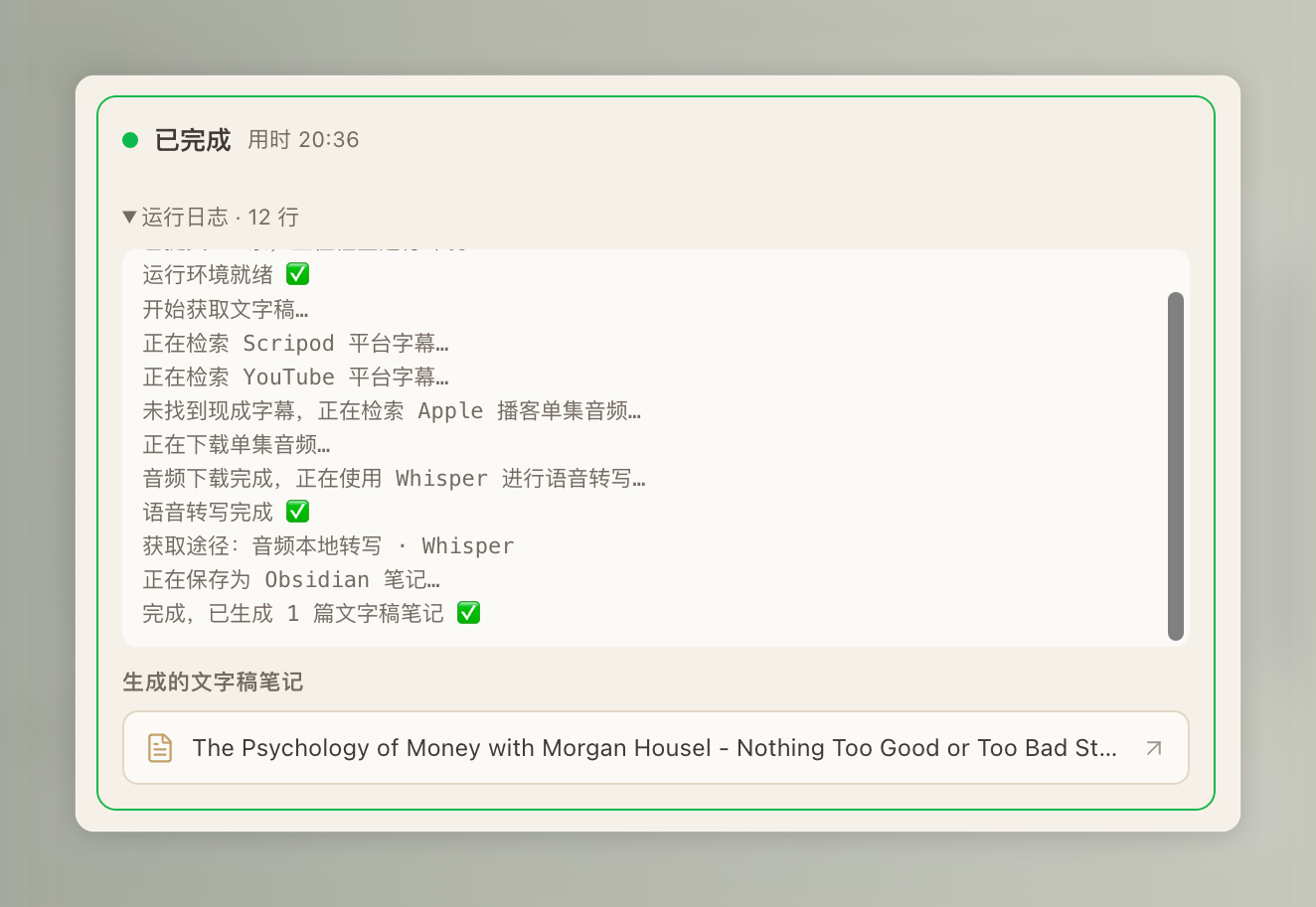
| 完成:日志给出抓取途径,直接生成文字稿笔记 |
安装
⚠️ 仅支持桌面端(Windows / macOS / Linux)。插件要在本地调用 Python,手机端用不了。
第 1 步:装 Python 3.9+(你只需要装这一个,其余依赖插件会自己搞定)
- macOS:终端运行
brew install python,或去 Python 官网 下安装包。 - Windows:去 Python 官网 下安装包,安装时务必勾选「Add python.exe to PATH」;或在 Microsoft Store 搜 Python 3.11/3.12 装。
- Linux:
sudo apt install python3 python3-venv python3-pip。
第 2 步:装插件(任选一种,从上往下越省事)
方式 A · 社区插件市场(上架后推荐)
目前正在提交官方审核,审核通过后即可用这种方式一键安装、自动更新。
打开 Obsidian →「设置 → 第三方插件」→ 关掉安全模式 → 点「浏览」→ 搜 Longhai Podscript → 安装 → 启用。
方式 B · BRAT(想抢先用、且能自动更新)
先装社区插件 BRAT,在它的设置里点「Add Beta plugin」,填入本仓库地址 https://github.com/longhaiqwe/longhai-podscript,BRAT 会自动帮你装好并跟随新版本更新。
方式 C · 手动安装(兜底)
在仓库 Releases 页下载 main.js、manifest.json、styles.css 三个文件,放进 <你的库>/.obsidian/plugins/longhai-podscript/ 目录(没有就新建)。
也可以直接 clone 整个仓库进去:
cd "<你的库>/.obsidian/plugins"
git clone https://github.com/longhaiqwe/longhai-podscript.git
把
<你的库>换成你的 Obsidian 库的实际路径。.obsidian是隐藏文件夹,若plugins目录不存在,先mkdir -p "<你的库>/.obsidian/plugins"。手动安装后:打开 Obsidian →「设置 → 第三方插件」→ 关掉安全模式 → 刷新列表 → 启用 Longhai Podscript(装完看不到就重启一下 Obsidian)。用 git clone 装的,之后进插件目录git pull再禁用/启用一次即可更新。
第 3 步:首次准备环境(自动)
第一次抓取,或在插件设置页点「安装 / 修复依赖」时,插件会自动:
- 在
~/.longhai-podscript/venv建一个隔离的 Python 虚拟环境; - 往里面装好
yt-dlp和faster-whisper。
这些都装在你的库外面,不会污染系统 Python,也不会被库同步和插件更新弄乱。国内网络慢的话,可以在设置里填 pip 镜像源(如清华源 https://pypi.tuna.tsinghua.edu.cn/simple)加速。
懒人法:让 AI 助手帮你装
如果你在用 Claude Code / Cursor 之类能跑命令的 AI 助手,把下面这段直接发给它,它会自动帮你装好:
帮我在 Obsidian 里安装 Longhai Podscript 插件,仓库地址是
https://github.com/longhaiqwe/longhai-podscript 。请按以下步骤做,遇到不确定的先问我:

1. 先问我 Obsidian 库(vault)的绝对路径。
2. 在该库的 .obsidian/plugins/ 目录下 git clone 这个仓库(目录不存在就先创建);
   如果已经存在同名文件夹,改为进去 git pull 更新。
3. 检查本机是否装了 Python 3.9+(运行 python3 --version)。没有的话告诉我怎么装,别擅自装。
4. 装完提醒我:打开 Obsidian →「设置 → 第三方插件」→ 关闭安全模式 → 启用
   Longhai Podscript;首次抓取会自动在 ~/.longhai-podscript/venv 里装 Python 依赖。
怎么用
- 点左侧边栏的图标(或命令面板搜「获取播客文字稿」)打开面板。
- 搜播客 → 点单集右侧的下载图标,或进单集页点「获取文字稿」。
- 抓完在「播客文字稿」文件夹里就多了一篇笔记。
也可以在「粘贴链接 / 标题手动抓取」里,每行贴一个链接或标题批量抓。
一点提醒
- 文字稿是初稿:人名、术语、标点可能有错(尤其走本地转写的),发布前请再用一遍强 LLM 校对。
- 首次会慢一点:第一次装依赖要下几十 MB;第一次本地转写还要下 Whisper 模型(
small约 500MB /medium约 1.5GB),之后就快了。
进阶:它是怎么决定「找字幕」还是「本地转写」的?
底层脚本按你喂进去的输入类型选路:
- 音频直链(
.mp3等):直接本地 Whisper 转写,不找字幕。 - 标题 / 网页链接:先去 scripod / YouTube 等找现成字幕,找不到才退回本地转写。
所以在面板里点搜索结果抓取时,插件传的是标题而不是音频直链——这样才可能命中现成字幕、秒回。传标题偶尔会匹配错集(比如同名的「完整版」和「精选重剪版」),这时它会自动改用该集音频直链本地转写重试一次。抓完的运行日志里会打出这次实际走的路,比如 本次途径:现成字幕 · scripod 或 本次途径:本地 whisper 转写。
(手动粘链接抓取不带自动回退,按你给的输入类型直接选路。想要现成字幕就贴集页链接或标题,别贴 mp3 直链。)
开发
npm install
npm run dev     # 开发监听
npm run build   # 类型检查 + 生产构建
产物 main.js、manifest.json、styles.css 和 scripts/ 复制到插件目录即可加载。
致谢与许可
本地转写后端脚本源自 @一龙小包子 的开源项目 KingJing1/podcast-transcript-txt-skill(MIT 许可,见 scripts/LICENSE-upstream)。
本项目以 MIT 许可开源。