Log Keeper
 jimjambimbam494 downloads
Generate time stamps automatically as changes are made to a note.
- Overview
- Scorecard
- Updates5
Track changes to your notes within your Obsidian Vault as you type. When the content of a note changes within a vault, a new time stamp is generated or an original time stamp is edited, depending on the settings. This log is then added to a note's YAML property.
 Example of the 'last-modified' property seen in Obsidian.
All time stamps are formatted according to the ISO 8601 standard format YYYY-MM-DDTHH:mm:ss where:
- YYYY: Is the current year (e.g. "2025" for the current year)
- MM: Is the current month (e.g. "04" for the 4th month)
- DD: Is the current day (e.g. "05" for the 5th day of the month)
- T: Separates the date and time values
- HH: Is the current hour from 0-23
- mm: Is the current minute from 0-59
- ss: Is the current second from 0-59
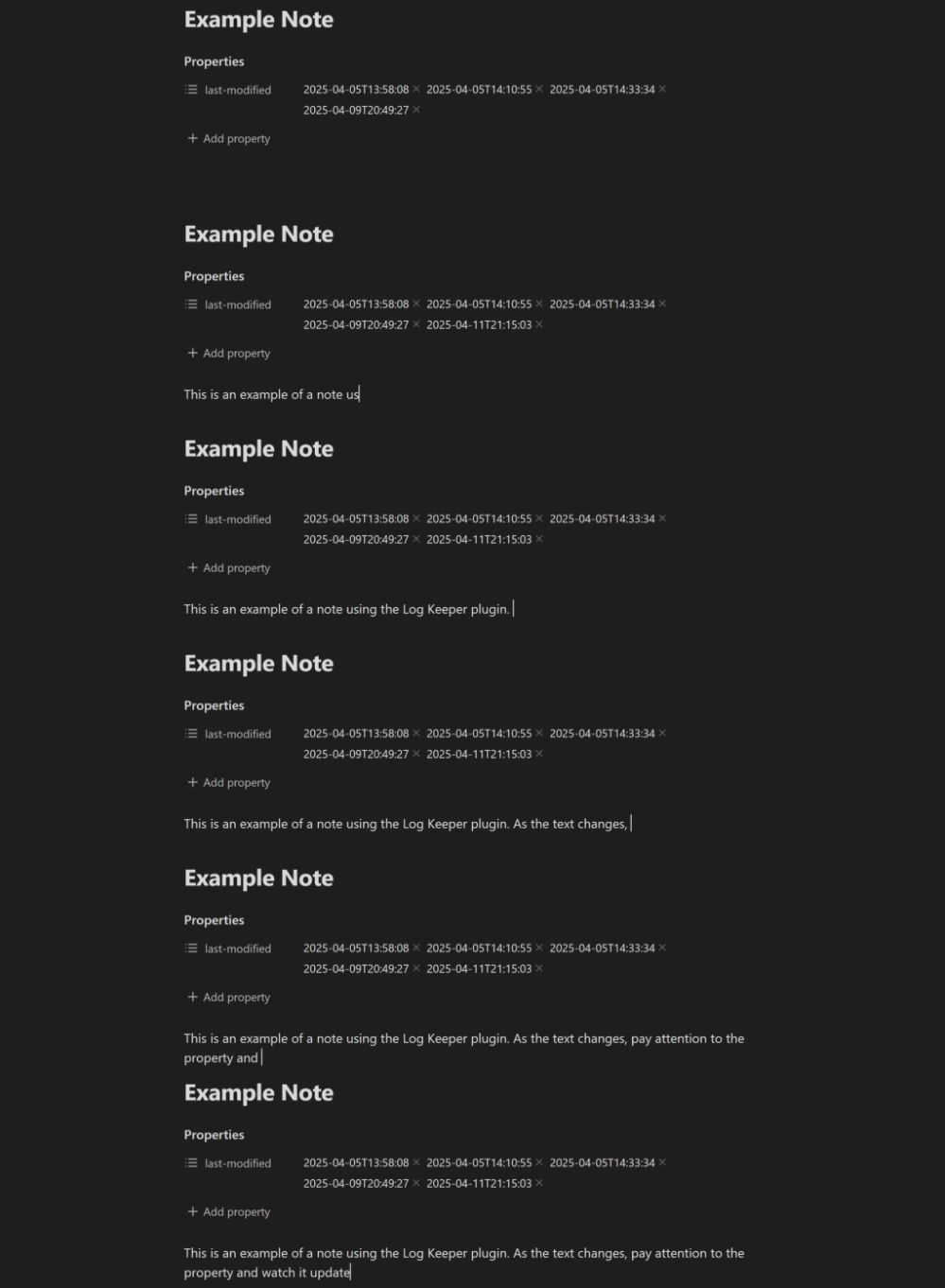 Example of the 'last-modified' property being updated in a note when the Log Keeper plugin is enabled.
Uses
Contribution Graph / Dataview
Combine Note Modification Tracker with other plugins such as Dataview and Contribution Graph to create a contribution graph like in Github.
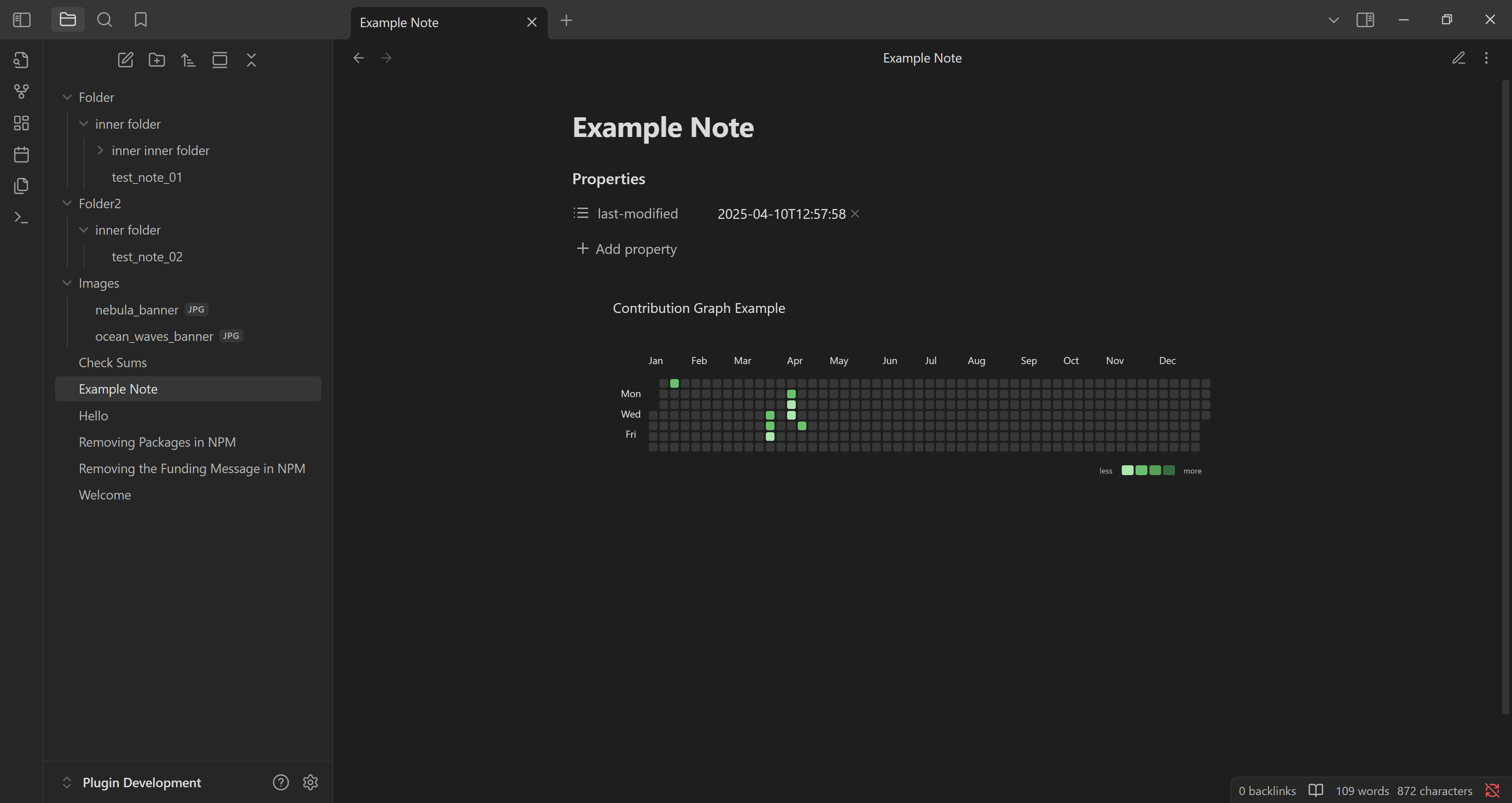
The snippet of javascript code can display a contribution graph from all the notes that contain a 'last-modified' property. Note: To make it work, remember to replace 'js' with 'dataviewjs' at the start of the code block.
    ```js
    // code goes here...
    ```
Becomes:
    ```dataviewjs
    // code goes here...
    ```
Code Snippet
const currentYear = new Date().getFullYear()
const from = currentYear + '-01-01'
const to = currentYear + '-12-31'
let data = []
let dates = []

// Must collect all the files that have data on file modification
let pages = dv.pages()
    .where(p => p["last-modified"])

// Grab all the dates, even duplicates, and push to an array.
for (let i = 0; i < pages.length; i++) {
    let page = pages[i]
    for (let j = 0; j < page["last-modified"].length; j++) {
        dates.push(page["last-modified"][j])
    }
}

// Reduce the array down to a key value pairs.
// Key is the date with the time component removed and,
// value is the number of times the key appears in the array.
let dateCount = dates.reduce((acc, date) => {
    let dateKey = date.toString().split("T")[0]

    acc[dateKey] = (acc[dateKey] || 0) + 1

    return acc
}, {})

// We manipulate the key value pairs so that they
data = Object.keys(dateCount).map(key =>
    ({
        date: key,
        value: dateCount[key]
    }))

const calendarData = {
    title:  "Contribution Graph Example", // graph title
    data: data, // data
    fromDate: from, // from date, yyyy-MM-dd
    toDate: to // to date, yyyy-MM-dd
}
renderContributionGraph(this.container, calendarData)
Contributing
Feel free to contribute to this plugin however you want. Bug reports, bug fixes and feature requests are always welcome.
Goals
Listed in level of priority:
Plugin
- Add setting that allows users to format the time stamps of their notes using valid Momentjs syntax.
- Add commands to temporarily suspend time stamping if the user needs to make changes to the properties of a note, to avoid excessive updates. Time stamping will resume after a note is closed, or the command is called again.
- Add setting that allows users to change the property name used for storing time stamps.
- Add a command that allows users to change the property name that is used to track changes. For example, changing "last-modified" to "log date".
Github Repo
- Add a CONTRIBUTORS.md file for anyone that has contributed to repo.
- Add Github action that automatically adds contributors to CONTRIBUTORS.md file.
- Add CONTRIBUTOR.md file reference to README.md file.