Lock Drag and Drop
 Yoonchae Lee155 downloads
Prevent accidental drag & drop in sidebars
- Overview
- Scorecard
- Updates5
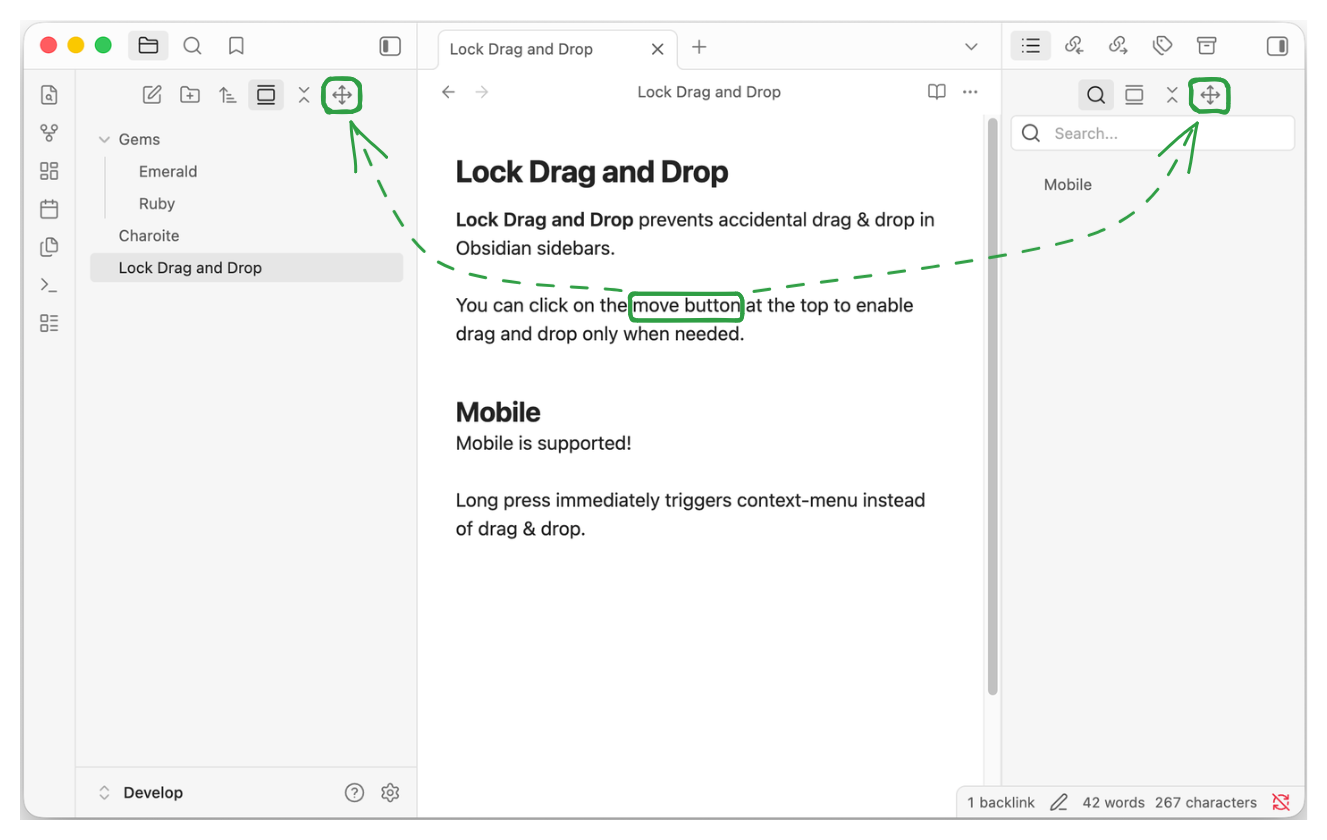
Lock Drag and Drop prevents accidental drag & drop in Obsidian sidebars.
You can click on the move button at the top to enable drag & drop only when needed.
On Mobile, long press immediately triggers context-menu instead of drag & drop.
Development
Install dependencies and build the plugin:
pnpm install
pnpm run build
The build writes main.js, manifest.json, and styles.css to ./dist/.
Then symlink the ./dist/ folder from the Obsidian plugin folder.
ln -s <path to ./dist/> lock-drag-and-drop
If you want to sync your plugins, you will need to copy the folder instead of symlinking.
Creating a release
Run below command to create and upload new version tag. This makes use of npm version lifecycle hook and the script.
pnpm version 1.0.0
git push origin main 1.0.0
Disclaimer
This plugin was developed with AI assistance, but all code was manually reviewed by a human.
This plugin is not affiliated with official Obsidian product.