Local Tags
 mstksb79 downloads
File-local tags with completion, highlighting, and a hierarchical search view.
- Overview
- Scorecard
- Updates12
English | 日本語 | 简体中文 | 繁體中文 | Español | Português (Brasil) | Deutsch
Local Tags adds file-local ##tags to Obsidian. Use the same tag name in different notes without mixing their completion suggestions or tag lists.
Install Local Tags from Settings → Community plugins → Browse, or check Releases for published packages.
Features
Write tags such as
##projectand hierarchical tags such as##people/Alex.Complete tag names from the current Markdown file.
Show per-note tag descriptions beside completion suggestions and in tooltips in the note and tag panel.
Choose substring or prefix completion matching, with optional case sensitivity.
Display tags in Source mode, Live Preview, and Reading View.
Browse the current file's tags in a hierarchical panel and instantly filter them by name or description.
Click a tag in the panel to search for its text within the current file.
Shift+click a tag to cycle through its occurrences with a line highlight and an outline around the matching tag.
Adjust the shared text color, background color, emphasis, and vertical padding in the plugin settings.
Store per-note text, background, and border colors plus bold, underline, and italic settings under
local-tags-config, with parent-to-child inheritance.Add missing settings, remove empty settings, generate vivid complementary colors, sort definitions, and expand the configuration to tag headings from the tag panel.
Edit configuration colors through inline swatches in Source mode and Live Preview, and check configuration errors in the panel.
Optionally hide
##in Reading View and on inactive tags in Live Preview.
See it in action
Completion, hierarchical tag lists, and click-to-search follow familiar tag interactions. Local Tags adds a separate vocabulary for each note, per-note random decoration, and Shift-click navigation.
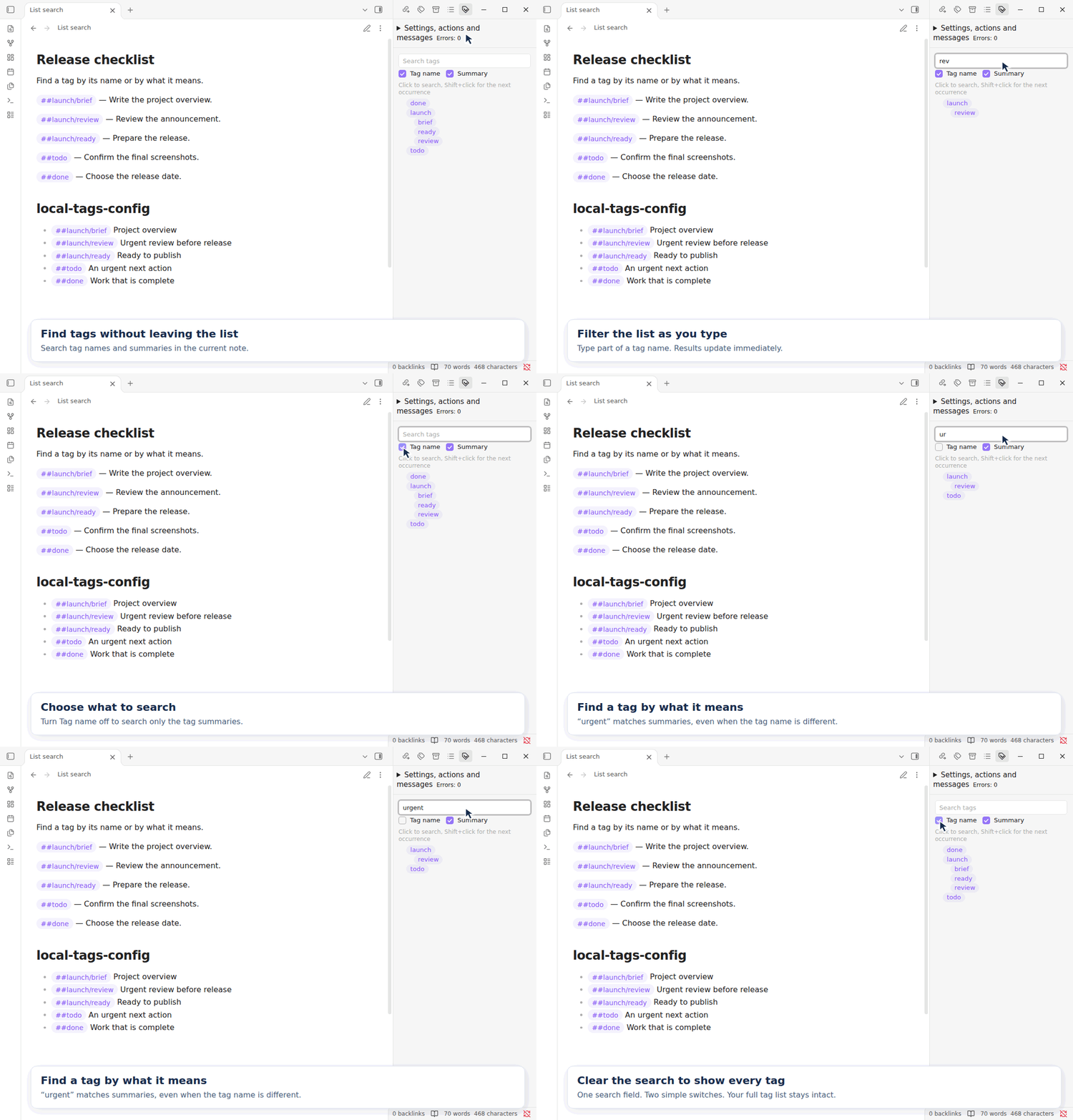
Filter the tag list as you type
Type in Search tags to narrow the current note's tag list immediately. Use the Tag name and Summary checkboxes to search names, descriptions, or both. Matching ignores case and keeps the ancestors of matching tags visible. Clear the search to restore the full list. See Tag panel search for details.
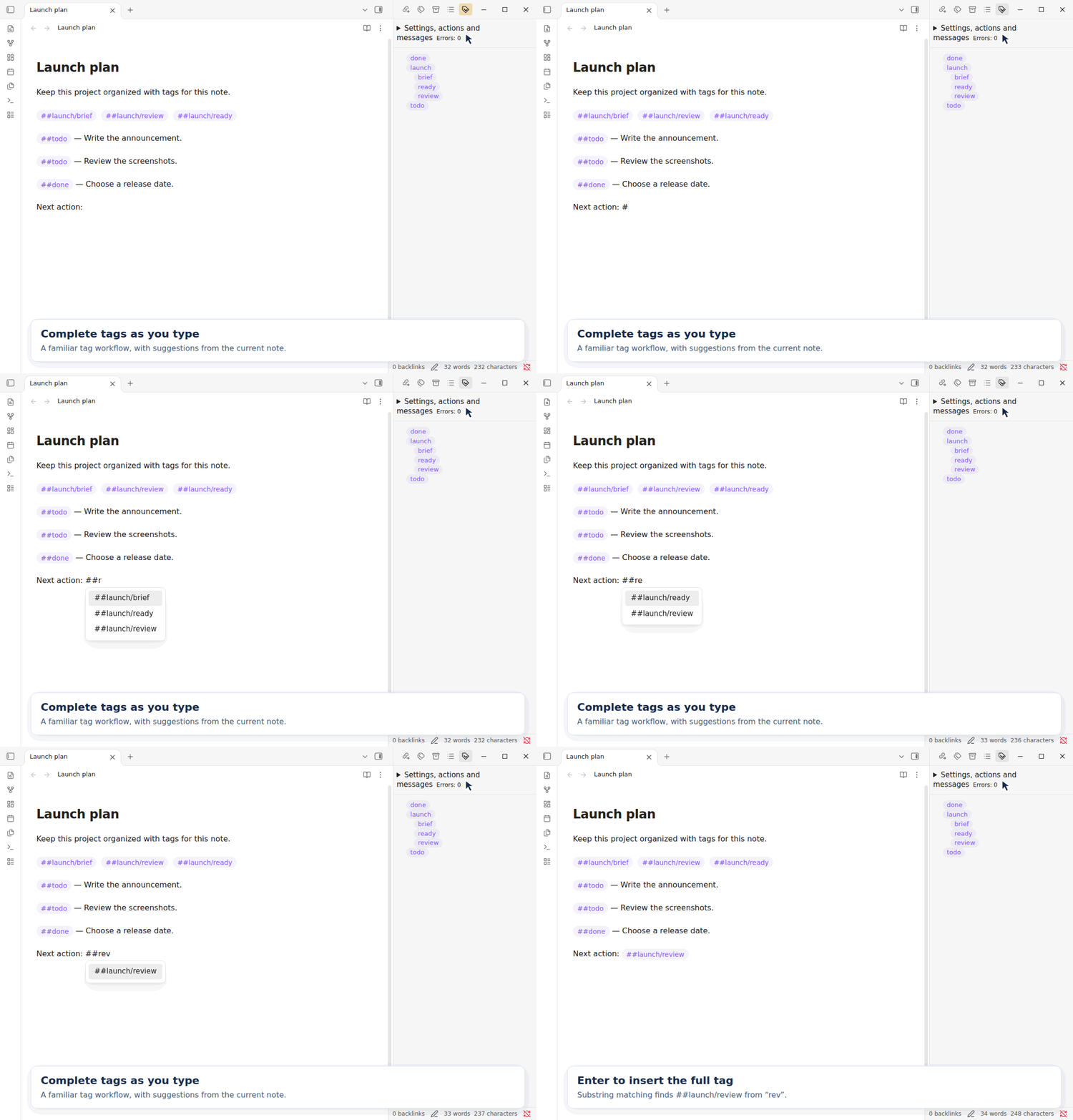
Complete tags as you type
Type ##, narrow the suggestions, and press Enter to insert a tag. Suggestions come from the current Markdown file. With substring matching, ##rev finds ##launch/review.
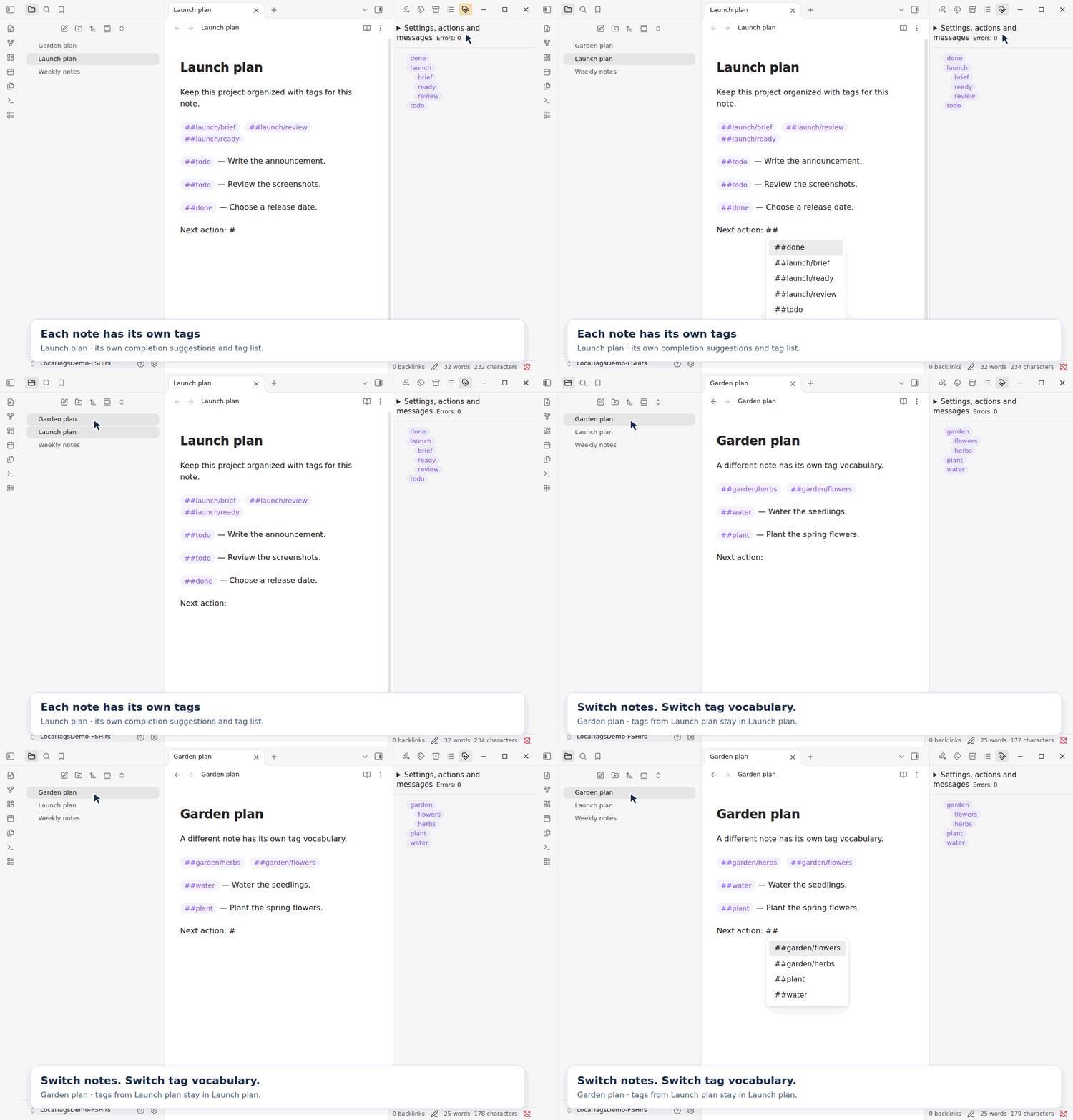
Keep each note's tags local
Switch from Launch plan to Garden plan to see both the completion suggestions and the tag panel follow the active note. Standard #tags are indexed across the vault. Local ##tags have a separate vocabulary in each file.
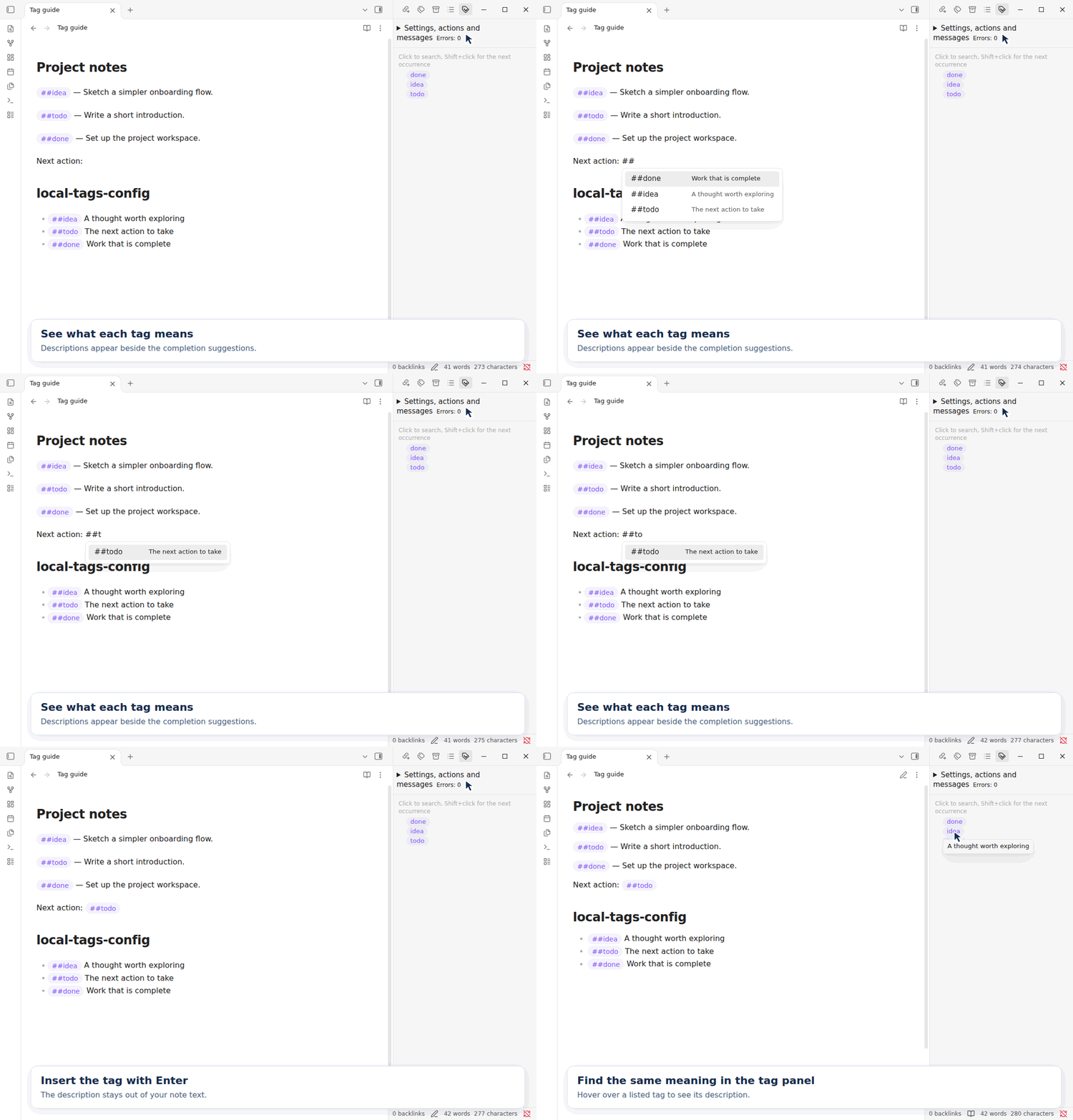
Keep tag meanings close at hand
Add a short description after a tag declaration on the same line under local-tags-config. Descriptions appear beside completion suggestions and when you hover over a tag in the note or tag panel. Press Enter to insert just the tag. See Tag descriptions for the format.
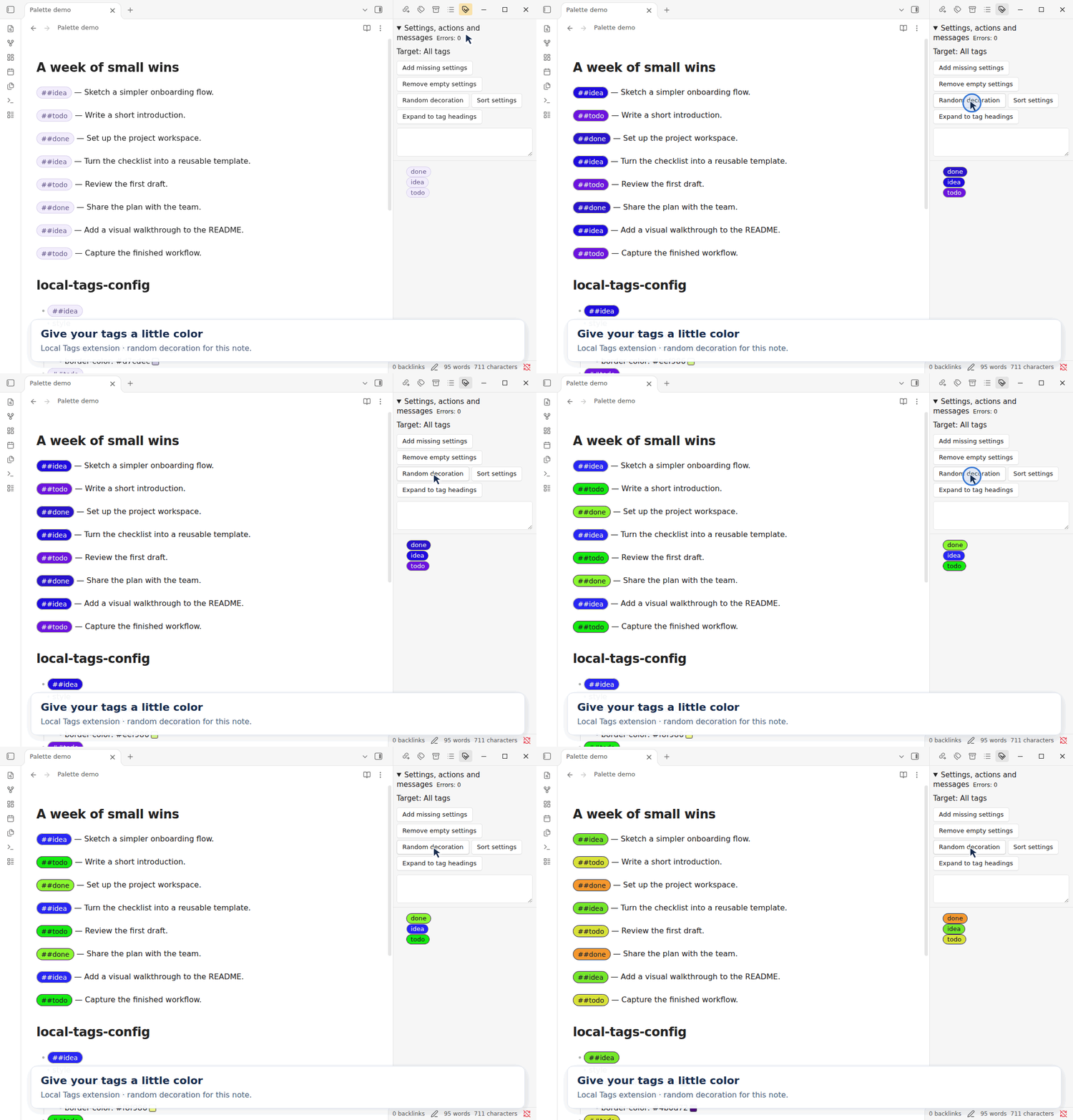
Add color with one click
Choose Random decoration to generate vivid complementary colors for the current note's tags. The demo uses Live Preview. Decoration settings are stored in the note's local-tags-config section.
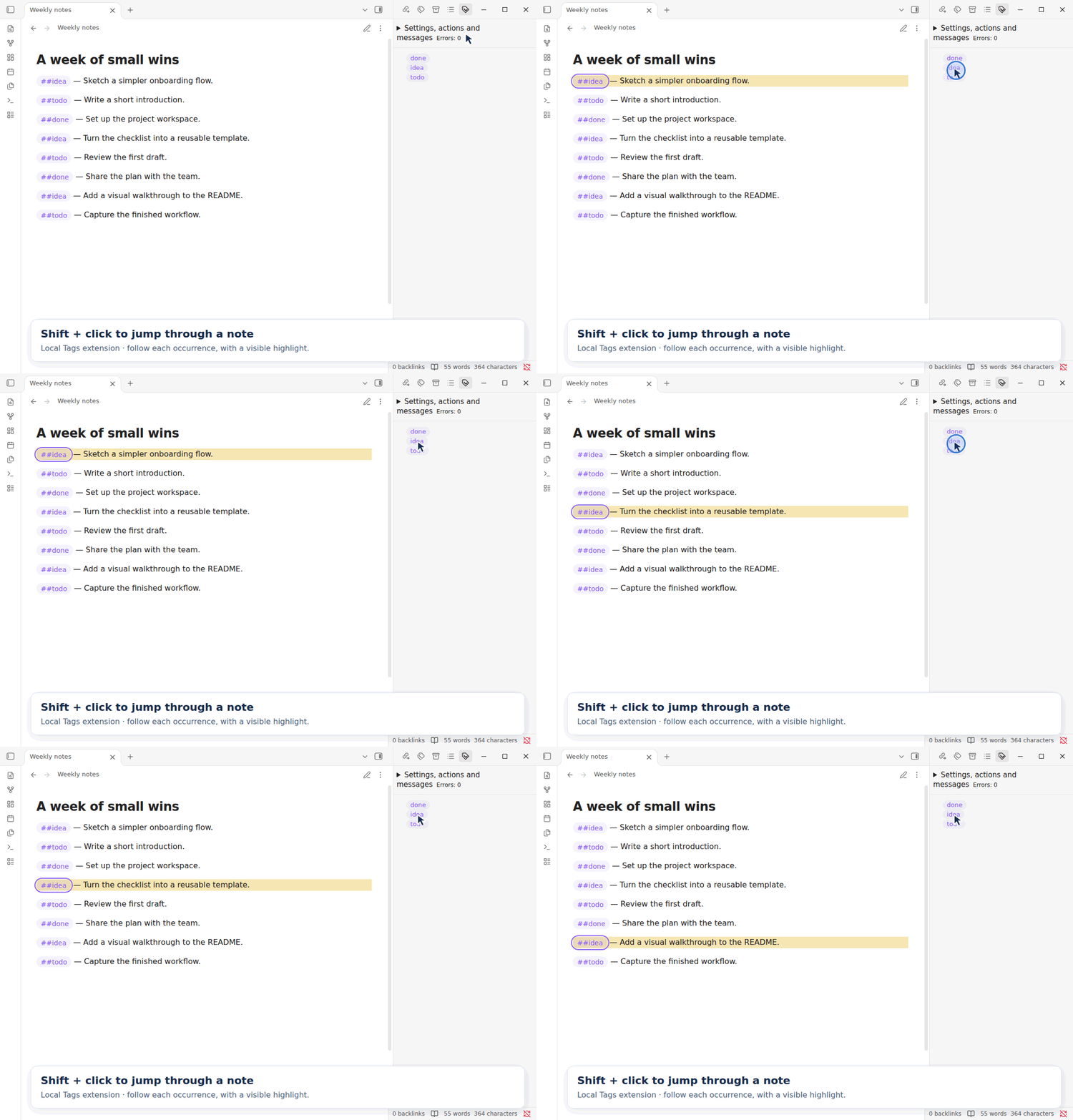
Shift-click to move between occurrences
Hold Shift and click a tag in the panel to visit its occurrences in the current note. A line highlight and an outline around the matching tag show the current position.
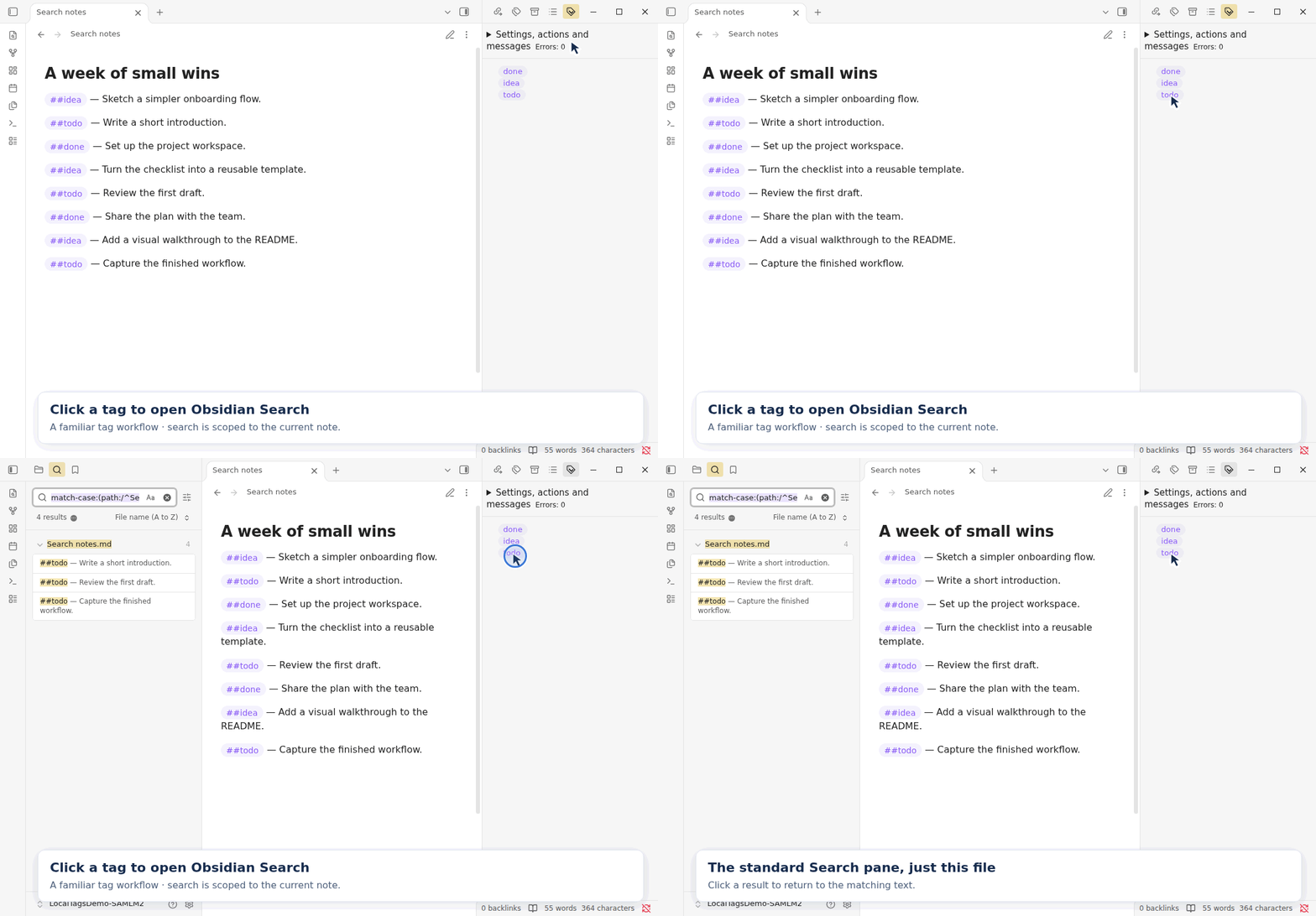
Click to open Obsidian Search
Click a tag in the panel to open Obsidian's standard Search pane, with the current file and tag text filled in. Search results stay scoped to that note.
Requirements
Desktop Obsidian 1.14.4 or later. Local Tags is a desktop-only plugin.
Installation
For a locally built copy, place main.js, manifest.json, styles.css, LICENSE, and THIRD-PARTY-NOTICES.txt from dist/local-tags/ into <vault>/.obsidian/plugins/local-tags/ and enable Local Tags in Obsidian's community-plugin settings.
After replacing an installed build, disable and re-enable the plugin. If a new installation does not appear in the plugin list, reopen the vault.
Quick start
- Add
##projector##people/Alexto a Markdown note. - Type
##and part of an existing tag name, select a suggestion, and press Enter to accept it; press Esc to cancel. - Run the command Open tag panel to open the tag panel.
- Click a tag in the panel to search the current file, or Shift+click to cycle through matching tags in the note.
- Open Settings → Local Tags to adjust tag appearance.
- For per-note decoration, expand Settings, actions and messages in the panel and choose Add missing settings. Fill in the generated values, or choose Random decoration to generate colors.
Local tags use ## and are separate from Obsidian's standard #tags.
See Usage for input rules, recognition limits, shared appearance settings, per-note decoration, tag descriptions, panel actions, in-note navigation, and search caveats.
Limitations
Basic use with English and Japanese text is expected to work, but has not been comprehensively verified. Behavior in other languages remains unverified.
The README and usage guide are available in seven language versions. Documentation translations do not change the plugin's UI language support or establish that tag recognition and input-method behavior have been verified in those languages.
Build and test
Use Node.js 24 and npm:
npm ci --ignore-scripts
npm run check
The production build is written to dist/local-tags/. See Development for individual checks and the release process.
Project policy
This project does not accept pull requests. Bug reports are welcome through GitHub Issues and are handled on a best-effort basis. Feature requests may also be submitted, but have very low priority. Ongoing maintenance, support, and new features are not guaranteed.
License
Copyright (C) 2026 mstksb.
The project's original code is licensed under the GNU General Public License, version 3 only (GPL-3.0-only). See LICENSE for the full terms. The complete license text is also embedded in the built main.js so it is retained when Obsidian installs only the runtime files.
Third-party components retain their respective licenses. Their notices are generated from the production bundle and included in THIRD-PARTY-NOTICES.txt and the built main.js.
Documentation and updates
| File | Purpose and update conditions |
|---|---|
| README.md | English source for the project overview, installation, basic operations, project policy, and document index; update it and its translations when these change. |
| README translations: 日本語, 简体中文, 繁體中文, Español, Português (Brasil), Deutsch | Translations of this README; update alongside the English source. |
| AGENTS.md | Project-specific editing instructions; update when the repository's working rules or references change. |
| docs/usage.md | English source for input rules, recognition limits, shared and per-note appearance settings, tag descriptions, panel actions, in-note navigation, and search caveats. Update it and its translations when these change. |
| Usage translations: 日本語, 简体中文, 繁體中文, Español, Português (Brasil), Deutsch | Translations of the usage guide; update alongside the English source. |
| docs/development.md | Build, test, manual checks, version preparation, and release procedure; update when those commands or processes change. |
| CHANGELOG.md | User-visible changes for each release; update before preparing a release. |
| LICENSE | License terms for the project's original code; keep licensing statements consistent with this file. |