LM Studio Connect
 joepetrakovich3k downloads
Adds an AI chat interface that connects to LM Studio so you can chat with your notes privately and offline.
- Overview
- Scorecard
- Updates24
 __         __    __     ______     ______
/\ \       /\ "-./  \   /\  ___\   /\  ___\
\ \ \____  \ \ \-./\ \  \ \___  \  \ \ \____
 \ \_____\  \ \_\ \ \_\  \/\_____\  \ \_____\
  \/_____/   \/_/  \/_/   \/_____/   \/_____/
LM Studio Connect
An Obsidian plugin that provides an AI chat interface to an LM Studio instance and a lightweight read-only agent harness around your vault. Allows you to use LLMs with your notes privately and offline.
Bugs, Issues, and Feature Requests
How to use
- Ensure you have LM Studio set up and that the server is running with the CORS option enabled.
- Once the plugin is installed, visit the plugin's settings page in Obsidian and verify it can connect to LM Studio.
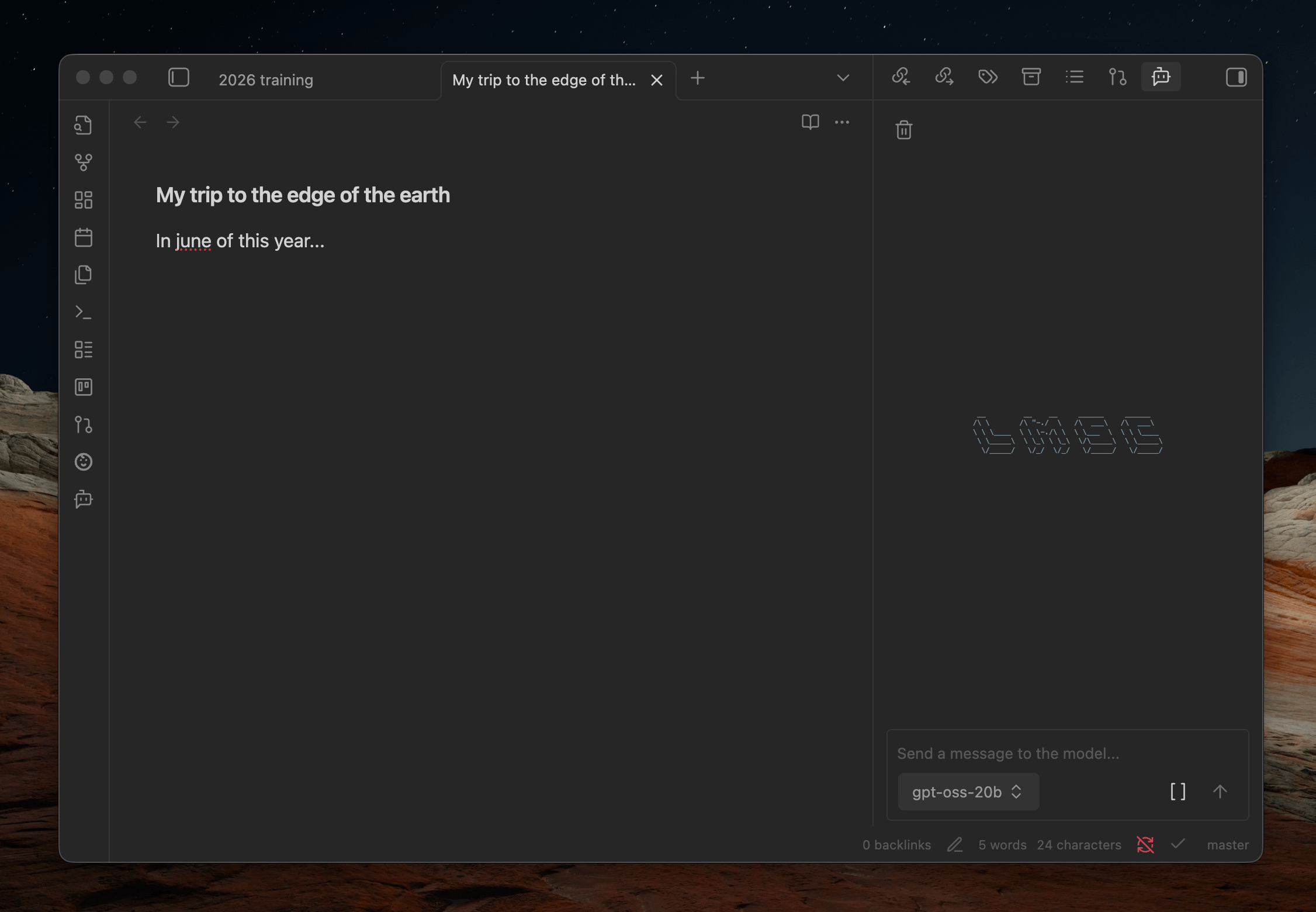
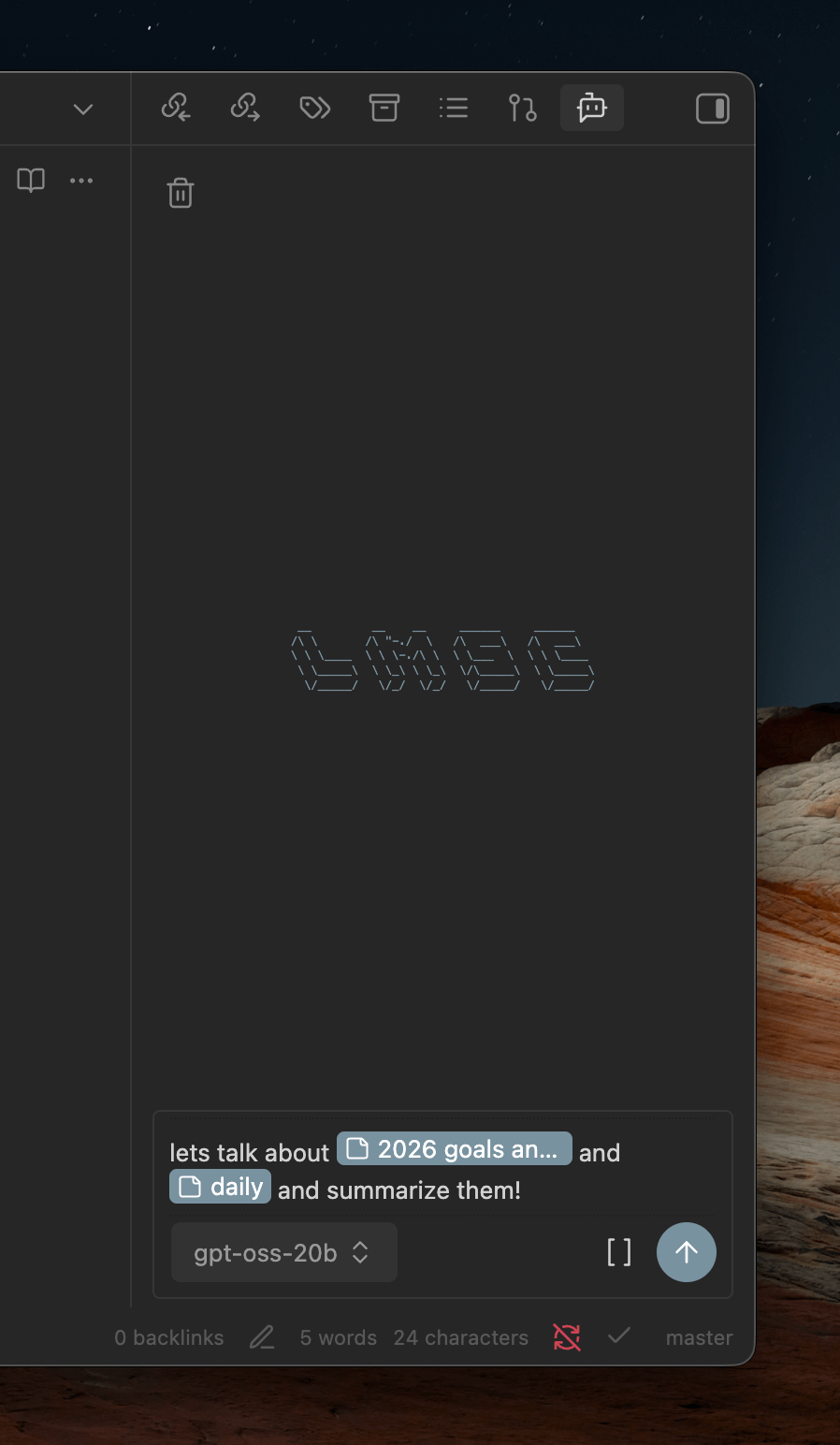
Chat view
- You can reveal the chat window via the Obsidian command pallete or ribbon menu.
- To chat with notes, begin typing '[[' to open a file picker or use the file picker button at the bottom of the chatbox.
- The LLM is also made aware of your current open notes so you can talk about them without referencing them explicitly.
Use MCP servers configured in LM Studio
The plugin can use MCP servers you've configured in LM Studio directly.
- Add your MCP servers to LM Studio's
mcp.json. - In the plugin settings, disable Use vault tools to use LM Studio's system prompt and MCP server configuration directly.
- Enable the servers you want under the MCP servers section that appears.
[!WARNING] Requires authentication and the "Allow calling servers from mcp.json" setting to be enabled in LM Studio.
Codeblock prompts
You can also embed a prompt directly in your notes using a fenced codeblock with the lmsc language identifier:
```lmsc
prompt: What's the weather in New York today?
```
Options:
prompt(required) - The prompt to send to the LLMhideToolUse(optional, default:false) - Whentrue, hides tool call details from the responsehideReasoning(optional, default:false) - Whentrue, hides the reasoning/thinking output from the response
Note: Not affiliated with the official LM Studio company, Element Labs, Inc.
HealthExcellent
ReviewSatisfactory
About
Connect Obsidian to a local LM Studio server for private, offline LLM chat. Chat with your notes in a built-in chat view that knows open files, supports inline file picking ([[) and lets you embed prompts using lmsc fenced codeblocks.Details
Current version
1.9.2
Last updated
7 days ago
Created
9 months ago
Updates
24 releases
Downloads
3k
Compatible with
Obsidian 1.13.0+
Platforms
Desktop, Mobile
License
MIT