Lemma

An Obsidian plugin for creating and reviewing flashcards powered by the FSRS spaced repetition algorithm.
- Overview
- Scorecard
- Updates10

A modern, FSRS-powered spaced repetition plugin that lives inside your notes.
No separate app. Write, tag, and study directly where your knowledge lives. Cards stay plain Markdown in your vault; review history stays on your device (or your own CouchDB), with backups one command away.
Docs · How to make flashcards in Obsidian · Compared with other plugins · Lemma vs Anki · Buy Me a Momo · Report bug · Request feature
Preview
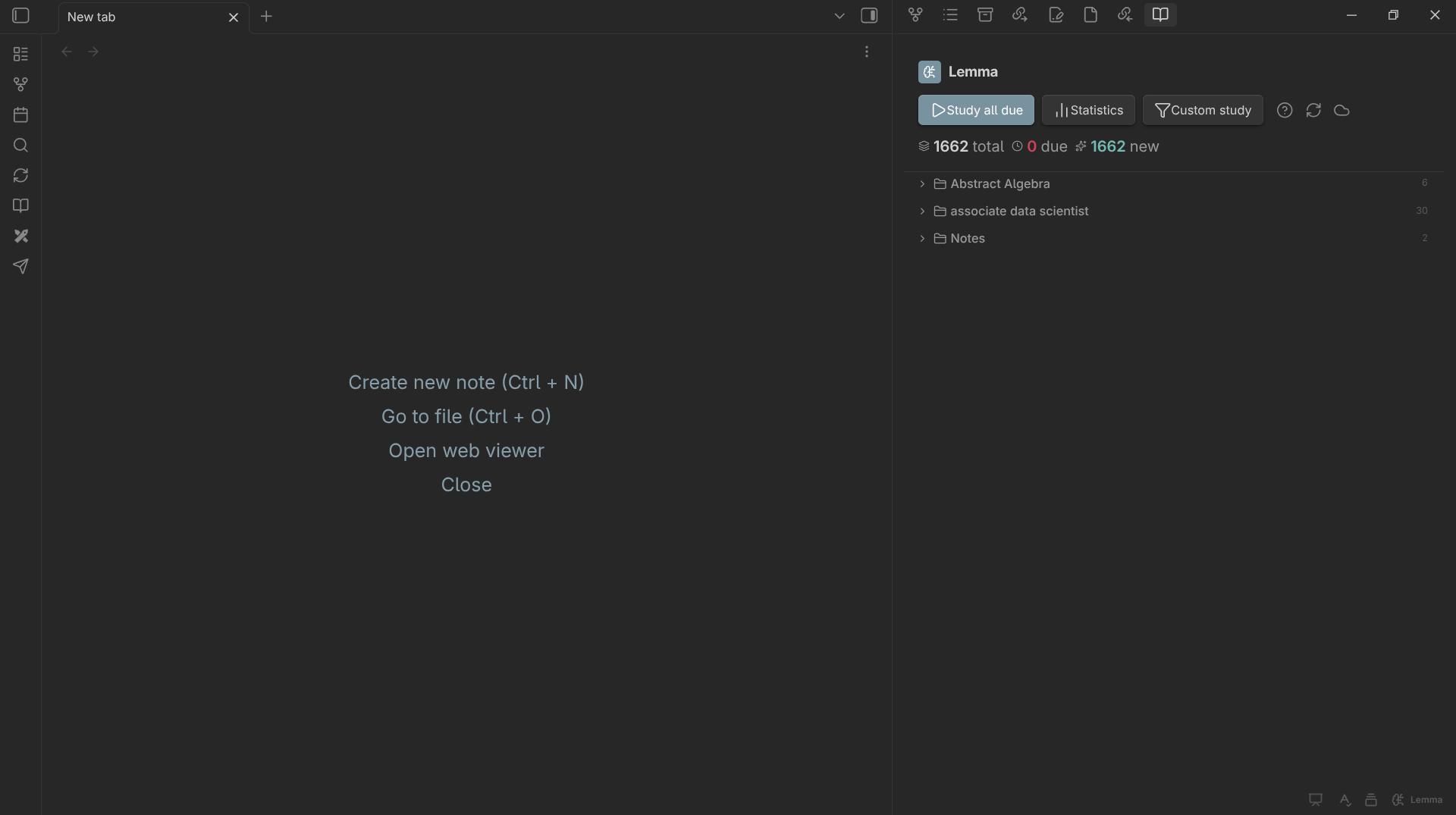
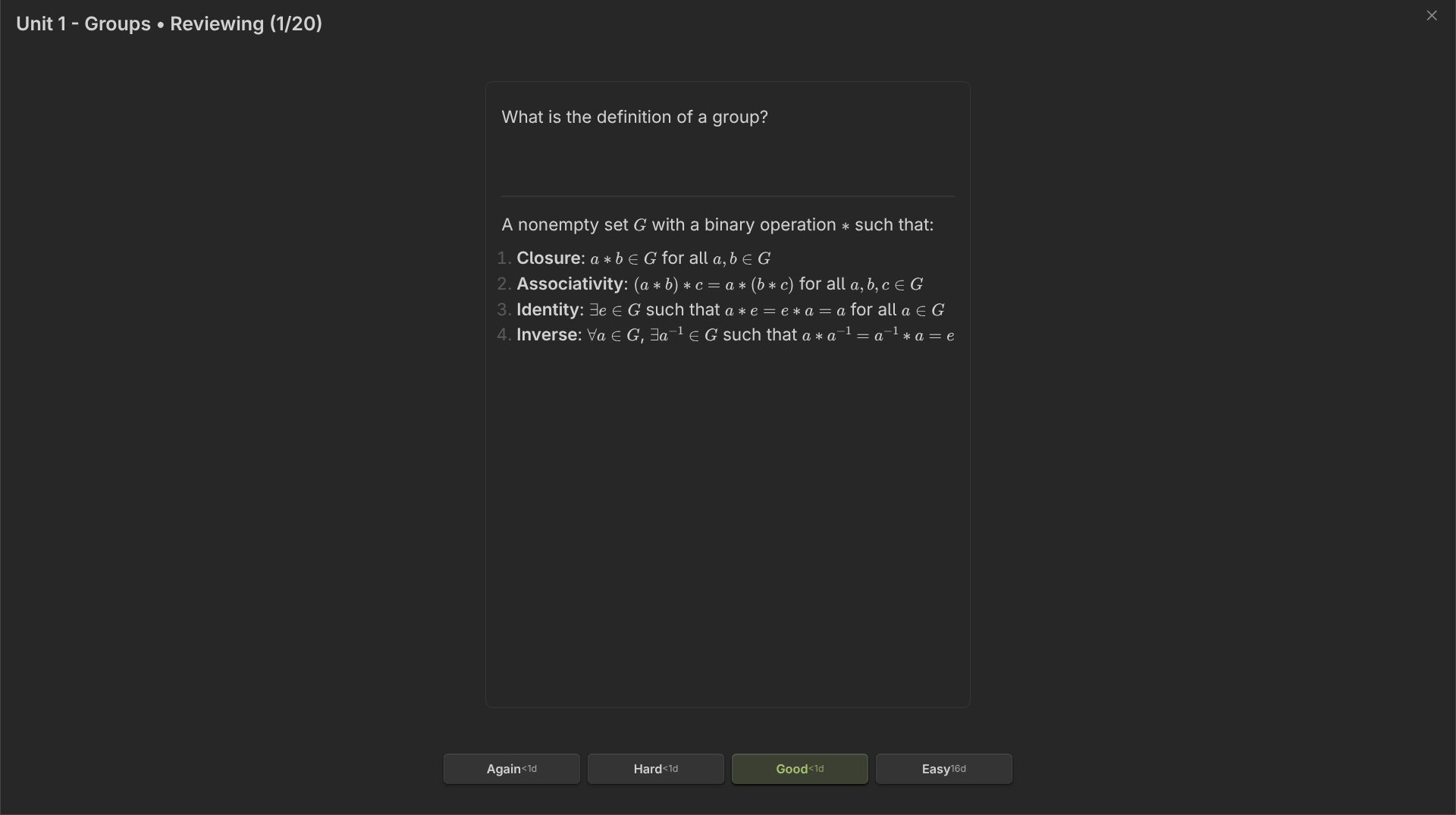
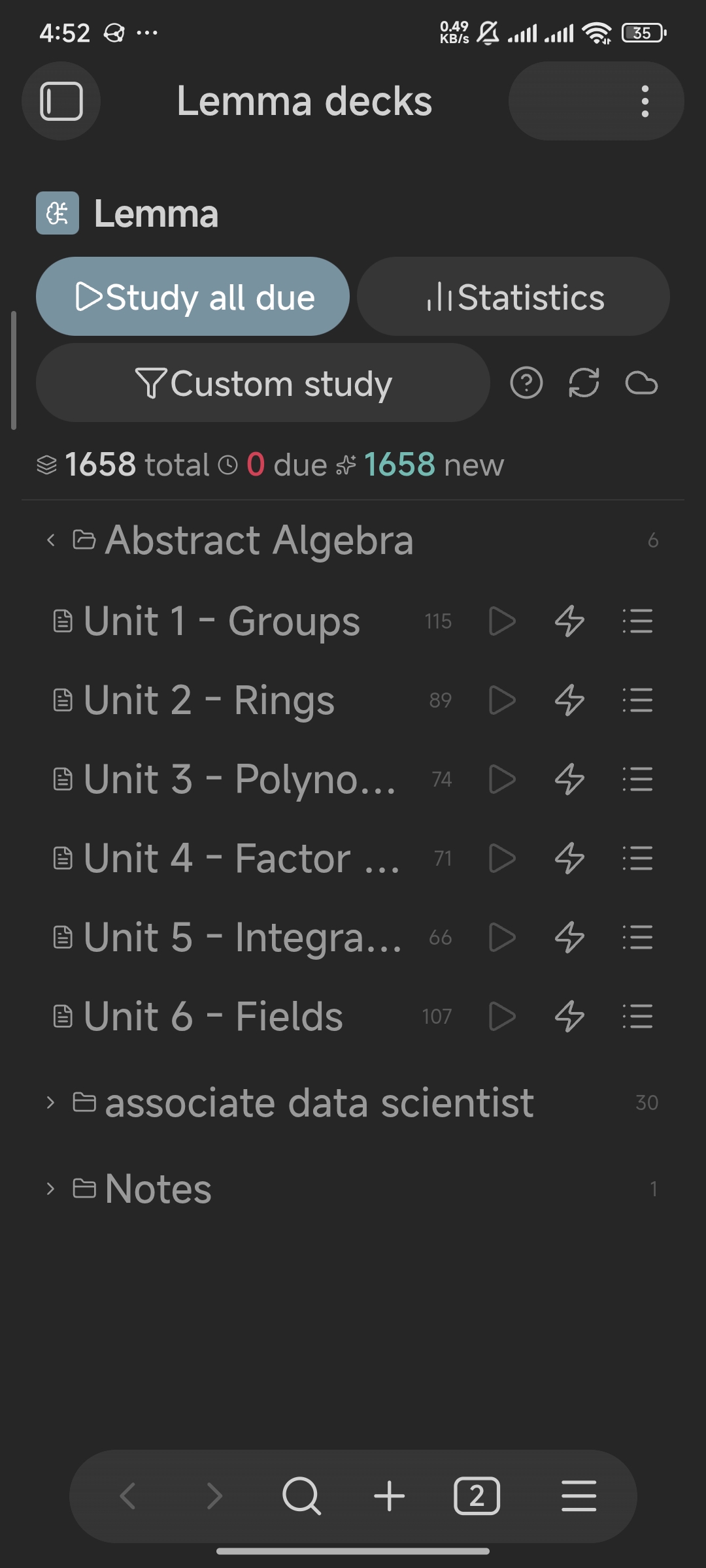
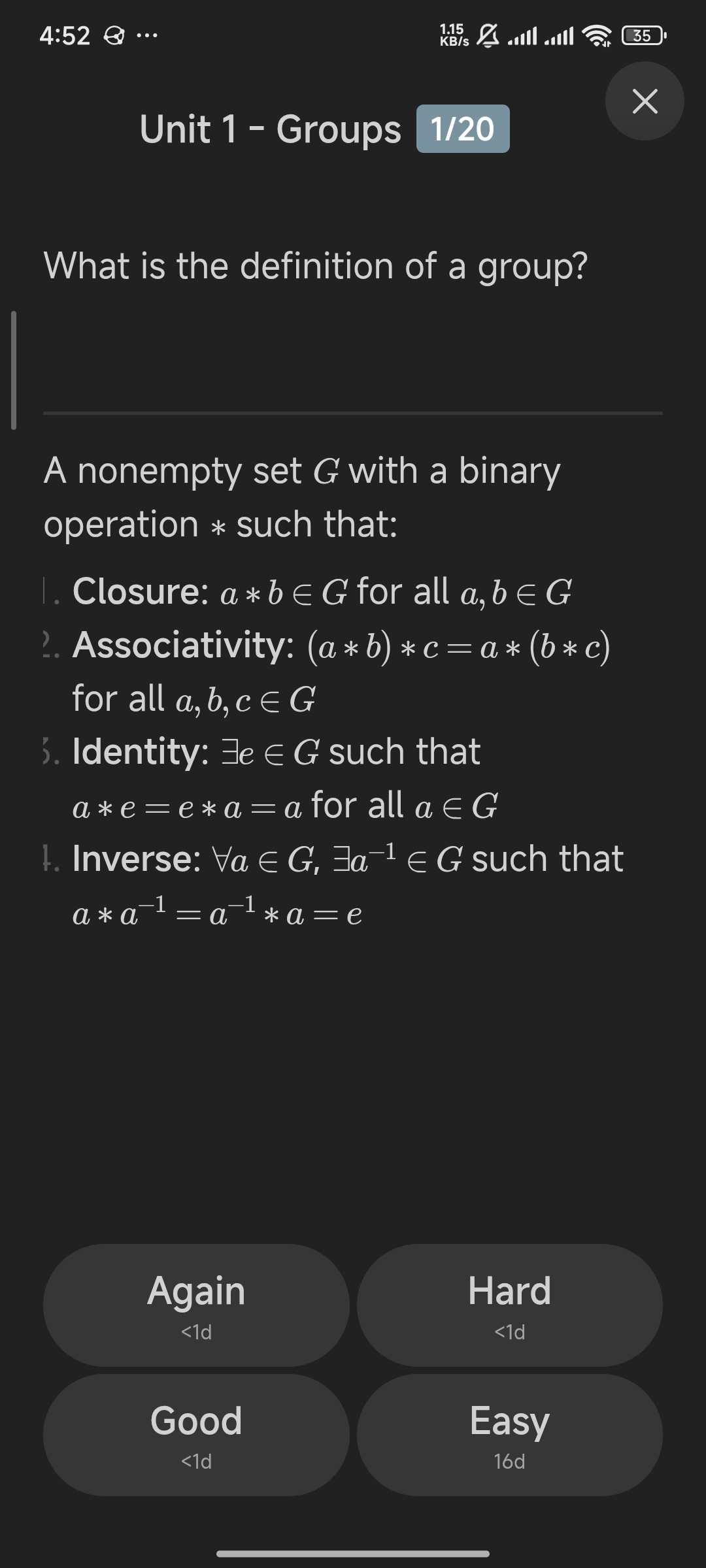
Desktop and mobile · LaTeX math support · Learning analytics · Custom study sessions
Why Lemma?
Most spaced repetition tools require leaving your knowledge base, exporting notes, and managing a secondary database. Lemma embeds spaced repetition directly in Markdown.
Notes are decks. Add
#flashcardsto any note, write cards in plain Markdown, and let FSRS handle scheduling.
| Feature | Lemma | Anki | Standard SR Plugins |
|---|---|---|---|
| Native Markdown workflow | Yes | No | Yes |
| FSRS scheduling | Yes | Yes (built in) | Partial |
| Mobile support | Yes | Yes | Varies |
| LaTeX / rich Markdown | Yes | Yes | Varies |
| Cross-device sync (CouchDB) | Yes | Yes | Varies |
| Custom study sessions | Yes | Yes | No |
| Zero file clutter | Yes | N/A | Varies |
| Open source | Yes | Yes | Yes |
Features
FSRS Scheduling
Lemma uses FSRS-5 (Free Spaced Repetition Scheduler, via ts-fsrs), a modern scheduling algorithm developed from cognitive science research. It models memory stability and retrievability based on your individual recall patterns.
Cards Live in Notes
Write flashcards directly in any Markdown note without imports or app switching.
---card--- ^fsrs-abc123
What is the powerhouse of the cell?
---
**Mitochondria** — produces ATP through cellular respiration.
Cloze Deletions
The ==c1::mitochondria== is the powerhouse of the ==c2::cell==.
Each cloze deletion is scheduled independently.
Dashboard View
View all decks in a single overview with total cards, due cards, and new cards at a glance.
Custom Study Sessions
Filter review queues by tag, card state (new, learning, due), or configure a card limit for targeted study and exam preparation.
Review Statistics
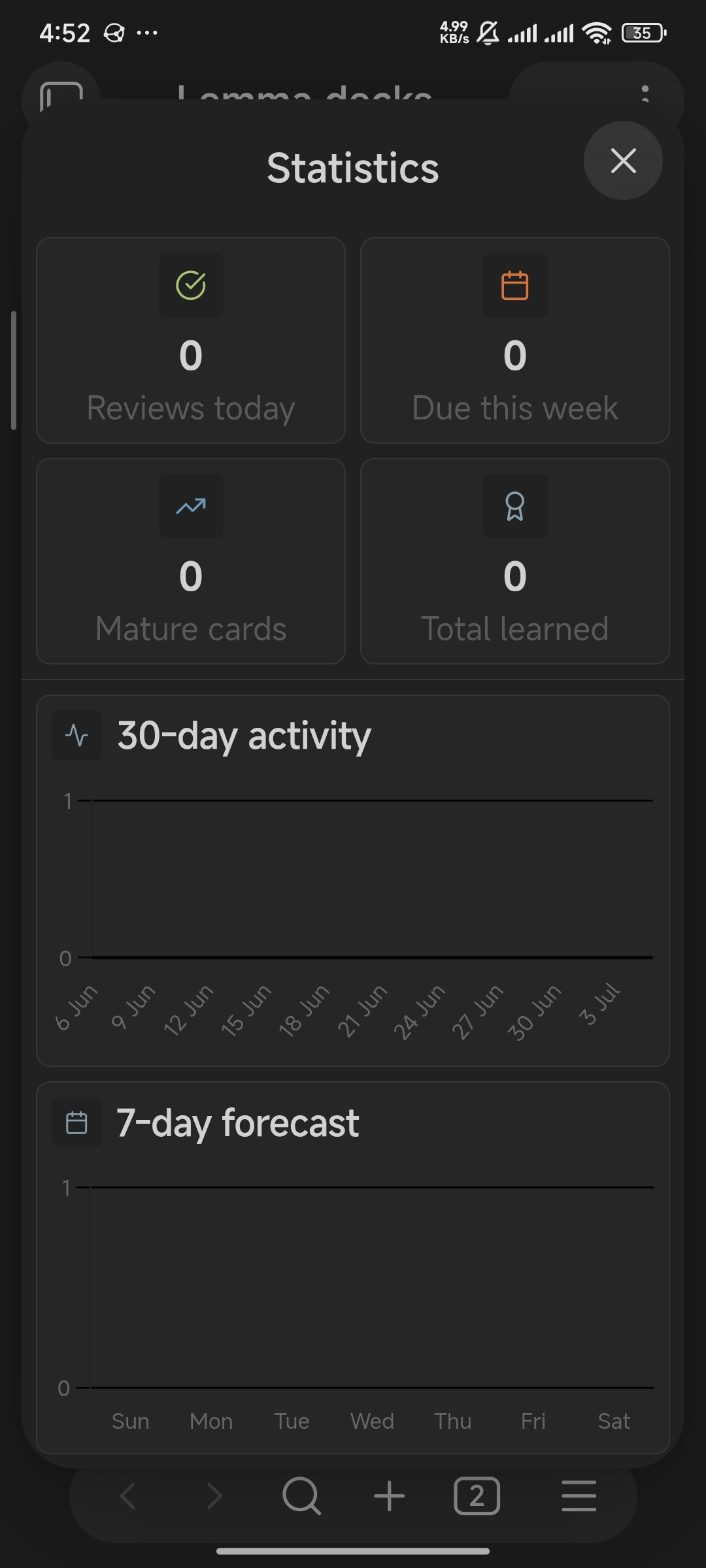
Analyze learning progress with retention curves, card maturity distribution, interval histograms, and 30-day activity.
Mobile Support
Responsive review interface designed for desktop and mobile, with safe-area insets and touch-optimized navigation.
In-Place Image Occlusion
Review anatomy and technical diagrams in place without vertical shifting. Diagram cards automatically detect image pairs, swapping masks in the exact same viewport position with tap/peek toggling.
Type-In Active Recall
Type answers directly into the review card and get a Correct / Close match / Not correct verdict before revealing FSRS rating buttons.
Guided Card & Deck Creation
Interactive creation modals with dropdown format selection, live syntax previews, and automated deck tagging so you never have to memorize card syntax.
Undo, Backup and Import
Undo the last rating from the review window (Z). Export all schedules, review history and streak data to a JSON file and merge it back on another device, or import cards from a plain text export of another flashcard app or a CSV or TSV file.
Optional CouchDB Sync
Review data is stored on each device (IndexedDB). Optionally connect your own CouchDB or Cloudant instance to sync it across devices.
Quick Start
- Install from Community Plugins: search for Lemma.
- Add
#flashcardsto any note's frontmatter or inline:
---
tags: [flashcards]
---
- Write a card:
---card--- ^my-first-card
What is spaced repetition?
---
A learning technique that schedules reviews at increasing intervals to maximize long-term retention.
- Open the Lemma dashboard from the ribbon, the status bar (desktop), or the Command Palette (Open dashboard).
Full syntax documentation: FLASHCARD_GUIDE.md
Card Formats
Lemma supports seven card and study formats:
1. Basic Multi-Line Cards
Multi-line format with full Markdown, LaTeX math blocks, and code formatting. Use ---end--- to explicitly close the card so subsequent headings or notes remain outside the answer.
---card--- ^basic-001
What is the function of the ribosome?
---
Protein synthesis via translation of mRNA.
---end---
2. Single-Line Cards
Fast atomic flashcards on a single line.
What is the capital of Japan?::Tokyo ^single-001
3. Reversed Cards
Generates one card that shows the answer and asks you to recall the question.
Mitochondria:::Powerhouse of the cell ^rev-001
4. Cloze Deletion Cards
Hide one or more concepts in context. Multiple cloze IDs (c1, c2) schedule independent review items.
The ==c1::Ebbinghaus== forgetting curve shows memory decays without ==c2::spaced repetition==. ^cloze-001
5. In-Place Image Occlusion Cards
Swaps occluded diagrams with revealed answers in-place without vertical displacement. Tap the image or press Space / P to peek back and forth between masks before rating.
![[anatomy-masked.png]]::![[anatomy-revealed.png]] ^occlusion-001
6. Type-In Active Recall Cards
Prompts you to type your answer and marks it Correct, Close match, or Not correct before revealing ratings.
?type What is the SI unit of electric current?::Ampere ^typein-001
Or in block format:
---card--- ?type ^typein-002
What is the powerhouse of the cell?
---
Mitochondria
7. Whole-Note Review
Apply FSRS spaced repetition to entire notes by adding #review to the frontmatter or body.
---
tags: [review]
---
# Quantum Mechanics Overview
[!TIP] Add a
^block-idto each card to give it a stable ID.
Keyboard Shortcuts & Gestures
| Shortcut / Gesture | Action |
|---|---|
Space / Enter |
Reveal answer |
Space / P / F |
Toggle peek between question and answer masks (image cards) |
1 |
Again (reset learning steps) |
2 |
Hard |
3 |
Good |
4 |
Easy |
Z |
Undo the last rating |
Esc |
Exit session |
Swipe left |
Rate Again |
Swipe down |
Rate Hard |
Swipe right |
Rate Good |
Swipe up |
Rate Easy |
Commands
| Command | Description |
|---|---|
Create card (guided modal) |
Open guided creator modal with type selector and live preview |
Create new deck |
Create a new note pre-tagged with the deck tag |
Tag current note as flashcard deck |
Add the deck tag to the active note |
Add a new flashcard |
Insert a card template with a pre-generated block ID |
Add a single-line card |
Insert a single-line card template |
Add a reversed card |
Insert a reversed card template |
Add a cloze card |
Insert a cloze deletion template |
Create cloze from selection |
Wrap selected text in cloze syntax |
Add a type-in card |
Insert a type-in card template |
Add a type-in single-line card |
Insert a single-line type-in template |
Open dashboard |
Open the Lemma deck overview |
Sync now |
Trigger a manual CouchDB sync |
Check sync status |
View sync connection status |
Review due notes |
Start whole-note review session |
Import cards from file |
Create a deck note from a plain text export or a CSV or TSV file |
Export review data (backup) |
Save schedules, history and streak data to a JSON file in the vault |
Import review data from backup |
Merge a backup, or a data.json file from any version, into your data |
Reset all card progress |
Reset all scheduling data |
Settings
| Setting | Description |
|---|---|
| Deck tag | Tag identifying deck files (default: flashcards) |
| Max new cards/day | New-card limit, applied to each deck separately and counting cards already started today |
| Max reviews/day | Daily limit on review cards |
| Review font size | Font size in the review modal |
| FSRS parameters | Algorithm weights and retention target configuration |
| PouchDB storage | IndexedDB storage engine for collections |
| Sync | CouchDB connection and credential settings |
Privacy and network access
Lemma is local-first. It has no telemetry, analytics, ads, or crash reporting.
Vault access
Lemma indexes Markdown notes only (vault.getMarkdownFiles()) so it can find notes tagged
#flashcards or #review. This is the Vault Enumeration disclosure reported by the community
plugin scanner: indexing notes requires enumerating their paths. It does not enumerate or read
non-Markdown files, attachments, or data belonging to other plugins.
Data storage
Settings are saved through Obsidian's plugin data API (data.json). Scheduling state and review
history are stored in IndexedDB through PouchDB, in a database that is named per vault for new
installs (existing installs keep the original shared name, so no data is moved). PouchDB probes localStorage and uses a small
cross-tab change marker; this is the Local Storage disclosure reported by the community plugin
scanner. Lemma never stores vault content, settings, or review data in localStorage or
sessionStorage.
Files Lemma writes and reads
Lemma creates files in your vault only when you run a command that says so: Export review data
(backup) writes one Lemma backup <date and time>.json file to the vault root, Import cards
from file creates one new deck note, Create new deck and Create card create or edit the
note you choose. The import commands read only the single file you select in the file picker.
Lemma does not access files outside your vault.
Network access
Lemma makes no network requests by default. It connects to the network only in these cases:
| Destination | When | Purpose |
|---|---|---|
| Your CouchDB server | Only after you enable sync | Replicate review data between your devices |
buymemomo.com |
Only when you click the sponsor link | Open the support page in your browser |
github.com |
Only when you click the repository, license, or issue links | Open the linked page in your browser |
Sync is opt-in. The CouchDB password is saved in the plugin data file (data.json) so sync can
reconnect after a restart; Obsidian does not encrypt that file at rest. Use a dedicated CouchDB
user that can access only the sync database, and use an https:// URL. An http:// URL sends
credentials and review data in clear text.
Installation
Community Plugin Directory
- Open Settings → Community plugins
- Click Browse and search for Lemma
- Select Install, then Enable
Manual Installation
- Download
main.js,manifest.json, andstyles.cssfrom the latest release - Copy the files into:
<vault>/.obsidian/plugins/lemma-flashcards/ - Reload Obsidian and enable the plugin under Settings → Community plugins
Release assets contain only main.js, manifest.json, and styles.css. LICENSE and
THIRD_PARTY_NOTICES.md remain in the repository if you want to keep the licensing terms
alongside the installed copy.
Support
If you find Lemma helpful for your studies and daily knowledge retention, you can support development:
- Buy Me a Momo
- Star the repository on GitHub
Contributing
Contributions, bug reports, and feature requests are welcome.
- Issue tracker: GitHub issues
- Pull requests: Open a pull request against
main
License
Lemma is released under the MIT License.
Copyright (c) 2025-2026 Fundaments Work
The permissive terms allow use, copying, modification, merging, publication, distribution, sublicensing, and sale, provided the copyright notice and permission notice are retained. There is no warranty.
License history: releases up to and including v1.1.3 were distributed under the ISC License (also known as OBSD). From v1.1.4 onward, Lemma is MIT. Both are permissive and materially equivalent; users of any version may use, modify, and redistribute it under the terms of the release they received.
- Full license text: LICENSE
- Bundled dependencies: THIRD_PARTY_NOTICES.md
Contributions are accepted under the same terms. See CONTRIBUTING.md for details.