Kanban Embed
 theluckystrike6 downloads
Shows a Kanban board inside any note, read from the board file, with live updates, lane picking and card check-off.
- Overview
- Scorecard
- Updates2
Shows a Kanban board inside any note, read from the board file, with live updates, lane picking and card check-off.
Put a small code block in a project page, a daily note or a dashboard, and a board of the Kanban plugin shows there. The board stays one Markdown file. The request is issue 4 of the Kanban plugin, open since April 2021 with more than 250 reactions. Kanban Embed is a separate plugin by a different author. It does not need the Kanban plugin.
Features
A board inside any note
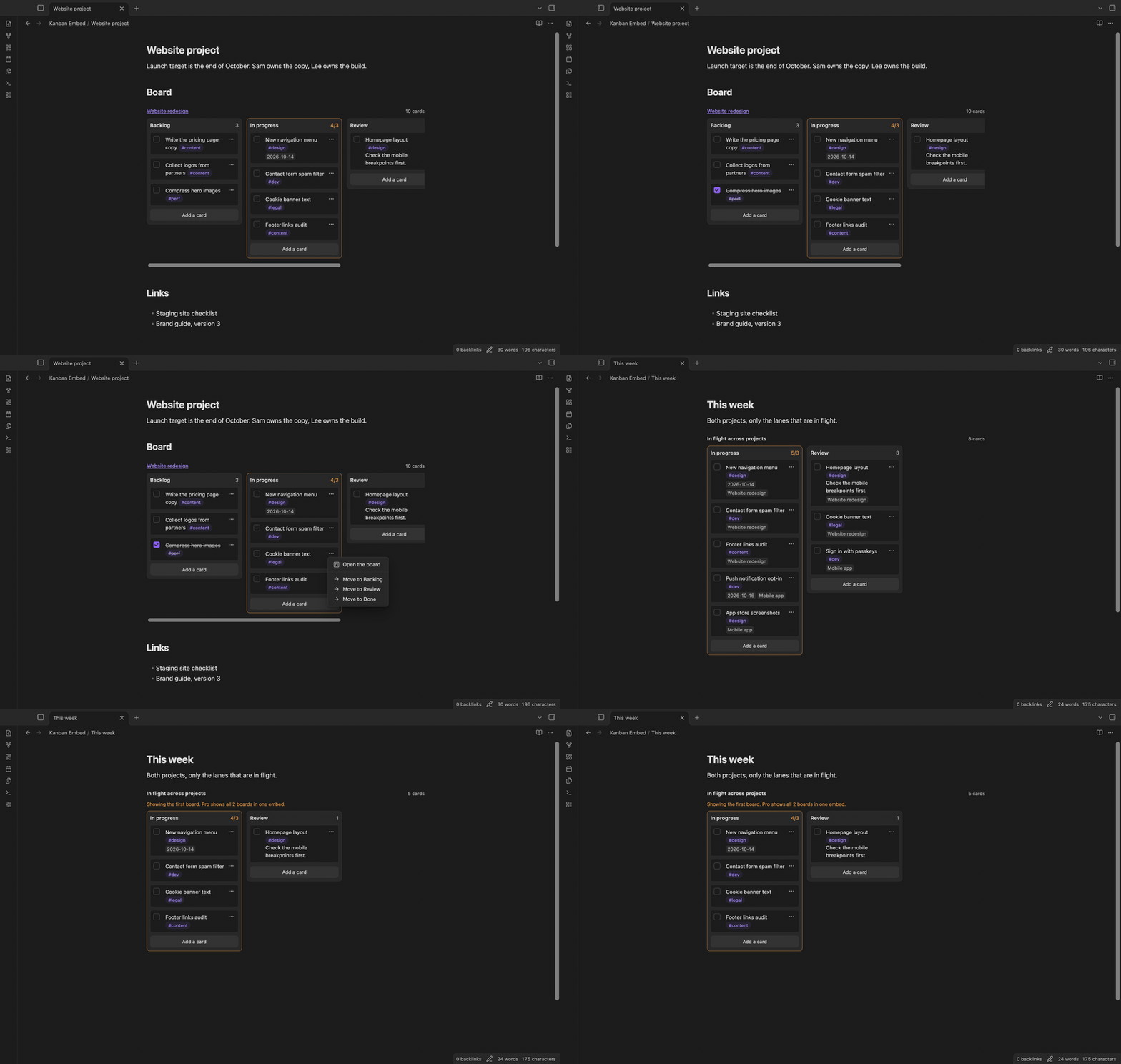
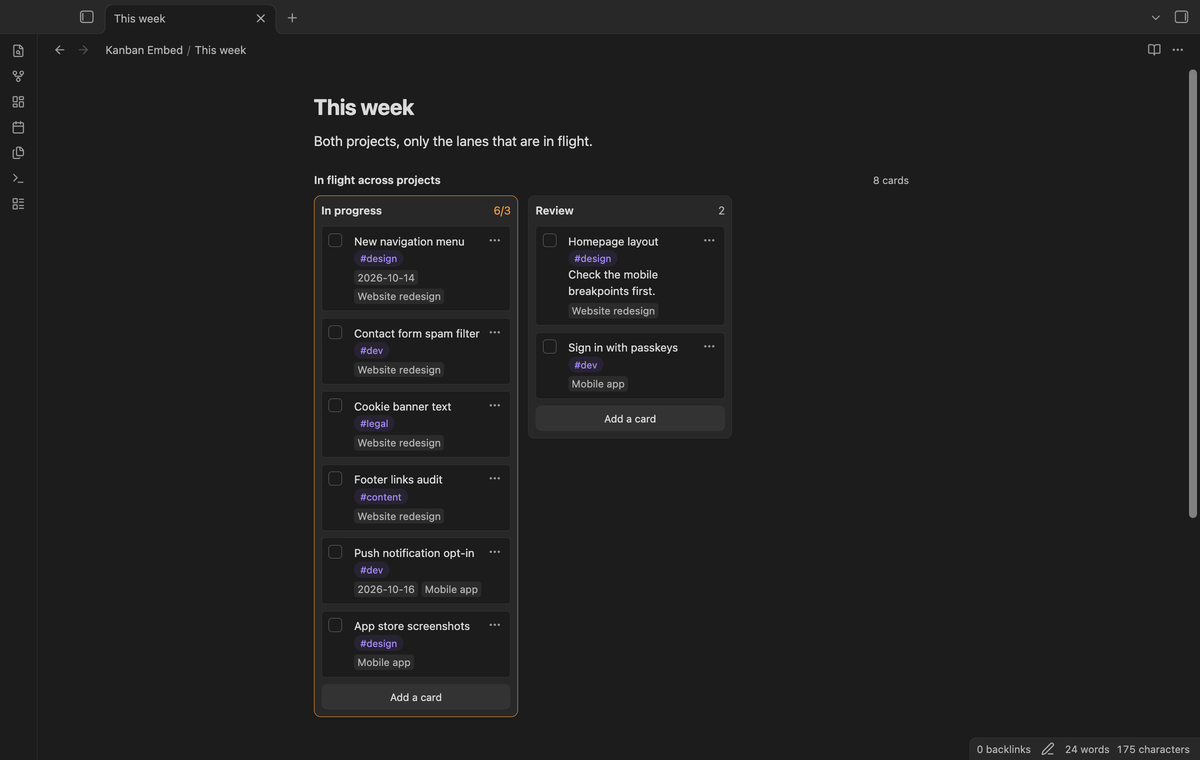
Add a kanban-embed code block with the name of the board. The block shows the lanes side by side, with the board name as a link and the number of cards. Each lane shows its card count. A lane with a card limit, such as ## In progress (3), shows 4/3 and gets a warning border when it is over the limit.
Cards show their links, tags and formatting. A date such as @{2026-10-14} shows as a chip. The block works in Reading view and in Live Preview.
Pick lanes and hide done cards
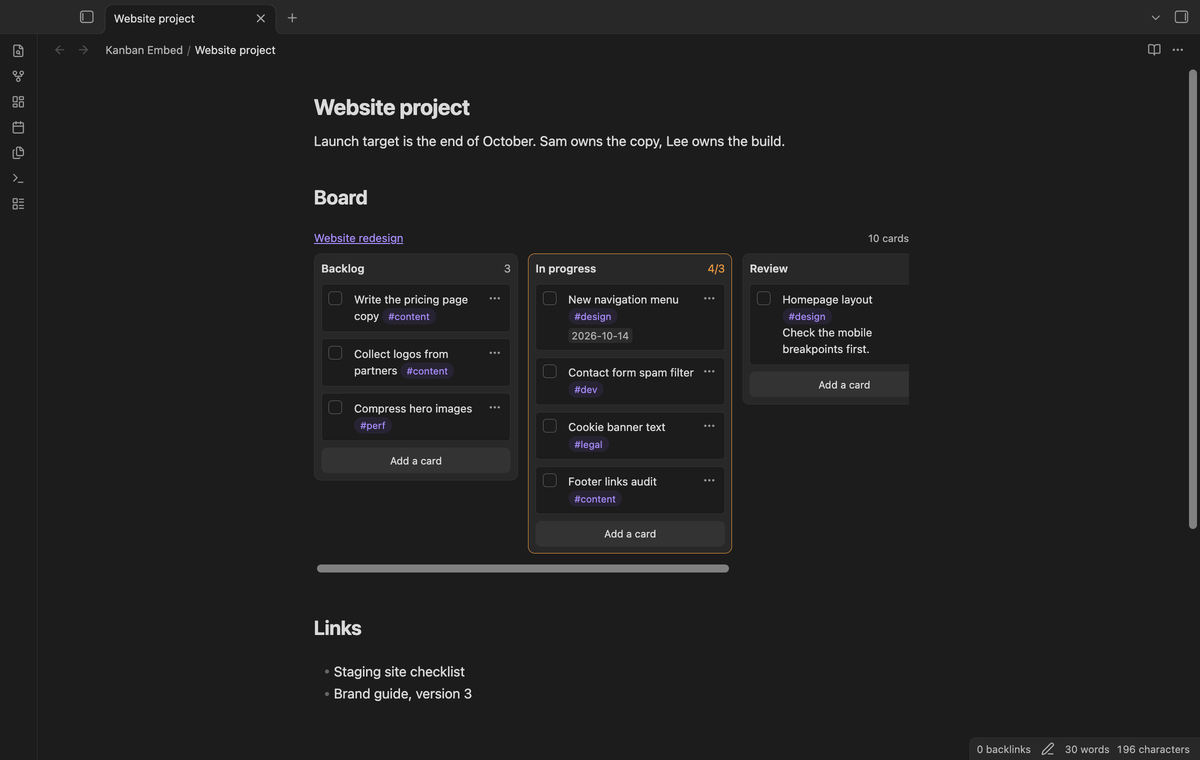
Add lanes: In progress, Review to show only those lanes, in that order. Add hide-done: true to hide checked cards; the header says how many are hidden. A lane name that the board does not have shows a warning.
Check off cards and live update
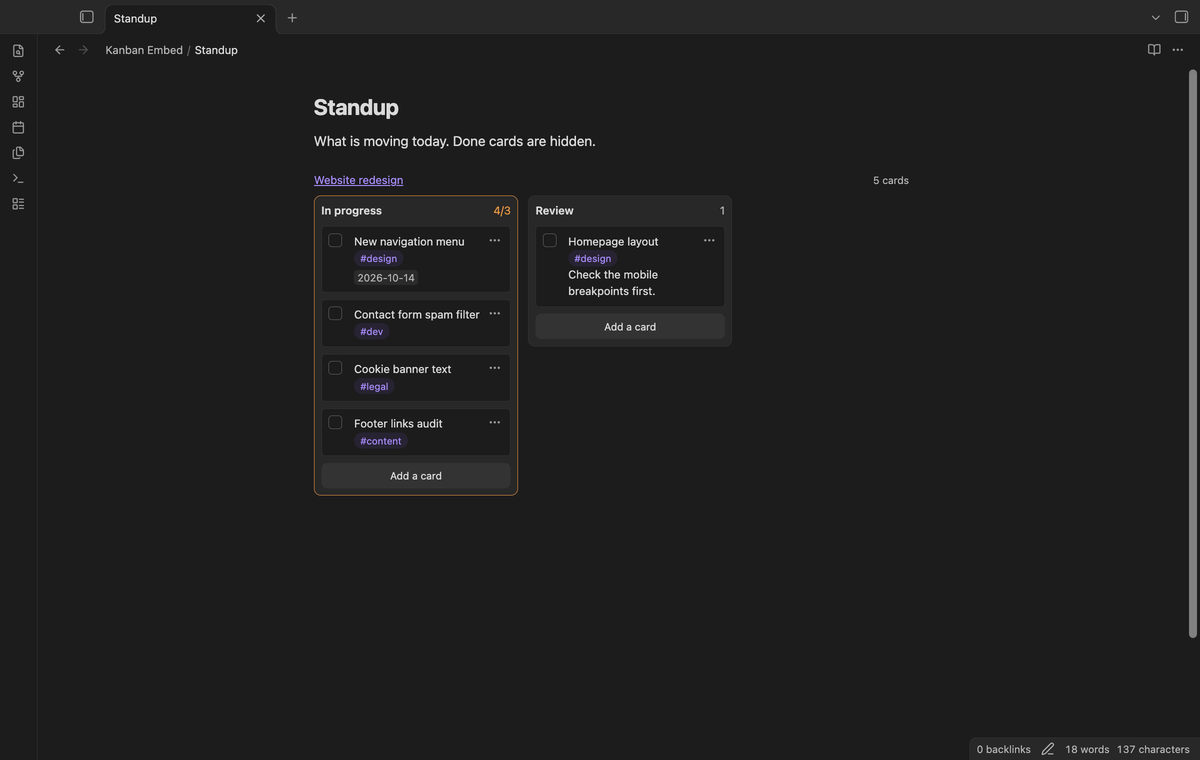
Each card has a checkbox. Select it to check or uncheck the card. Only that one line of the board file changes.
When the Tasks plugin is on, a card that you check gets the Tasks done date, such as ✅ 2026-10-10, and loses it when you uncheck the card. Kanban Embed hands the card line to Tasks, as the Kanban plugin does, so recurring tasks and the date format follow your Tasks settings. Without Tasks the card gets a plain [x].
When the board file changes, in the Kanban plugin or after a sync, every embed of that board draws again. Before each change, Kanban Embed checks that the card line is still the same as on screen. If it is not, it does not write.
Move cards (Pro)
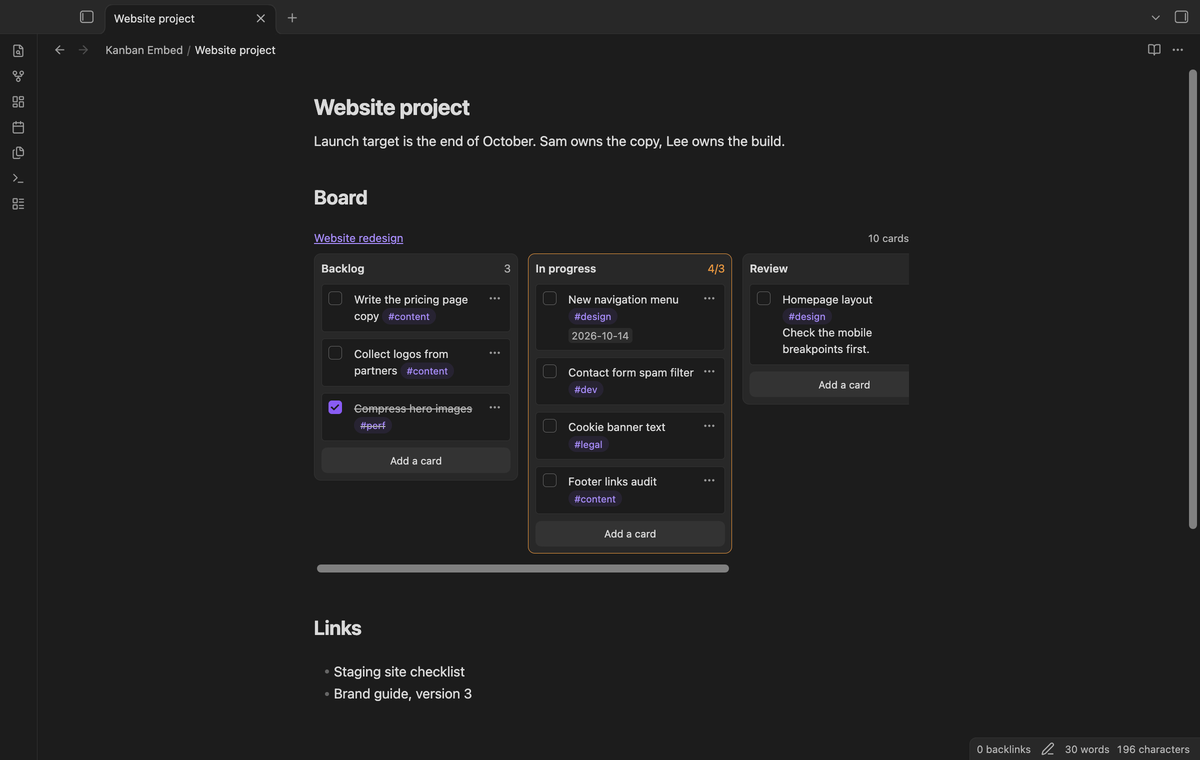
Drag a card to another lane, or to another place in the same lane. On a touch screen, use the card menu and choose "Move to" and a lane. A card that moves into a lane with the **Complete** marker is checked, with the Tasks done date when Tasks is on. A card that moves out of one is unchecked and loses the date.
Add cards (Pro)
Select "Add a card" at the bottom of a lane, type the text and press Enter. The card goes to the end of the lane. Escape cancels.
Several boards in one embed (Pro)
List more than one board, such as board: [[Website redesign]], [[Mobile app]]. Lanes with the same name become one column. Each card shows the name of its board. Moves stay inside the board of the card.
Card filter (Pro)
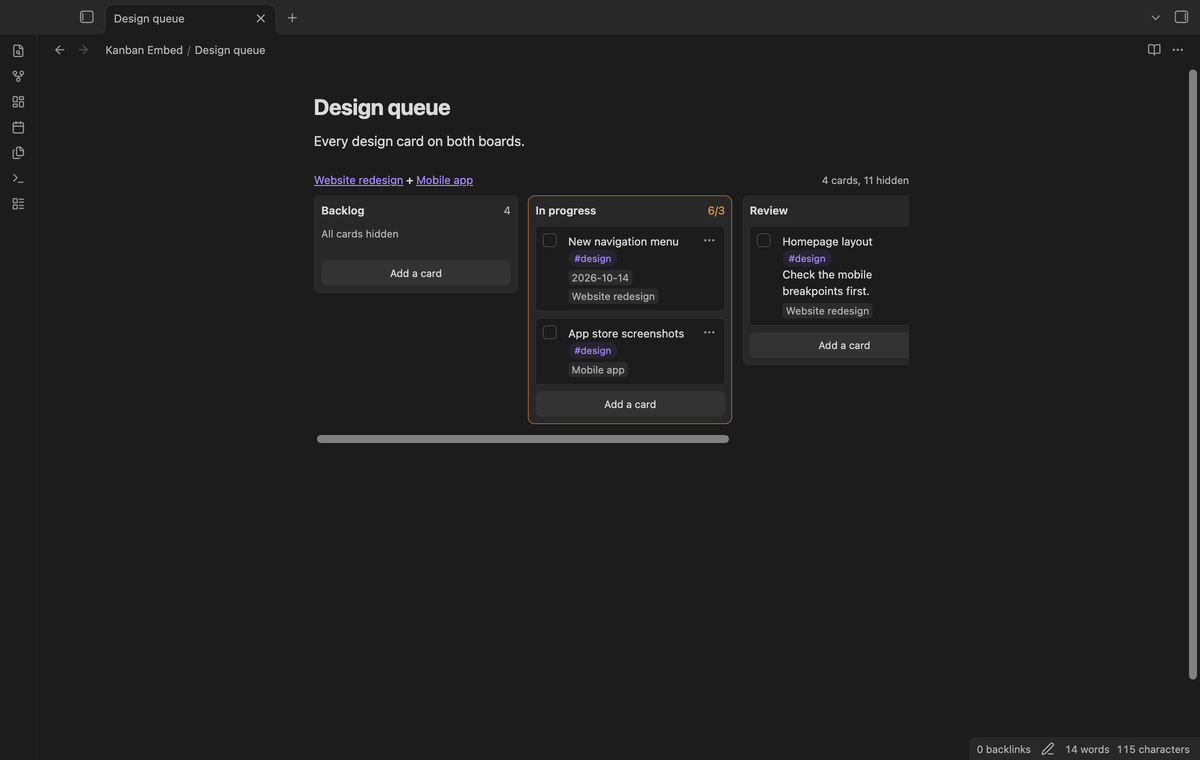
Add a line such as filter: #design or filter: login #dev. A card shows only when it has every word. A word with # must be a tag of the card, and #design also matches #design/web.
Swimlanes (Pro)
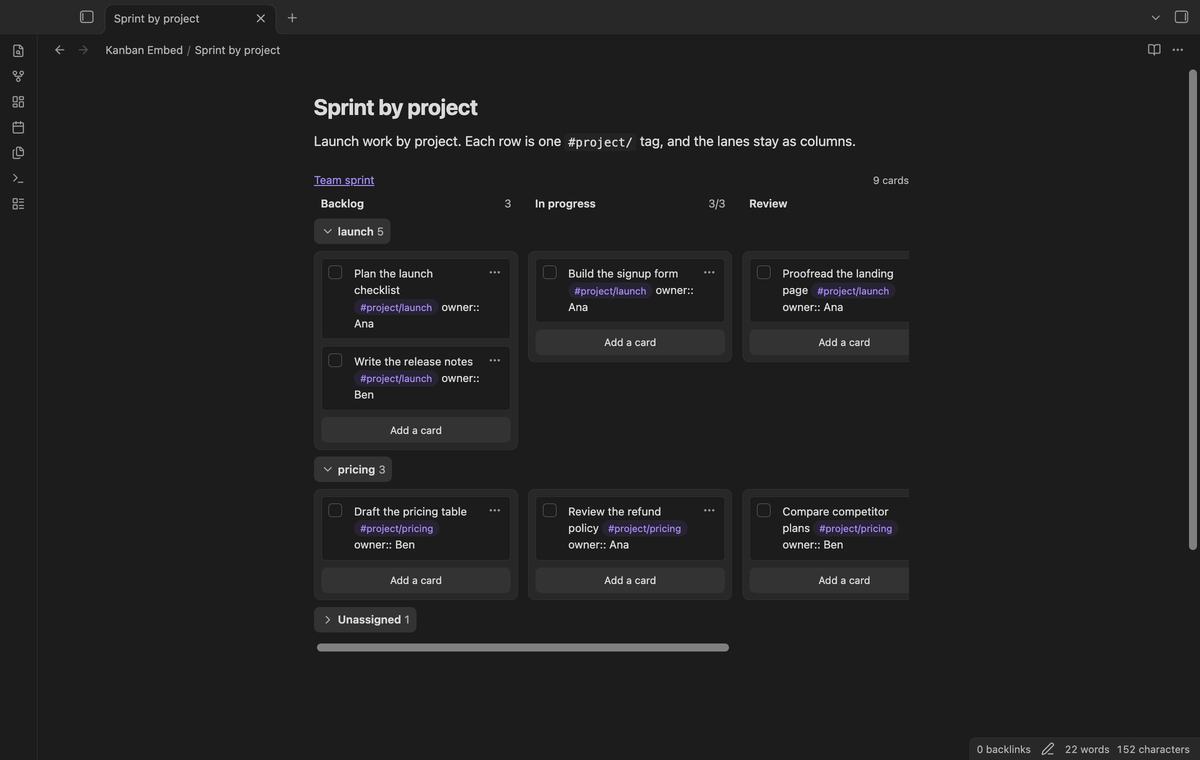
Add swimlane: #project/ to group the cards into rows. Each row is one project tag, such as #project/launch, and the lanes stay as columns. Select a row header to fold the row or open it again. Kanban Embed remembers which rows are folded.
Other forms are swimlane: tag (the first tag of each card), swimlane: #now, #next, #later (these rows in this order) and swimlane: @{owner} (one row for each value of a card field such as [owner:: Ana]). Cards without a value go to an Unassigned row.
Drag a card to another lane inside its row, or use Move to. The card text does not change, so it stays in its row. A drop on another row does nothing. "Add a card" in a row adds that row's tag or field.
Install
Open Settings, then Community plugins, then Browse, and search for "Kanban Embed". Select Install, then Enable.
To install by hand, download main.js, manifest.json and styles.css from the latest release. Put them in <vault>/.obsidian/plugins/kanban-embed/. Reload the community plugins, then turn on Kanban Embed.
Usage
Put the cursor where the board should go, run the command "Insert a board embed" and pick a board. It inserts this block:
```kanban-embed
board: [[Website redesign]]
```
All the lines a block can have:
| Line | What it does |
|---|---|
board: [[Name]] |
The board to show. Also boards:. More than one board is Pro. |
lanes: A, B |
Show only these lanes, in this order. |
hide-done: true |
Hide checked cards. false overrides the setting. |
filter: words |
Only cards with every word. #tag words match tags. Pro. |
swimlane: value |
Rows across the lanes: tag, #prefix/, #a, #b or @{field}. Pro. |
title: Text |
Header text instead of the board name. |
The board name works like a link, so [[Website redesign]] finds the note anywhere in the vault. A line that starts with # or // is a comment. An unknown line shows a warning.
Pro
The free version shows one board per embed, with lane picking, hidden done cards, check-off and live update. It has no time or card limit.
Pro adds moving cards (drag and drop or the Move to menu), adding cards, several boards in one embed, the card filter, and swimlane rows. To get it:
- Sponsor theluckystrike on GitHub Sponsors with $5 a month, or $15 once. When you have paid $15 in total, Pro stays on.
- In Obsidian, open the settings of Kanban Embed and select "Sign in with GitHub".
- Paste the code the plugin shows at github.com/login/device and approve.
If you sponsor after you sign in, select Refresh. If a monthly sponsorship ends before you have paid $15 in total, Pro turns off at the next check, within 7 days.
Settings
| Setting | What it does |
|---|---|
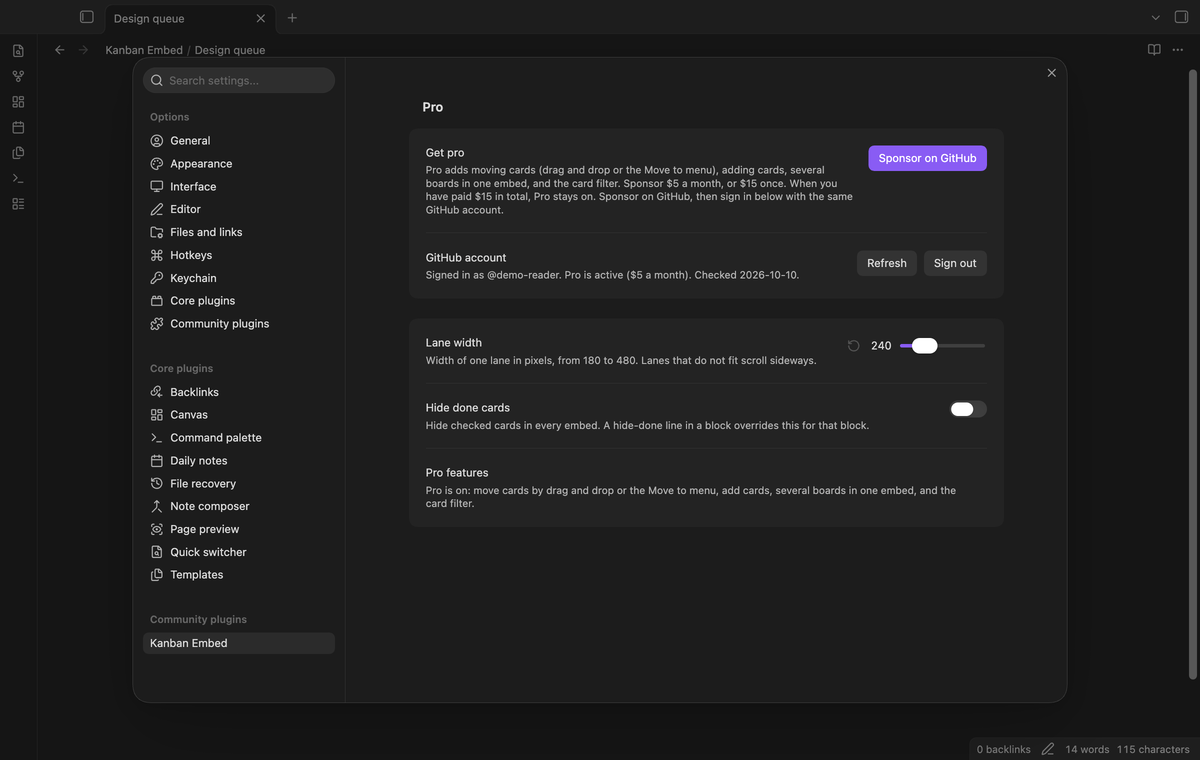
| Pro | Sign in, status, Refresh and Sign out. |
| Lane width | Width of one lane in pixels, from 180 to 480. The default is 240. |
| Hide done cards | Hide checked cards in every embed. A hide-done line wins for its block. |
FAQ
Do I need the Kanban plugin?
No. Kanban Embed reads the board file itself. The Kanban plugin gives the full board view.
Does Kanban Embed change my board files?
Only when you check, move or add a card. Each change edits only the lines of that card. The board settings and the archive stay as they are.
Does it work on a phone or tablet?
Yes. Only drag and drop needs a mouse or trackpad. On a touch screen, use the Move to menu.
Which board format does it read?
The Markdown format of the Kanban plugin: kanban-plugin: board in the frontmatter, one heading per lane and one list item per card. Archived cards do not show.
How is this different from an embed with ![[Board]]?
A normal embed shows the board as Markdown, one heading under the other. Kanban Embed shows the lanes side by side.
Payment, account and network
The core features are free and stay free. Pro features need a GitHub Sponsors sponsorship of theluckystrike: $5 a month or more, or $15 once. When you have paid $15 in total, Pro stays on. Your notes stay readable and editable with or without Pro.
GitHub handles the payment. Sponsor at https://github.com/sponsors/theluckystrike. You need no account for the free features. Pro needs the GitHub account that sponsors.
Until you select "Sign in with GitHub" in the settings, Kanban Embed makes no network requests. Sign in uses the GitHub device flow. Kanban Embed sends its public client ID and the scope read:user to https://github.com/login/device/code and shows you a code. While you enter the code at https://github.com/login/device, it asks https://github.com/login/oauth/access_token every few seconds whether sign in is done. The scope read:user is read-only access to your profile, which GitHub needs to show the sponsorship tier. It gives no access to repositories and no write access.
After sign in, Kanban Embed sends one query to https://api.github.com/graphql: does the signed-in account sponsor theluckystrike, at which tier, and how much it has paid theluckystrike in total. It asks again at most once every 7 days, or when you select Refresh. It sends no note content, file names or other vault data, and it has no telemetry.
Pro keeps working for 14 days without a successful check. The GitHub token stays in the secret storage of Obsidian on this device. It is not written to data.json or other vault files, so it does not sync or reach a git repository. The local storage of this device keeps your GitHub login, the tier and the time of the last check. Sign out deletes the token. You can also revoke the access in your GitHub settings, under Applications.
Support
Report a bug or ask for a feature in the issue tracker of this repository. To support the work, use GitHub Sponsors.
npm ci
npm run build
npm test
License
MIT