Jira Issue Manager
 alamion3k downloads
Get Jira issues, create and update them. Issue status and worklog management.
- Overview
- Scorecard
- Updates31
A two-way Jira synchronization plugin for Obsidian. Templates, custom field mapping, time tracking, and batch operations — all without leaving your notes.
https://github.com/user-attachments/assets/55cb2c99-34a9-47fc-85f1-f79dba5a27b1
Features
- Full two-way sync — fetch issues from Jira, edit in Obsidian, push changes back
- Custom templates — structure your issue notes however you want using
jira-sync-section,jira-sync-line, andjira-sync-inlinemarkers that are hidden from view - Deep field mapping — sync any Jira field, including custom fields from ScriptRunner, Insight, and other add-ons. Built-in mappings for 15+ standard fields, with support for custom JavaScript transform functions
- Time tracking — built-in work log statistics and batch submission. Supports Timekeep and Super Simple Time Tracker formats
- Status management — transition issues through workflows directly from Obsidian
- Multiple authentication methods — Bearer Token (PAT), Basic Auth, or Session Cookie
- Multi-connection support — work with multiple Jira instances
- JQL search and batch fetch — find and pull in issues by query
- Inline comments — add comments to Jira issues with text selection support
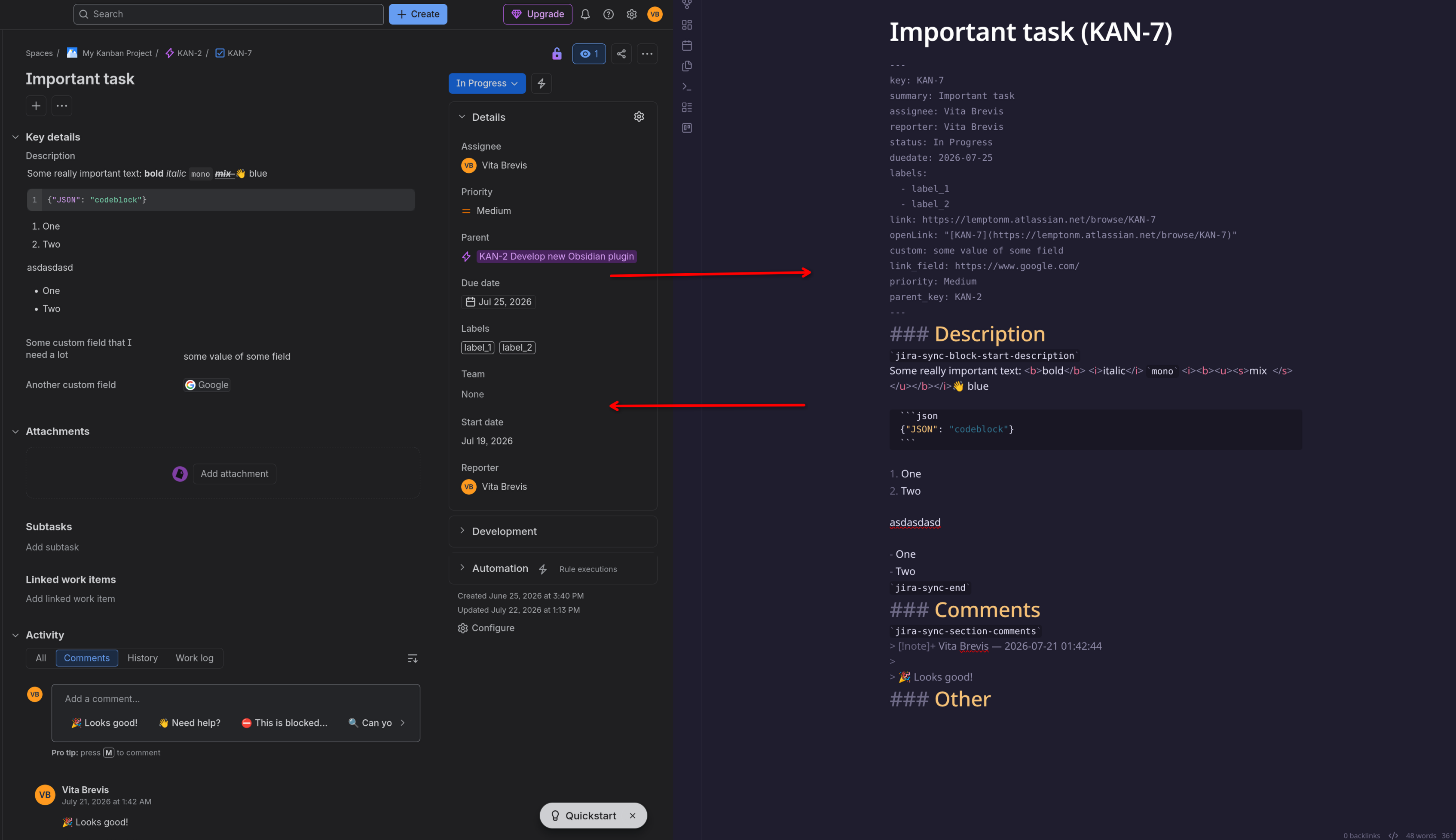
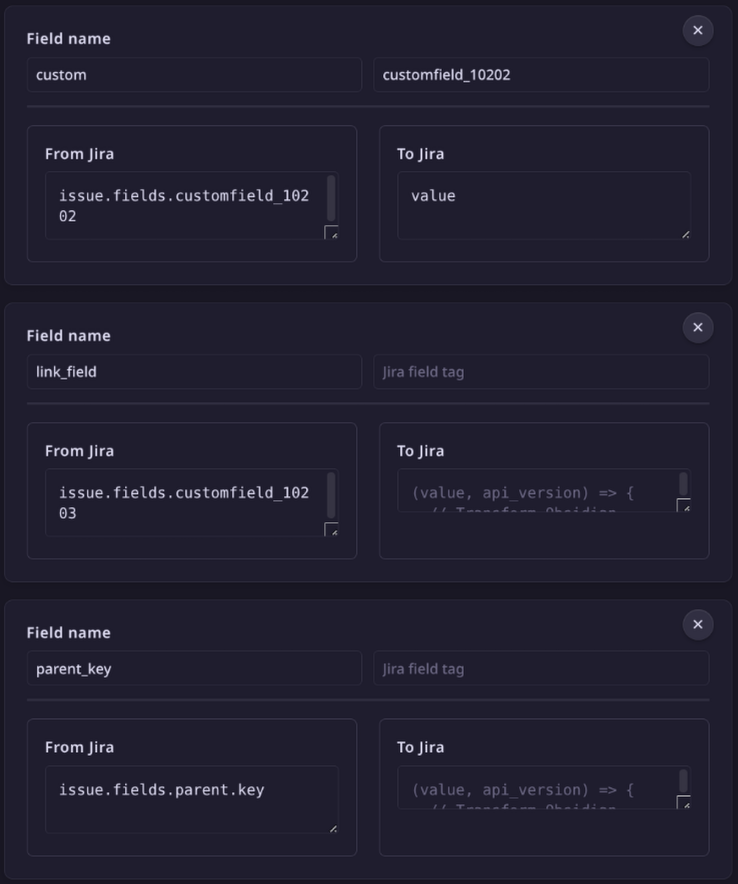
Quick start
- Install from Community Plugins → search "Jira Issue Manager"
- Open Settings → configure Jira URL and authentication
- Use
Get issue from Jira with custom keyfrom the command palette - Edit your note — changes sync back with
Update issue in Jira
Documentation
Why this one?
Most Jira plugins for Obsidian treat issues as read-only. This one is built for people who want to work in Obsidian and push changes back to Jira. Key differentiators:
- True two-way synchronization (not just display)
- Support for arbitrary custom fields with programmable mapping
- Integrated time tracking and batch work log submission
- No external dependencies for statistics or time tracking
- Markers are hidden in both Live Preview and Reading mode
License
MIT — originally forked from obsidian-to-jira.
HealthExcellent
ReviewCaution
About
Bring your full Jira workflow into Obsidian with customizable templates and deep field mapping that covers standard, custom, and plugin fields. Sync changes two-way, work offline and push updates back to Jira, track time with integrated work logs, and run batch operations for bulk updates.Details
Current version
1.7.5
Last updated
2 months ago
Created
2 years ago
Updates
31 releases
Downloads
3k
Compatible with
Obsidian 1.10.1+
Platforms
Desktop, Mobile
License
MIT