Video Downloader by Jexyllax
 pierre10 downloads
Download videos and whole series with yt-dlp, from a link’s context menu or a side panel, with subtitles cleaned up and embedded.
- Overview
- Scorecard
- Updates3
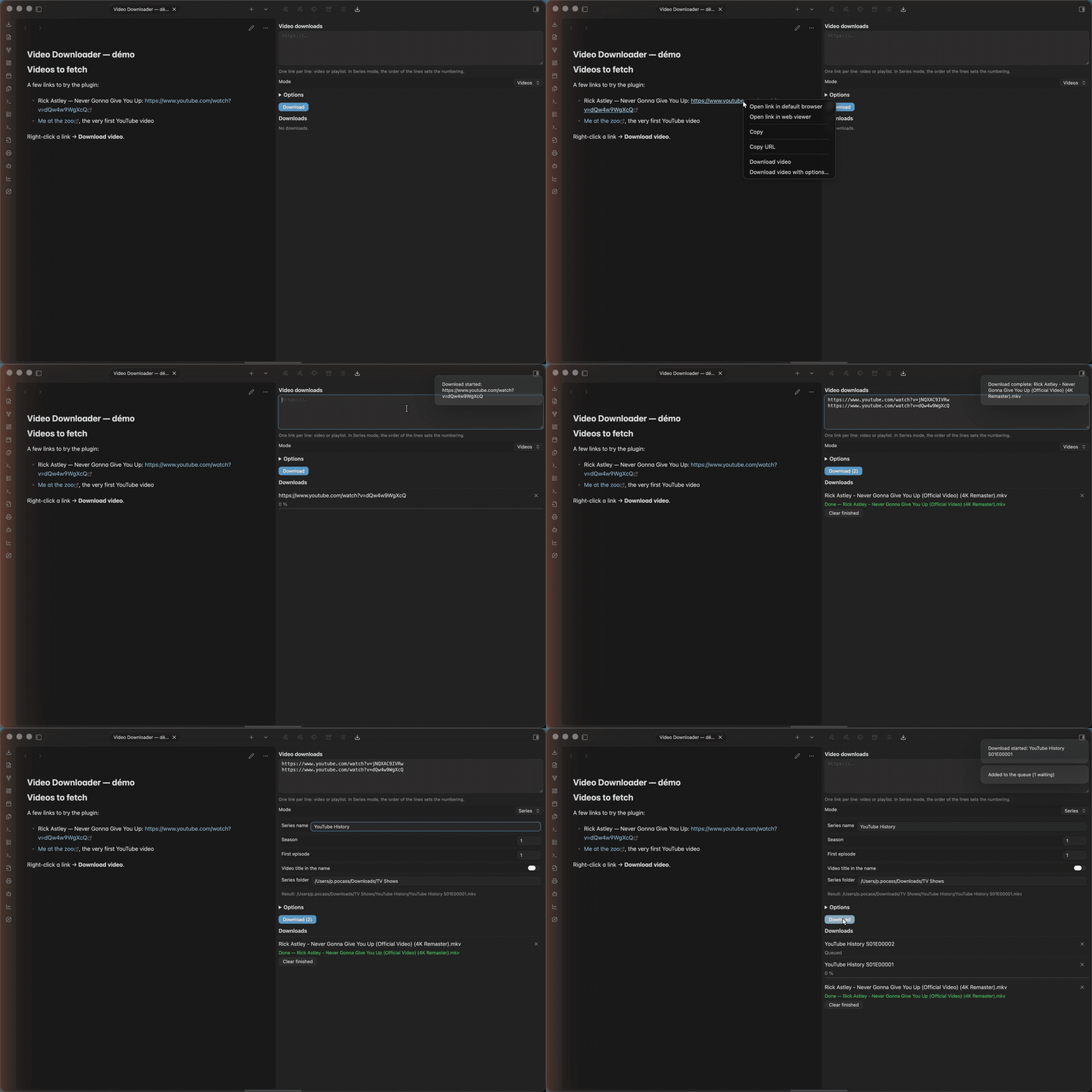
Download videos from a note, without leaving Obsidian: right-click a link, or
paste a list of links in a side panel — including whole series, numbered like
Name S01E00001.mkv.
The plugin is a front end for yt-dlp, ffmpeg and deno. It can install the three of them for you, in its own folder, from their official release pages.
Status: written and tested on macOS (Apple Silicon). Linux and Windows builds are wired in but have not been tested yet.
Use
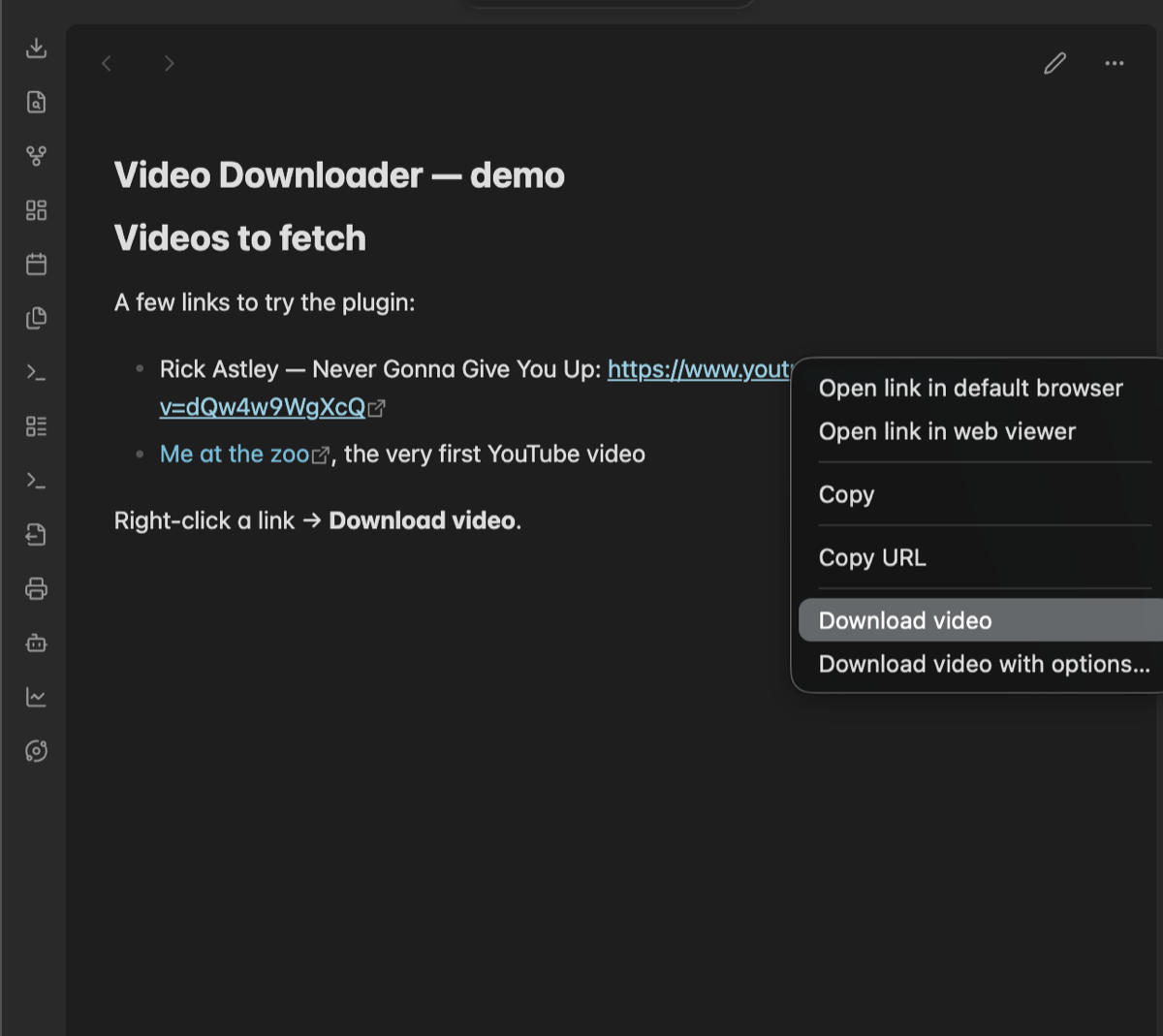
Right-click a link (reading mode, Live Preview or source mode):
- Download video — starts at once with the defaults from the settings.
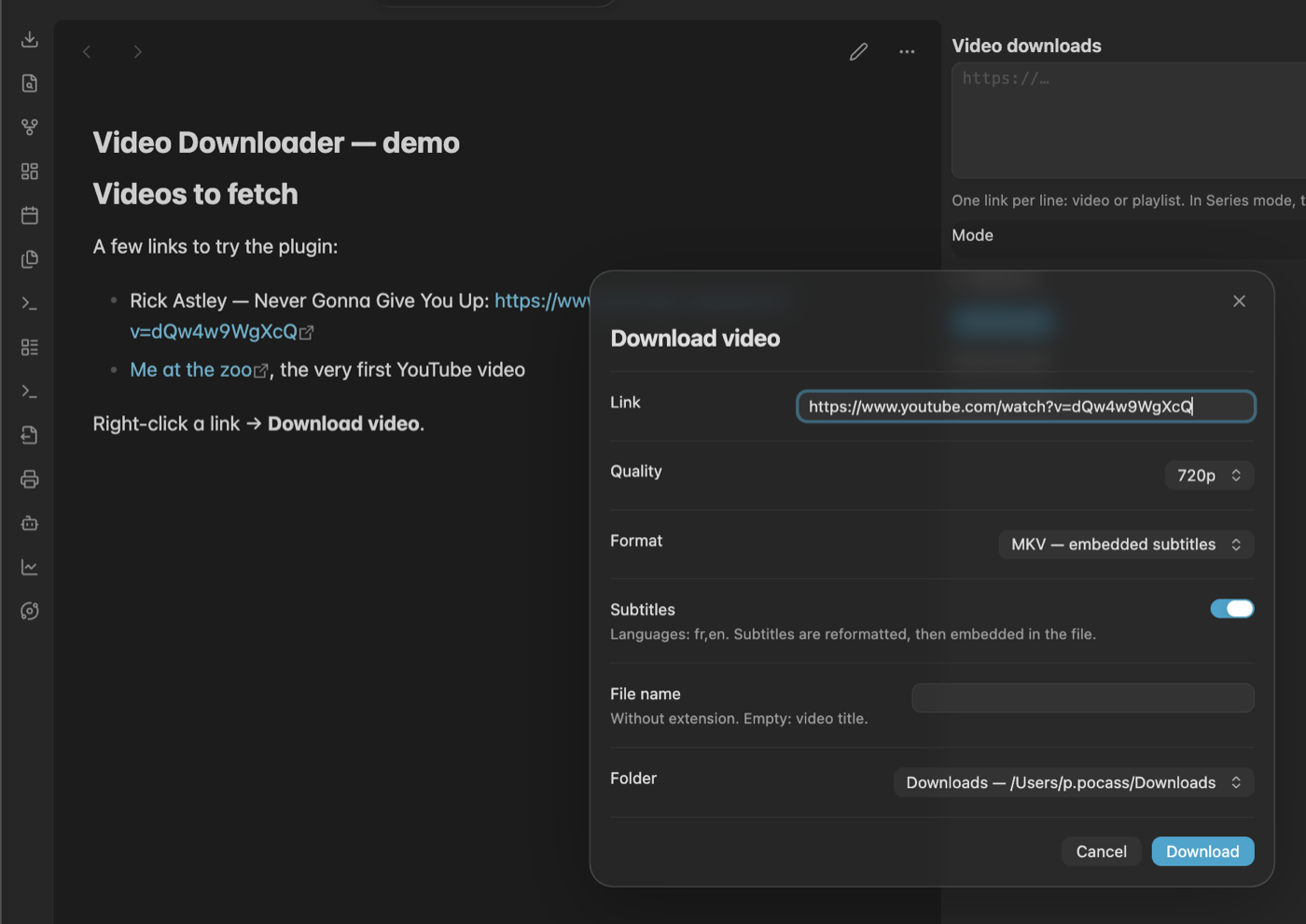
- Download video with options… — a small dialog, pre-filled with the
defaults, where you only change what differs for this download: quality,
format, subtitles, file name, destination folder.
Entervalidates.
Side panel (ribbon icon ⬇, or the command Open the download panel):
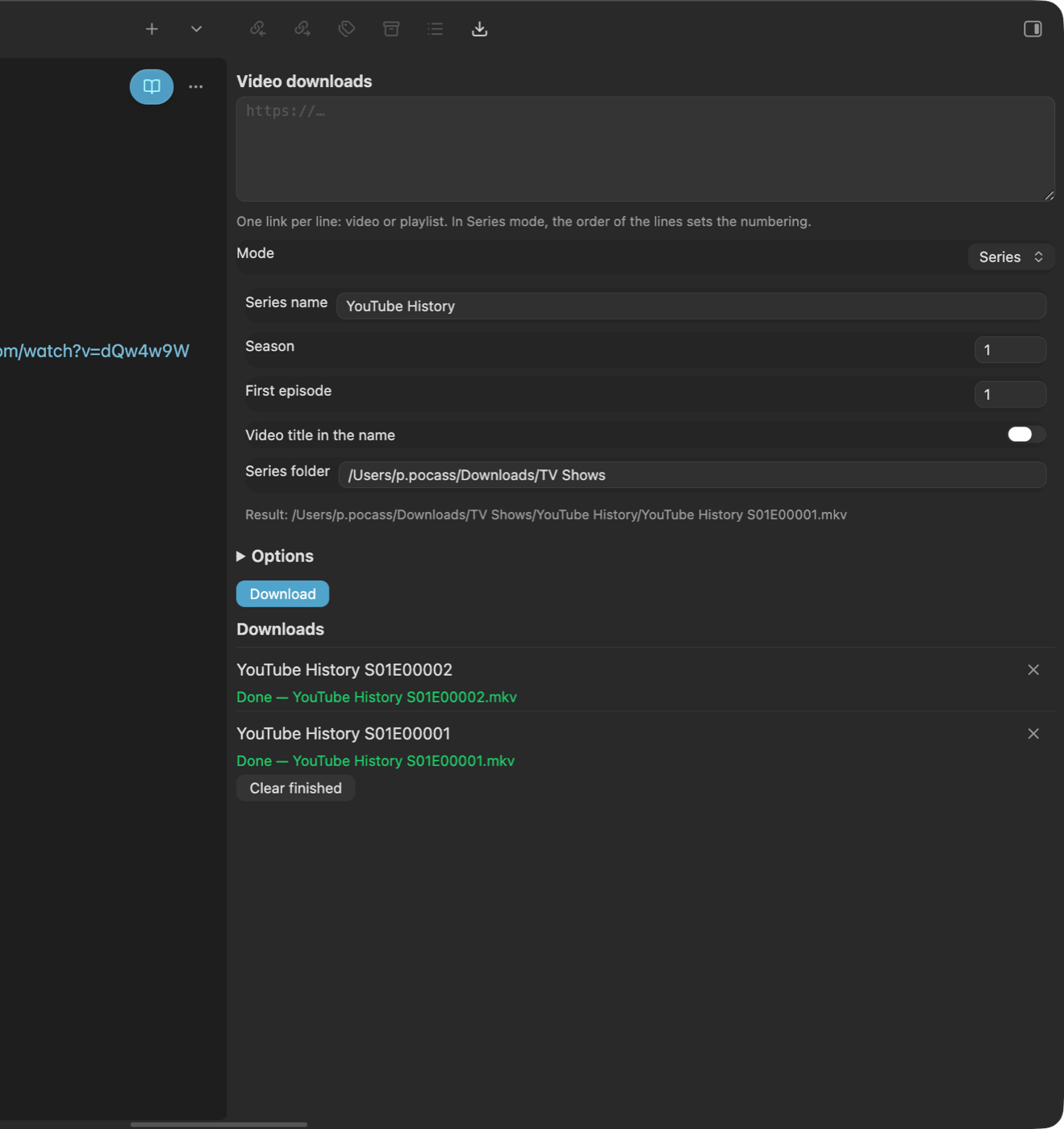
- Paste one link per line — videos or playlists — and press Download.
- Videos mode uses the defaults.
- Series mode names the files
Name S01E00001.mkv,…E00002, … in the order of the lines, optionally followed by the video title, inside<series folder>/<Name>/. A playlist link numbers each of its items. - The list below the form shows every download with its state and progress. A cross removes a queued download or cancels the running one.
Command palette: open the panel, download the link in the clipboard (with or without options), cancel the current download.
Status bar: progress of the current download and the number of queued ones; click to cancel.
Folder fields suggest existing folders as you type, like Obsidian's own attachment-folder setting.
Settings
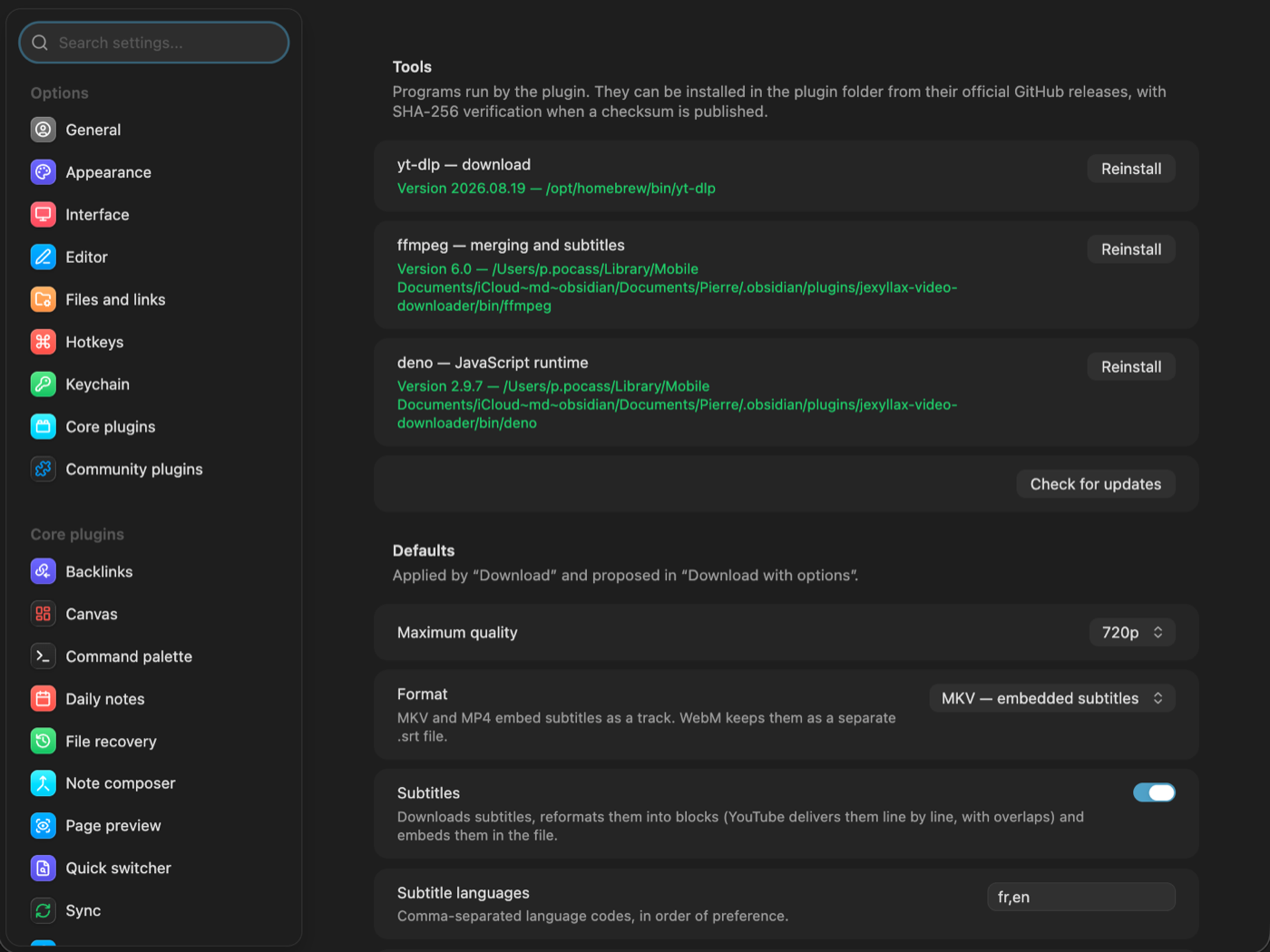
- Tools — the state of yt-dlp, ffmpeg and deno (found with its version, or missing), with Install / Update / Reinstall buttons. This is the first thing to look at after installing the plugin.
- Defaults — maximum quality (720p / 1080p / 1440p), container (MKV and
MP4 embed subtitles as a track, WebM keeps a separate
.srt), subtitles and their languages, keep the video title as file name. - Folders — up to three destination folders (the first is the default), the series folder, title in episode names.
- Interface — language (follows Obsidian, French or English), offer the menu on every http(s) link or only on the main video sites, ribbon icon.
- Advanced (hidden by default) — explicit paths for the three tools when automatic detection is not what you want, browser cookies.
How it works — for the curious and the cautious
The plugin is a single file of plain JavaScript, main.js, with no build
step and no dependency. Everything it does is visible in that file.
What it runs. For each download it spawns yt-dlp directly (no shell),
with an argument list you can read in buildArgs():
--newline --no-colors --no-quiet --no-simulate
--print after_move:JXVD_FILE:%(filepath)s
--embed-chapters --embed-metadata
--ffmpeg-location <ffmpeg>
[--cookies-from-browser <browser>]          only if enabled in Advanced
-f "bestvideo[height<=1080]+bestaudio/best[height<=1080]"
--merge-output-format mkv                  for MKV
[--write-subs --write-auto-subs --sub-langs fr,en --sub-format srt --convert-subs srt]
-o "<folder>/%(title)s.%(ext)s"            or "<folder>/<Name> S01E%(autonumber)05d.%(ext)s"
--autonumber-start <episode>               in Series mode
-- <url>
The --print line is how the plugin learns the final path of each file.
Nothing else is executed, and nothing is executed without you clicking
Download.
Subtitles. YouTube delivers automatic subtitles as "rolling" lines: one
line per cue, cues that overlap, a scrolling effect. After the download, the
plugin rewrites each .srt next to the video into film-style blocks (two
lines, joined timings, no overlap — see readSrt(), buildBlocks()), then
runs ffmpeg -c copy once to add them as subtitle tracks of the MKV or MP4,
and deletes the .srt. With WebM, which cannot hold text tracks, the cleaned
.srt files stay next to the video. Files that are already clean are left
untouched.
Where the tools come from. When you click Install, the plugin downloads
one file from the latest release of the tool's official GitHub repository —
never from anywhere else — into .obsidian/plugins/jexyllax-video-downloader/bin/:
| Tool | Repository | Checksum |
|---|---|---|
| yt-dlp | yt-dlp/yt-dlp |
verified against the release's SHA2-256SUMS |
| deno | denoland/deno |
verified against the release's .sha256sum |
| ffmpeg | eugeneware/ffmpeg-static (static builds of ffmpeg) |
none published; the binary is run with -version after download |
Releases of this plugin are published by a GitHub Actions workflow
(.github/workflows/release.yml) that attaches build-provenance attestations
to main.js, manifest.json and styles.css; you can verify a downloaded
file with gh attestation verify main.js --repo ppocass/obsidian-jexyllax-video-downloader.
A file whose SHA-256 does not match the published one is deleted, and the install fails visibly. On macOS the quarantine attribute is removed from the downloaded binary so that Gatekeeper lets it run. Update and Reinstall do the same thing again with the newest release.
How a tool is found. In this order: the explicit path from Advanced if
set, then the plugin's bin/ folder, then the usual locations
(/opt/homebrew/bin, /usr/local/bin, /usr/bin, ~/.local/bin,
~/.deno/bin) and finally the PATH. If you already have the tools, nothing
is downloaded.
Network. The plugin itself contacts the network only when you click Install, Update, Reinstall or Check again (GitHub's API and release downloads). Downloads of videos are made by yt-dlp, which also fetches its own YouTube "challenge solver" script the first time — that is yt-dlp's documented behaviour, not the plugin's. Browser cookies are read by yt-dlp, once per download, only if you enable that option.
Files written. Videos and subtitles in the folder you choose; the tools in
bin/; the settings in data.json. Nothing is written into your notes.
Development
sh tests/run.sh
Tests run outside Obsidian, in JavaScriptCore, with stubs for the Obsidian API. They cover link detection under the cursor, the yt-dlp arguments, series numbering, folder suggestions, the parsing of yt-dlp's output, the subtitle clean-up (checked byte for byte against the original Python script on real YouTube captions), tool detection and checksums, and the translation tables.
Licence
MIT.