Search...Search plugins and themes...
⌘K
Sign in
  • Get started
  • Download
  • Pricing
  • Enterprise
  • Account
  • Obsidian
  • Overview
  • Sync
  • Publish
  • Canvas
  • Mobile
  • Web Clipper
  • CLI
  • Learn
  • Help
  • Developers
  • Changelog
  • About
  • Roadmap
  • Blog
  • Resources
  • System status
  • License overview
  • Terms of service
  • Privacy policy
  • Security
  • Community
  • Plugins
  • Join the community
  • Discord
  • Forum / 中文论坛
  • Merch store
  • Brand guidelines
Follow us
DiscordTwitterBlueskyThreadsMastodonYouTubeGitHub
© 2026 Obsidian

Janitor

canna71canna7151k downloads

Perform cleanup tasks on your vault.

Add to Obsidian
  • Overview
  • Scorecard
  • Updates12

This plugin helps keeping the vault under control, by possibily removing the following resources.

Orphan files

These are media or attachments that are not referenced anywhere. Janitor looks also in frontmatters (for example for annotation-target or similar)

Empty files

These are files either empty or consisting only of whitespace (newlines, tabs, and so on)

Big Files

You can specify a limit size and Janitor will prompt you delete big files. Use it at your own risk. By default Janitor will prompt if about to delete a big file, even if the "ask confirmation" setting is disable.

Expired Notes

Janitor uses an approach similar to Obsidian Expiring Notes in which a (configurable) attribute is looked for in the frontmatter in order to set an expiration date to notes. For Example:

---
expires: 2022-09-01
---

Janitor also comes with utilities command used to easily set expiration date into notes.

Excluded Files

Janitor can exclude files that are excluded by Obsidian (Settings->Files & Linkds->Excluded files) but users can also specify different criterias for exclusions (for example based on file extension or path).

How to run

Janitor could be set to run at startup. If "ask confirmation" is set, it will prompt the user with a confirmation dialog. User can select which files to delete and which action to perform (trash in Obsidian, trash in OS or delete permanently).

Janitor scan can also be launched from a ribbon button or from commands.
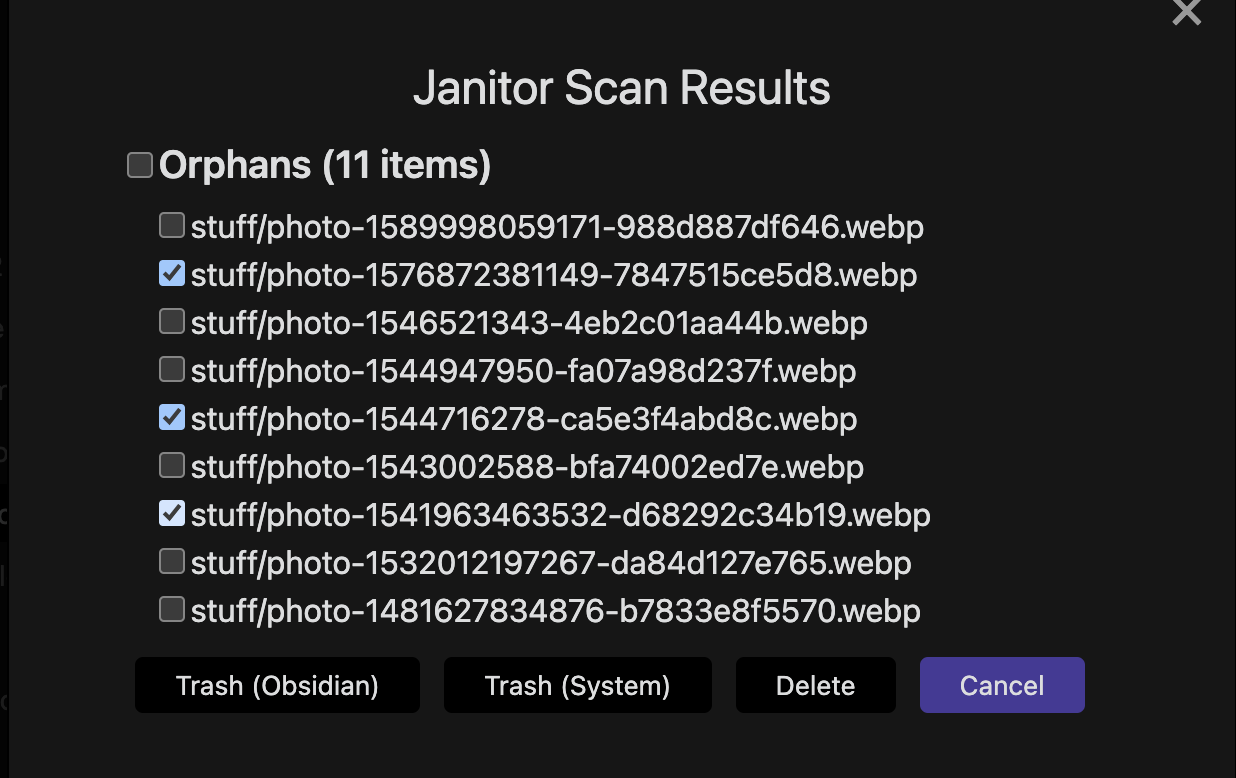
Scan Result Dialog

79%
HealthExcellent
ReviewCaution
About
Clean your vault by finding and removing orphan attachments, empty or whitespace-only files, oversized files, and notes expired by a frontmatter date. Exclude files via Obsidian or custom rules, run scans on demand or at startup, and choose per-file actions with confirmation prompts.
AttachmentsFilesDates
Details
Current version
1.1.3
Last updated
Last week
Created
4 years ago
Updates
12 releases
Downloads
51k
Compatible with
Obsidian 0.15.0+
License
OTHER
Report bugRequest featureReport plugin
Sponsor
Buy Me a Coffee
Author
canna71canna71
github.com/Canna71
GitHubcanna71
  1. Community
  2. Plugins
  3. Attachments
  4. Janitor

Related plugins

Thino

Quickly capture memos and display them in the sidebar with a heatmap. (Closed source)

Custom Attachment Location

Customize attachment location with variables($filename, $data, etc) like Typora.

Vault Changelog

Maintain a changelog of recently edited notes.

Tasks

Track tasks across your vault. Supports due dates, recurring tasks, done dates, sub-set of checklist items, and filtering.

Day Planner

Day planning from a task list in a Markdown note with enhanced time block functionality.

Recent Files

Display a list of recently opened files.

Omnisearch

Intelligent search for your notes, PDFs, and OCR for images.

Reminder

Manage Markdown TODOs with reminder.

Advanced URI

Control everything with URI.

Periodic Notes

Manage your daily, weekly, and monthly notes.