Search...Search plugins and themes...
⌘K
Sign in
  • Get started
  • Download
  • Pricing
  • Enterprise
  • Account
  • Obsidian
  • Overview
  • Sync
  • Publish
  • Canvas
  • Mobile
  • Web Clipper
  • CLI
  • Learn
  • Help
  • Developers
  • Changelog
  • About
  • Roadmap
  • Blog
  • Resources
  • System status
  • License overview
  • Terms of service
  • Privacy policy
  • Security
  • Community
  • Plugins
  • Themes
  • Discord
  • Forum / 中文论坛
  • Merch store
  • Brand guidelines
Follow us
DiscordTwitterBlueskyThreadsMastodonYouTubeGitHub
© 2026 Obsidian

Image Tools

hosstellhosstell7k downloads

Formatter for image on page.

Add to Obsidian
  • Overview
  • Scorecard
  • Updates8

This repository is a plugin designed for Obsidian.

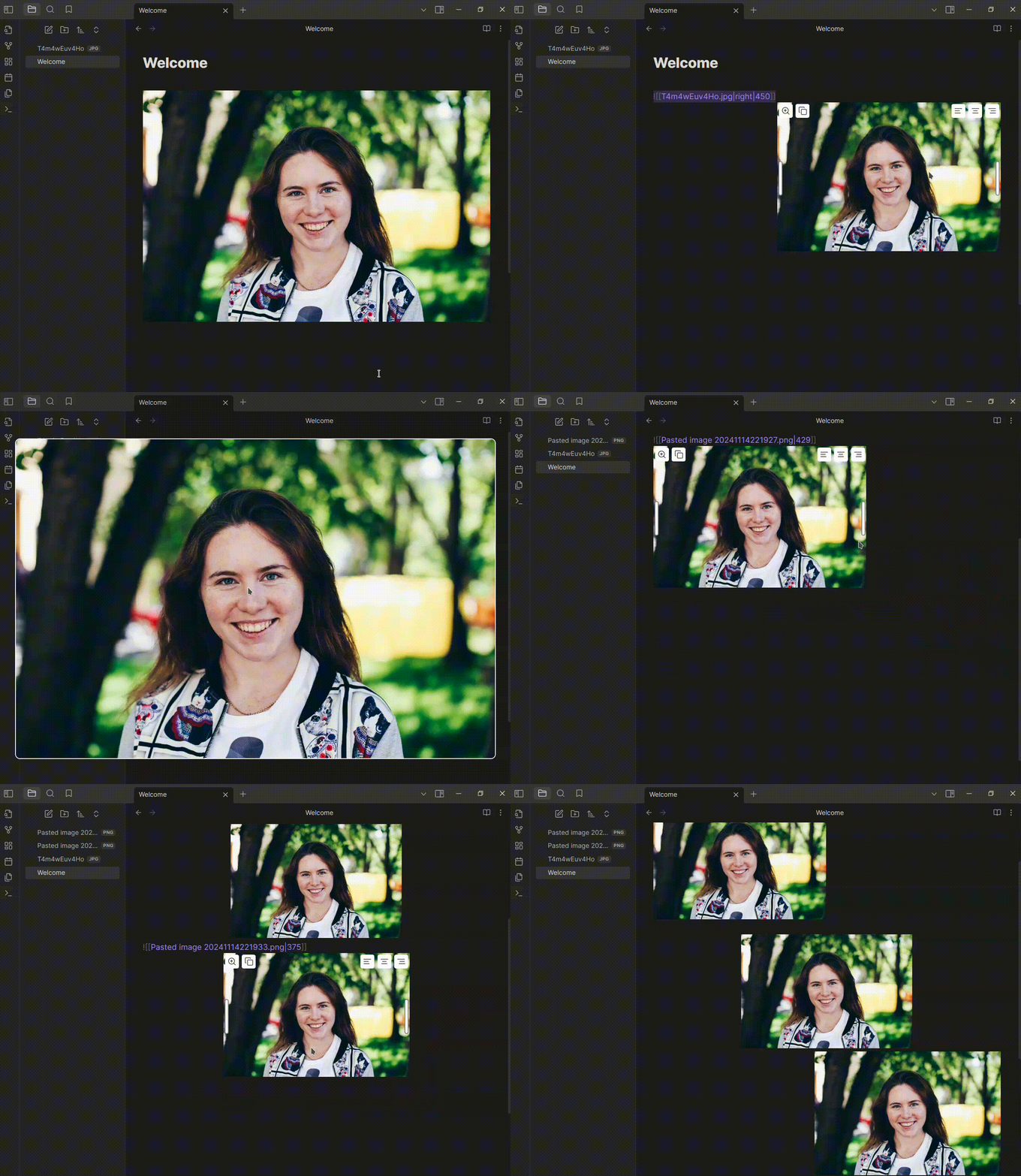
With this plugin, you can:
• Resize images on the page effortlessly by dragging your cursor
• Adjust image alignment (left, center, right) with ease
• Open images in full screen for a better view

Example:
77%
HealthGood
ReviewCaution
About
Resize images by dragging to change dimensions. Align images left, center, or right, and open images in fullscreen for a closer view.
ImagesEditingFormatting
Details
Current version
1.1.2
Last updated
3 months ago
Created
2 years ago
Updates
8 releases
Downloads
7k
Compatible with
Obsidian 0.15.0+
Platforms
Desktop, Mobile
License
MIT
Report bugRequest featureReport plugin
Author
hosstellhosstell
github.com/Hosstell
GitHubhosstell
  1. Community
  2. Plugins
  3. Images
  4. Image Tools

Related plugins

Easy Typing

Auto format when typing.

List Callouts

Create simple callouts in lists.

Image Captions

Add captions to images with inline Markdown and link support. The caption format is compatible with the Commonmark spec and other Markdown applications.

Symbols Prettifier

Prettify the symbols with actual symbols you commonly type, like arrows.

Smart Typography

Convert quotes to curly quotes, dashes to em dashes, and periods to ellipses.

Advanced Tables

Improved table navigation, formatting, and manipulation.

Meta Bind

Make your notes interactive with inline input fields, metadata displays, and buttons.

Outliner

Work with your lists like in Workflowy or Roam Research.

Various Complements

Complete words similar to auto-completion in an IDE.

Creases

Tools for effectively folding Markdown sections.