Search...Search plugins and themes...
⌘K
Sign in
  • Get started
  • Download
  • Pricing
  • Enterprise
  • Account
  • Obsidian
  • Overview
  • Sync
  • Publish
  • Canvas
  • Mobile
  • Web Clipper
  • CLI
  • Learn
  • Help
  • Developers
  • Changelog
  • About
  • Roadmap
  • Blog
  • Resources
  • System status
  • License overview
  • Terms of service
  • Privacy policy
  • Security
  • Community
  • Plugins
  • Themes
  • Discord
  • Forum / 中文论坛
  • Merch store
  • Brand guidelines
Follow us
DiscordTwitterBlueskyThreadsMastodonYouTubeGitHub
© 2026 Obsidian

List Callouts

mgmeyersmgmeyers136k downloads

Create simple callouts in lists.

Add to Obsidian
  • Overview
  • Scorecard
  • Updates26

Create callouts in lists in Obsidian.

Typing a configurable character at the beginning of a list item will turn the item into a callout:
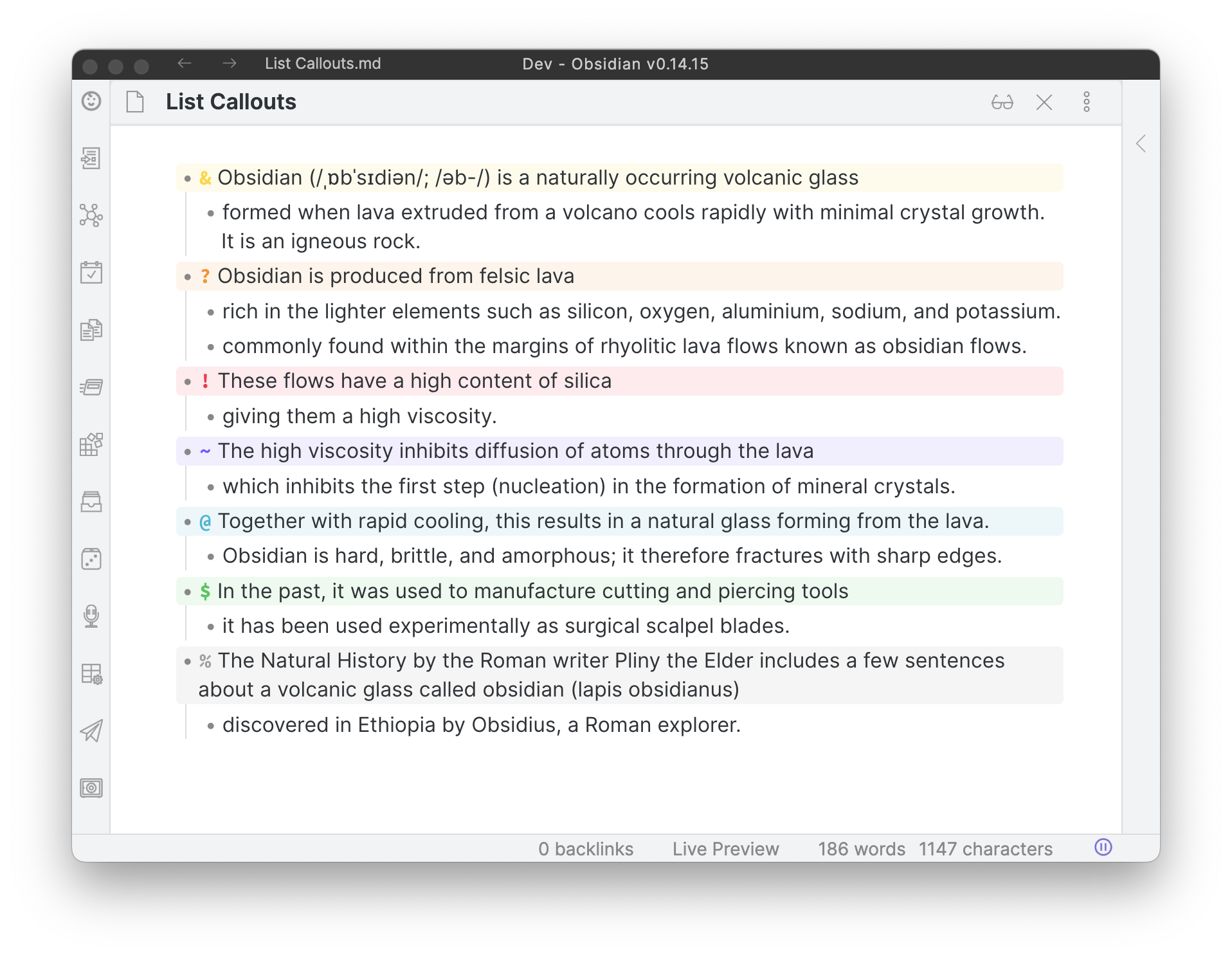
A screenshot of list callouts

The characters can also be replaced with icons:
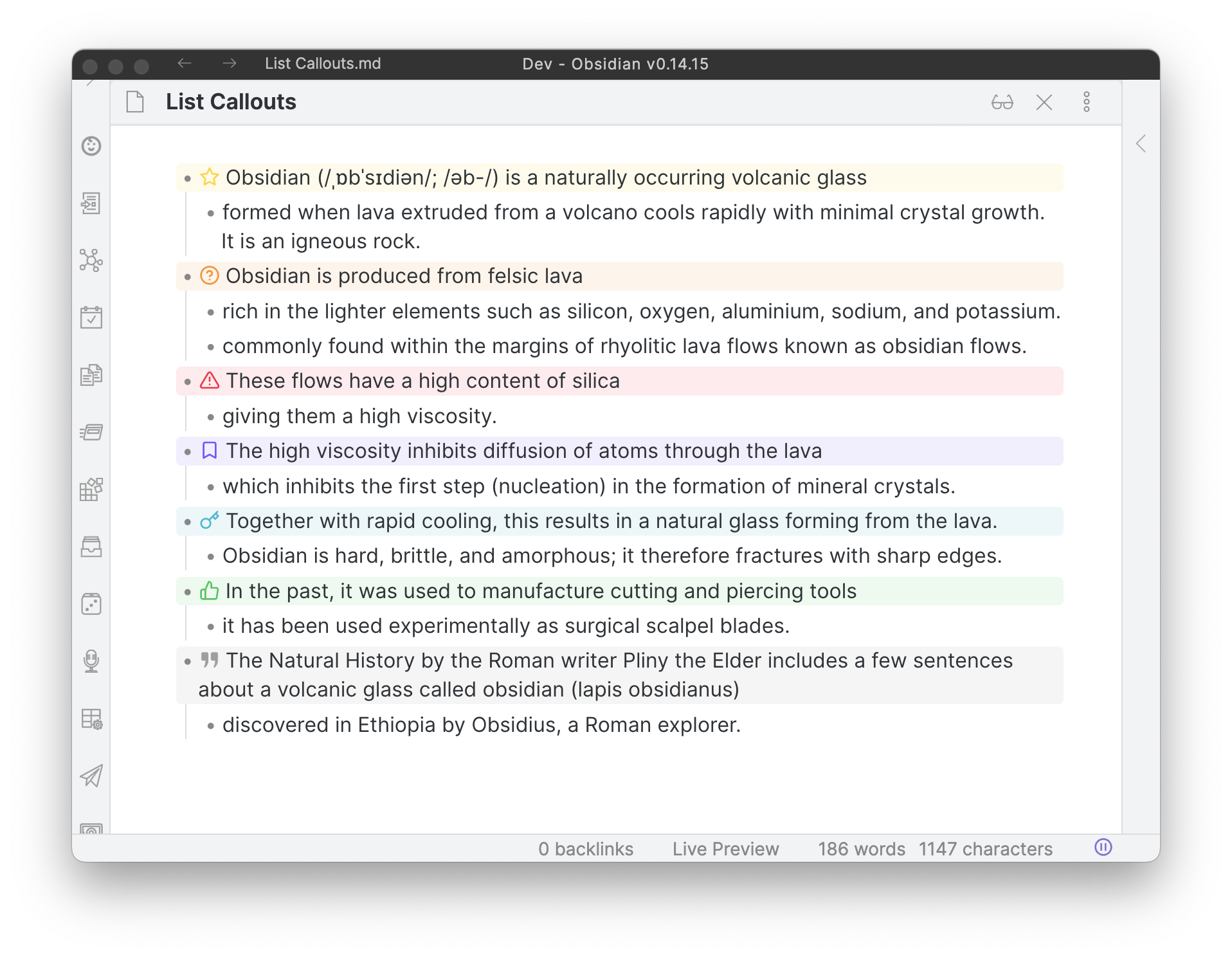
A screenshot of list callouts with icons

The padding of the callouts can be adjusted using the Style Settings plugin.

HealthFair
ReviewCaution
About
Create callouts in lists by typing a configurable character at the start of a list item. Replace trigger characters with icons and adjust callout padding via Style Settings to refine appearance.
FormattingEditingIcons
Details
Current version
1.2.9
Last updated
2 years ago
Created
4 years ago
Updates
26 releases
Downloads
136k
Compatible with
Obsidian 1.1.1+
Platforms
Desktop, Mobile
License
GPL-3.0
Report bugRequest featureReport plugin
Author
mgmeyersmgmeyers
github.com/mgmeyers/obsidian-contextual-typography
GitHubmgmeyers
  1. Community
  2. Plugins
  3. Formatting
  4. List Callouts

Related plugins

Sort and Permute lines

Sort and Permute lines in whole file or selection.

Symbols Prettifier

Prettify the symbols with actual symbols you commonly type, like arrows.

Smart Typography

Convert quotes to curly quotes, dashes to em dashes, and periods to ellipses.

Meta Bind

Make your notes interactive with inline input fields, metadata displays, and buttons.

Advanced Tables

Improved table navigation, formatting, and manipulation.

Thino

Quickly capture memos and display them in the sidebar with a heatmap. (Closed source)

Admonition

Admonition block-styled content.

Outliner

Work with your lists like in Workflowy or Roam Research.

Creases

Tools for effectively folding Markdown sections.

LanguageTool Integration

advanced spell/grammar checks with the help of language-tool.