Search...Search plugins and themes...
⌘K
Sign in
  • Get started
  • Download
  • Pricing
  • Enterprise
  • Account
  • Obsidian
  • Overview
  • Sync
  • Publish
  • Canvas
  • Mobile
  • Web Clipper
  • CLI
  • Learn
  • Help
  • Developers
  • Changelog
  • About
  • Roadmap
  • Blog
  • Resources
  • System status
  • License overview
  • Terms of service
  • Privacy policy
  • Security
  • Community
  • Plugins
  • Themes
  • Discord
  • Forum / 中文论坛
  • Merch store
  • Brand guidelines
Follow us
DiscordTwitterBlueskyThreadsMastodonYouTubeGitHub
© 2026 Obsidian

IMA Share Sync

PittPitt13 downloads

Sync IMA shared text articles to local Markdown notes using Windows desktop automation.

Add to Obsidian
  • Overview
  • Scorecard
  • Updates3

English · 简体中文

Articles others share through IMA become local Obsidian notes for your own research workflow

Turn others’ shared insights into your local research library.

Found valuable investment research, industry insights, or a curated collection shared through IMA? Take it beyond online reading.

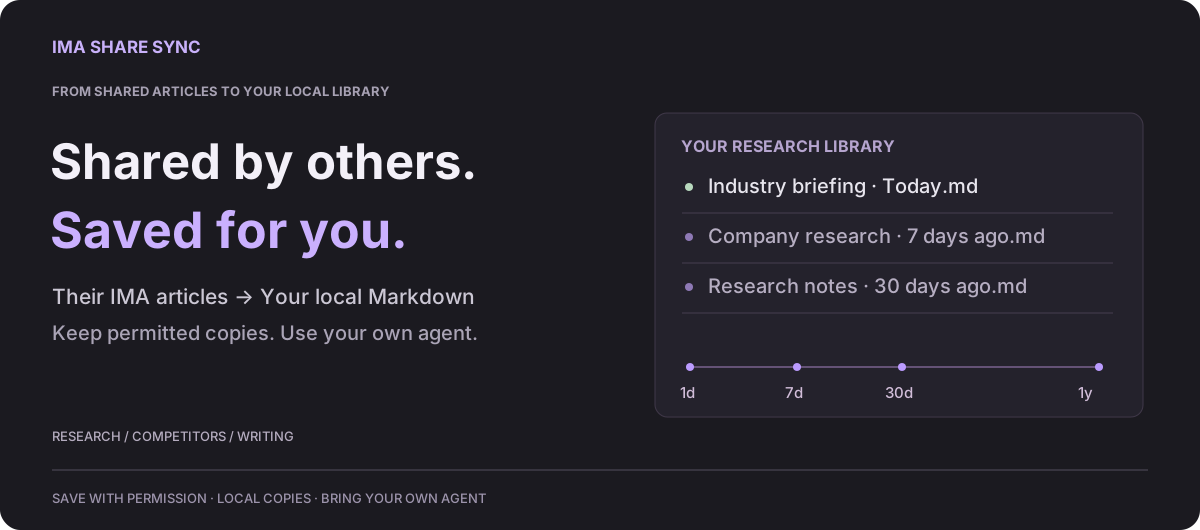
IMA Share Sync saves text articles shared by others through IMA as local Markdown in Obsidian, including paid shares you have permission to save. Build an archive you can search, annotate, and analyze with an AI agent you configure.

Investment research: follow today’s developments, understand what changed

Save investment-bank research and industry articles each day, building a traceable research library alongside your own notes.

Then use your own agent for on-demand or scheduled analysis. Compare yesterday, the past 3 / 7 / 30 days, six months, or a year to see how views, expectations, and evidence about a company or sector have evolved—and identify leads worth investigating.

“How have humanoid robot orders and production expectations changed over the past 7 days? Compared with the preceding 30 days, what is genuinely new and what repeats earlier views? Cite the original sources.”

Don’t just finish today’s reading. Let each day’s material inform your next research question.

More ways to use your archive

Track competitors. Collect product updates and industry analysis. Compare changes in features, pricing, and positioning to inform product decisions.

Write with evidence. Build a topic-based collection, then ask your agent to organize examples, compare perspectives, and retrieve original sources when you write.

Explore use cases and example prompts →

The plugin syncs text; agents and automated analysis require separate setup. Comparisons depend on available history. No live market feed or investment advice.

From shared reading to your own workflow

Choose an IMA source and an Obsidian destination to start syncing. Local Markdown files are easy to back up, move, and use with tools that can read your local archive.

Windows 10+ · Obsidian 1.11.4+ · Signed-in IMA desktop with access to the shared content · No other plugins needed.

Install the latest release with the setup guide. Choose your source and destination, then sync. Startup sync is optional; the plugin UI currently uses Chinese.

Before you sync

  • Recognized saved articles are skipped by default; results are logged.
  • Desktop automation may open IMA; you can stop it. PDFs, images, and attachments are not fully supported.
  • Save only with permission. No paid-content unlocking or bypassing restrictions; local copies do not grant copyright or redistribution rights.

No telemetry or custom upload servers. IMA needs internet; cloud agents or vault-sync services may upload content you authorize.

Licensed under MIT. Independent project, not affiliated with Tencent, IMA, or Obsidian.

Full guide · Technical details · Privacy & security · Feedback

HealthExcellent
ReviewSatisfactory
About
Read daily briefings in an IMA shared knowledge base, but keep your research in Obsidian? IMA Share Sync saves shared text articles to your vault as local Markdown notes, so you can search, annotate, and connect ideas without copying each article by hand. Choose an IMA folder and how many recent articles to check. With the default no-overwrite setting, recognized saved articles are skipped. Review each run in the paginated sync history, including errors. Manual sync starts immediately after initial consent; optional startup sync shows a short preflight prompt with defer and cancel controls. Windows only. Requires a signed-in IMA desktop app and access to the source content. Uses local desktop automation; IMA windows may appear. No other Obsidian plugins are required. Text articles are supported; PDFs, images, and attachments are not fully exported. See the README for setup, permissions, and limitations.
SyncingImport
Details
Current version
0.1.2
Last updated
12 hours ago
Created
2 weeks ago
Updates
3 releases
Downloads
13
Compatible with
Obsidian 1.11.4+
Platforms
Desktop only
License
MIT
Report bugRequest featureReport plugin
Author
PittPittoooing
GitHuboooing
  1. Community
  2. Plugins
  3. Syncing
  4. IMA Share Sync

Related plugins

Pocket Sync

Sync Pocket AI conversations and daily highlights into Markdown notes.

Importer

Convert your data to Markdown files you can use in Obsidian. Works with Apple Notes, OneNote, Evernote, Notion, Google Keep, and many other formats.

Self-hosted LiveSync

Sync vaults securely to self-hosted servers or WEBRTC.

Fast Note Sync

Real-time sync of your vaults across server, mobile, and web; shareable with anyone; supports REST and MCP integrations to build your personal AI knowledge base.

Google Drive Sync

Syncs a vault into Google Drive for cross-platform use (works for iOS).

YAOS

Simple real-time sync powered by your own Cloudflare Worker.

Zotero Integration

Insert and import citations, bibliographies, notes, and PDF annotations from Zotero.

Sync Engine

The extensible vault synchronization engine: Fast · Free · Reliable. Supports WebDAV, S3, and Google Drive.

Relay

Collaborate in real time with live cursors. Share folders. Manage access to updates.

RSS Dashboard

A dashboard for organizing and consuming RSS feeds, YouTube channels, and podcasts with smart tagging, media playback, and seamless content flow.