
- Overview
- Scorecard
- Updates5
Obsidian.md plugin to speed up working with excluded/included folders!
👆 No need to go to settings anymore, just click on a folder!
What does this plugin do?
- 👆 Click on a folder to add it to "excluded files".
- 👆 Click on a folder to remove it from "excluded files".
Some advanced techniques
- Want to focus on a specific folder? Click "Add everything except this folder"!
- Want to remove a folder from "excluded files", but its parent is still in the list? The plugin will automatically remove the parent and add siblings!
- Want to remove several subfolders from "excluded files"? Just click on their parent!
- Want to return to default? Do it in one command!
📖 Manual
The plugin works with folders, not files.
Set "default ignore filters" in settings.
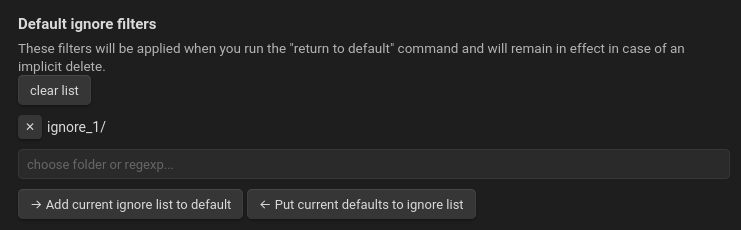
Use the
Ignore Filters Boost: return ignore filters to defaultcommand to return to these filters.The plugin will not remove these folders implicitly: if you try to remove subfolders of a folder from the ignore list, the "default" filters will remain unchanged.
Clicking
Add current ignore list to defaultwill add the "excluded files" that are currently in your project to "default ignore filters".Clicking
Put current defaults to ignore listwill change "excluded files" to the list you see in these settings (same as theIgnore Filters Boost: return ignore filters to defaultcommand).
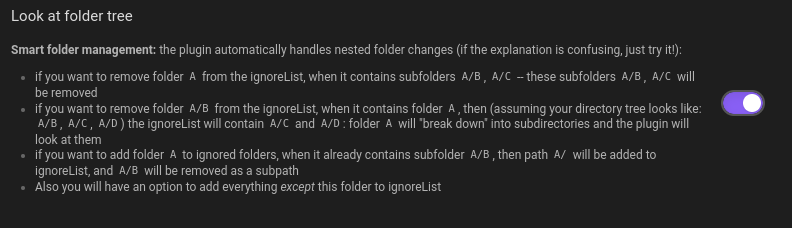 If "Look at folder tree" is off, you'll just add or remove a folder.
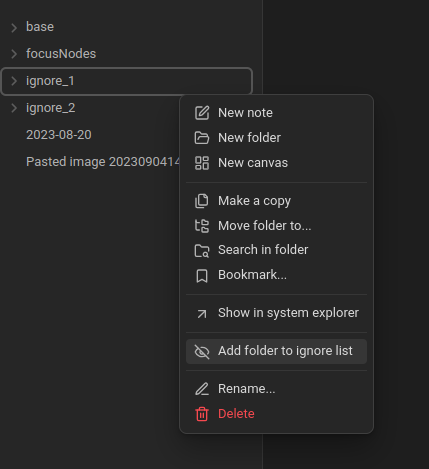
But when "Look at folder tree" is on...
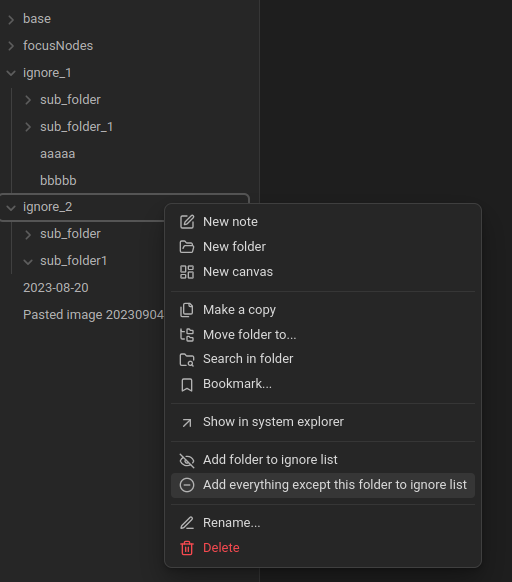
"add everything" and then just "ignore_2/" will remain unignored. "base/", "focusNodes/", "ignore_1/" — all these folders will be in "excluded files".
This plugin simplifies making changes in ignore filters. Add commands with lists of ignore filter variants.
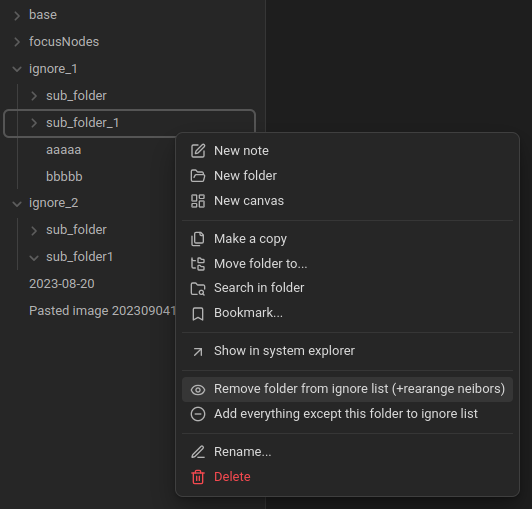
...and then you can remove "ignore_1/sub_folder_1/" from the ignore list. But if the list has only "ignore_1/", it will be rearranged: the parent folder will be removed and siblings added. So now ignore_1/sub_folder/ will be in the list :)
🔮 Future Plans
Some plans for the project. Feel free to ask for features by creating issues!
- Language translation. I want to add support for different languages.
- Create a "white list" of folders as a counterpart to the black (ignore filters) list.
- Add workspaces. During publishing, I found the Smart Excluded Files plugin. It had some similar ideas, so maybe I'll include this functionality here.
- Global plan: this plugin may become the part of "focus on topic" workflow -- I may create a few plugins help to took into account only some focus notes.