Hypermnesic Companion
 Léonard Sellem324 downloads
Surface read-only, pause-triggered related notes and an interrogable reinvention nudge from your tailnet hypermnesic index as you write. Never writes the vault.
- Overview
- Scorecard
- Updates3
Surface read-only, pause-triggered related notes and an interrogable reinvention nudge from your tailnet hypermnesic index as you write — a calm, desktop recall surface that never writes your vault.
What it does
- Pause-triggered recall (never per-keystroke) of the block around your cursor — findings hold while you keep typing and refresh when you pause.
- A calm status-bar indicator that expands to a popover; an opt-in sidebar; an optional editor inline marker.
- First-class references everywhere: every related note is a native
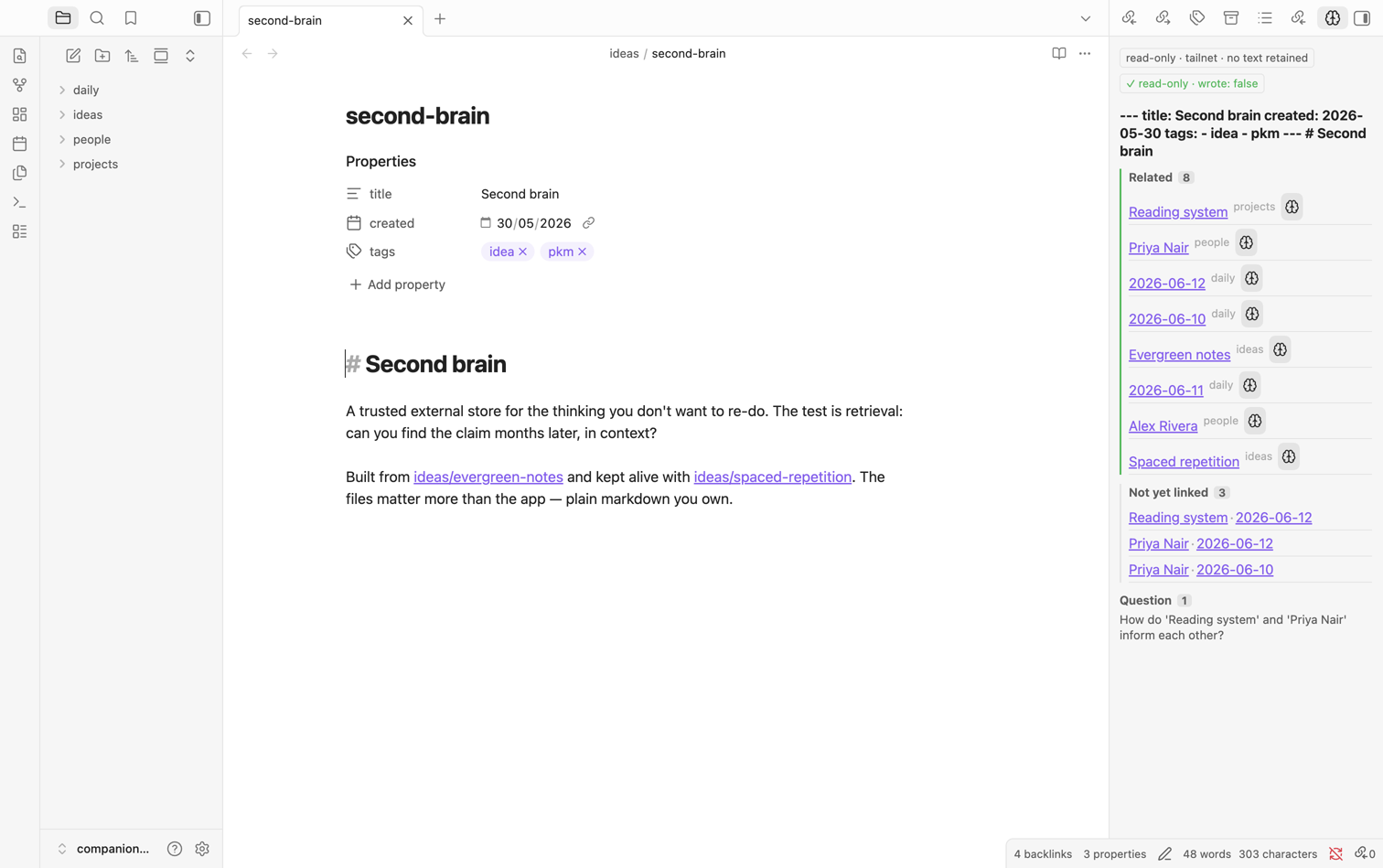
internal-linkwith Page-preview on hover and a right-click menu (open / open in new pane or split / think about this / copy as link), plus drag-to-insert — all read-only (the plugin supplies link text; you perform the drop/paste). A note that isn't in your vault renders as an honest muted row with an engine-snippet peek — never a broken or note-creating link. - Thinking-mode is a dockable panel (like Backlinks/Outline): related
notes (navigable), Socratic questions, and tensions (rendered markdown with
live, resolution-guarded links), a "think deeper" affordance with a back trail,
and a visible
wrote: falsebadge. Plus selection-recall (recall about the highlighted text). - An interrogable reinvention nudge: it expands to the matched snippet and a one-hop context peek so the claim is checkable, and it is mutable per note (view-only — muting is plugin-local and never edits the note).
- Forgetting-curve ranking: genuinely stale-but-relevant notes surface above ones you just touched.
Screenshots
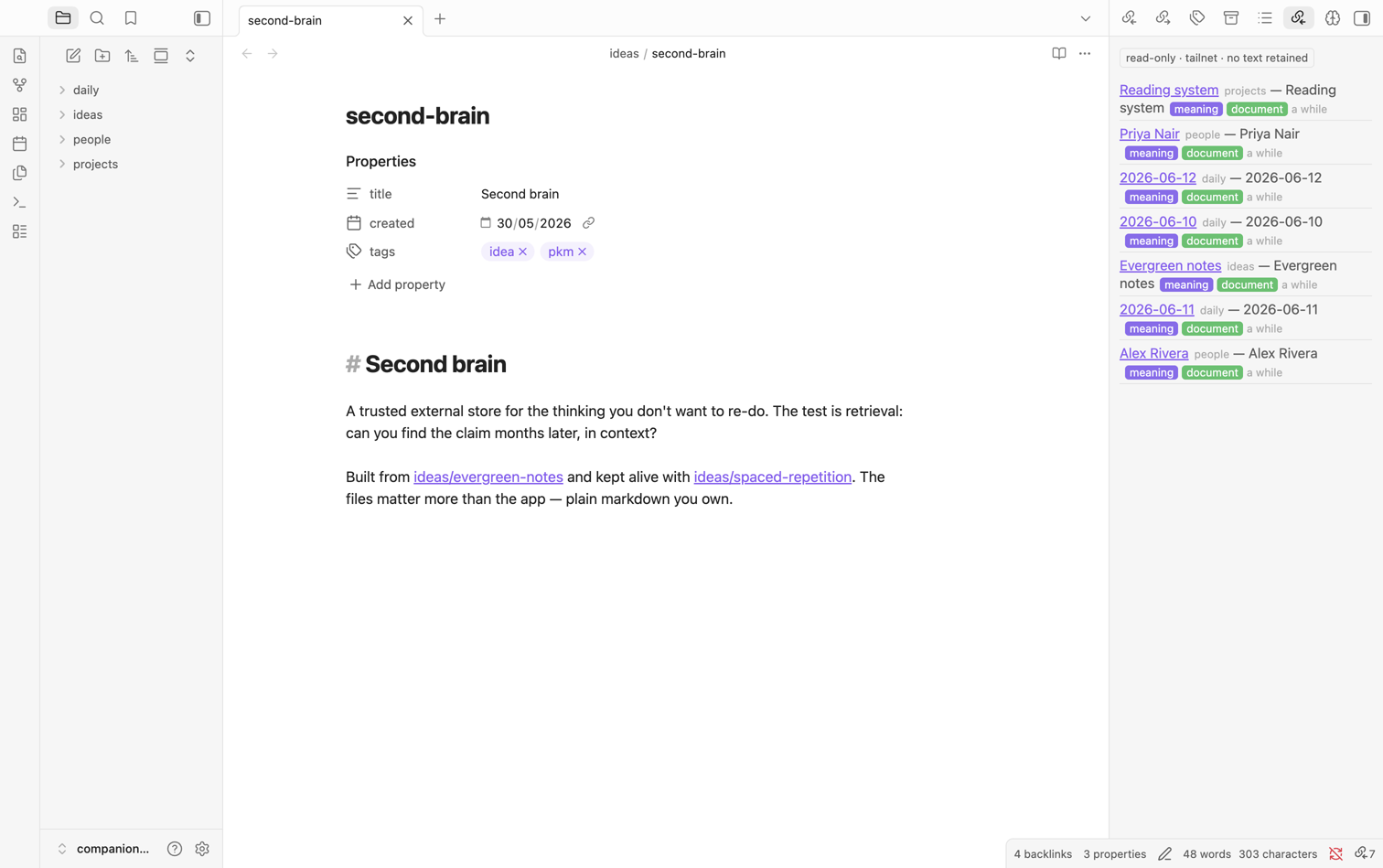
Opt-in recall sidebar — every related note is a first-class internal-link
(hover for page-preview, right-click for open / think / copy), with meaning + document
match chips. All read-only.
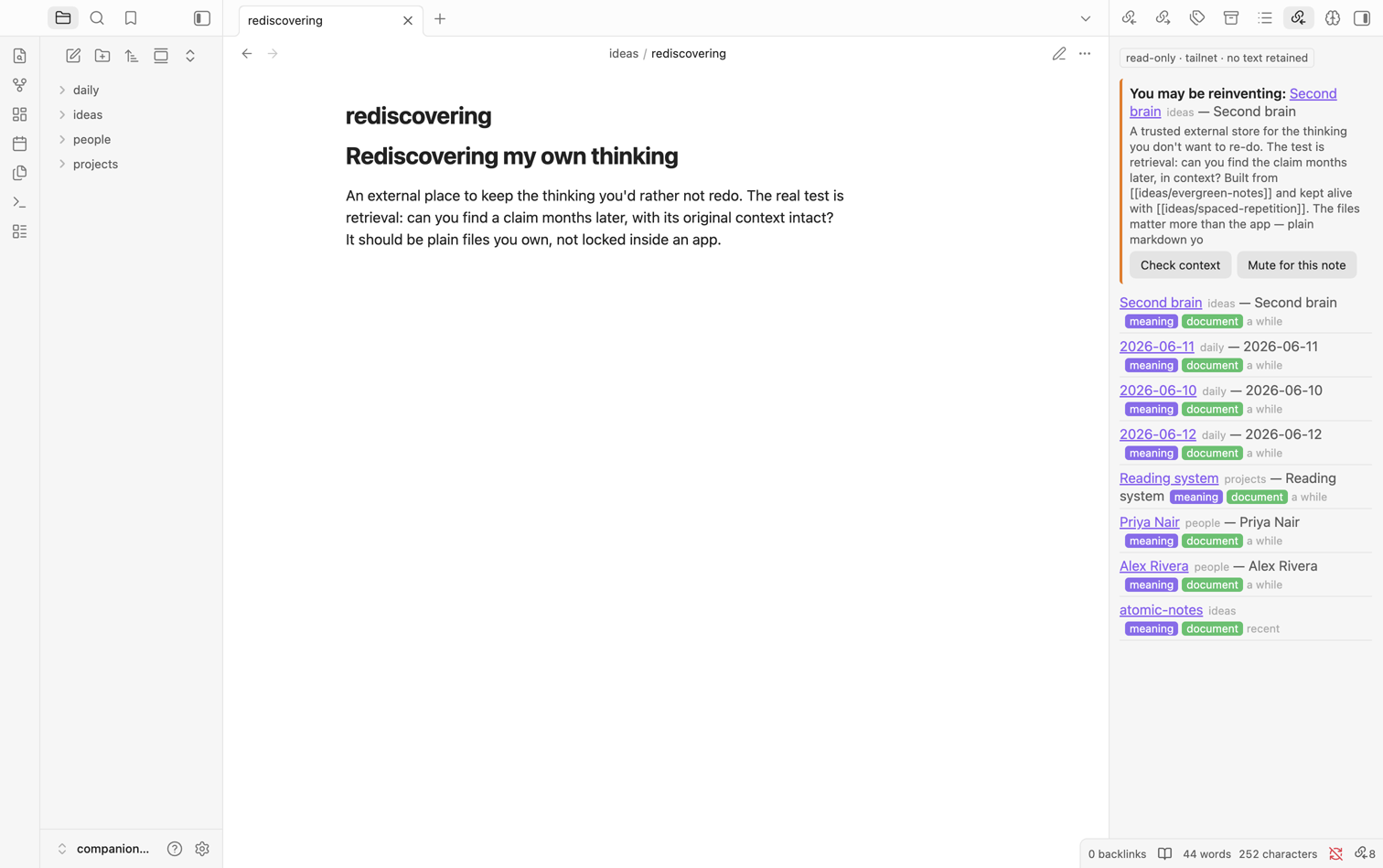
Interrogable reinvention nudge — "You may be reinventing…" expands to the matched snippet and a context peek so the claim is checkable, and it's mutable per note (view-only — muting never edits the note).
Screenshots are captured against a disposable demo vault. The companion shows only the placeholder
tailnetendpoint and retains no note text.
Read-only by construction
This plugin never writes the vault. Every engine call routes through a hard
allowlist (src/core.ts) of the read tools — search / build_context /
think — and it performs no vault modify/create/delete/append/trash and no
adapter writes. The write tool (commit_note) is registered only on a
write-enabled master and is structurally unreachable from here; any write you
choose to make flows through an agent calling that gated tool, never this plugin.
It also retains no note text between queries. The vitest suite
(test/read-only.test.ts) statically verifies the allowlist and the no-write
guarantee on every push, so the invariant cannot silently regress.
Requires the hypermnesic engine
The companion is a read-only client — it has nothing to talk to on its own. You self-host the hypermnesic engine, which serves your index over your tailnet via MCP (JSON-RPC over HTTP), and point the plugin at it.
- Engine:
leonardsellem/hypermnesic— open source under AGPL-3.0. Install and run it per its README, then copy itsserveendpoint into this plugin's settings.
The plugin (GPL-3.0) and the engine (AGPL-3.0) talk only at arm's length over the MCP wire protocol; neither is a derivative of the other.
Network use & privacy (please read)
This plugin talks to exactly one remote service: your hypermnesic MCP endpoint on your tailnet (a Tailscale address you configure). When recall fires, it transmits the text of the block around your cursor (or your current selection) to that endpoint to find related notes. Nothing else leaves your device — no analytics, no telemetry, no third party.
It is strictly opt-in: the MCP URL is empty by default, so the plugin
transmits nothing off-device until you set the endpoint in settings. A
provisioned --role=client install pre-fills the URL; a manual install starts
empty until you fill it in. The index itself lives on your own master over the
tailnet; the companion only reads it.
Security note — keep the endpoint on your tailnet. The hypermnesic engine has no built-in token/bearer authentication; it relies on Tailscale network trust. Pointing this plugin at a non-tailnet URL (or exposing the engine on a public interface) removes all access control and lets any host that can reach that URL read your vault index. Configure only a Tailscale address.
Clipboard use
The plugin writes to the system clipboard in exactly two places, both behind an explicit action in a related note's right-click menu:
- Copy as link — copies a vault-correct Obsidian link to the related note (the same text that drag-to-insert would drop).
- Copy path — for a note that isn't in your vault, copies its engine path.
It writes only the text you asked it to copy, only when you click those menu items, and it never reads the clipboard (no clipboard-read, no paste interception) — so it cannot observe anything you copied elsewhere. These two writes are the plugin's only system-clipboard access.
Build & install (manual, desktop)
npm install
npm run build          # esbuild main.ts (+ src/) -> main.js
# copy manifest.json + main.js + styles.css into
#   <vault>/.obsidian/plugins/hypermnesic-companion/
Then enable Hypermnesic Companion in Obsidian → Community plugins, open its
settings, and set the Tailnet MCP URL to your hypermnesic serve endpoint (a
Tailscale address). Until you do, nothing is sent off-device.
License
GPL-3.0-or-later. See LICENSE.
Known gaps (deferred)
- Mobile read-only recall (a CodeMirror-6-free subset) — desktop-first this
phase; the status-bar surface is desktop-only, so the manifest is
isDesktopOnly. - MCP OAuth in the plugin — only the protocol-handler seam is left here; the implementation lands with the engine OAuth work.