
- Overview
- Scorecard
- Updates43
Your AI-powered thinking partner for writing, research, and knowledge discovery in Obsidian.
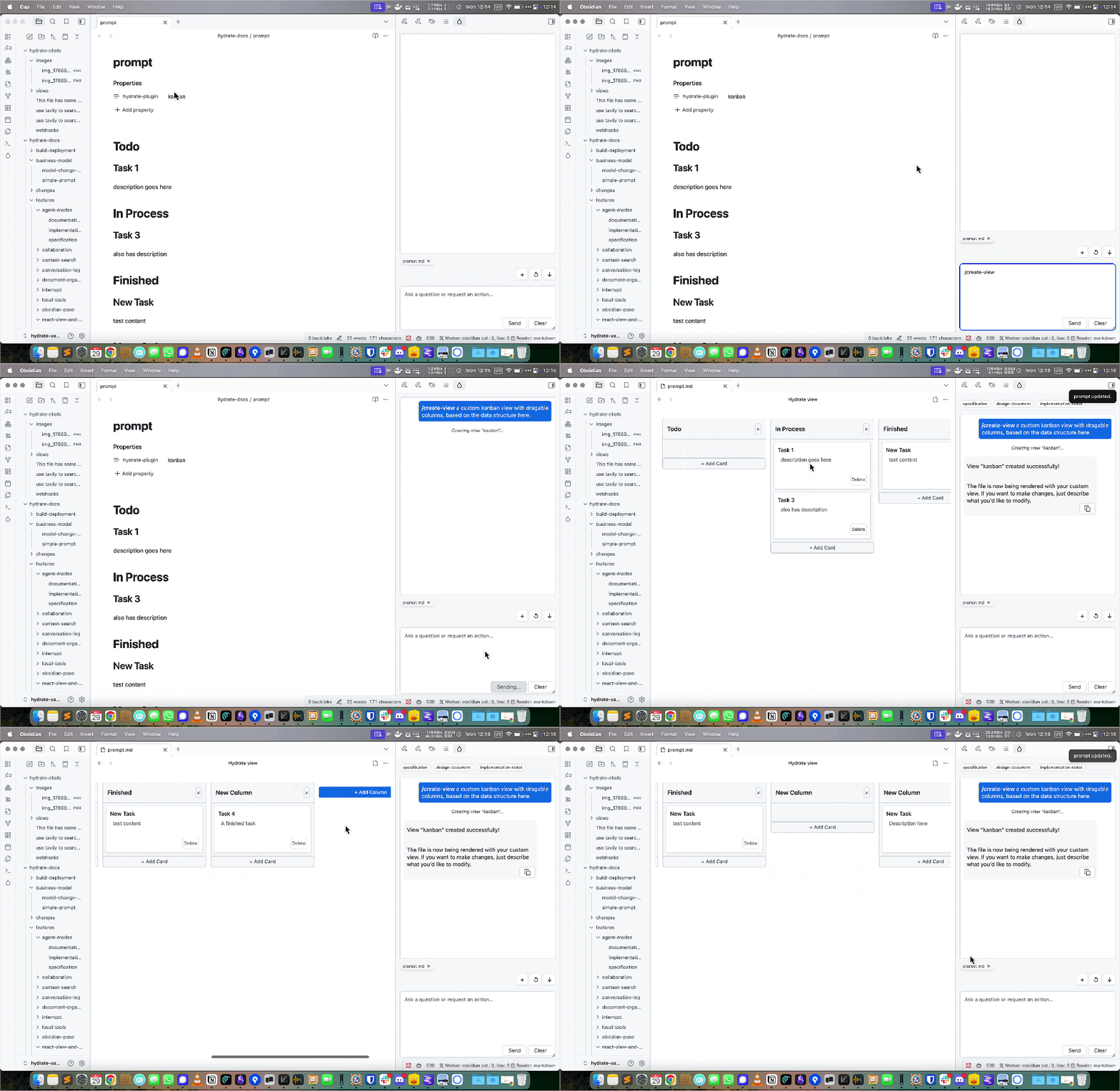
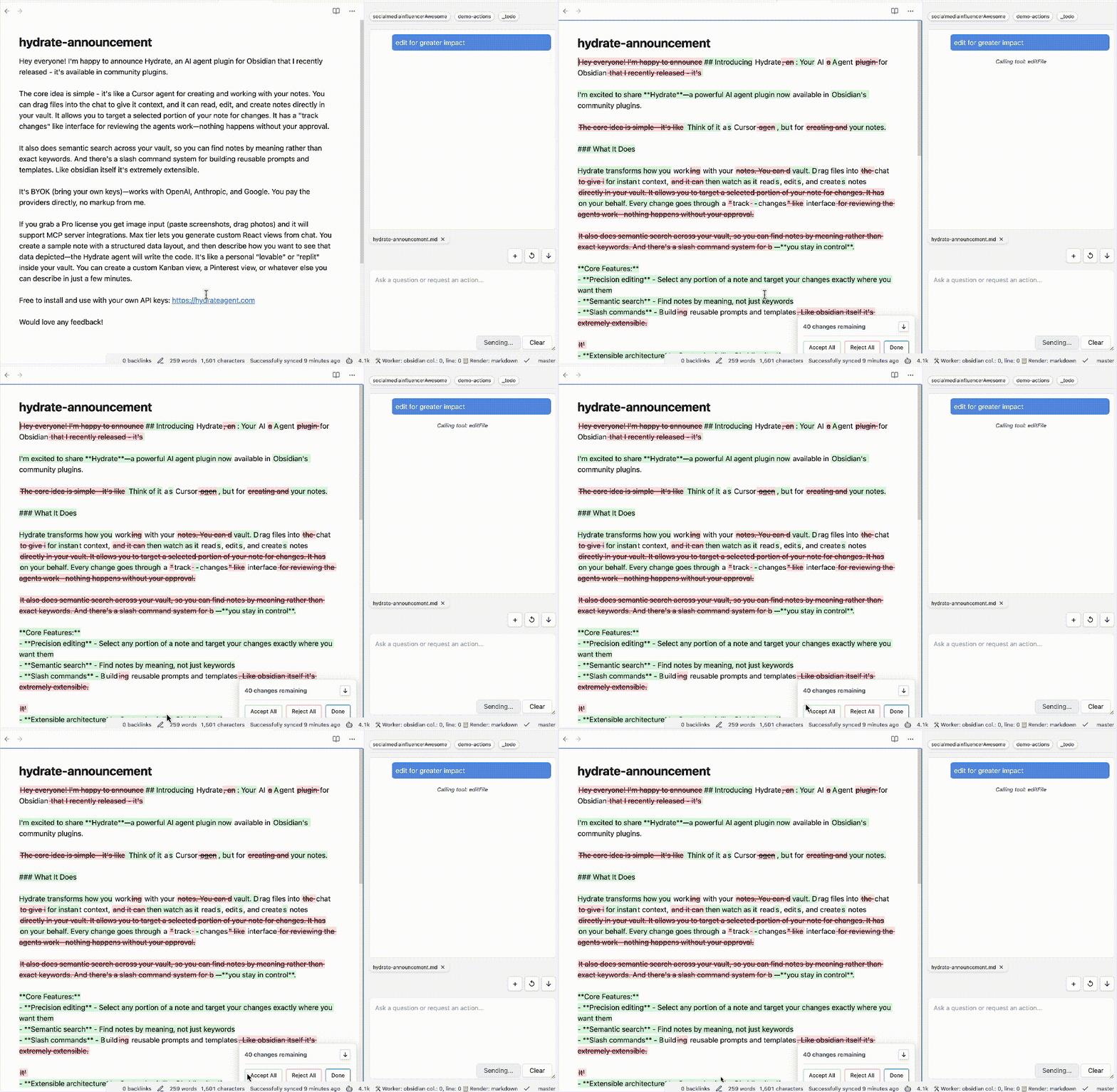
⚠️ Important Disclosures
Please read these important requirements before installing:
- 💳 Payment Required: Full access to Hydrate requires a paid subscription
- 👤 Account Required: You must create an account to use all features
- 🌐 Network Use: This plugin connects to remote AI services to provide intelligent features
- 📊 Telemetry: Anonymous usage analytics are collected server-side when you use the Hydrate backend. The plugin itself contains no client-side telemetry.
- 🔒 Closed Source: This plugin is Apache 2 licensed, but relies on proprietary server side code for functionality.
Remote Services Used
Hydrate connects to the following remote services to provide AI-powered features:
- Hydrate AI Backend: Processes your queries and provides intelligent responses
- Third-party AI APIs: For advanced language processing and content generation
- Analytics Services: For anonymous usage tracking and service improvement
These connections are necessary to deliver the core AI functionality that makes Hydrate intelligent and responsive to your needs.
Privacy & Data Handling
Your privacy is important to us. Please review our Privacy Policy to understand how your data is collected, used, and protected when using Hydrate.
✨ What is Hydrate?
Hydrate transforms your Obsidian vault into an intelligent knowledge companion. Designed for writers, researchers, students, and anyone who thinks deeply, Hydrate helps you:
- Chat naturally with your notes and get contextual answers
- Discover hidden connections between ideas
- Search by meaning, not just keywords
- Generate new content, outlines, and summaries
- Expand and refine your thoughts
- Accelerate research and synthesize information
- Overcome creative blocks and enhance your writing
🚀 Installation
- In Obsidian, go to Settings → Community plugins → Browse
- Search for
Hydrate - Click Install and then Enable
Or visit hydrateagent.com/install for detailed instructions.
🛠 Key Features
- Conversational AI: Chat with your notes, ask questions, and get contextual answers
- Smart Connections: Discover relationships between ideas and notes you might have missed
- Semantic Search: Find information by meaning, not just keywords
- Content Generation: Create outlines, summaries, and new content from your notes
- Idea Development: Brainstorm, expand, and refine your thoughts
- Research Assistant: Synthesize information, generate literature reviews, and identify knowledge gaps
- Writing Assistant: Get suggestions, expand on ideas, and create structured documents
- Privacy First: Your notes stay local unless you explicitly use cloud AI services with your own API keys
🧑💻 Quick Start
- Open the Hydrate panel from the ribbon to chat with your notes
- Select text and use "Expand with AI" to generate ideas or summaries
- Use semantic search to find related notes and concepts
- Explore plugin settings for more options
🔍 Setting Up Semantic Search with LM Studio
Hydrate supports semantic search using local embeddings via LM Studio. This lets you search your vault by meaning, not just keywords.
Setup Steps
- Install LM Studio from lmstudio.ai
- Download an embedding model - search for
nomic-embed-textin LM Studio and download it - Start the local server in LM Studio (Developer tab → Start Server)
- Configure Hydrate:
- Open Hydrate settings in Obsidian
- Enable "Remote Embeddings"
- Set the embedding URL to:
http://localhost:1234/v1/embeddings - Set the model name to match your downloaded model (e.g.,
nomic-embed-text)
- Index your vault - use the "Reindex Vault" button in settings
Once indexed, Hydrate will suggest relevant notes during chat and you can search by meaning across your entire vault.
🧩 Troubleshooting
- If Hydrate does not appear after installation, try restarting Obsidian
- Ensure you have the latest version of Obsidian
- For issues, open an issue on GitHub
📝 License
Apache 2