Hi-Fi Tuner
 ashotis2 downloads
Listen to internet radio on a wireframe globe or in a minimal text view, with focus stations, search across 50,000 stations, your own streams, presets and a sleep timer.
- Overview
- Scorecard
- Updates1
Listen to internet radio in your Obsidian sidebar, on a wireframe globe or in a minimal text view.
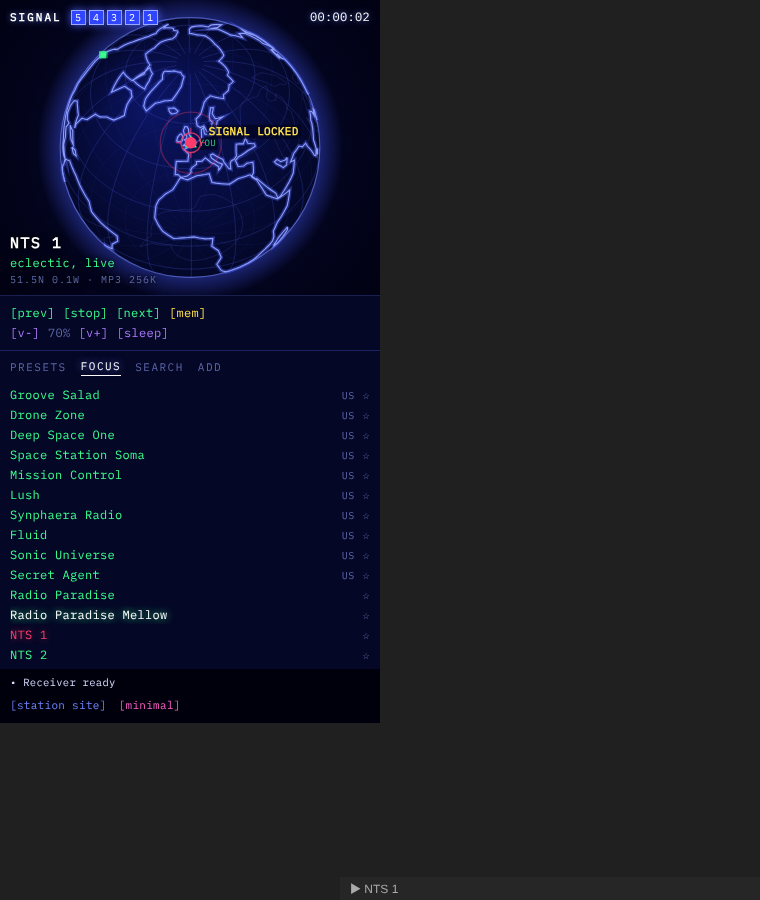
The default globe view plots stations on a wireframe world map. When you tune in, the globe turns to face the station and draws a signal arc from your rough location. Your location comes from your time zone, never GPS. For something calmer, switch to the minimal text view.
Features
- Focus: hand-picked stations for working, from SomaFM, Radio Paradise and NTS, with now-playing info for SomaFM.
- Search: about 50,000 stations from the open Radio Browser directory, by name or #genre, mapped by location.
- Add URL: play any direct stream (MP3, AAC or Ogg).
- Presets: [mem] stores the current station, or click + on any list. There are commands for presets 1–6.
- Sleep timer and an ASCII EQ.
- Status bar now-playing, media keys, and commands for everything. Set your own hotkeys in Settings → Hotkeys.
Usage
Click the radio icon in the left ribbon, or run Hi-Fi Tuner: Open tuner from the command palette. Then pick a station from the list, or click a blip on the globe.
Network use
Hi-Fi Tuner is a radio, so it needs the internet. It connects to:
api.somafm.comfor SomaFM's channel list, playlists and now-playing info.cdn.jsdelivr.netfor the Natural Earth coastline outline (world-atlas, public domain), once per session. This is map data, not code.*.api.radio-browser.infofor station search. When you play a station you found there, it also hits the directory's anonymous click counter.- The radio streams you choose to play.
There's no telemetry and no account. Presets and settings are stored in the plugin's data.json in your vault.
Desktop only
Marked desktop only, because background audio on mobile is unreliable.
Support
Stations are listener-supported. If you enjoy one, consider supporting it (SomaFM: https://somafm.com/support/).
If you like the plugin, you can buy me a coffee.
Building from source
There are no dependencies. Run python3 build.py to write main.js, styles.css (with IBM Plex Mono embedded) and manifest.json to dist/.
License
- Code: MIT © AshOtis
- Font: IBM Plex Mono, under the SIL Open Font License (see
fonts/OFL.txt) - Map data: Natural Earth, public domain