
- Overview
- Scorecard
- Updates3
English | 中文
Hide Empty Headings
Automatically hide headings that have no content below them in Obsidian's reading mode.
自动隐藏 Obsidian 阅读模式下没有内容的标题。
Features / 功能
- Auto-hide: Headings with no content beneath them are hidden in reading mode
- Live update: Triggers automatically when switching between notes
- Zero config: Works out of the box, no settings needed
- 自动隐藏阅读模式下无内容的标题
- 切换笔记时自动触发
- 安装启用即用,无需配置
Installation / 安装
From Obsidian Community Plugins (Recommended / 推荐)
- Open Obsidian Settings → Community Plugins → Browse
- Search for "Hide Empty Headings"
- Click Install → Enable
Manual / 手动安装
- Download the latest release from GitHub Releases
- Extract to
.obsidian/plugins/hide-empty-headings/ - Enable the plugin in Obsidian Settings → Community Plugins
- 从 GitHub Releases 下载最新版本
- 解压到
.obsidian/plugins/hide-empty-headings/ - 在 Obsidian 设置 → 第三方插件 中启用
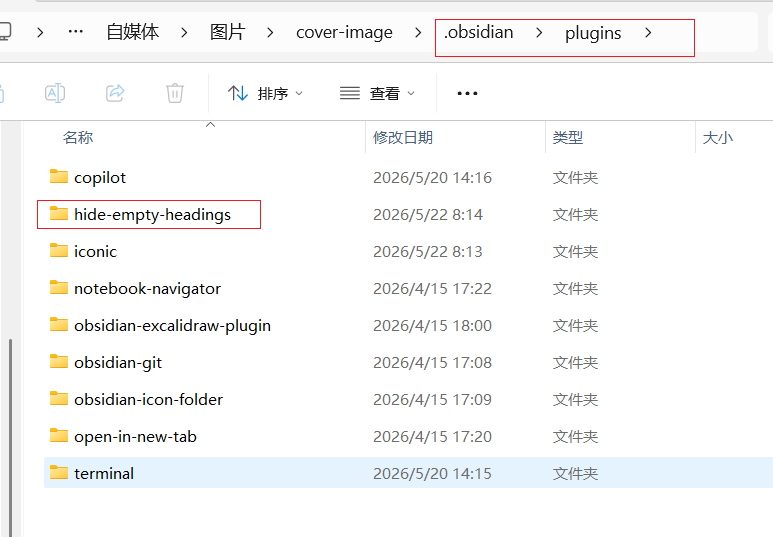
Usage / 使用
No configuration required. After enabling the plugin, simply open any note in reading mode — empty headings will be hidden automatically.
安装启用后无需配置,打开任意笔记阅读模式即自动生效。
How it works / 原理
The plugin checks each heading in reading mode: if the heading has no content (text, images, or other elements) between it and the next heading, it gets hidden.
插件检测阅读模式下每个标题:如果该标题到下一个标题之间没有内容(文字、图片等元素),则自动隐藏该标题。
Author / 作者
醒醒 — Full-stack programmer, independent developer.
📧 Contact / 联系:[email protected]
HealthExcellent
ReviewPassed
About
Hide empty headings in reading mode when no content exists beneath them. Refresh on note switch to keep only headings with content visible.Details
Current version
1.0.3
Last updated
3 months ago
Created
4 months ago
Updates
3 releases
Downloads
85
Compatible with
Obsidian 0.15.0+
Platforms
Desktop, Mobile
License
MIT