Search...Search plugins and themes...
⌘K
Sign in
  • Get started
  • Download
  • Pricing
  • Enterprise
  • Account
  • Obsidian
  • Overview
  • Sync
  • Publish
  • Canvas
  • Mobile
  • Web Clipper
  • CLI
  • Learn
  • Help
  • Developers
  • Changelog
  • About
  • Roadmap
  • Blog
  • Resources
  • System status
  • License overview
  • Terms of service
  • Privacy policy
  • Security
  • Community
  • Plugins
  • Join the community
  • Discord
  • Forum / 中文论坛
  • Merch store
  • Brand guidelines
Follow us
DiscordTwitterBlueskyThreadsMastodonYouTubeGitHub
© 2026 Obsidian

Hidden Folder

ptrsvltnsptrsvltns10k downloads

Hidden Folder.

Add to Obsidian
  • Overview
  • Scorecard
  • Updates7

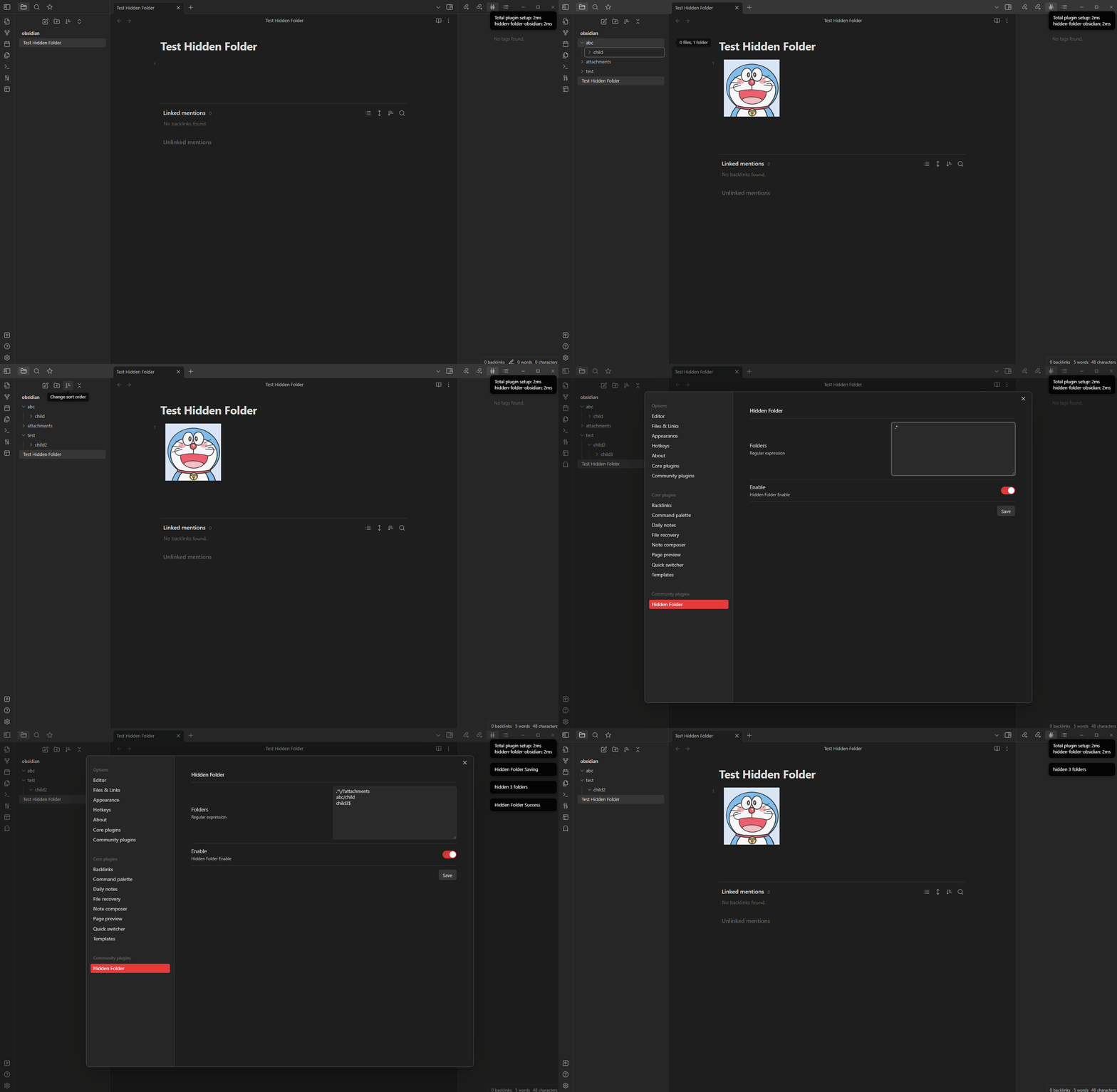
Hidden Folder in Obsidian:

  • Regular expression
  • Ribbon icon for enable or disable
  • Translation

Demo

DEMO

Example

^folder1

- folder1 <- match
  - folder1
  - folder2
- folder2
  - folder1
  - folder2

abc

- folder1
  - folder1
    - subabcfolder1 <- match
  - folderabc2 <- match
- folder2
  - foldabcer1 <- match
  - folder2abc <- match

\/folder$

- folder1
  - folder1
  - folder2
- folder2
  - folder1 <- match
  - folder2

\/?folder$

- folder1 <- match
  - folder1
  - folder2
- folder2
  - folder1 <- match
  - folder2

folder1\/folder

- folder1
  - folder1 <- match
  - folder2
- folder2
  - folder1
  - folder2
66%
HealthFair
ReviewCaution
About
Hide folders in the file explorer using regular expressions to match folder names. Toggle hiding with a ribbon icon and set regex rules to target folders to hide.
FoldersSidebarFiles
Details
Current version
1.0.7
Last updated
3 years ago
Created
4 years ago
Updates
7 releases
Downloads
10k
Compatible with
Obsidian 0.15.0+
Platforms
Desktop only
License
GPL-3.0
Report bugRequest featureReport plugin
Author
ptrsvltnsptrsvltns
GitHubptrsvltns
  1. Community
  2. Plugins
  3. Folders
  4. Hidden Folder

Related plugins

Custom File Explorer sorting

Manual or automatic config-driven reordering and sorting of files and folders in File Explorer.

File Explorer Note Count

See the number of notes in each folder within the file explorer.

File Tree Alternative

An alternative file tree view with separate folder and file panes.

Manual Sorting

Drag'n'Drop sorting within file explorer.

Trash Explorer

Restore and delete files from the Obsidian .trash folder.

File Explorer++

Hide and pin files and folders in the file explorer using custom filters.

Notebook Navigator

A better file browser and calendar inspired by Apple Notes, Bear, Evernote and Day One.

Recent Files

Display a list of recently opened files.

Novel word count

Display a word count, page count, creation date, or other statistics for each file, folder and vault in the File Explorer pane.

Multi Properties

Add properties to multiple notes at once. Either right-click a folder or select multiple notes and right-click the selection.