Search...Search plugins and themes...
⌘K
Sign in
  • Get started
  • Download
  • Pricing
  • Enterprise
  • Account
  • Obsidian
  • Overview
  • Sync
  • Publish
  • Canvas
  • Mobile
  • Web Clipper
  • CLI
  • Learn
  • Help
  • Developers
  • Changelog
  • About
  • Roadmap
  • Blog
  • Resources
  • System status
  • License overview
  • Terms of service
  • Privacy policy
  • Security
  • Community
  • Plugins
  • Themes
  • Discord
  • Forum / 中文论坛
  • Merch store
  • Brand guidelines
Follow us
DiscordTwitterBlueskyThreadsMastodonYouTubeGitHub
© 2026 Obsidian

Hanko

telehakketelehakke280 downloads

Register and paste any text.

Add to Obsidian
  • Overview
  • Scorecard
  • Updates3

This plugin adds the following features to Obsidian.

このプラグインはObsidianに以下の機能を追加します

  • Register and paste any text.

  • 任意のテキストを登録し貼り付ける

Installation / インストール方法

Obsidian Settings > Community plugins > Browse > Type 'hanko' into the search box > Select the 'Hanko' card > Install > Enable

Obsidianの設定 > コミュニティプラグイン > 閲覧 > 検索ボックスに「hanko」と入力 > 「Hanko」のカードを選択 > インストール > 有効化

Usage / 使い方

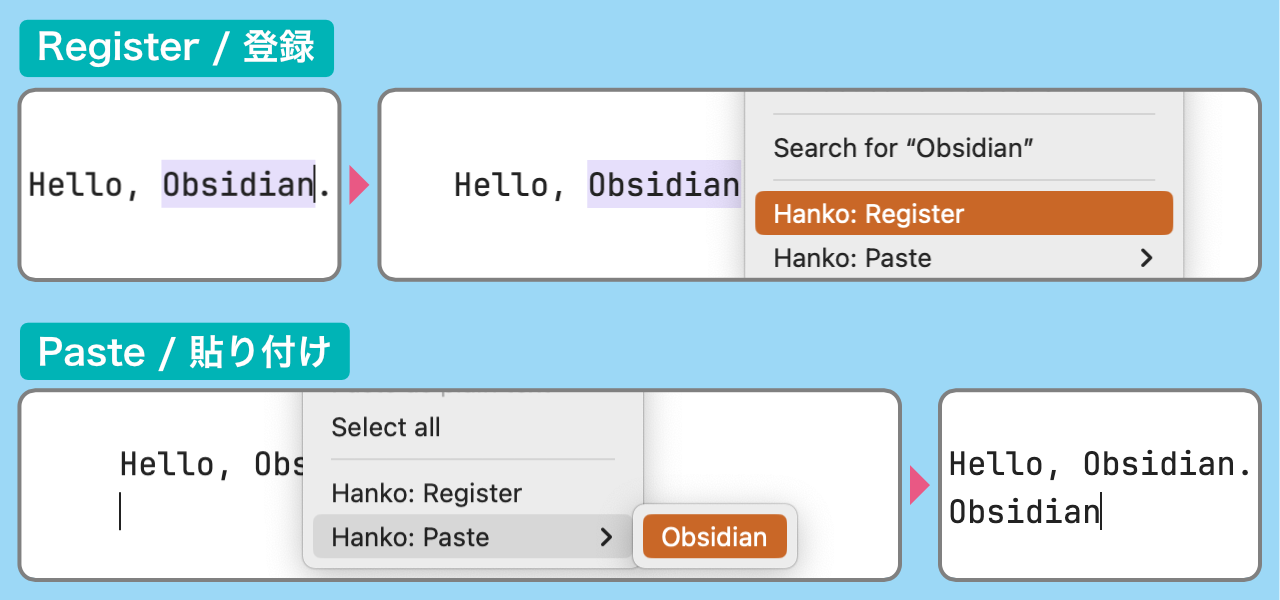
Register and paste any text / 任意のテキストの登録と貼り付け

  • Register: Select text in Edit mode > Right-click menu > Register

  • Paste: Right-click menu > Paste > Select text to paste

  • 登録:編集モードでテキストを選択 > 右クリックメニュー > 登録

  • 貼り付け:右クリックメニュー > 貼り付け > 貼り付けたいテキストを選択

demo01

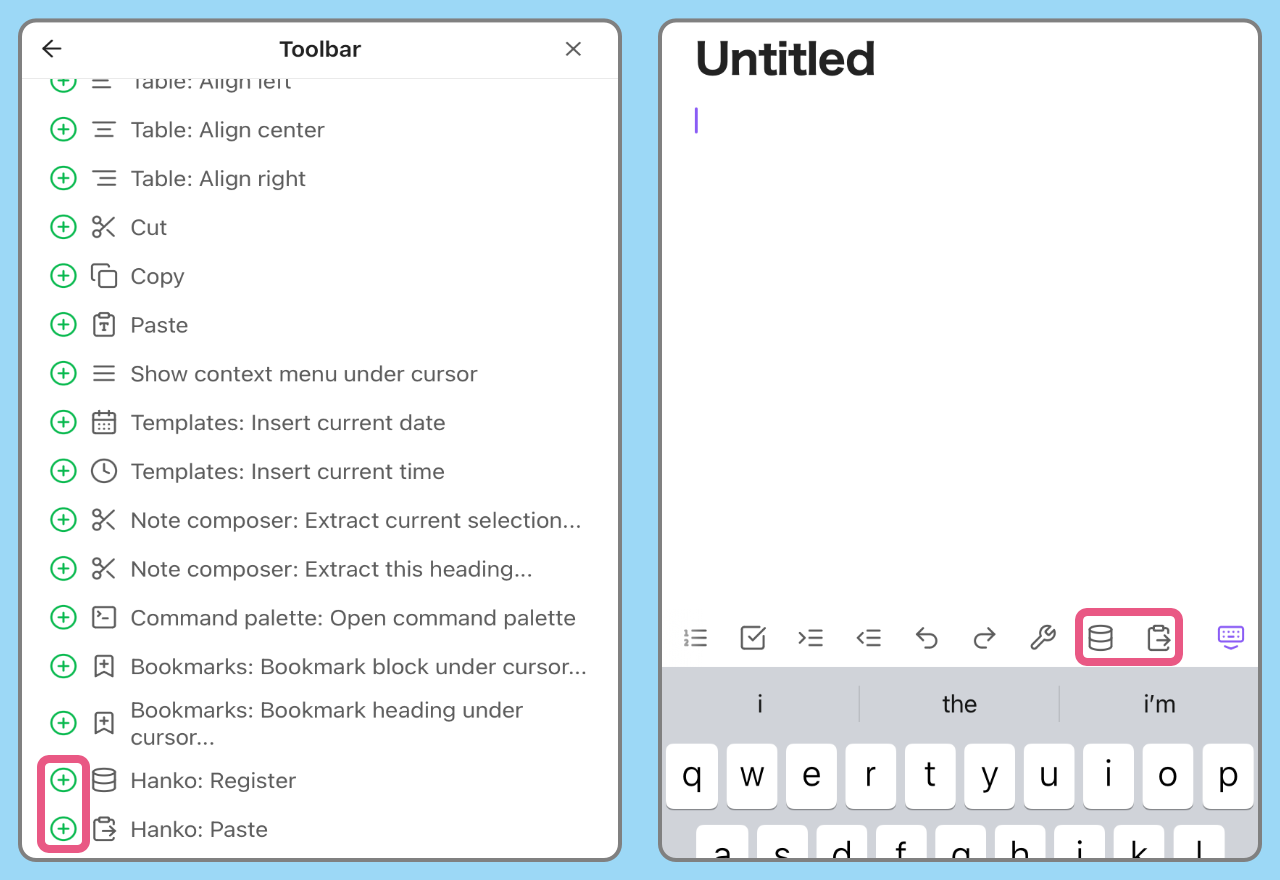
You can also be operated from the command palette.
Type “hanko” in the search box.

コマンドパレットからも操作できます
検索ボックスに「hanko」と入力します
demo02

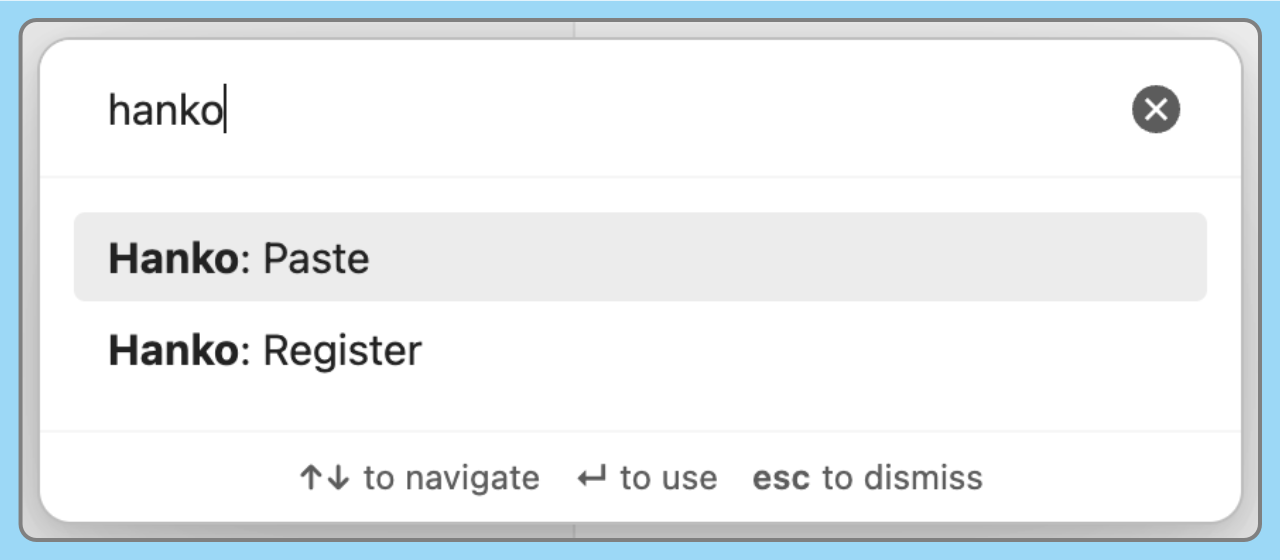
You can also be operated from the Ribbon menu.

リボンメニューからも操作できます
demo03

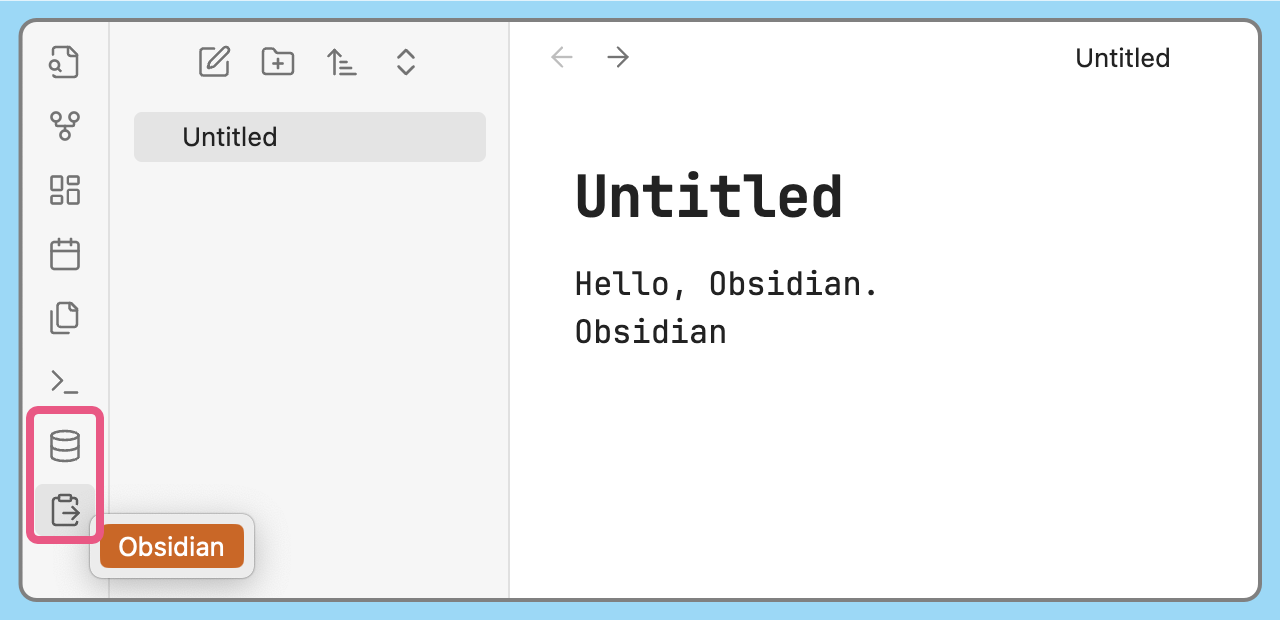
On mobile devices, you can add commands to the toolbar to use them.

モバイルではツールバーにコマンドを追加して使用します

  • Obsidian Settings > Toolbar

  • Obsidianの設定 > モバイルツールバー

demo04

[!WARNING]
This plugin works in edit mode.
Doesn't work in preview mode.

このプラグインは編集モードで動作します
プレビューモードでは動作しません

Paste with cursor movement / カーソル移動を伴う貼り付け

Set the cursor position after pasting from the plugin settings.

プラグインの設定から貼り付け後のカーソル位置を指定します
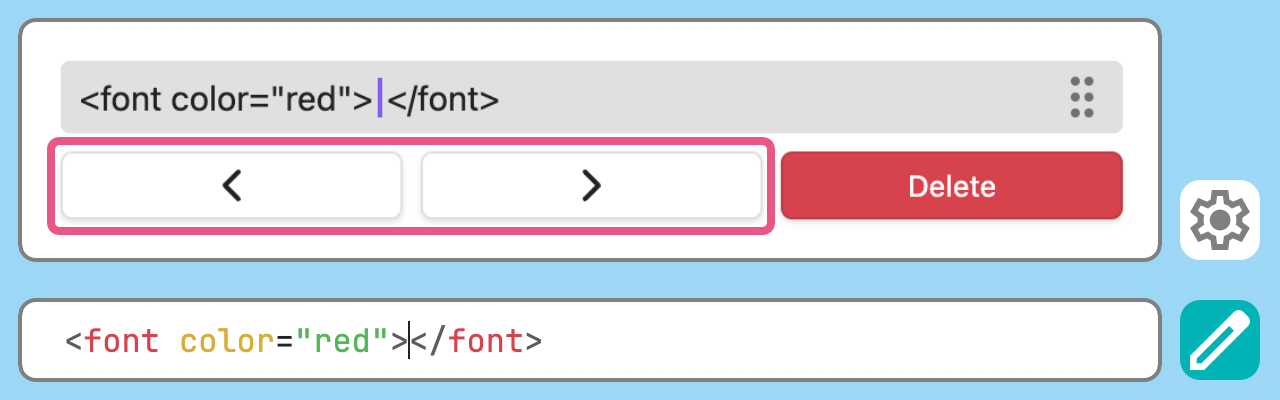
demo05

[!WARNING]
It doesn't work on mobile because the software keyboard is closed when the paste menu is opened.

モバイルでは貼り付けメニューが開く際にソフトウェアキーボードが閉じられるため機能しません

Manage registered items / 登録した項目の管理

You can delete and reorder items from the plugin settings.

プラグインの設定から項目の削除と並び替えができます
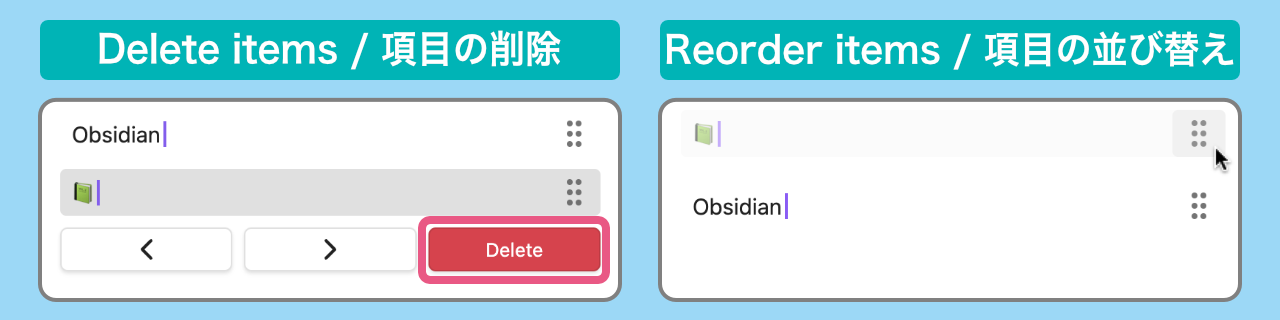
demo06

99%
HealthExcellent
ReviewPassed
About
Register and paste text snippets directly into notes via right-click, command palette, or ribbon. Manage, reorder, and delete saved snippets and set the cursor position after pasting; works only in edit mode (preview not supported).
EditingTemplatingCommands
Details
Current version
1.1.0
Last updated
4 days ago
Created
Last year
Updates
3 releases
Downloads
280
Compatible with
Obsidian 1.5.3+
Platforms
Desktop, Mobile
License
MIT
Report bugRequest featureReport plugin
Author
telehakketelehakke
GitHubtelehakke
  1. Community
  2. Plugins
  3. Editing
  4. Hanko

Related plugins

Paste URL into selection

Paste URL "into" selected text.

Vimrc Support

Auto-load a startup file with Vim commands.

Code Editor Shortcuts

Add keyboard shortcuts (hotkeys) commonly found in code editors such as Visual Studio Code (VS Code) or Sublime Text.

Advanced Tables

Improved table navigation, formatting, and manipulation.

QuickAdd

Quickly add new notes or content to your vault.

Templater

Create and use dynamic templates.

Quick Switcher++

Enhanced Quick Switcher, search open panels, and symbols.

Meta Bind

Make your notes interactive with inline input fields, metadata displays, and buttons.

Outliner

Work with your lists like in Workflowy or Roam Research.

Commander

Customize your workspace by adding commands everywhere, create macros and supercharge your mobile toolbar.