Habitude Checklist
7-day habit checklist with streaks and weekly review. Markdown-native: habits live in Habitude/Habits.md, daily checks in Habitude/Log/YYYY-MM-DD.md. Free in-app AI coach via your own Gemini API key (BYOK).
- Overview
- Scorecard
- Updates14
A 7-day habit checklist for Obsidian: add habits, tap days to check them off, track streaks and weekly completion rates, and open a weekly review. Markdown-native — your data lives in your vault as plain markdown.
Screenshots
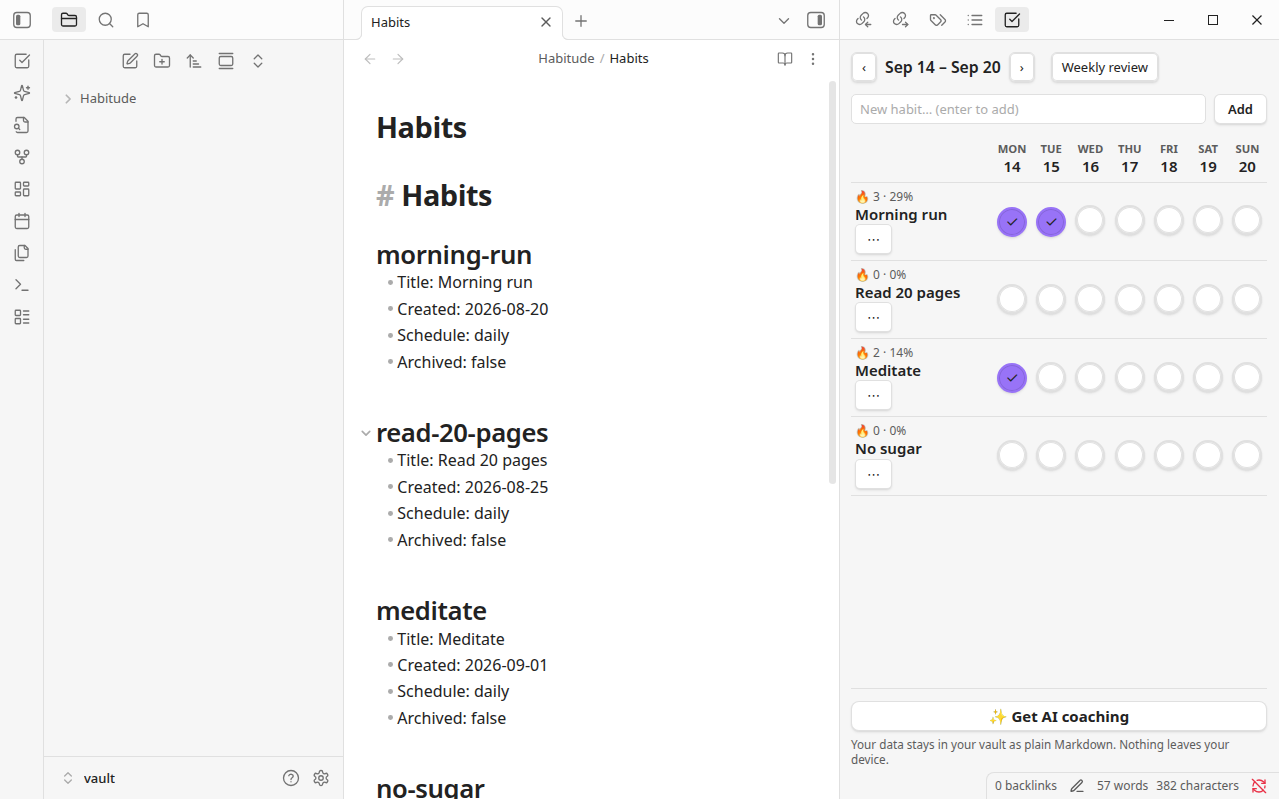
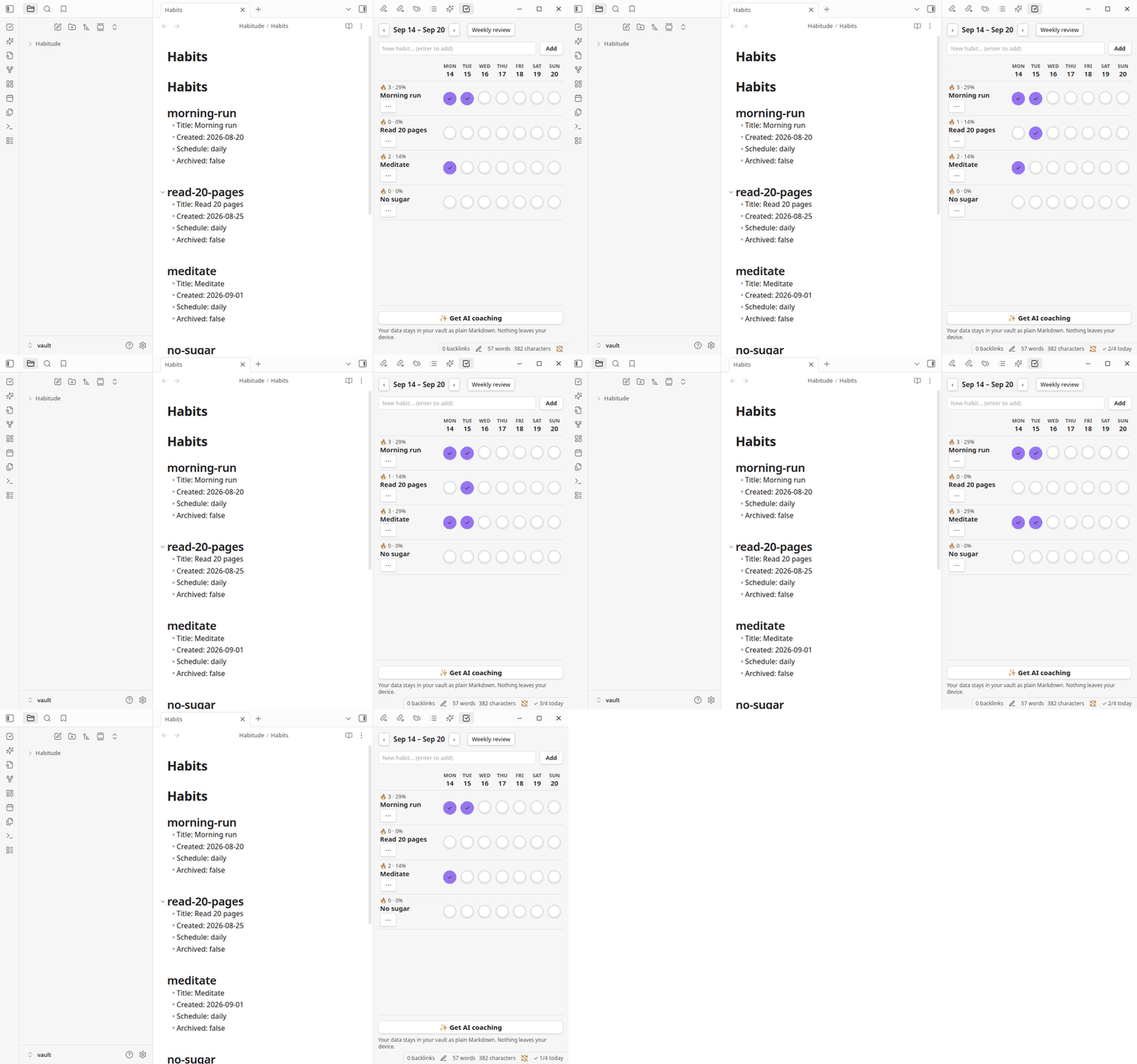
The 7-day checklist grid next to your plain-Markdown habit data. Click a cell to toggle — streaks and weekly rates update live:
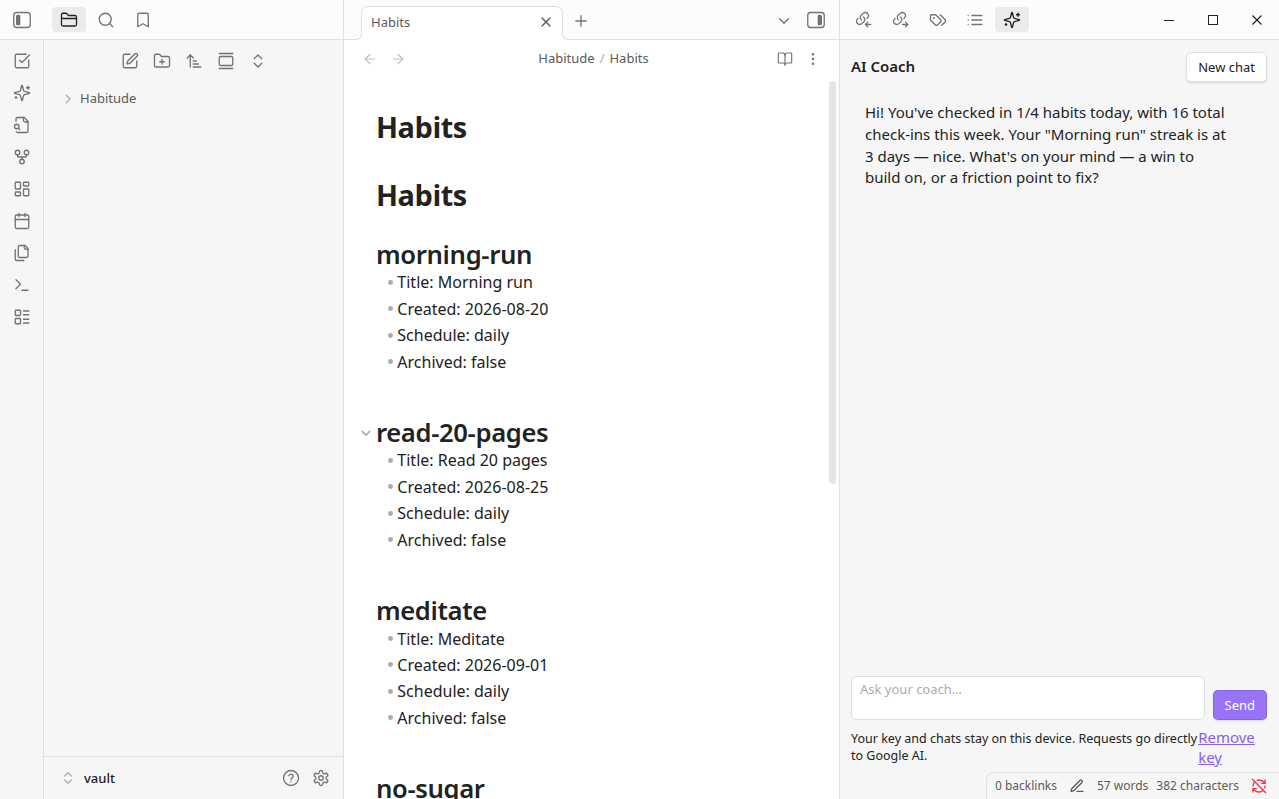
The AI coach greets you with your own stats and chats about your habits — bring your own API key (BYOK): Gemini, OpenAI, Claude, OpenRouter, or a local model via Ollama / LM Studio.
Data layout (in your vault)
Under the configured data folder (default Habitude/):
Habitude/
  Habits.md            # habit registry, one "## <id>" section per habit
  Log/
    2026-09-15.md      # daily log: "- [x] morning-run <!-- Morning run -->"
Both files are human-readable and hand-editable. The plugin re-reads them on every render (and on vault modify events), so edits you make directly in the notes are picked up automatically.
Features
- Checklist view (ribbon icon, or command Open checklist): habits × 7-day grid, click a cell to toggle. Week navigation (‹ ›), per-habit streak (🔥) and weekly %.
- Add habits inline; archive via the ⋯ menu next to the habit name.
- Progress graphs (in the checklist view): per-habit 30-day history strip and trailing 8-week completion bars, rendered locally as SVG — no network involved.
- Share progress (button in the checklist view, opt-in): posts aggregate statistics to
https://habitude.ai/api/shareand copies ahttps://habitude.ai/s/<id>link. Only runs when you click it. - Weekly review (command Open weekly review or the button in the view): per-habit completion bars, total checks.
- Command Toggle today for a habit: quick toggle from the command palette.
- Status bar: today's progress (
✓ 3/5 today). - AI coach (ribbon icon, or command Open AI coach): chat with a coach that knows your habits — your streaks, weekly rates, and weekday patterns are shared with the model automatically as statistics. Bring your own key (BYOK): Gemini, OpenAI, Claude, OpenRouter, or a local model via Ollama / LM Studio.
- See it in action: coach greeting · checklist demo
- Settings (
Settings → Habitude checklist): data folder, week start day (Mon/Sun), AI provider, API key, model, base URL, coach language. - Explore Habitude: a local overview separates the free plugin from planned Habitude Sync and Plus services. Compare monthly and annual USD totals before choosing to visit the website. Open it from a contextual suggestion, settings, or the command Explore Habitude.
- Optional app suggestions: small, dismissible cards appear after adding a habit, after a weekly review with checks, or alongside the BYOK setup. Hide app suggestions saves a global preference; restore it with Settings → Habitude checklist → Show Habitude suggestions. Manual discovery remains available. Changing this preference preserves unfinished habit, API-key, and chat inputs.

Habitude app, web, and planned paid services
The plugin remains free and works without a Habitude account or subscription. Local checklists, graphs, reviews, Markdown access, and BYOK coaching are independent of Habitude's planned subscriptions. Your selected AI provider can charge separately for BYOK usage.
The local overview previews the approved launch plans below. Sync and Plus are planned and are not on sale. The plugin has no Habitude sign-in, checkout, paid entitlement, or automatic Obsidian-to-Habitude sync. Version 0.5.0 adds a local JSON export for Habitude's manual importer. See the manual transfer guide for the supported format and separate app flow.
| Plan | Monthly USD | Annual USD total | Planned service allocation |
|---|---|---|---|
| Free | $0 | $0 | The independently usable local plugin |
| Sync | $2.99 | $29.99 | Habitude app cloud sync, 10 GiB cloud storage, up to 2 supported automatic sources |
| Plus | $6.99 | $59.99 | Sync capabilities, 50 GiB total cloud storage, up to 5 sources total, 200 weighted AI/advanced-analysis credits per month |
200 weighted credits does not mean 200 messages. Supported sources, credit costs, taxes, refunds, and final billing conditions must be disclosed before sale. Cloud storage limits do not limit your local vault. App cloud sync does not mean the Obsidian plugin can sync with the app.
Service status: local habit export and manual import are separate from the planned paid services. Public web access does not activate a subscription, cloud sync, or managed AI. Sync and Plus require further service and billing work before sale. See the product and conversion plan (Korean) for the app journey, import, checkout, entitlement, cancellation, and release requirements.
Local habit export
Run Export habits for Habitude or use Settings → Habitude checklist → Move your habits to Habitude. Review counts and dates, then explicitly save JSON under your data folder’s Exports/ directory. Archived habits and recorded false states are preserved. Originals stay intact. No account or upload is involved; notes, keys, settings, and chats are excluded. Import the file only in an app build that supports this format.
Privacy
- Checklist: fully local. Habit tracking never calls any API, opens no connections, and holds no credentials. Your habits live in your vault as plain Markdown.
- Progress graphs: fully local. Rendered in the app from your check data as SVG. No network involved.
- Share progress: explicit opt-in. Only aggregate statistics (habit titles, streaks, completion rates) are ever transmitted — never your note contents. The payload is
{version, pluginVersion, generatedAt, stats: {habits: [{title, streak, weekRate}]}}posted tohttps://habitude.ai/api/share; nothing is sent unless you click the button. - Clipboard: write-only, on your tap. The only clipboard access is writing the share link to your clipboard right after you press Share progress; the plugin never reads your clipboard.
- AI coach: opt-in BYOK. The coach only activates if you pick a provider and — for cloud providers — paste your own API key. Provider charges and access conditions apply. The key is stored in this vault's plugin settings, and requests go directly to the provider you selected — never to Habitude servers. Each message carries your habit titles and statistics (streaks, rates, patterns), plus the chat text you enter, never unrelated raw note contents. Local providers (Ollama, LM Studio) need no key at all.
- Habitude promotion: local and optional. Static suggestions stay inside the plugin's own interface, can be hidden permanently, and make no network requests. Opening the overview or switching its billing period is entirely local. Only the explicit Visit Habitude website link opens
https://habitude.ai/in your browser. - Fixed source information on website links. Links include only
utm_source=obsidian,utm_medium=plugin,utm_campaign=companion, a fixed UI location (checklist,coach,review,settings, orcommand), andintent=explore. No habit information, statistics, vault/device identifiers, credentials, or chat text are included. No analytics SDKs, impression counters, click events, beacons, prefetching, or background requests are added. The browser makes an ordinary page request; the website applies its own privacy policy. Website visits are not a count of plugin users or installs.
Credential storage limitation: existing BYOK keys are stored in this vault's plugin data.json, not in an encrypted operating-system credential store. Vault configuration sync, backups, or other plugins may be able to access that file. Never include it in exports or shared archives. The new Habitude overview never reads or sends keys.
Development
npm install
npm run dev      # watch mode
npm run build    # production: tsc + esbuild → main.js
Manual test install: copy main.js, manifest.json, styles.css into <Vault>/.obsidian/plugins/habitude-checklist/, reload Obsidian, enable under Settings → Community plugins.