Habit Check-in
 争做学习小先锋2k downloads
Check in habits from the right sidebar with one click, track streaks and yearly heatmaps, and embed habit heatmaps into notes.
- Overview
- Scorecard
- Updates6
English · 🌐 中文
Habit Check-in is an Obsidian plugin for habit tracking: one-click check-in from the right sidebar (single / goal / timer modes), GitHub-style heatmaps with intensity-level colors, Calendar plugin integration, and embeddable heatmaps in notes. It is published on the Obsidian Community Marketplace. English guide: README-en.md.
习惯打卡 Habit Check-in
一款 Obsidian 插件:在右侧栏一键打卡,支持 单次 / 目标 / 计时 三种打卡方式,自带 GitHub 风格热力图、强度分级配色,可与 Calendar 插件联动,还能把热力图嵌入任意笔记。
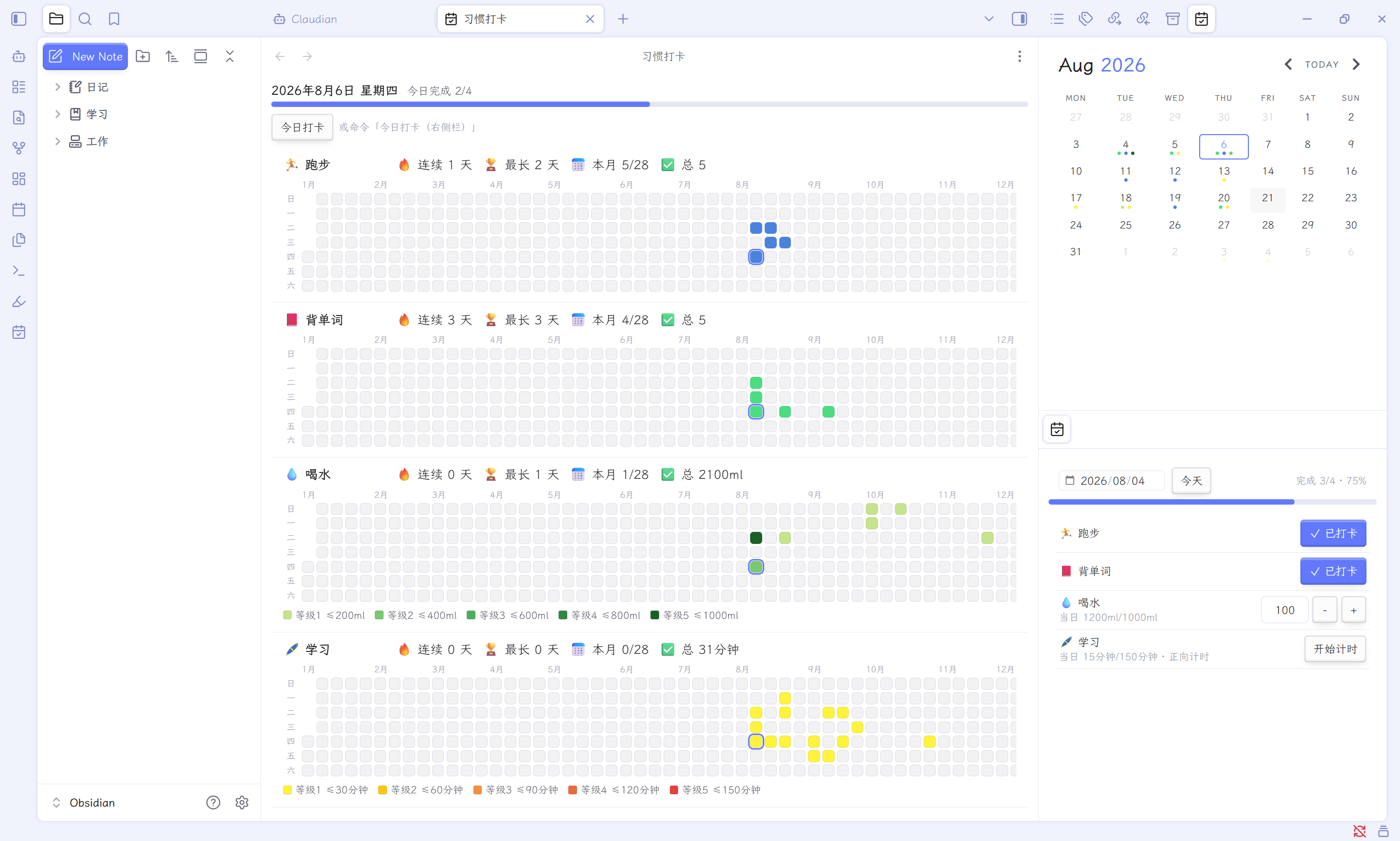
✨ 功能特性
1. 多种打卡方式
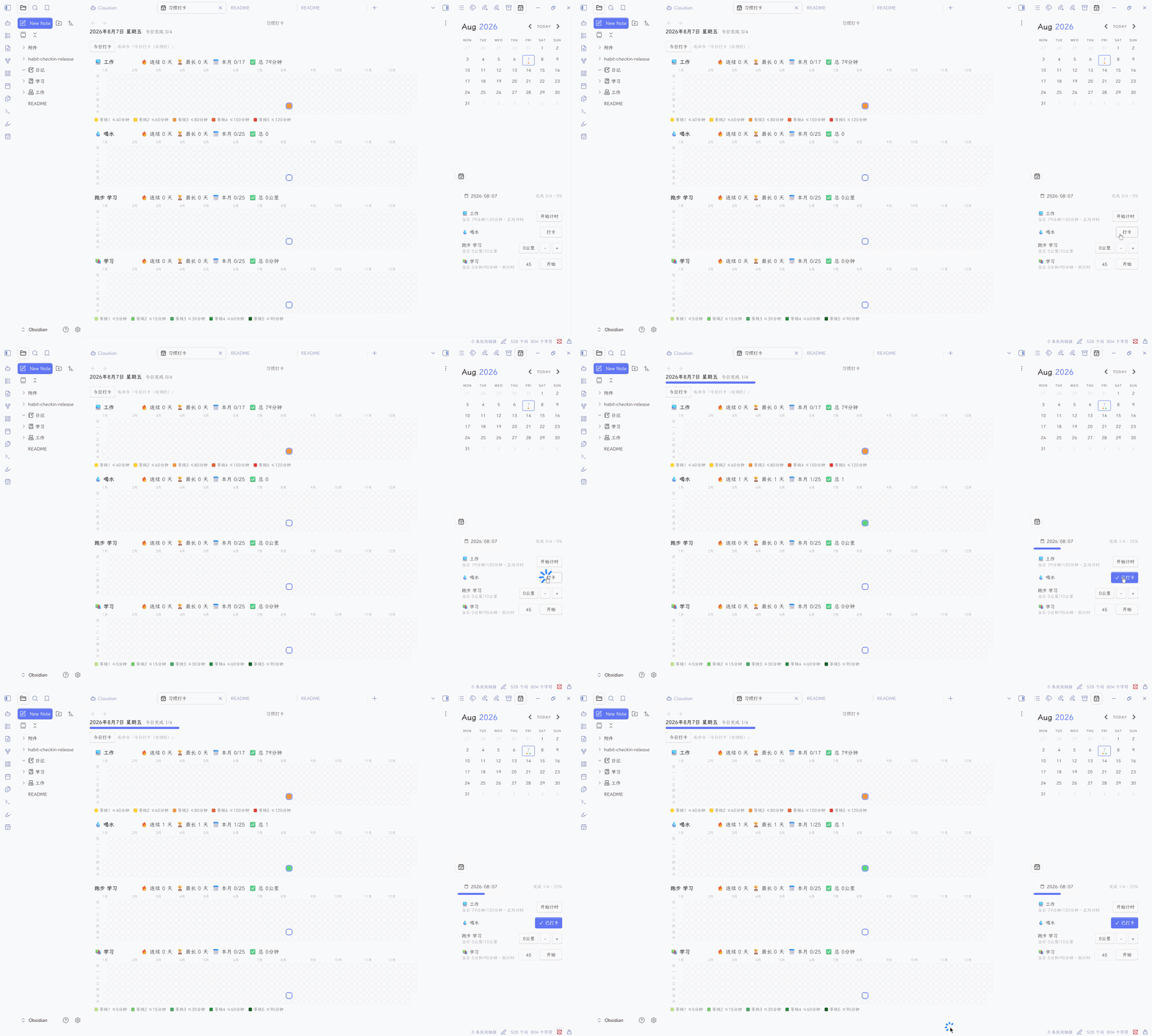
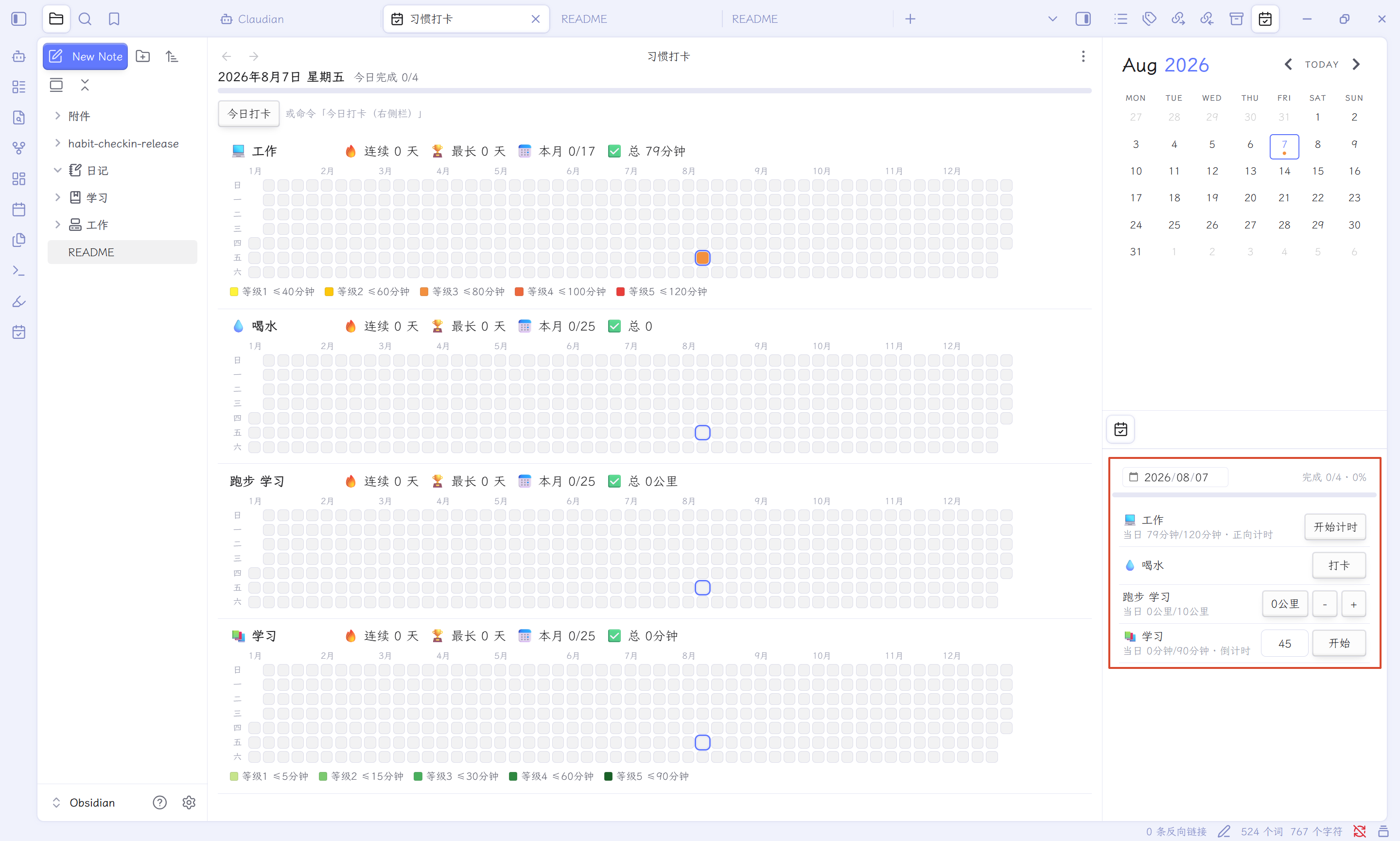
① 单次打卡 设置每日打卡事项,点击打卡按钮即可切换"已打卡 / 未打卡"状态。
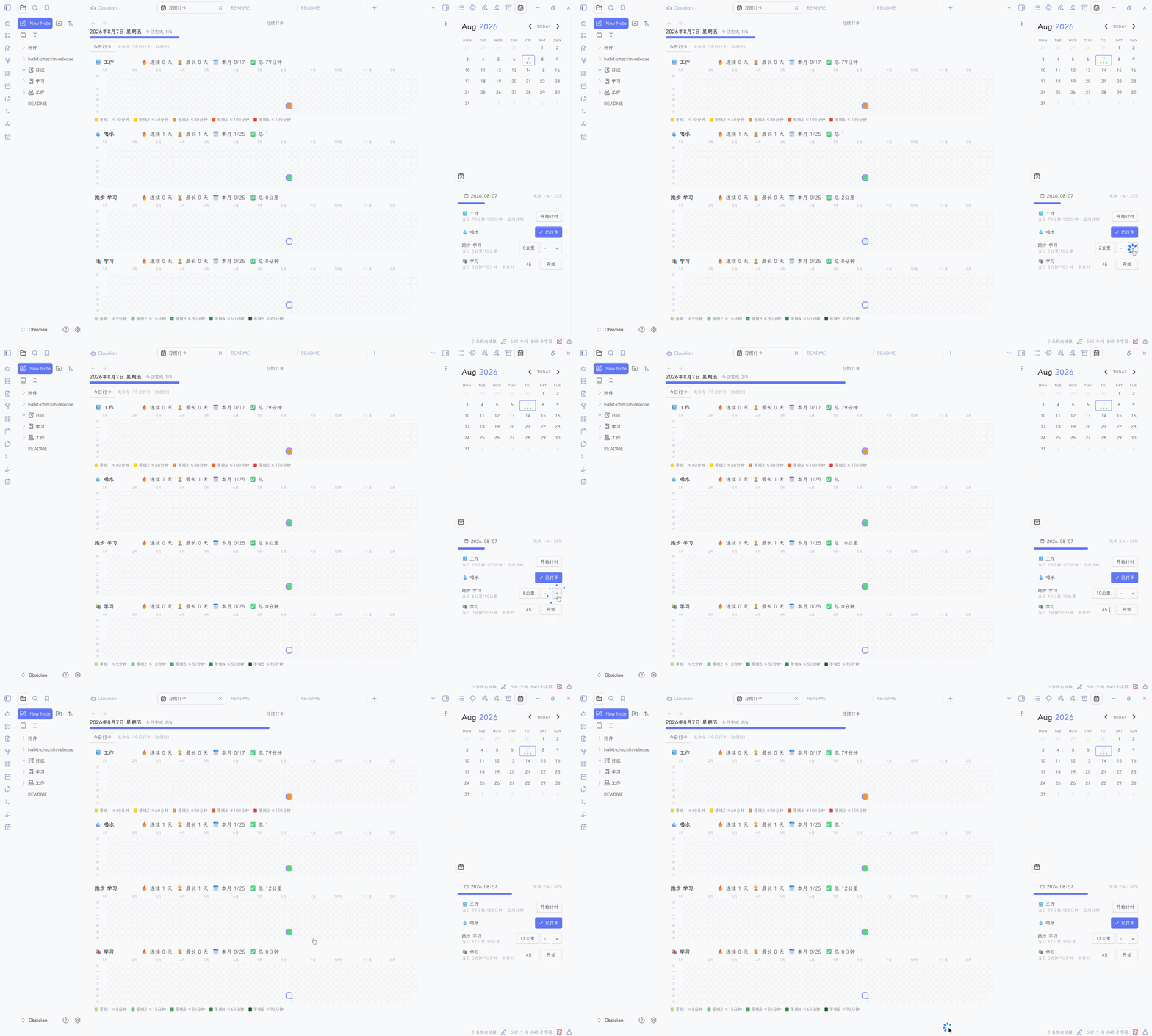
② 目标打卡 设置每日打卡目标,例如"每天喝水 1000ml"。可以自定义每次打卡的饮水量,点击 + 号累加,也可以手动输入单次打卡量。
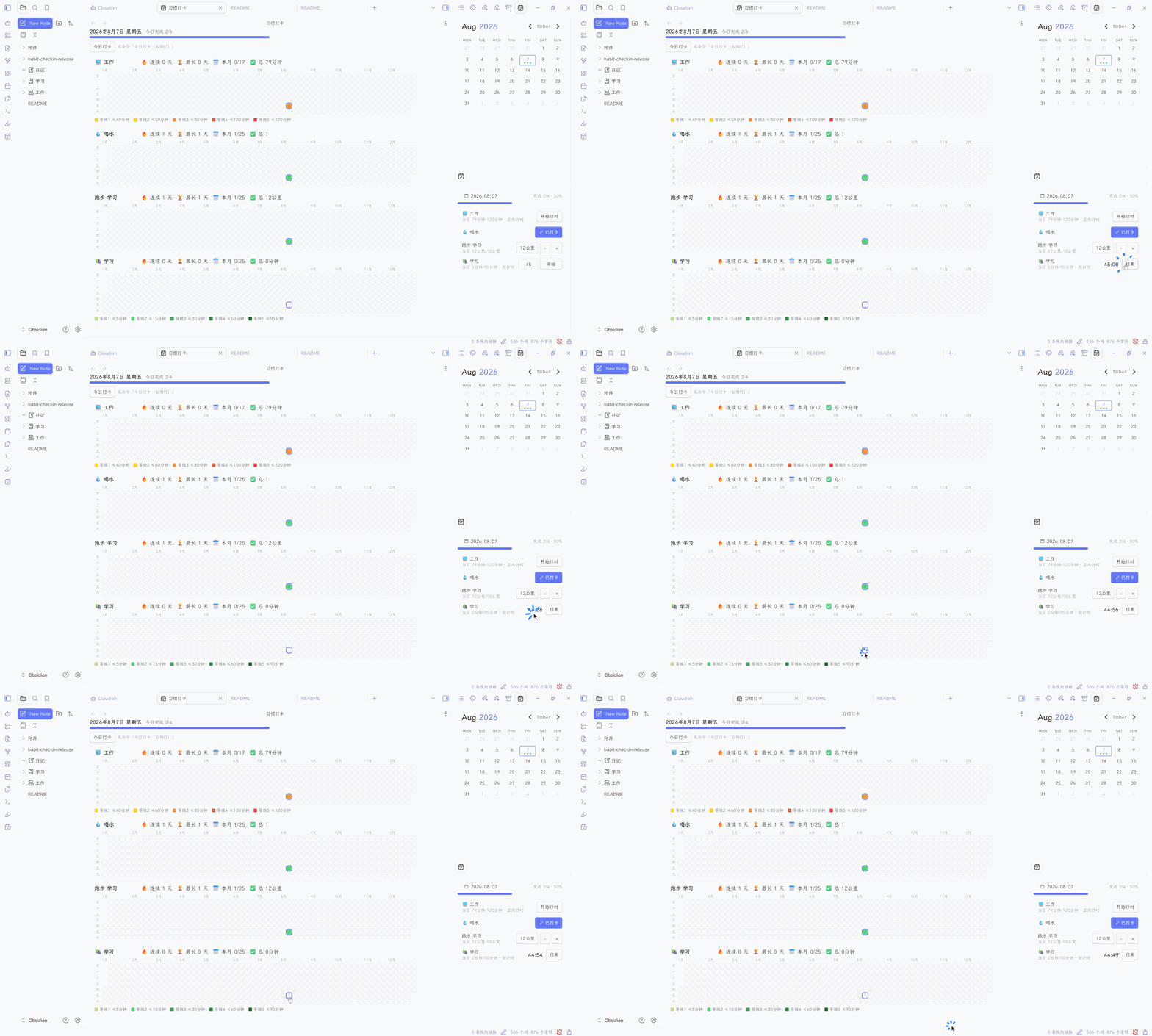
③ 时间打卡 支持正向计时与倒计时两种模式。倒计时可自定义时长(如 45 分钟),点击"开始"进入倒计时,时间结束自动把统计时长计入打卡。
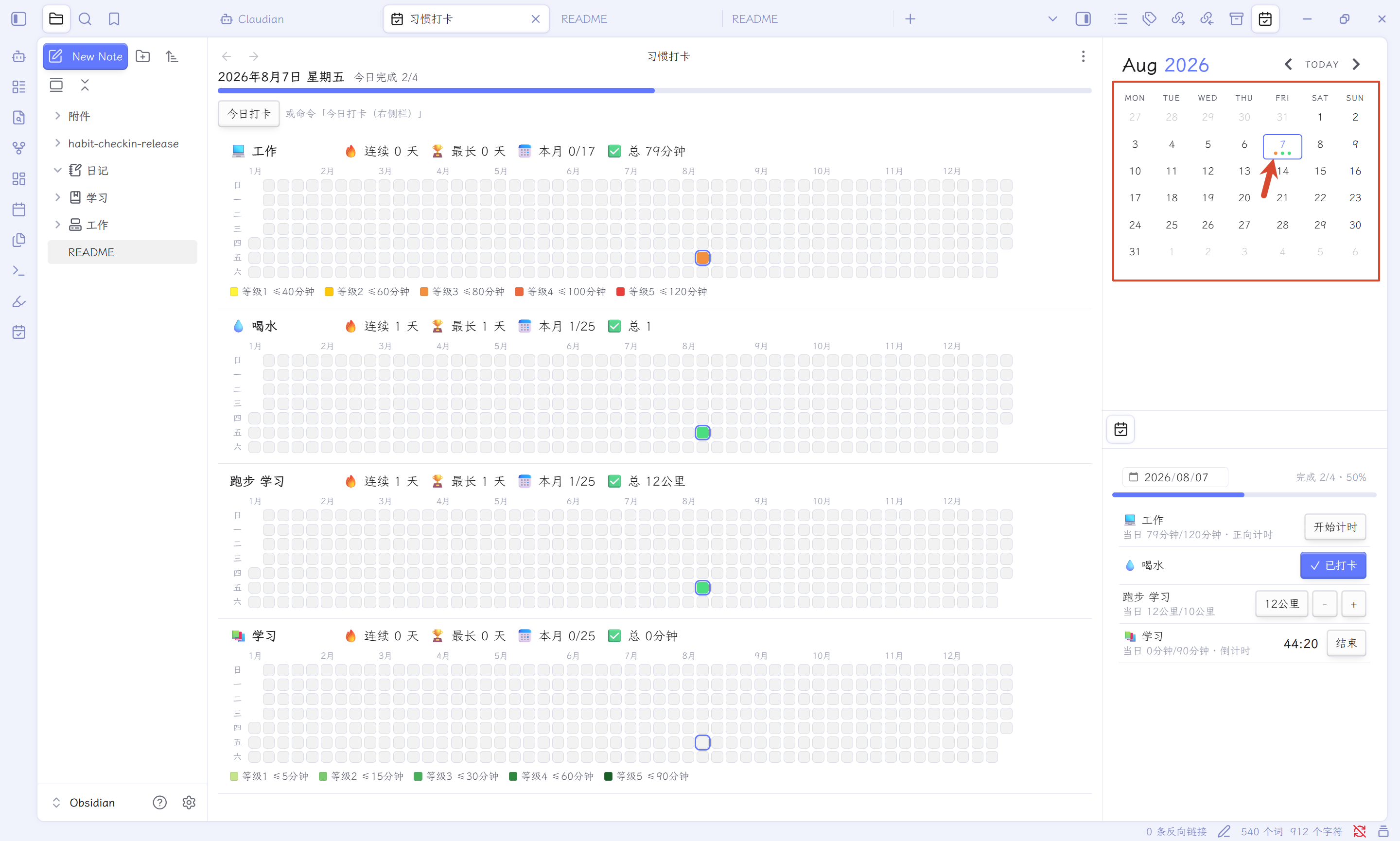
2. 与 Calendar 插件联动
当日完成打卡后,日历对应日期会自动打点标记,一目了然。
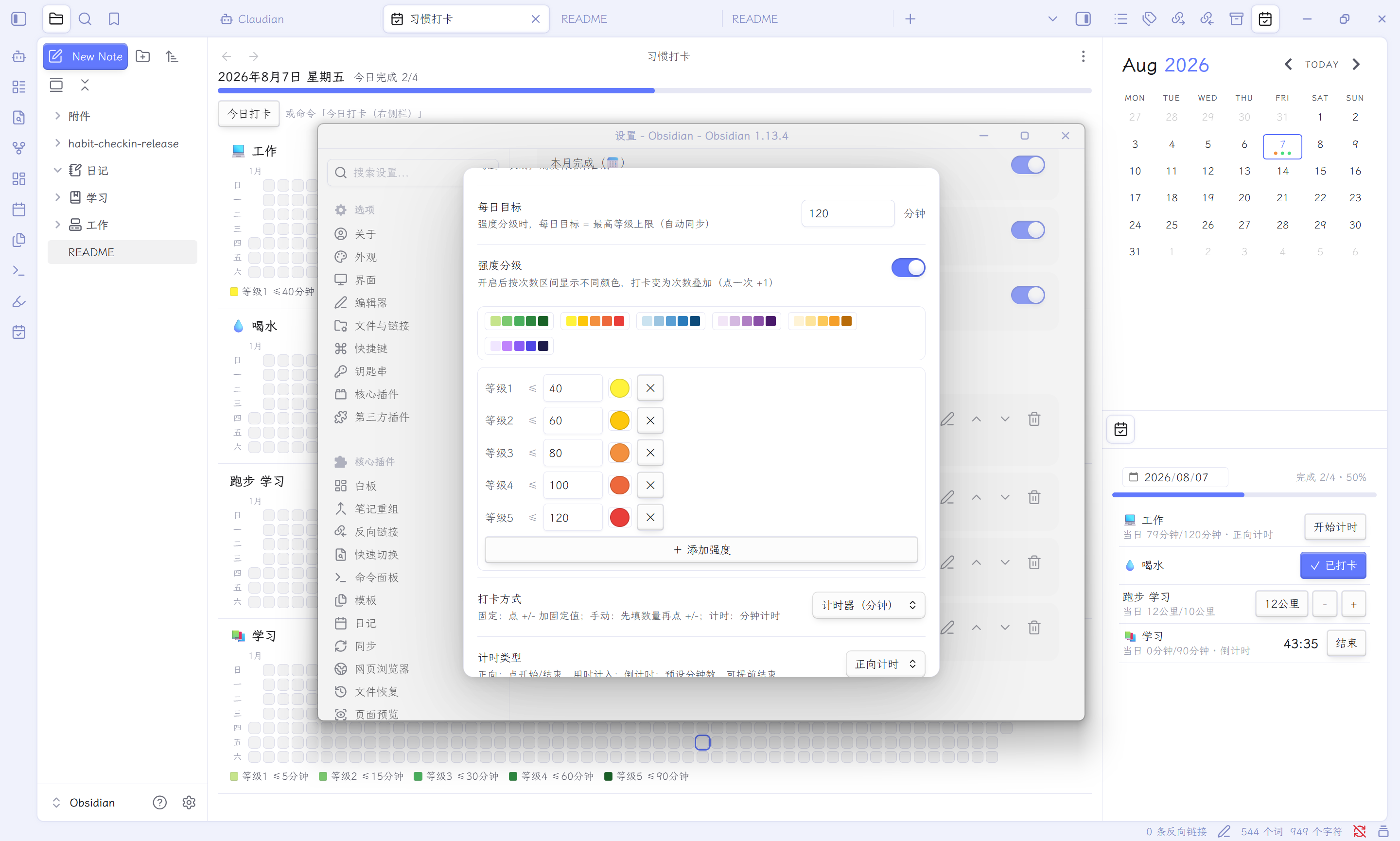
3. 强度分级配色
可自由添加强度分级,并为每一级设置对应的数值范围与颜色,热力图会按强度自动着色。开启分级后,每日目标仍可自定义(默认取最高等级上限),是否完成按你设定的目标判定,分级只影响热力图颜色深浅。
📦 安装方式
前置条件:Obsidian 1.2.0 及以上版本。
方式一:社区插件市场(推荐,最简单)
- 打开 Obsidian → 设置 ⚙️ → 第三方插件
- 关闭"安全模式"(如未关闭),点击 浏览
- 搜索
Habit Check-in - 点击 安装,安装完成后在"已安装插件"列表中找到它并启用
- (可选)点击插件名旁的 ⚙️ 图标进入设置页
方式二:BRAT(抢先体验新版本)
适用于想第一时间试新功能的朋友。
- 先安装社区插件 BRAT
- 命令面板(Ctrl/Cmd+P)→
BRAT: Add a beta plugin for testing - 粘贴仓库地址:
https://github.com/NotStudyToday/obsidian-habit-check-in - 回到"第三方插件"列表,启用 Habit Check-in
方式三:手动安装
- 前往 GitHub Releases 下载最新版本
- 解压得到
habit-checkin文件夹(内含main.js、manifest.json、styles.css) - 把文件夹放入 vault 根目录的
.obsidian/plugins/下 - 重启 Obsidian(或按 Ctrl/Cmd + R 重载),在"第三方插件"中启用
🚀 使用教程
创建习惯
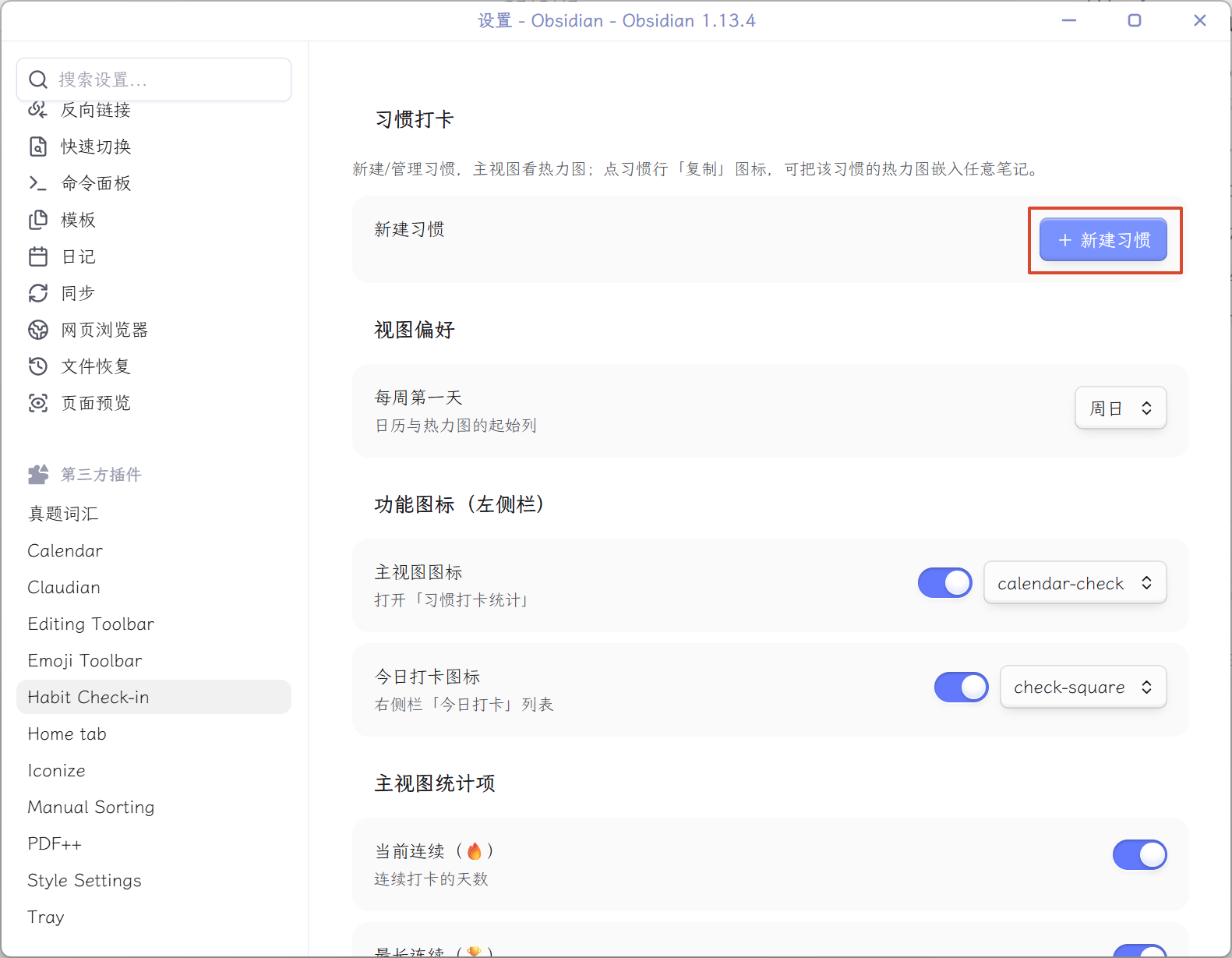
- 设置 → Habit Check-in → + 新建习惯
- 填写基本信息:名称、图标(支持 Emoji)、打卡方式、每次打卡量等。
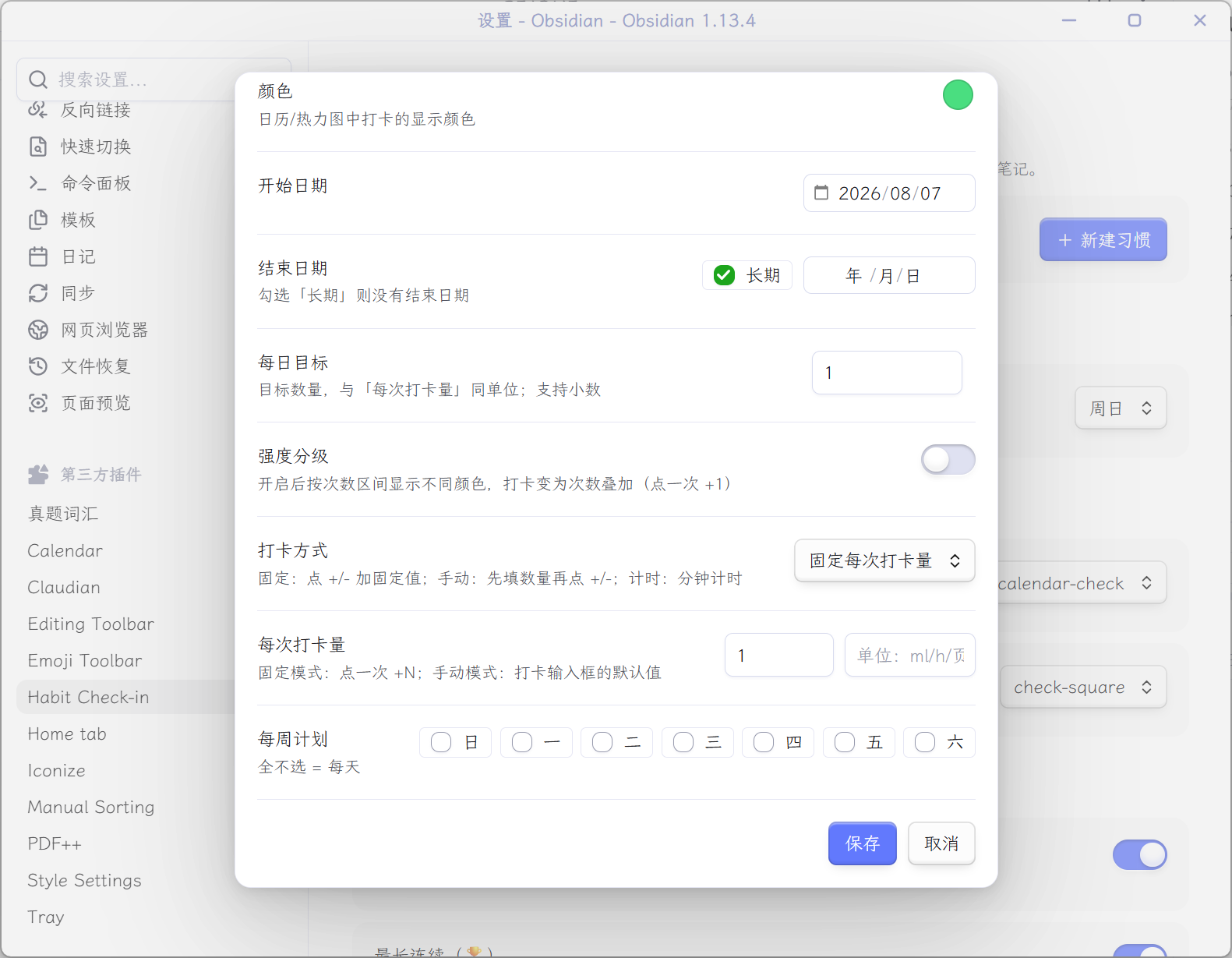
- 如需强度分级:打开"强度分级"开关,设置对应的等级、数值、颜色。
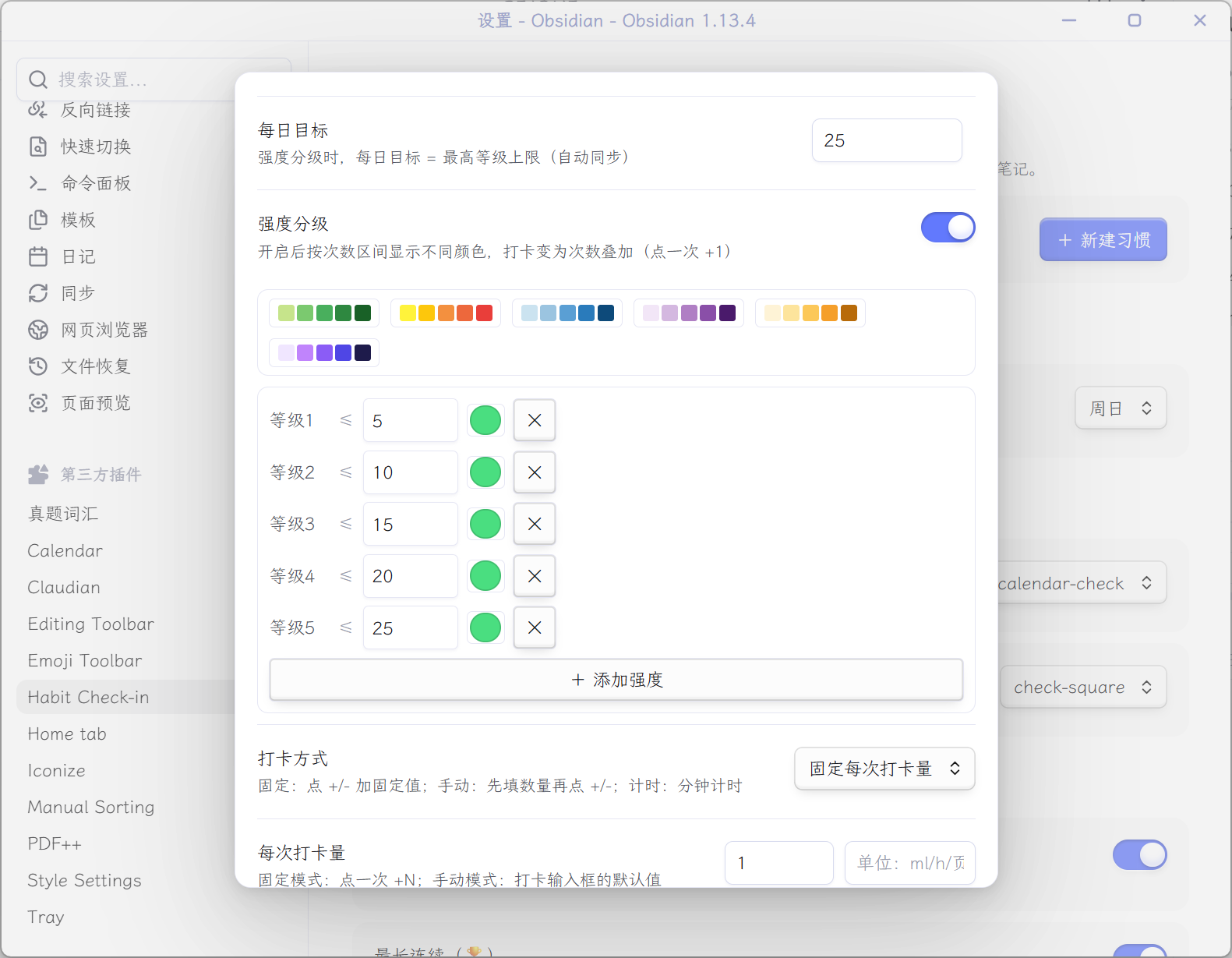
- 点击保存即创建成功,之后只需在右侧栏打卡即可。
查看统计
点击左侧 Ribbon 栏的 日历图标 打开主视图,查看每个习惯的年度热力图与连续打卡统计。热力图支持 全年 / 近三月 / 当月 三种范围切换。
补卡
忘记打卡?在右侧栏顶部把日期切换到过去某天,即可补打当天的卡。
📝 在笔记中嵌入热力图
在设置页点击习惯行上的复制图标,把代码块粘贴到任意笔记中:
```habit-heatmap
habitId=xxxxxxxx
```
| 参数 | 可选值 | 说明 |
|---|---|---|
habitId |
习惯 ID / all |
all 或省略 = 所有习惯 |
range |
year / 3m / month |
全年(默认)/ 近三月 / 当月 |
嵌入的热力图与打卡数据实时联动,打卡后自动更新。全年图在窄屏下默认把当月居中显示,支持横向滚动条与鼠标拖拽平移。
💾 数据存储
- 习惯 / 设置 / 计时器:保存在
.obsidian/plugins/habit-checkin/data.json - 打卡记录:按天拆分保存在同目录的
records/YYYY-MM-DD.json小文件里(每天一个文件)
打卡记录按天分文件存储:跨设备同步(Obsidian Sync / Synology Drive / iCloud 等)时,同步冲突只影响单个日期的小文件,历史数据更安全。备份 vault 或直接复制整个 habit-checkin 插件文件夹即可。计时中的任务会在关闭 Obsidian 后自动保存,下次打开自动结算,不会丢。
❓ 常见问题
- 找不到插件? 先确认 Obsidian 版本 ≥ 1.2.0,且安装后在"已安装插件"列表中已启用。
- 强度颜色不生效? 需要在创建习惯时打开"强度分级"开关并保存后才会按级着色。
- 想反馈 Bug 或提需求? 欢迎到 GitHub Issues 留言 ⭐
插件已上架 Obsidian 官方社区插件市场 🎉 如果你觉得好用,欢迎到 GitHub 点个 Star!
License
MIT