Graph Chat
 Muhammad Hamza162 downloads
An extended graph view where notes open into AI chat boxes powered by your local Claude Code CLI. Branch conversations, link notes by dragging, and every chat is a real markdown note.
- Overview
- Scorecard
- Updates4
An extended graph view for Obsidian where your notes open into AI chat boxes — powered by the Claude Code CLI you already have.
Obsidian's graph view lets you see your knowledge. Graph Chat lets you talk to it: click a note, ask a question, branch the conversation, and watch your graph grow — because every chat is a real markdown note in your vault, linked to the note it came from.
⚠️ Requires the Claude Code CLI installed and authenticated on your machine. The plugin spawns it locally against your vault — no API keys, no separate billing, and it inherits your vault's
CLAUDE.md, skills, and instructions. Support for other CLIs (Codex, Gemini, GLM, …) is planned for a future version.
Showcase
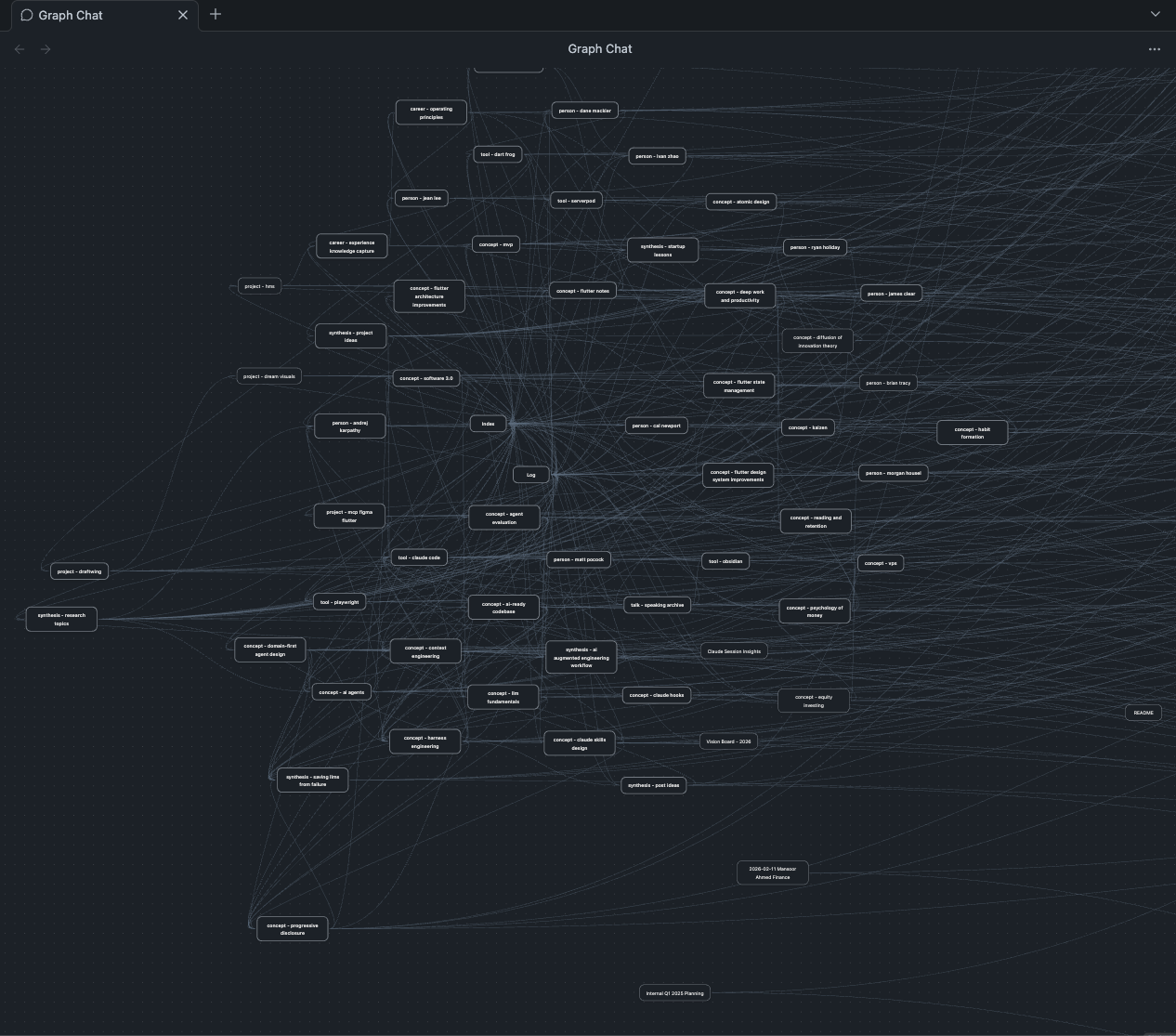
Your notes as an interactive canvas — pan, zoom, arrange; positions persist.
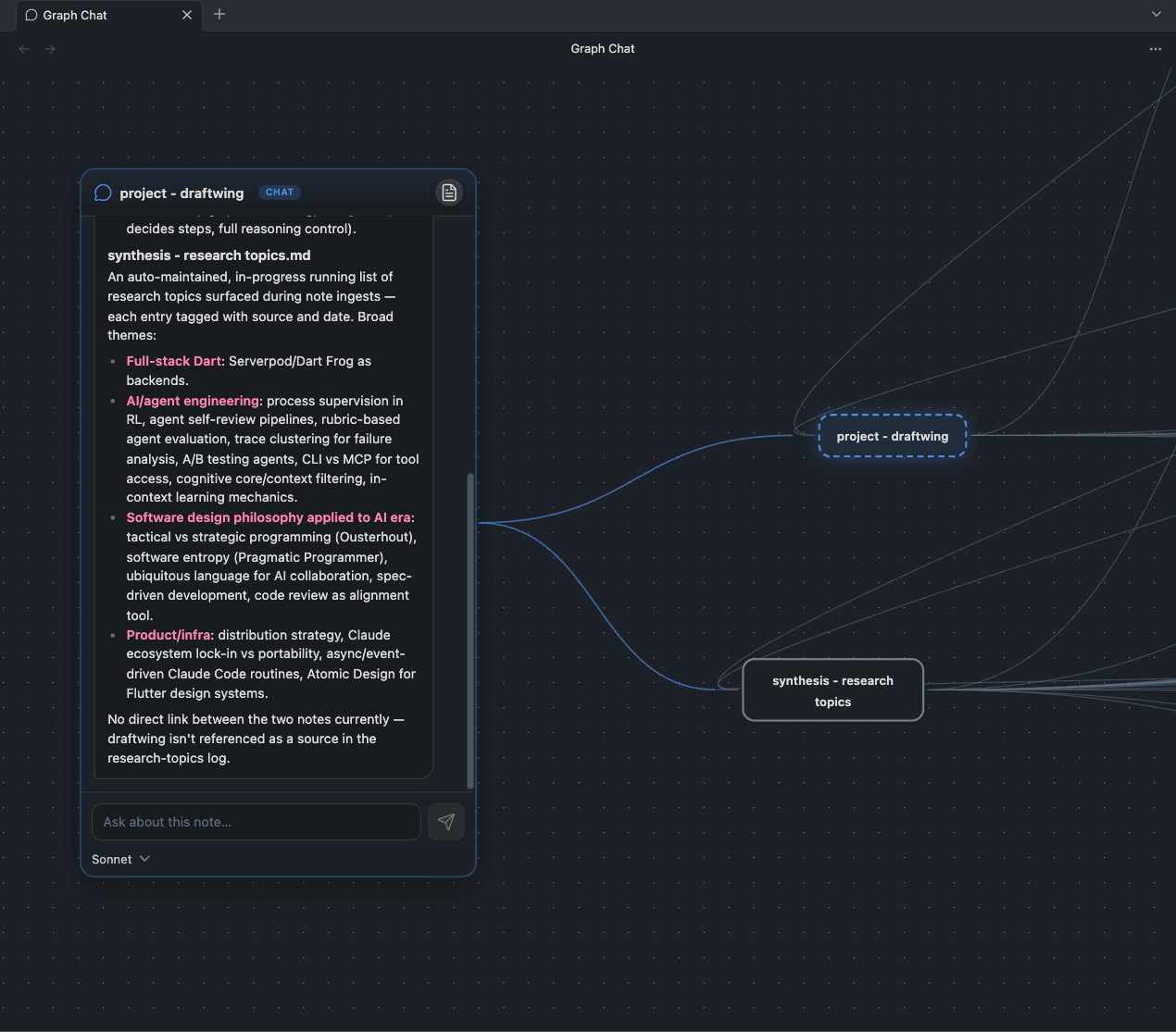
Chat with any note — the AI reads the note and its whole graph neighborhood, right on the canvas.
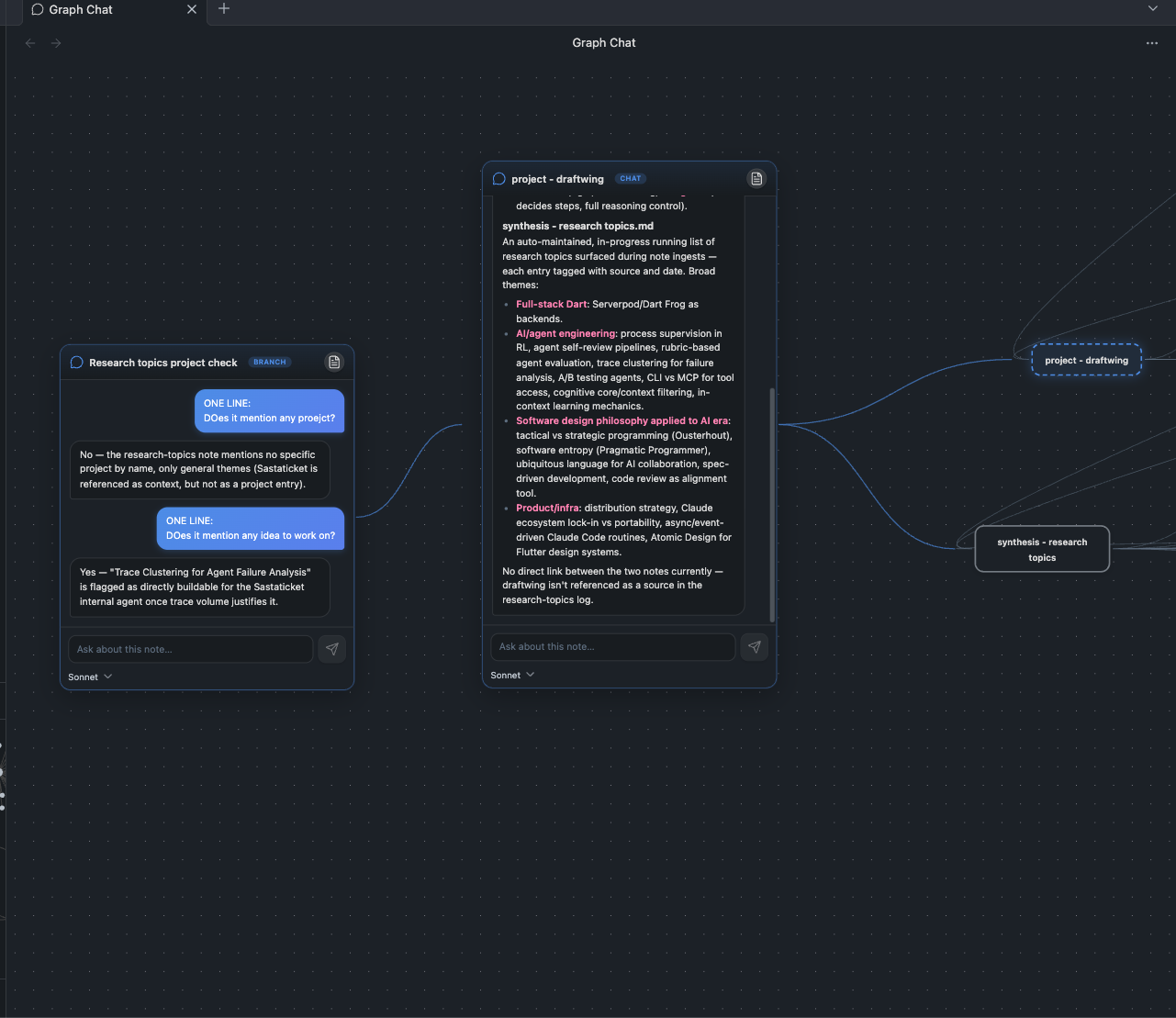
Branch conversations — each branch remembers everything up to the branch point, then diverges. Try the same question across different models, side by side.
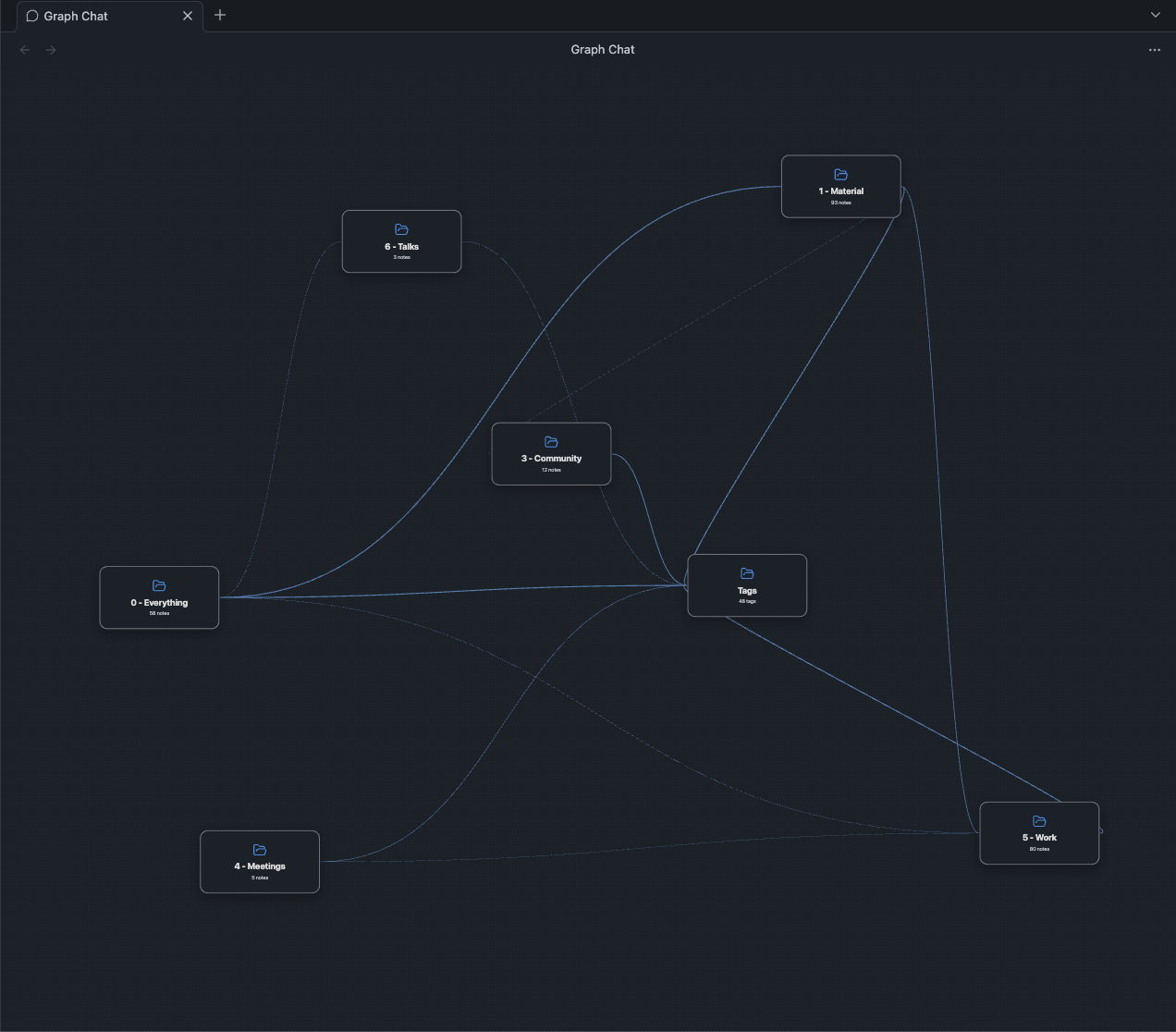
Semantic zoom — zoom out and the vault collapses into folder cards; drag one to move its whole cluster.
What it does
- 🗺️ Graph canvas — your vault's notes, tags, and links rendered as an interactive canvas (force-layouted, positions persist once you arrange them).
- 💬 Chat from any note — hover a note and hit + to open a chat anchored to it. Claude reads the note and knows its whole graph neighborhood — outgoing links and backlinks — loading whichever neighbors the question needs.
- 🌿 Branching conversations — hit + on a chat box to branch it: the new session remembers everything up to the branch point, then diverges. Probe the same point with different models side by side.
- 📝 Chats are real notes — every thread saves as markdown with a
Source:wikilink, so conversations appear in the native graph too, get AI-generated titles, and can be tagged, linked, searched, and read like any other note. By default each folder keeps its chats in its ownChats/subfolder. - 🔗 The canvas is writable — drag a + onto another note to create a real
[[wikilink]](into theTags:line), onto a tag to tag it, onto a chat to share that note's context with the conversation. Select an edge and press Delete to unlink. Everything you'd do by typing, done spatially. - 🧠 Shared context, multiple sources — link several notes into one chat and it becomes a common conversation across all of them.
- 🔍 Search and go-to — a search bar in the top-right corner: type three characters, get the five closest notes, and tap one to fly the canvas onto it. Hit the + on a result to land there and open a chat in one move. Narrow it to a single folder when the vault gets big. Bind a hotkey to it under Graph Chat: Search the canvas.
- 🗂️ Semantic zoom — zoom out and the canvas collapses into folder cards with aggregated edges; drag a folder card to move its whole cluster; click to dive back in.
- 🎛️ Model picker per chat — Sonnet / Opus / Haiku / anything your Claude plan supports, switchable mid-conversation. Configurable in settings.
- 🔒 Read-only AI — the spawned CLI gets
Read/Glob/Greponly. It can never modify your notes. The only writes are the chat notes the plugin itself saves, and the links you explicitly drag.
Install
Manual (until it's in the community store):
- Download
main.js,manifest.json, andstyles.cssfrom the latest release. - Create the folder
<your vault>/.obsidian/plugins/graph-chat/and drop the three files in. - Reload Obsidian → Settings → Community plugins → enable Graph Chat.
Via BRAT: add mhmzdev/obsidian-graph-chat as a beta plugin.
Then: open plugin settings and set your Claude CLI path (run which claude in a terminal — e.g. /Users/you/.local/bin/claude).
Settings
| Setting | What it does |
|---|---|
| Claude CLI path | Absolute path to the claude binary |
| Default chats folder | Fallback storage for chat notes |
| Per-folder chats | Each folder keeps chats in its own <folder>/Chats (toggle per folder) |
| Chat folder routing | Explicit rules: notes under folder X store chats in folder Y |
| Models | Toggle the models offered in the chat dropdown; add custom ids |
| Included folders | All folders, or a checklist of the ones you want on the canvas |
How it works
The plugin registers a custom view built on React Flow and runs headless claude -p sessions (--output-format stream-json) with your vault as the working directory. Conversations continue via --resume, branches via --fork-session. Chat titles come from a one-shot Haiku call after the first exchange.
Your notes never leave your machine except through your own Claude CLI, under your own account, with read-only tools.
Credits
- Bonscape — the branching-conversations-on-a-canvas experience that inspired this plugin. If you want that idea as a polished standalone product, go look at what they've built.
- React Flow (xyflow) for the canvas engine.
- Obsidian for being the kind of app you can build this on.
Roadmap
- Provider adapters: Codex CLI, Gemini CLI, GLM, and other local CLIs
- Promote a co-source note to primary
- Mobile-friendly fallback view
Development
npm install
npm run dev              # watch build
OBSIDIAN_VAULT="/path/to/vault" npm run deploy   # build + copy into your vault

# releasing (bumps package.json + manifest.json + versions.json, tags,
# pushes — the GitHub Action then builds and drafts the release):
npm run publish:patch    # 1.0.0 -> 1.0.1
npm run publish:minor    # 1.0.0 -> 1.1.0
npm run publish:major    # 1.0.0 -> 2.0.0
For an exact version: npm version 1.2.3 && git push && git push --tags.