
- Overview
- Scorecard
- Updates4
Fullscreen focus across all platforms. It helps you get more display space when you focus on reading notes, especially on mobile devices.
usage
- Shortcuts: double click/touch to toggle fullscreen (or triple by settings).
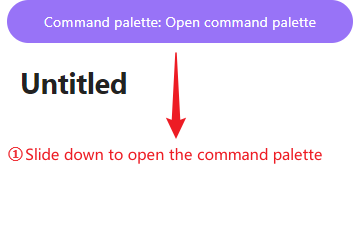
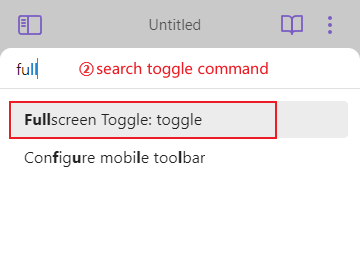
- Command: Full screen (It is recommended to use the mobile end, and an example is provided below).
- Command or hotkey only: When you feel that mouse clicks will accidentally trigger Fullscreen, you can enable using only commands and shortcut keys through settings. Special thanks for Aleksey Rowan's contribution.
Contact me
- email: [email protected]
HealthFair
ReviewSatisfactory
About
Enter fullscreen focus across all platforms to maximize reading space, especially on mobile. Toggle with double-click/tap or use the Full screen command, and enable command-only mode to avoid accidental triggers.Details
Current version
1.0.3
Last updated
2 years ago
Created
3 years ago
Updates
4 releases
Downloads
5k
Compatible with
Obsidian 0.15.0+
Platforms
Desktop, Mobile
License
MIT