TaskManagement
 yun-lun-li2173 downloads
TaskManagement for Markdown task notes with Obsidian-readable frontmatter.
- Overview
- Scorecard
- Updates12
TaskManagement is an Obsidian plugin for managing Markdown-based tasks with a kanban board and timeline views.
Tasks are stored as regular Markdown notes with frontmatter, so your task data stays portable, searchable, and readable by Obsidian Bases. The plugin adds custom Bases views for planning work by status, date, project, feature, priority, and custom fields.
Screenshots
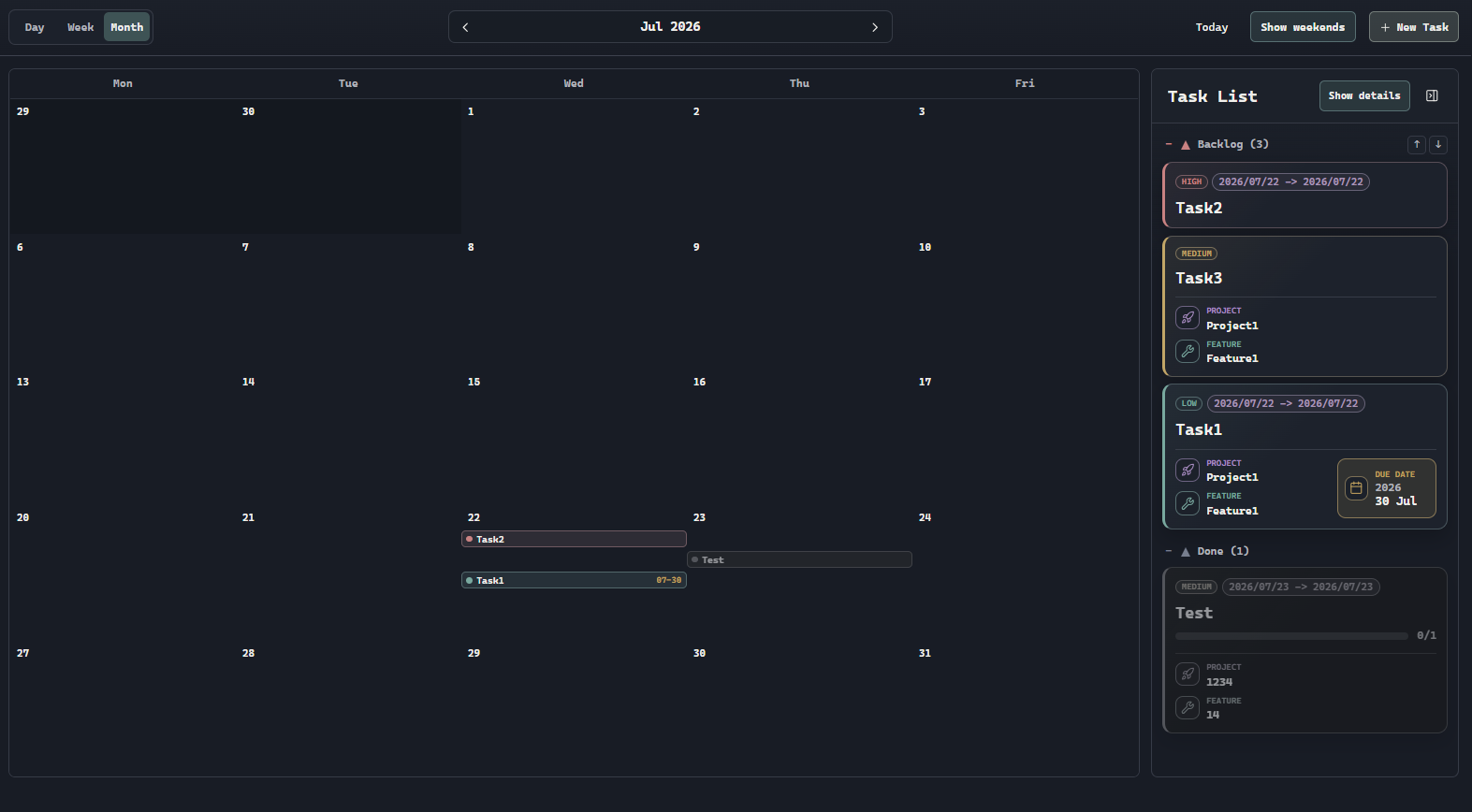
Timeline month view
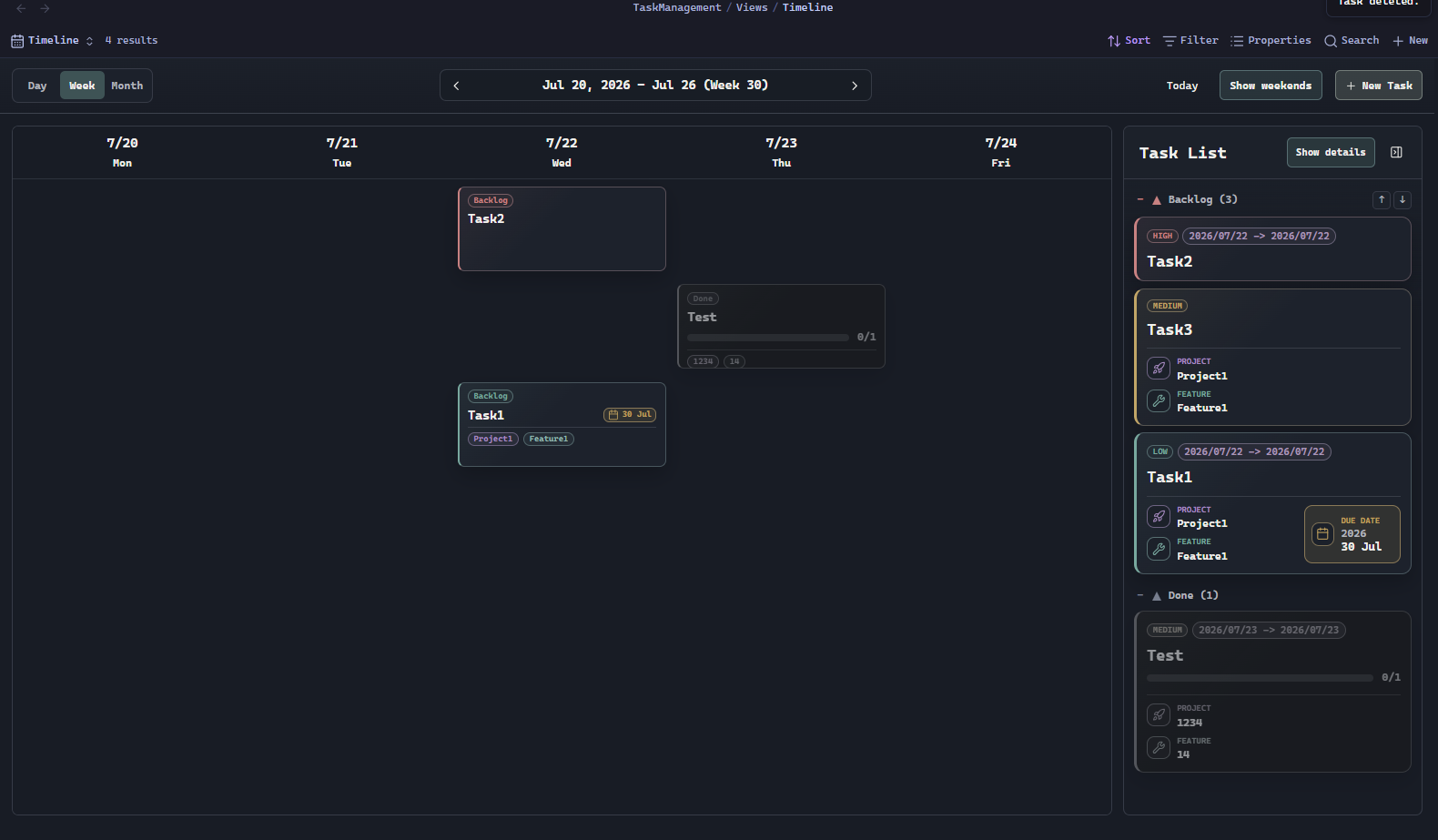
Timeline week view
Features
- Kanban-style task management powered by Markdown task notes.
- Timeline views for planning tasks by day, week, or month.
- A side task list that keeps grouped tasks visible while browsing the timeline.
- Drag tasks between status columns to update their frontmatter.
- Built-in statuses:
backlog,nextup,ongoing, anddone. - Add, rename, remove, and reorder statuses from plugin settings.
- Create tasks from the ribbon, command palette, hotkeys, or view toolbar.
- Edit task details directly from the task card.
- Open the source Markdown note from the edit modal.
- Store project and feature references as Markdown links.
- Automatically create project and feature notes when needed.
- Track priority, due date, work start date, work end date, completion date, and notification lead time.
- Apply a completion date when a task moves to
done, and remove it when the task moves out ofdone. - Show priority labels, date ranges, project links, feature links, and checklist progress on task cards.
- Sort tasks by built-in fields or custom fields.
- Filter tasks with nested AND/OR filter groups.
- Add custom fields for text, number, date, datetime, date range, select, and checkbox values.
- Refresh Bases views automatically when task files change.
How It Works
TaskManagement creates a TaskManagement/ folder in your vault. Task notes live in TaskManagement/Tasks/, project notes live in TaskManagement/Projects/, and generated Bases view files live in TaskManagement/Views/.
Each task is a normal Markdown file with frontmatter similar to this:
---
tags:
  - taskmanagement
title: Example task
status: backlog
priority: high
due: 2026-07-30
project: "[[Project1]]"
feature: "[[Feature1]]"
created: 2026-07-26T12:00:00.000Z
---
Because tasks are regular notes, you can still search them, link to them, edit them manually, and use them with other Obsidian workflows.
Commands
- Open Kanban board
- Open Timeline
- Create Kanban task
The plugin also adds a ribbon icon for opening the board.
Requirements
- Obsidian
1.10.0or newer. - The Obsidian Bases core plugin must be enabled to use the custom kanban and timeline views.
Manual Install
Download the release files and place them in:
<vault>/.obsidian/plugins/frontmatter-kanban-board/
Required files:
main.jsmanifest.jsonstyles.css
Restart Obsidian or reload plugins, then enable TaskManagement in Community Plugins.
Development
Install dependencies:
npm install
Build the plugin:
npm run build
Run a development watch build:
npm run dev
Releasing
Obsidian installs community plugins from GitHub Releases. The release tag must exactly match the version in manifest.json, without a v prefix.
Build and package the release files:
npm run release:package
This validates the release metadata and copies the installable files to:
release/frontmatter-kanban-board/
Upload these files as separate GitHub Release assets:
main.jsmanifest.jsonstyles.css
Roadmap
Recurring tasks are not implemented yet.